VPS Hosting and Dedicated server customers can edit MySQL configuration settings by modifying my.cnf file located in the /etc directory. In this article, you will learn how to view and edit my.cnf file. To do this, you will have to connect to a Linux machine via SSH (with root user) and edit my.cnf file with your favorite editor.
Step 1: Locate the Actual Configuration File
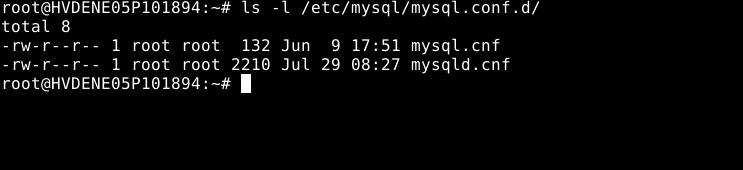
To list the files and identify the one responsible for [mysqld] configuration:
# ls -l /etc/mysql/mysql.conf.d/
Step 2: Open mysqld.cnf for Editing
Now open the config file using nano (or your preferred editor):
# sudo nano /etc/mysql/mysql.conf.d/mysqld.cnf
Step 3: Review or Add Parameters Under [mysqld]
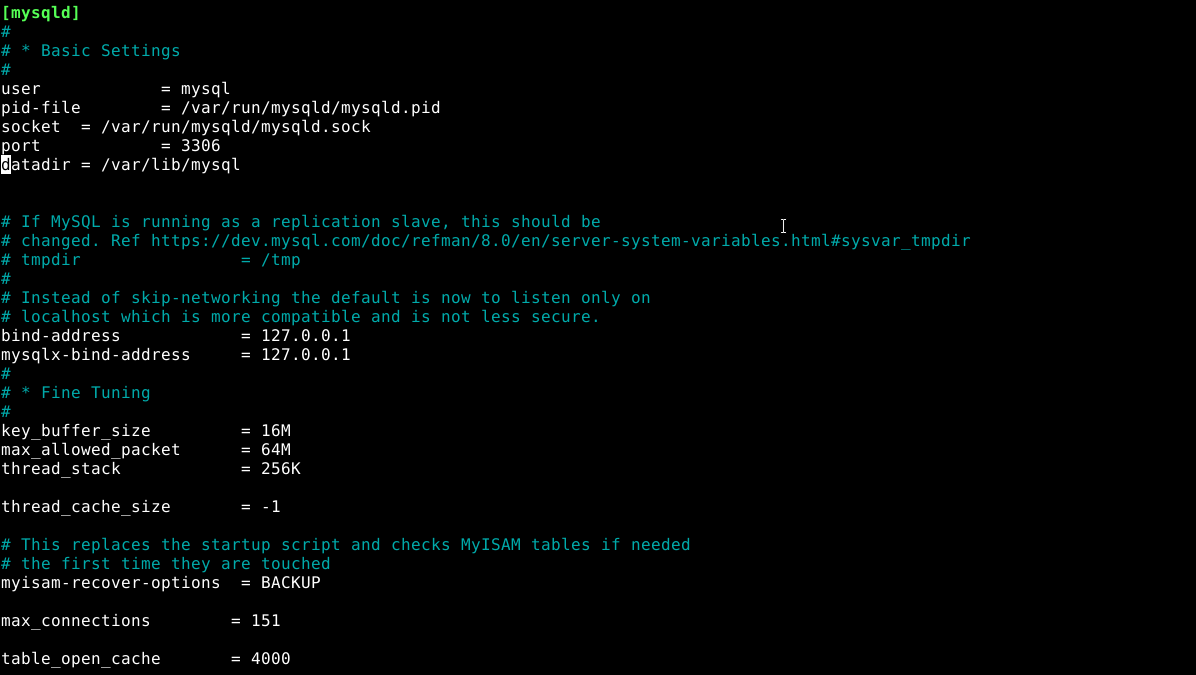
You will see a section like:
user            = mysql
pid-file        = /var/run/mysqld/mysqld.pid
socket          = /var/run/mysqld/mysqld.sock
port            = 3306
basedir         = /usr
datadir         = /var/lib/mysql
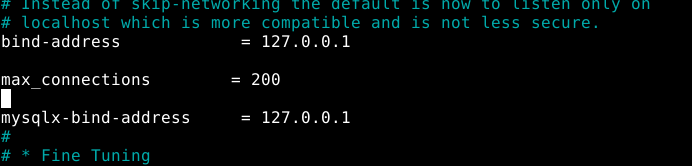
Add/modify your required settings under [mysqld], for example:
max_connections = 200
bind-address = 127.0.0.1
Step 4: Save & Exit
Enter Ctrl + O to save the settings and Ctrl + X to exit
Step 5: Restart MySQL Service
After making changes, restart MySQL to apply them:
# sudo systemctl restart mysql
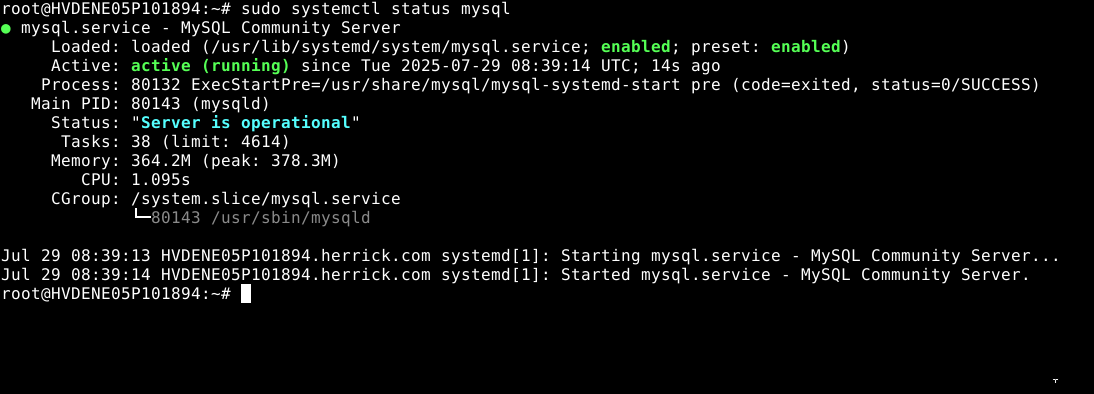
Then confirm it's running:
# sudo systemctl status mysql
Step 6: Validate Changes in MySQL
Log in to the MySQL CLI:
# mysql -u root -p
Once logged in, run:
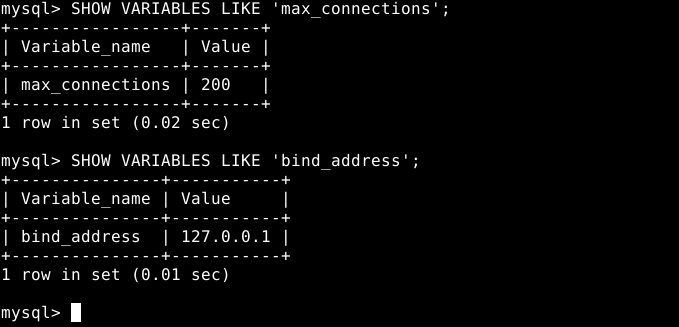
# SHOW VARIABLES LIKE 'max_connections';
# SHOW VARIABLES LIKE 'bind_address';