Step 1: Log in to your WHM.
Step 2: Under the Resellers section, select Edit Reseller Nameservers and Privileges.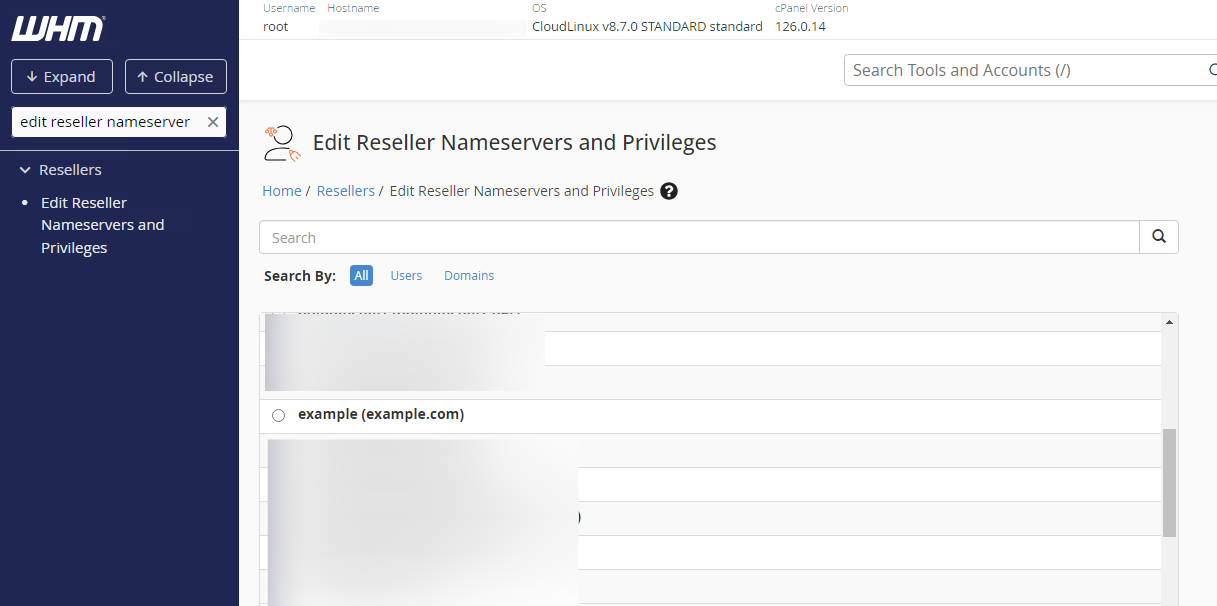
Step 3: Select the reseller you want to manage from the list and click Submit.
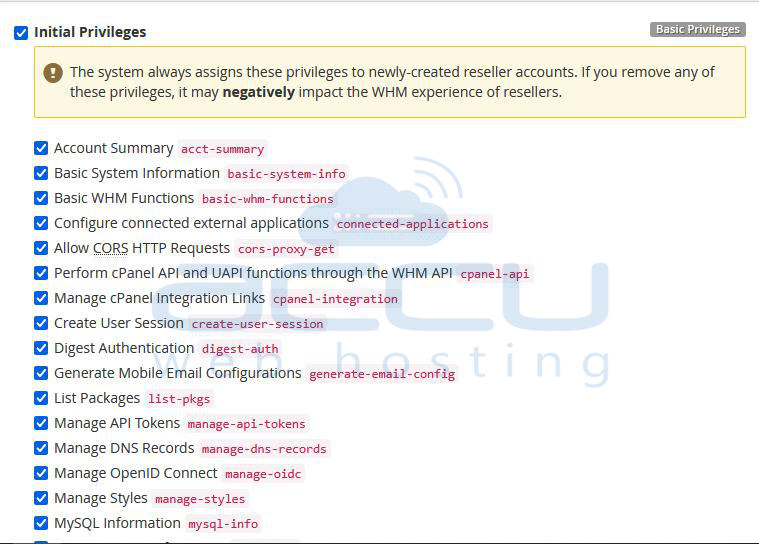
Step 4: You're now at the Edit Reseller Nameservers and Privileges page in WHM. At this point, you can make the desired changes and click Save All Settings at the bottom of the page.
Step 5: The Following are the ideal options to select while creating a Reseller account.
Account Creation Limits
In the Account Creation Limits section first 2 options will be set by the reseller plan itself. Under Resource Usage Limits, do not check an option of Overselling Allowed.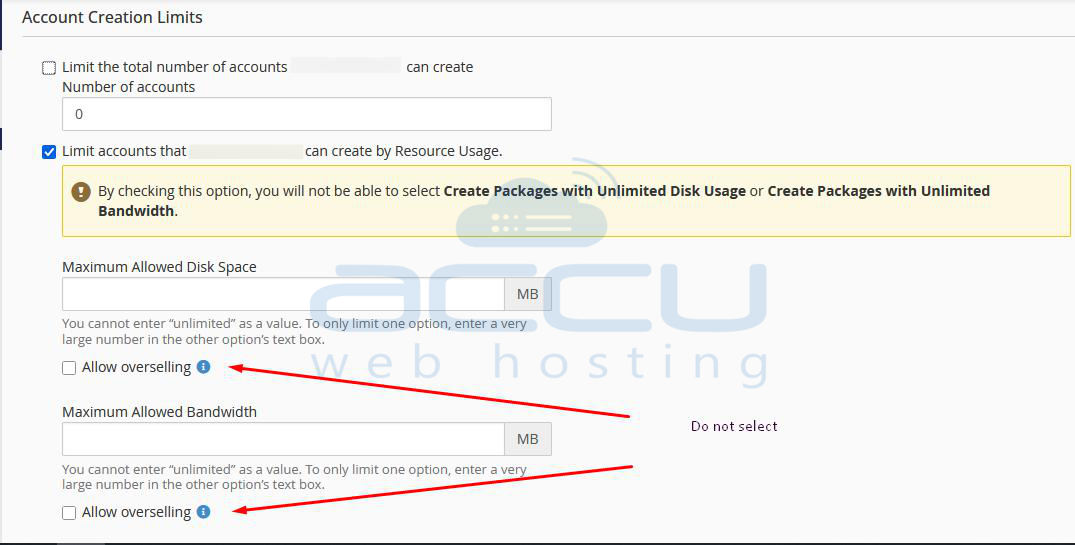
Feature Limits (ACL Lists)
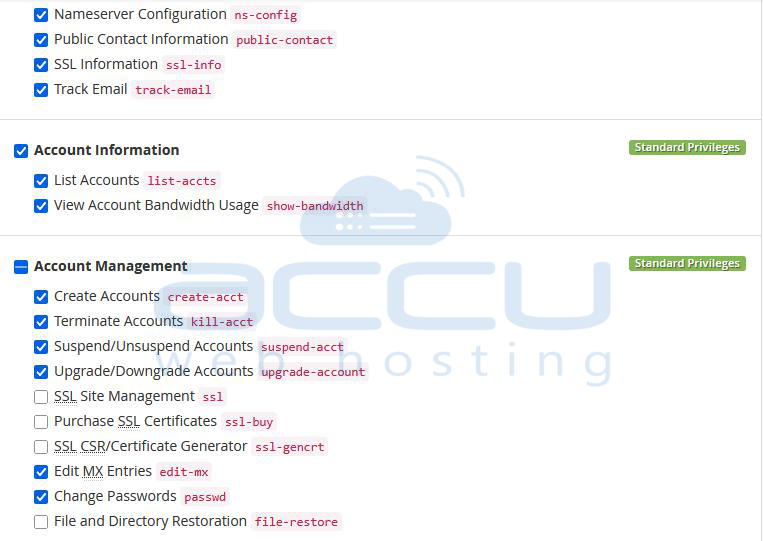
In the Feature Limits section, keep the following options checked.
Account Information
- List Accounts
- View Account Bandwidth Usage
Account Management
- (Un)Suspend
- Change Passwords
- Create
- Edit MX Entries
- Terminate
- Upgrade/Downgrade
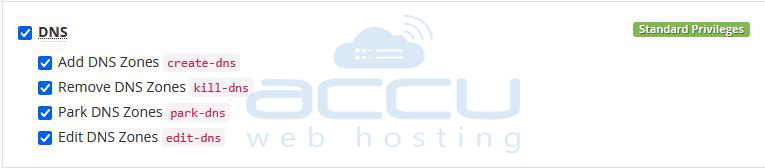
Dns
- Add
- Edit
- Park
- Remove
Packages
- Add/Remove
- Edit

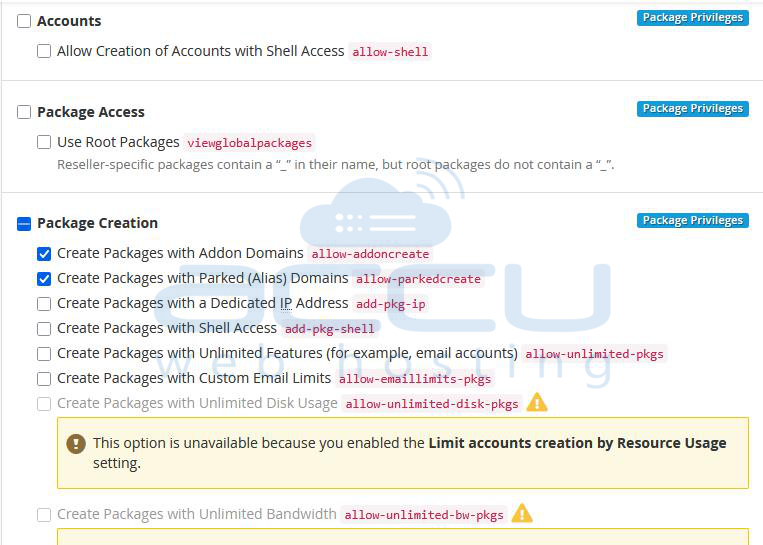
Package Privileges
In the Package Privileges section, keep the following options checked.
Accounts
Prevent Accounts from being created with shell access
Packages Creation
- Allow Creation of Packages with Addon Domains
- Allow Creation of Packages with Parked Domains
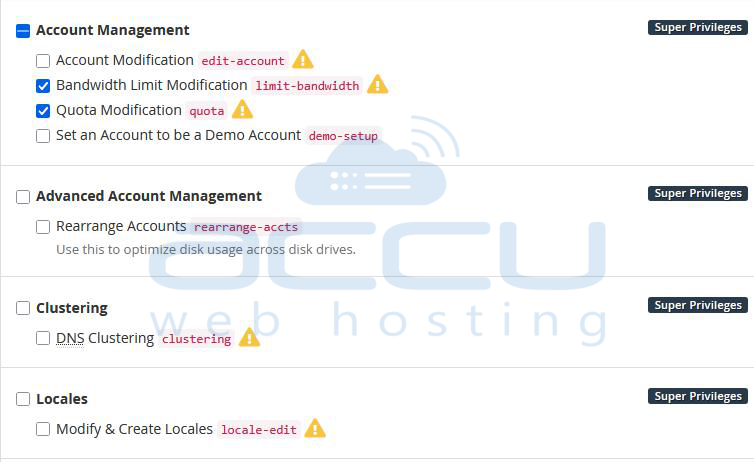
Super Privileges
Be careful while you grant access under the Super Privileges section. Keep only 3 options checked as follows.
- Account Modification (warning: this will allow circumvention of account creation limits, give shell access unless explicitly disallowed, dedicated ips, etc)
- Bandwidth Limiting Modification (Warning: This will allow circumvention of account package limits if you are not using resource limits)
- Quota Modification (Warning: This will allow circumvention of account package limits if you are not using resource limits)
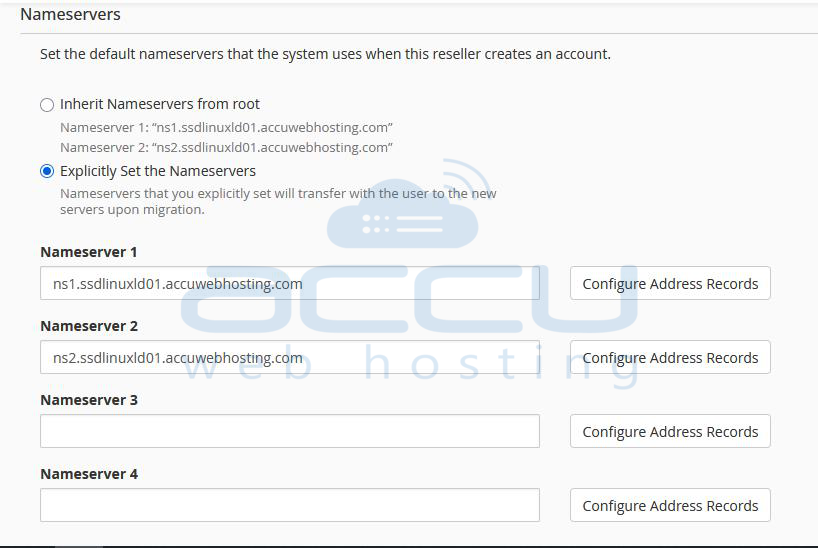
Nameservers
By default, the server's primary nameservers would be assigned to the newly created cPanel account under the reseller. If you want to allow reseller to use their own nameservers, replace the default nameservers with the reseller's private nameservers.