
How to Fix “Wrapper is Disabled in the Server Configuration” Error in cPanel
This error occurs when the allow_url_fopen function in PHP is disabled.
The allow_url_fopen directive allows PHP functions such as file_get_contents() and include() to access data from remote servers.
If this feature is turned off, PHP scripts that try to open external URLs will fail and display the message:
wrapper is disabled in the server configuration
To solve this error, please refer to the following steps:
The steps listed below will activate the allow_url_fopen function in php.ini for cPanel.
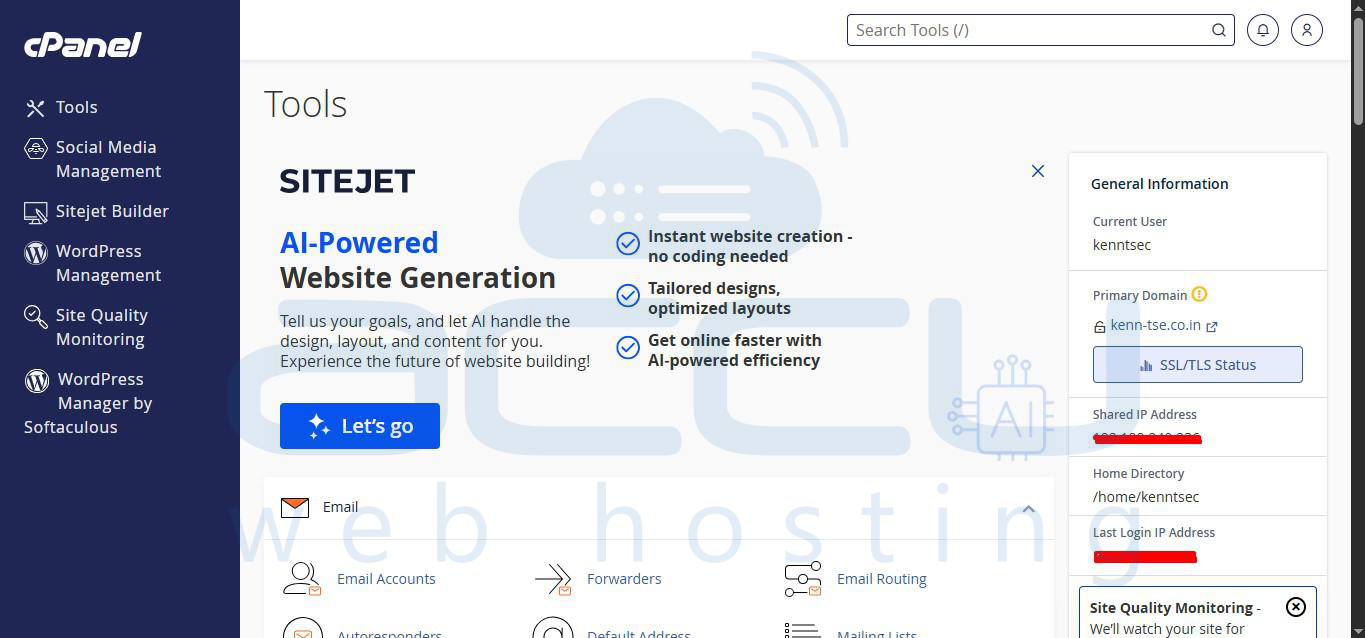
- Log in to your cPanel account.
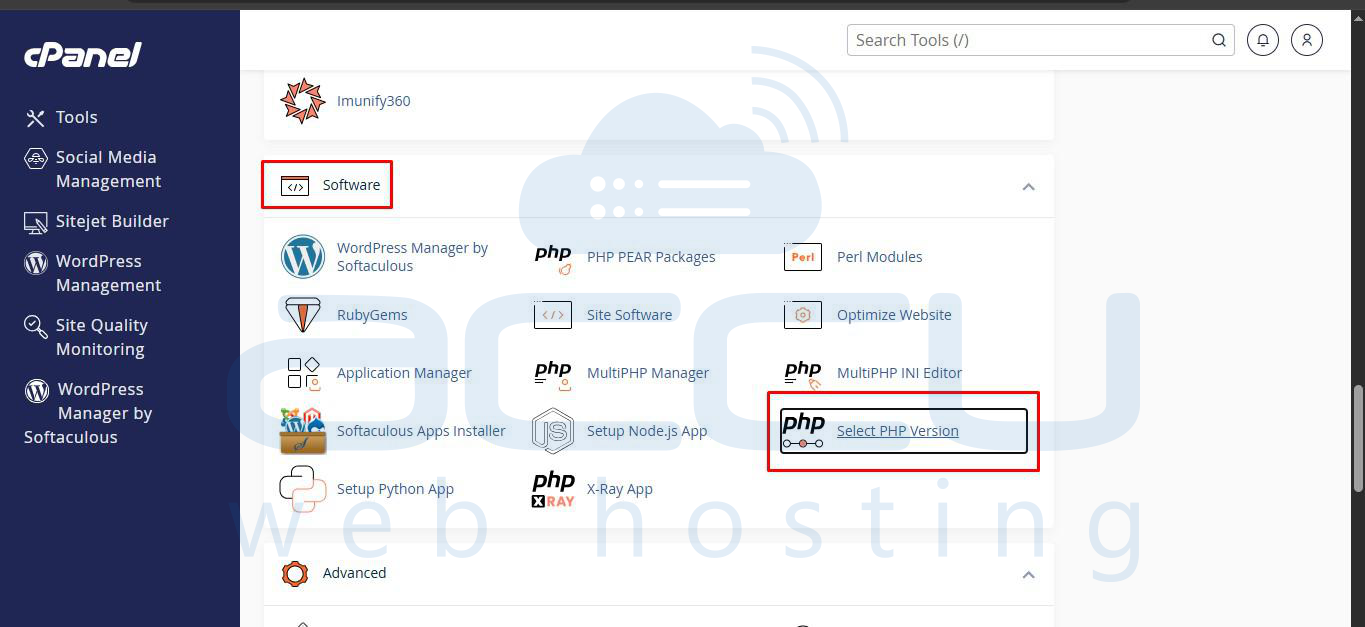
- Search for Select PHP Version; you can see it below the Software category.
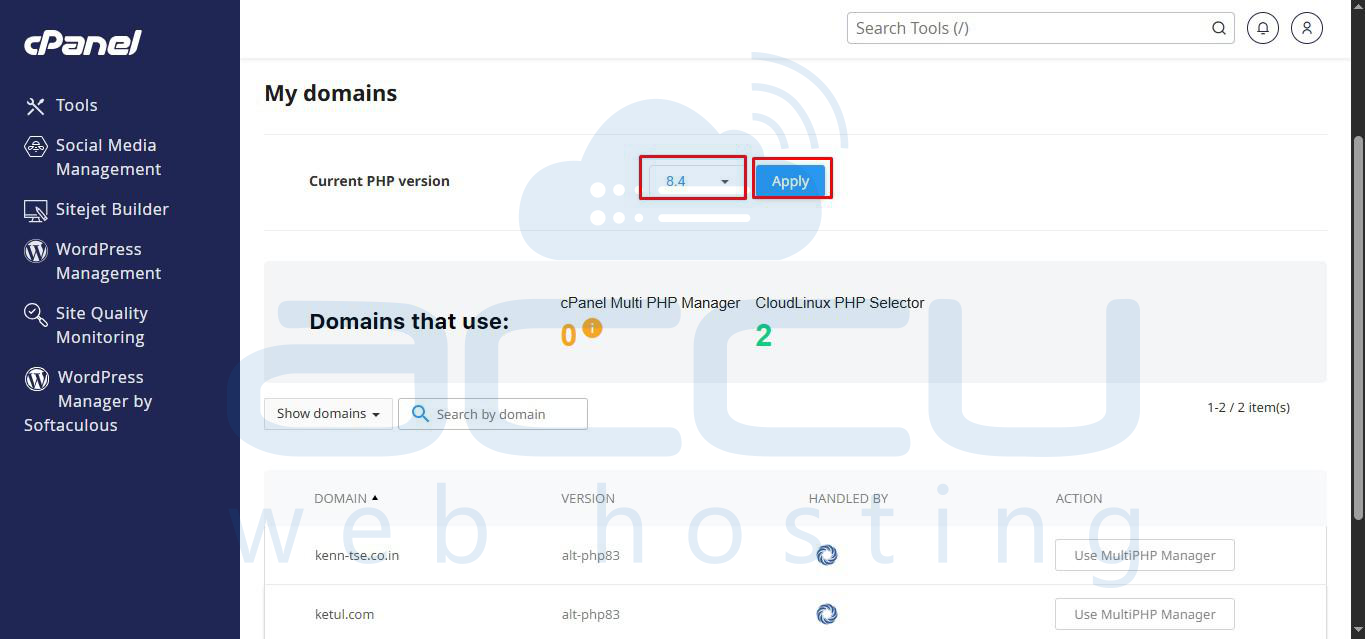
- Select the PHP version other than native and click on Apply.
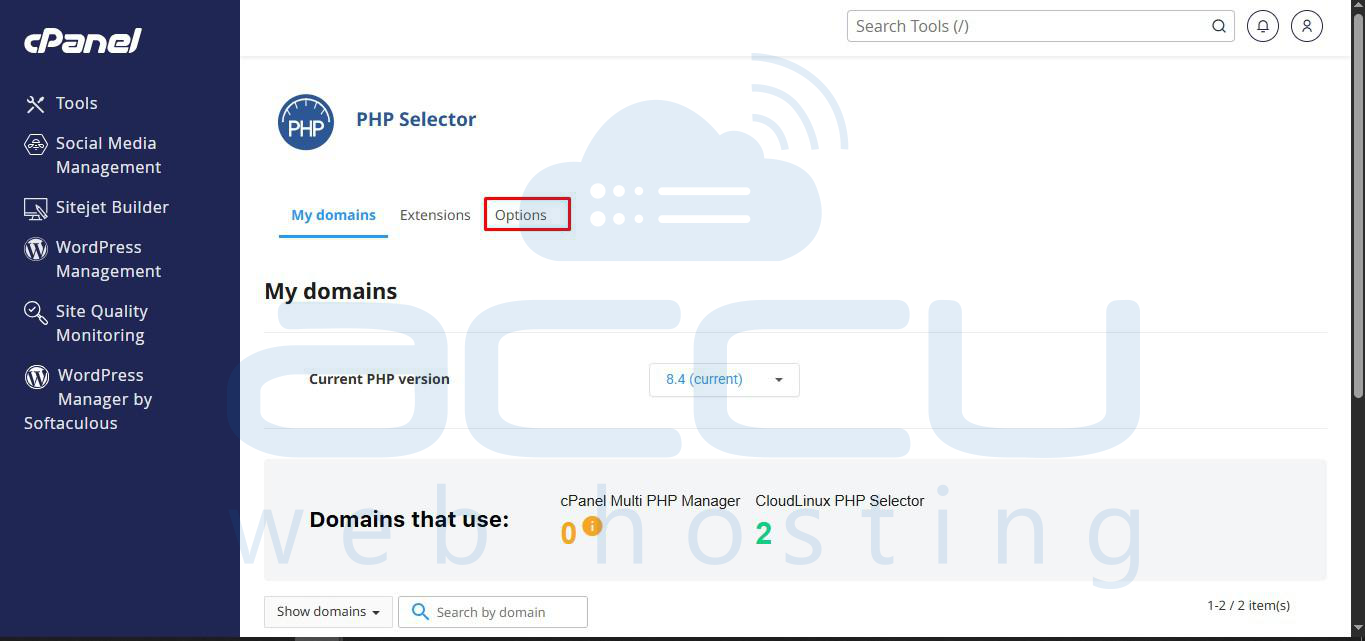
- Now, click on the Options tab on the same page.
- On the next page, you will get an option to enable allow_url_fopen to On.
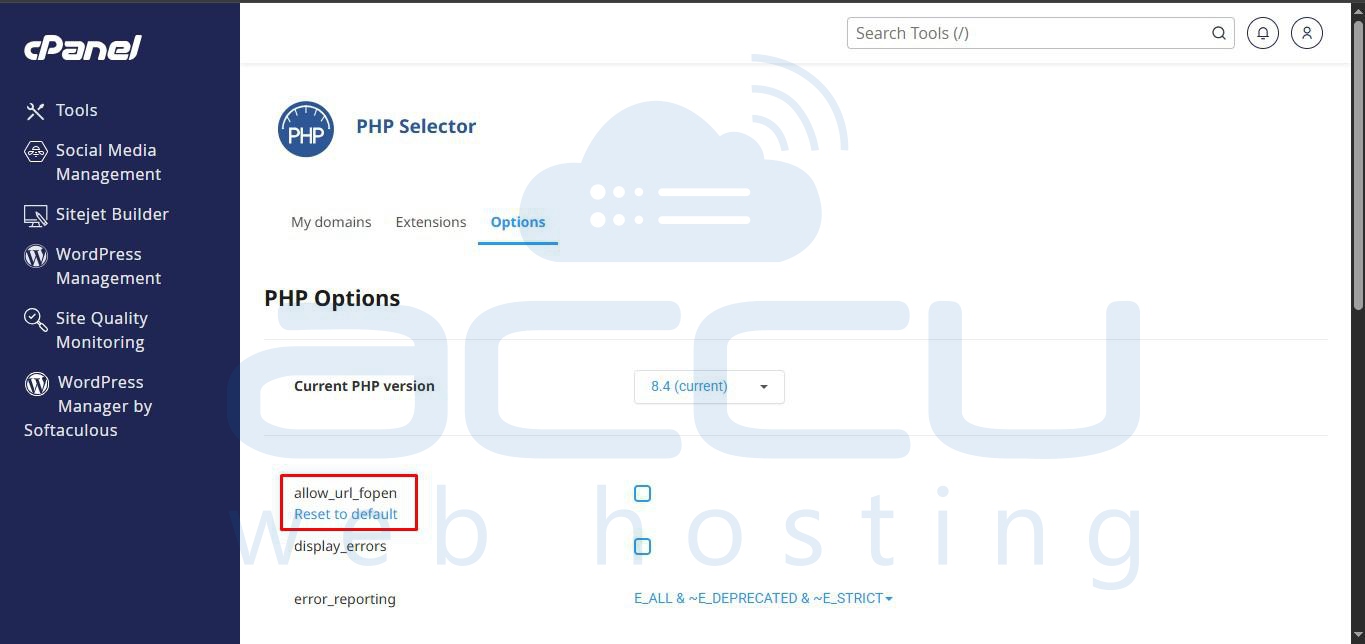
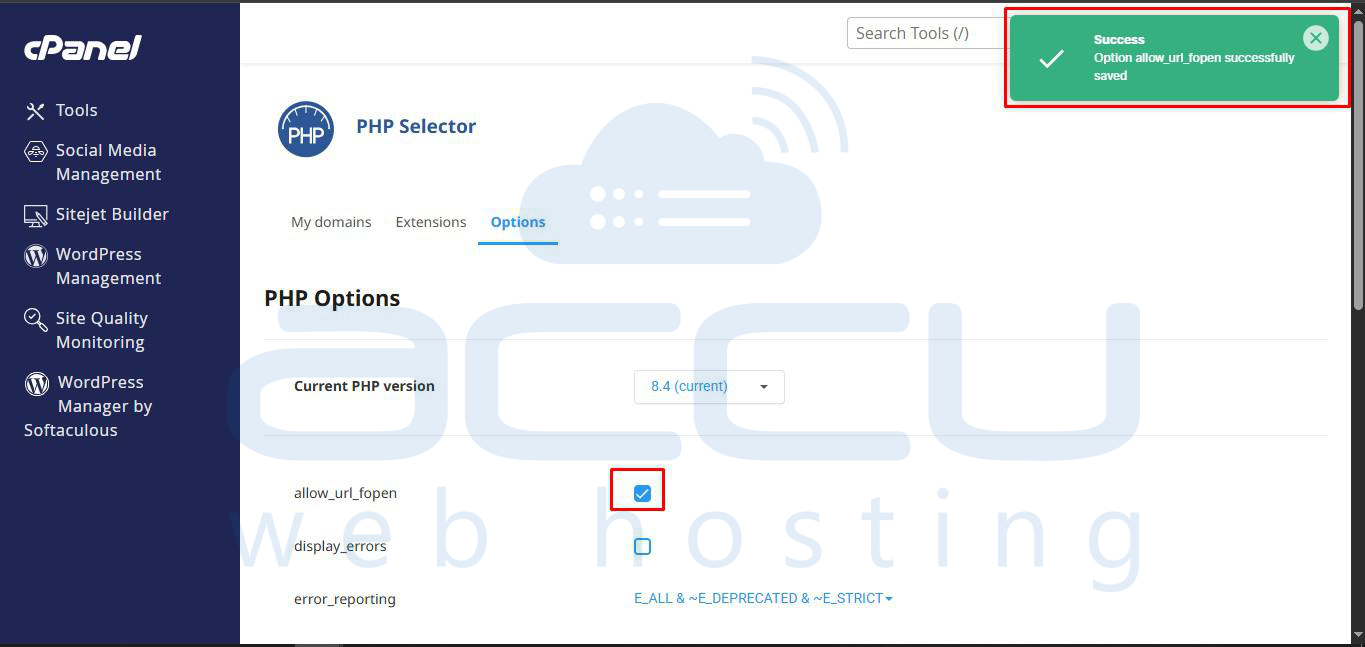
- Click on the checkbox next to allow_url_fopen to enable it.
Conclusion:
Following the above steps will enable the allow_url_fopen function in your PHP configuration.
This will allow PHP scripts to access remote files and fix the “wrapper is disabled in the server configuration” error.
If you are unable to change this setting in cPanel, you can contact us for assistance.


