
This tutorial will assist you in adding a new DNS Zone, adding, editing, or deleting various DNS records within the DNS Zone, and editing nameservers from the Microsoft DNS Server. Please note that if you have opted for the control panel, it is recommended to add/edit/delete DNS records only from the control panel. Please refer to the manage DNS records in SolidCP for more details.
If you have not opted for the control panel, you can follow the steps mentioned below.
Add New DNS Zone (Forward Lookup Zone)
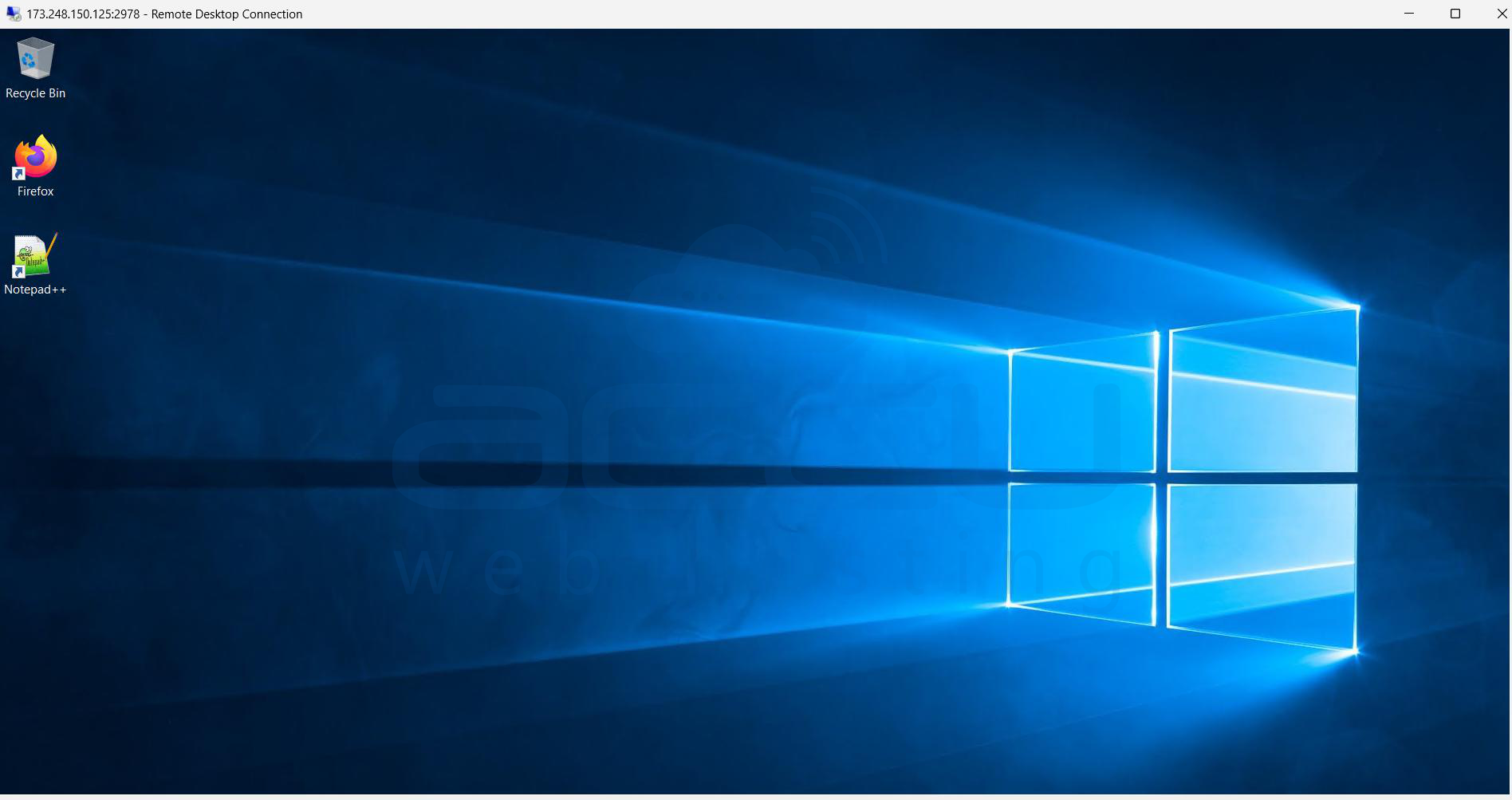
Step 1: Log in to your VPS via Remote Desktop.
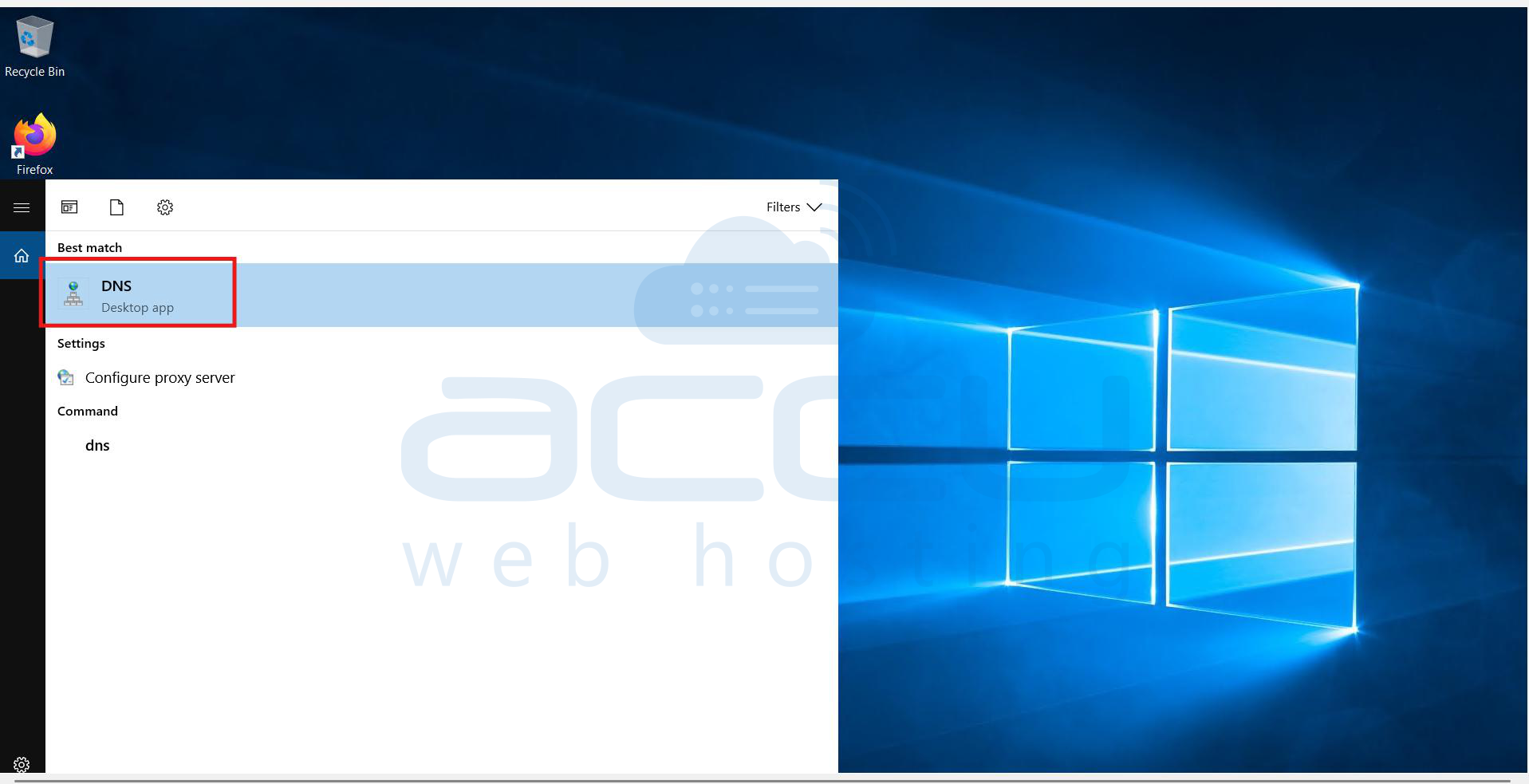
Step 2: Go to Start >> open >> DNS.
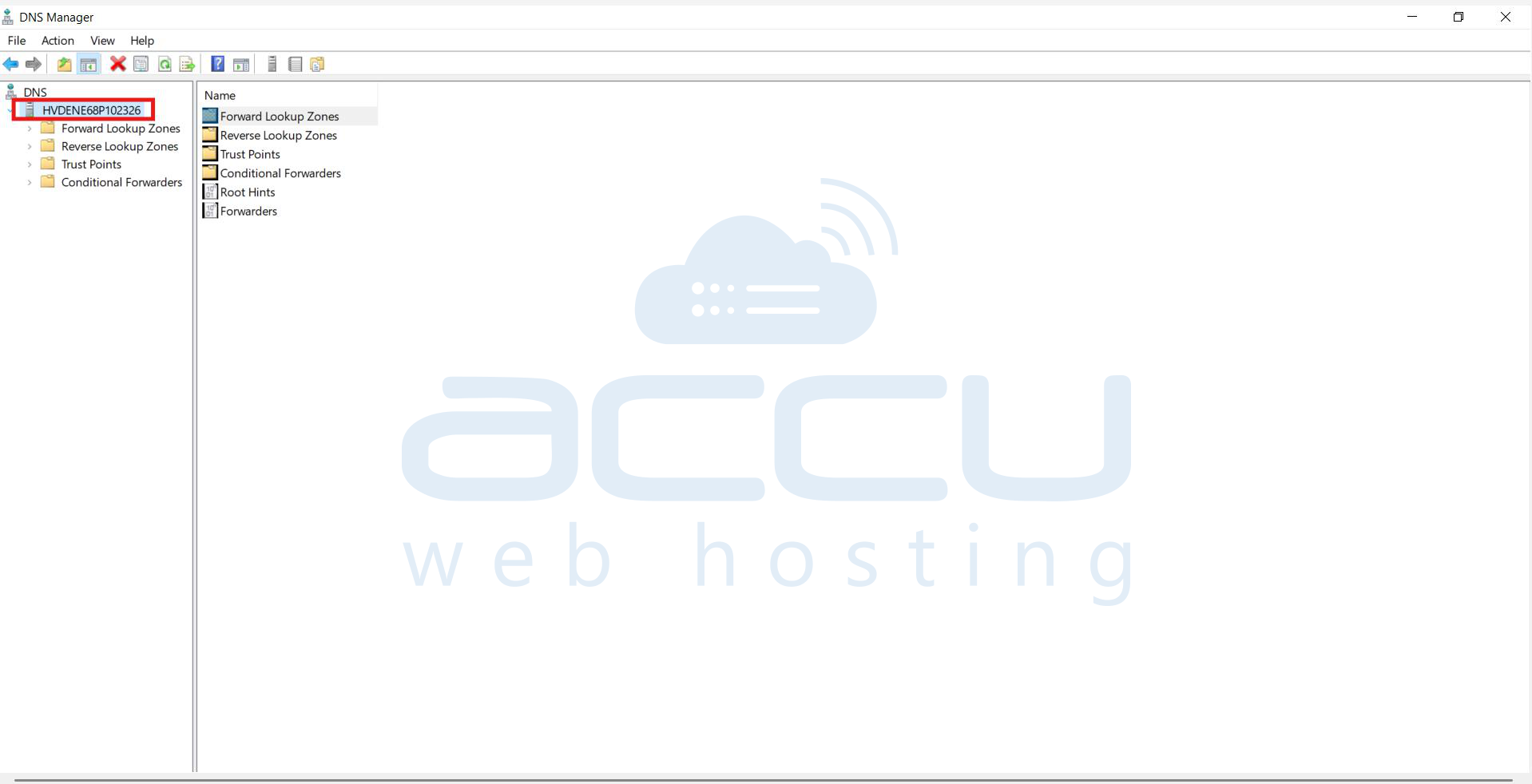
Step 3: Expand the server tab
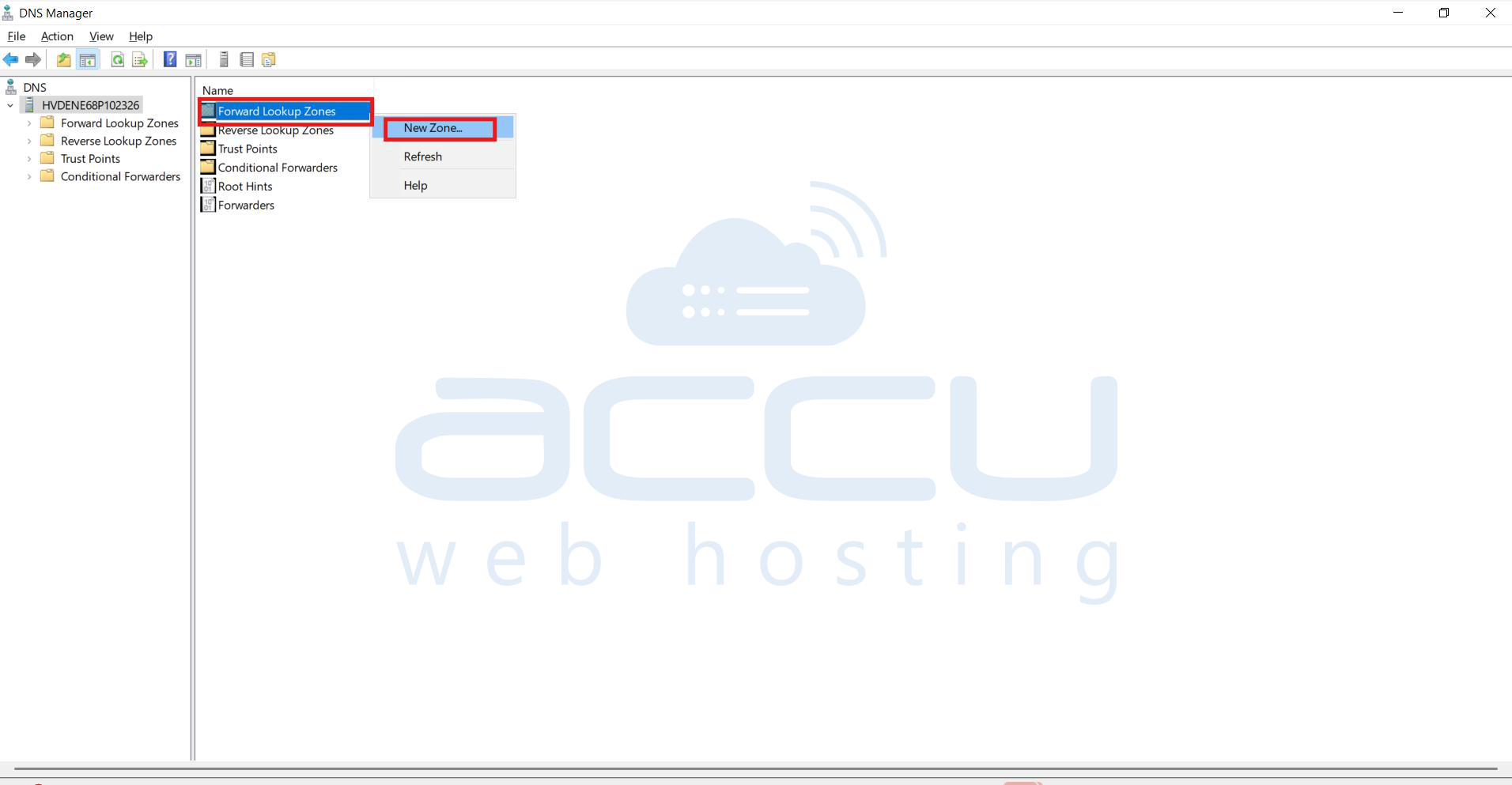
Step 4: Right-click on Forward Lookup Zones and click on New Zone
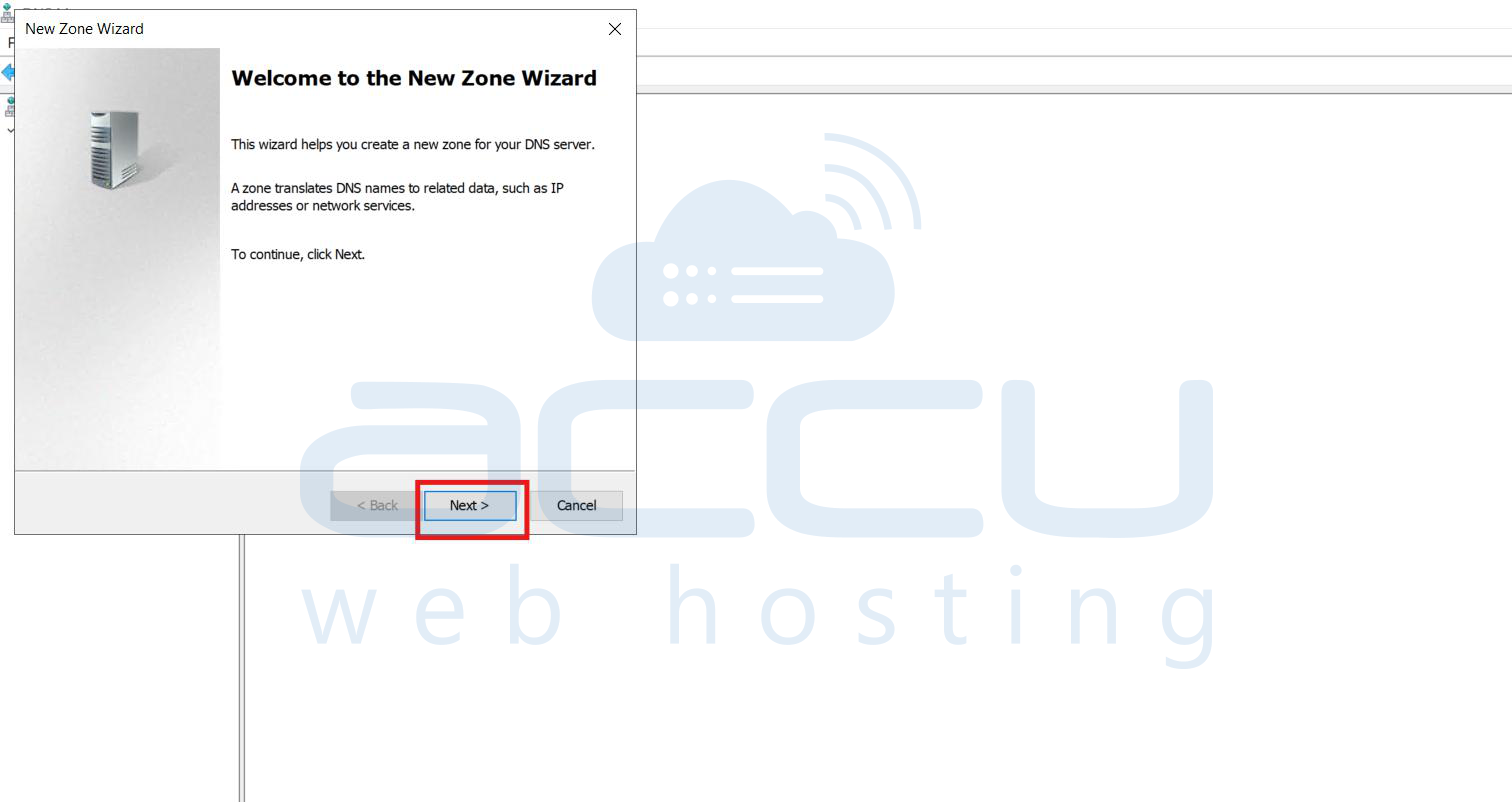
Step 5: Click on Next.
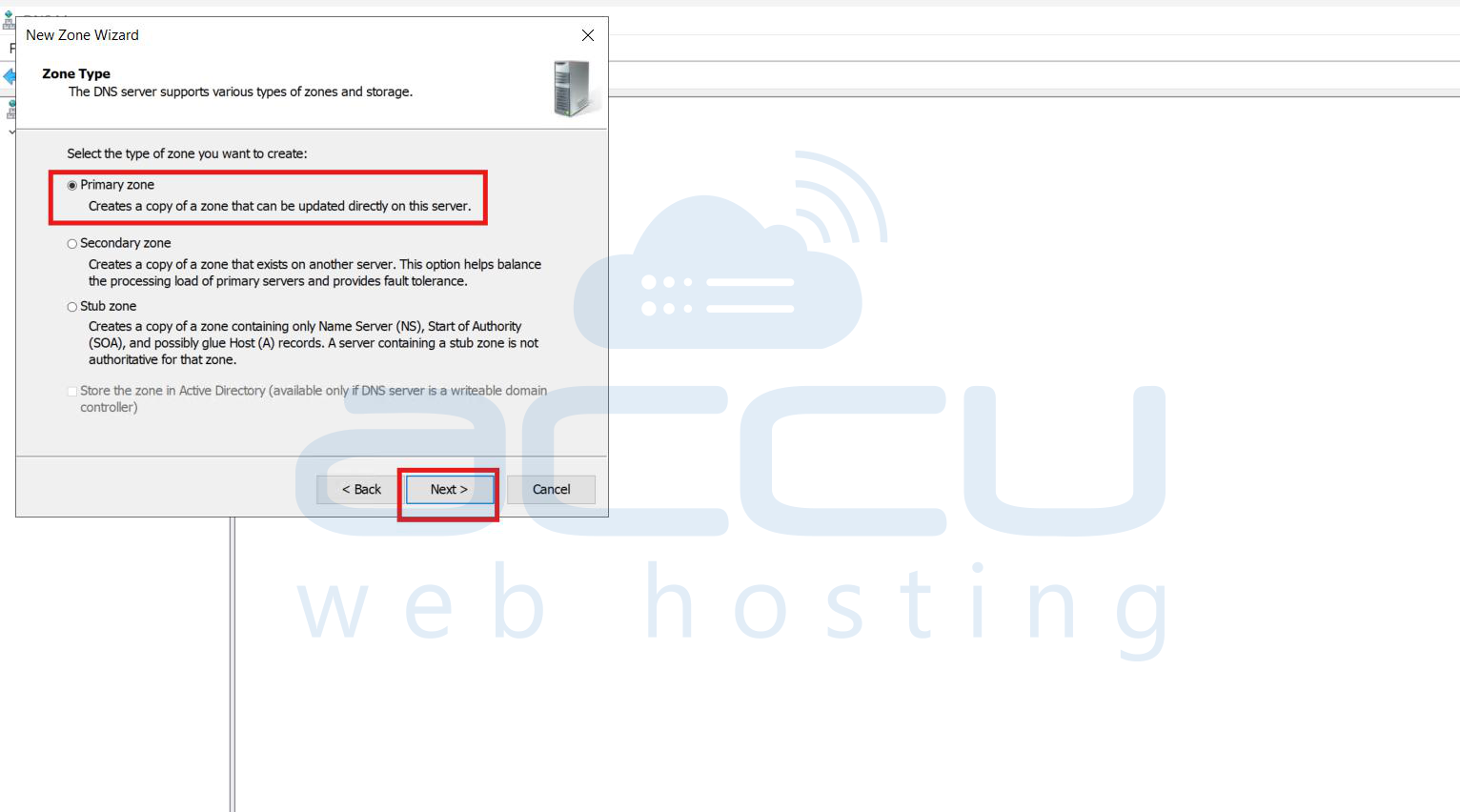
Step 6: Select the zone type as Primary zone and click on Next.
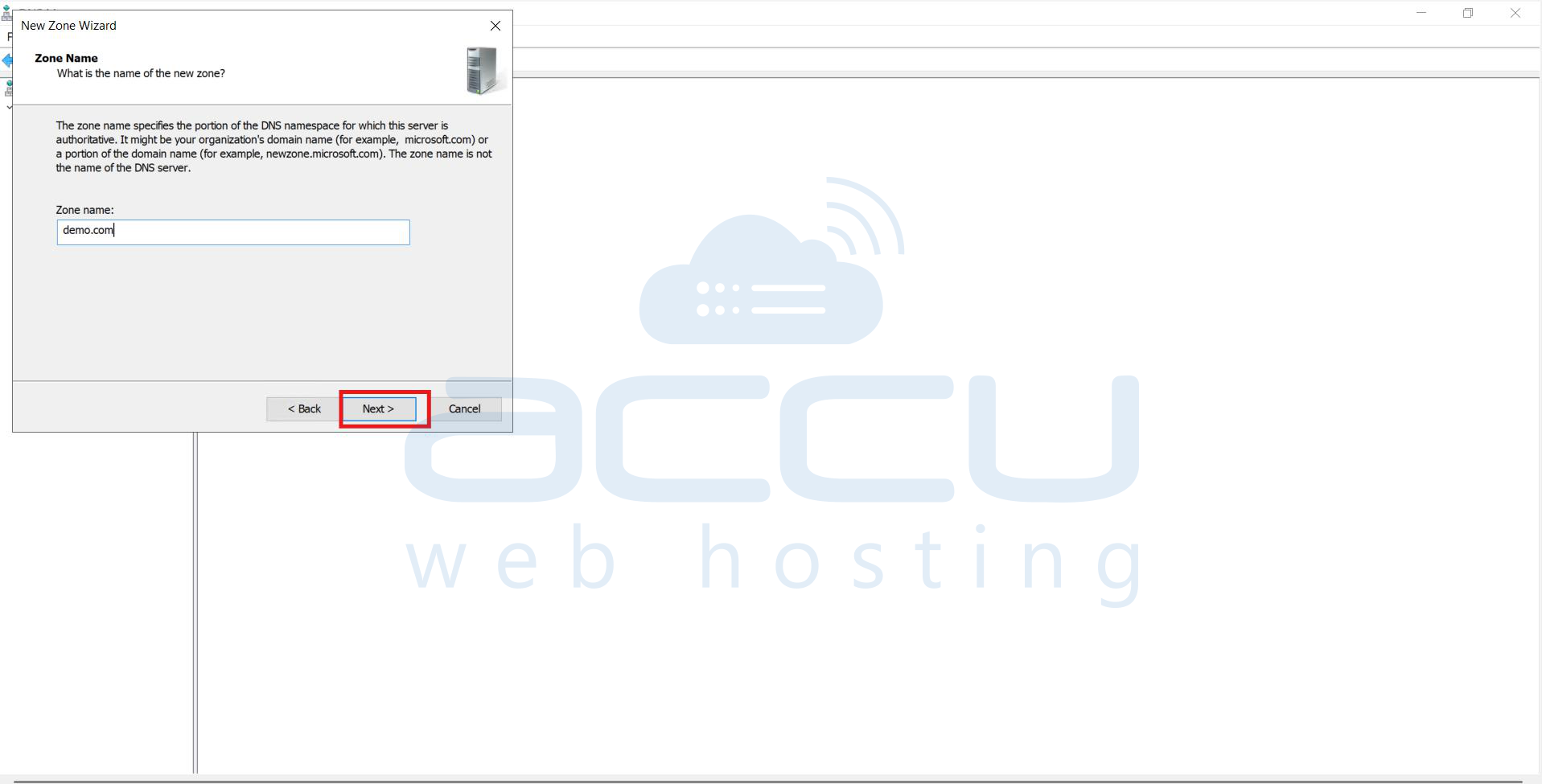
Step 7: Type your domain name in the New Zone Wizard dialogue box, e.g., yourdomainname.com.
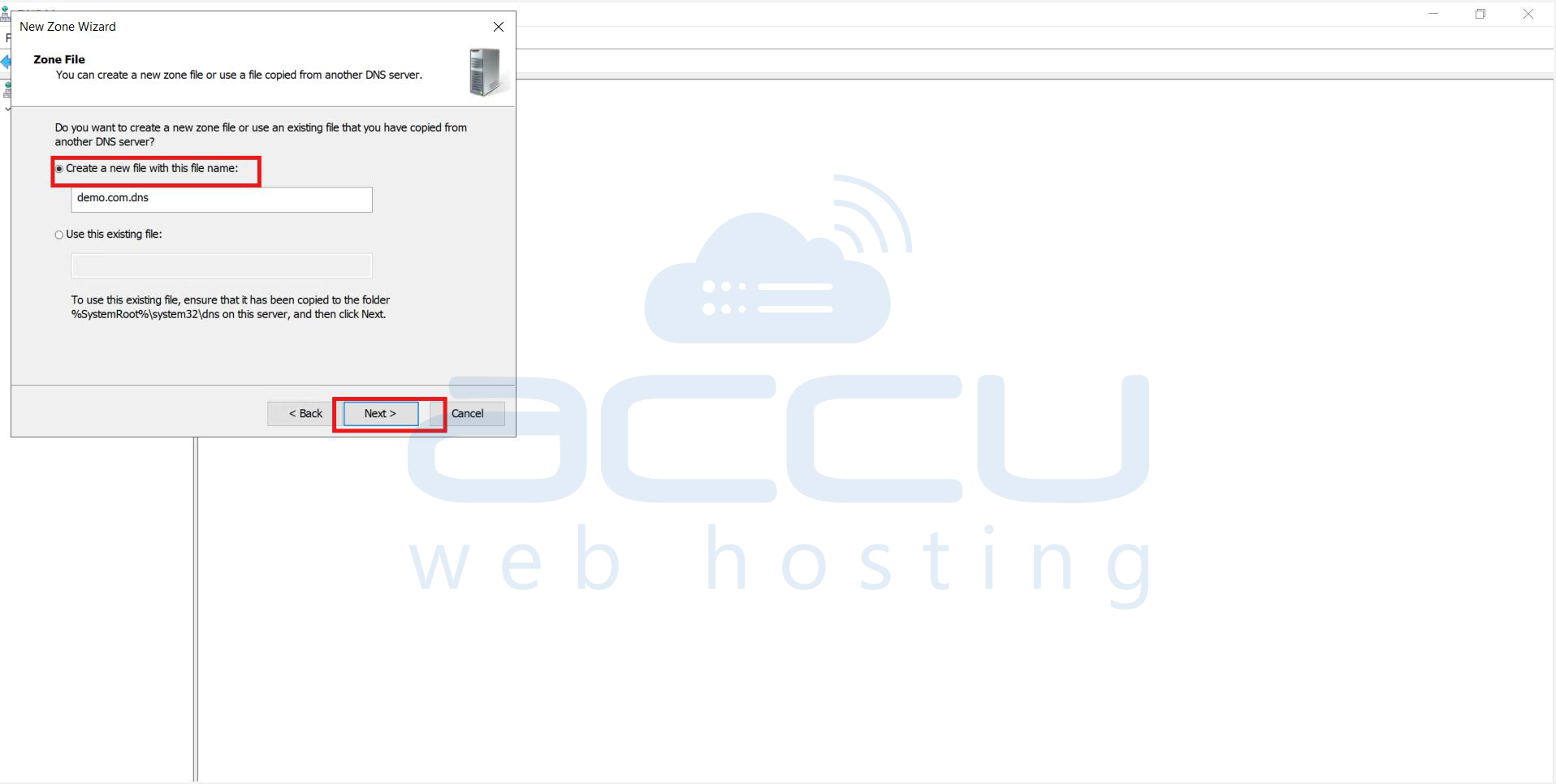
Step 8: Select the Create a new file with this file name option under Zone File.
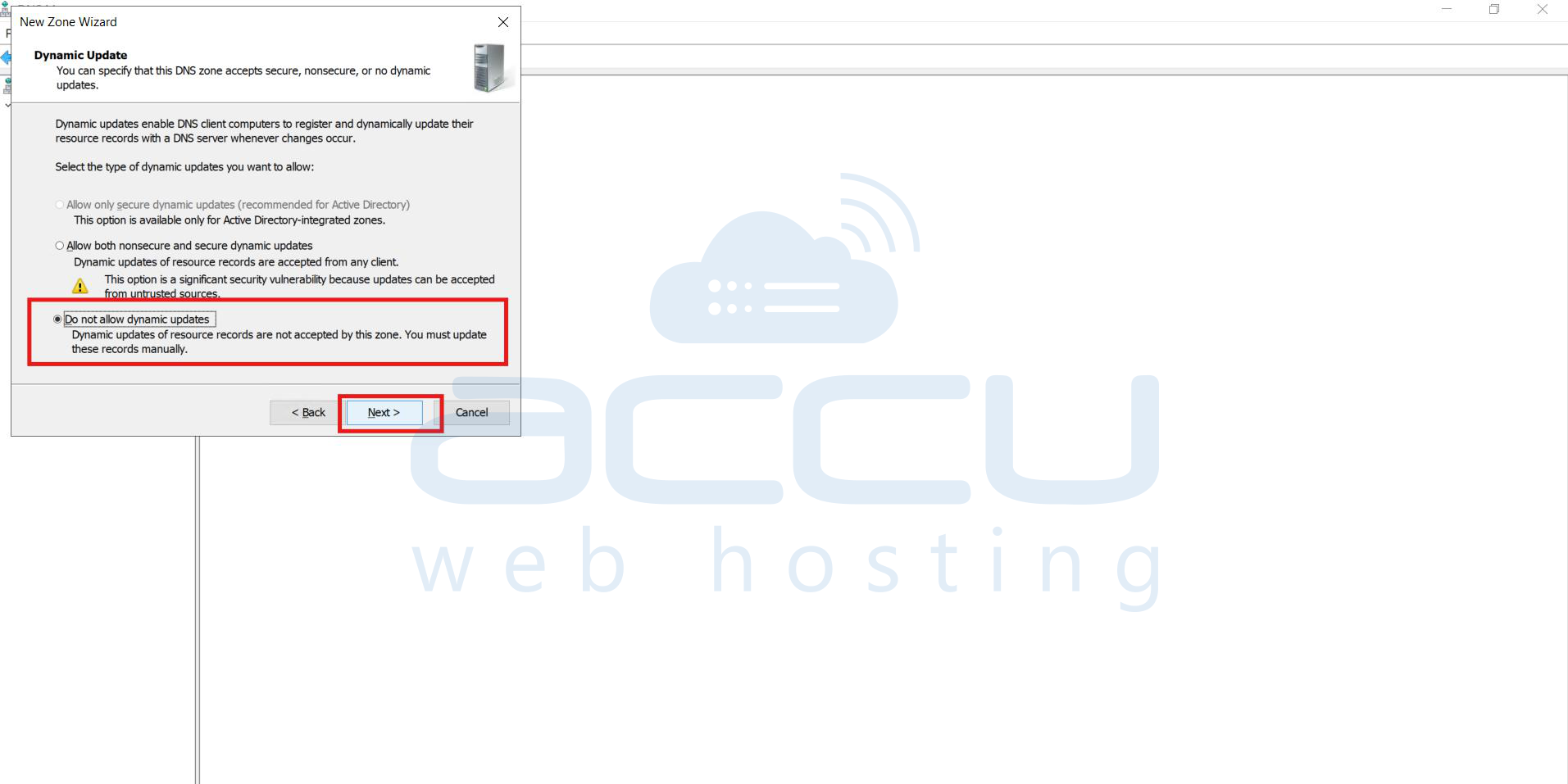
Step 9: Check Do not Allow Dynamic Updates and click Next.
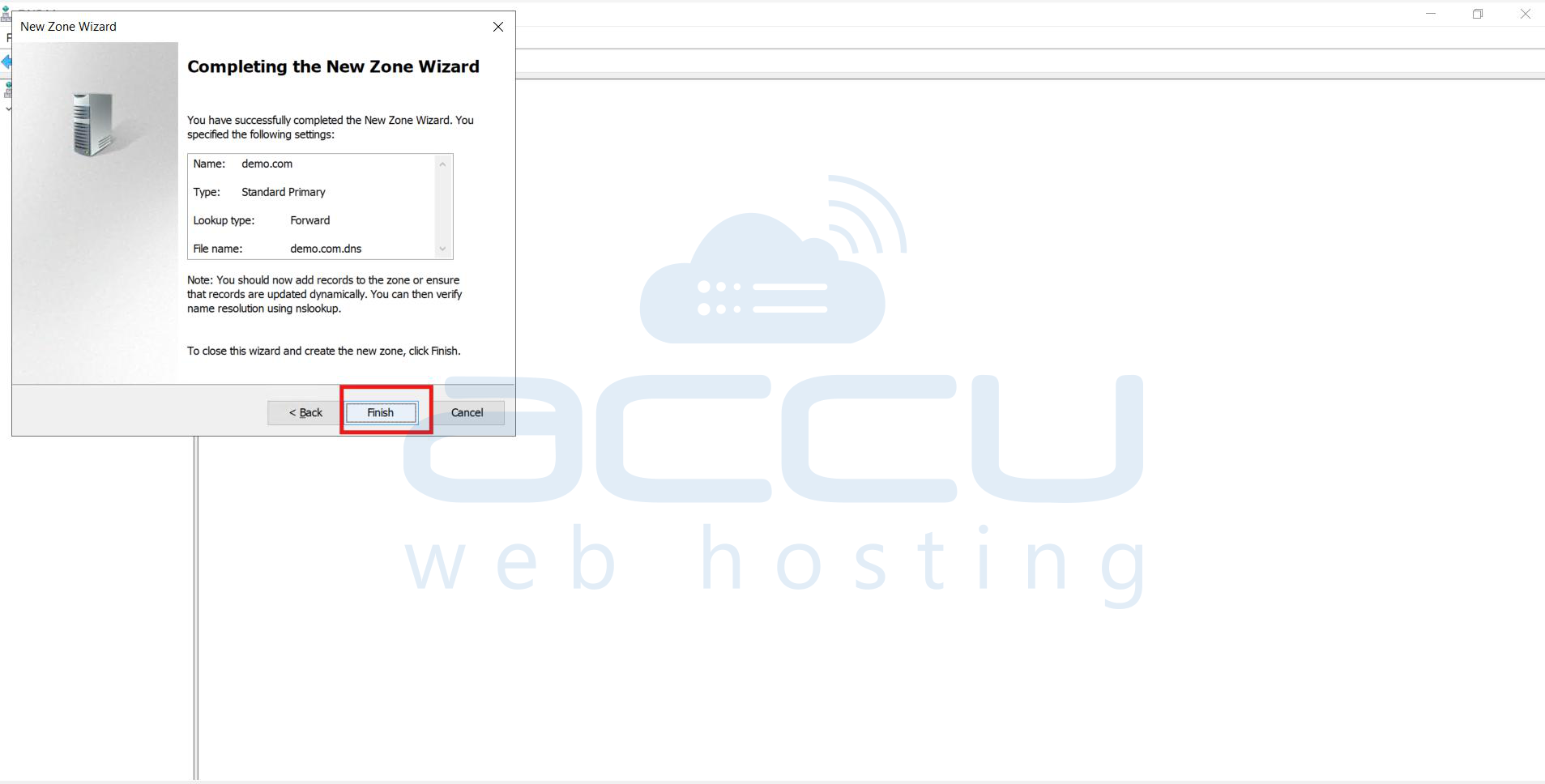
Step 10: Click on Finish.
Add A, MX, and Nameservers Records to DNS Zone
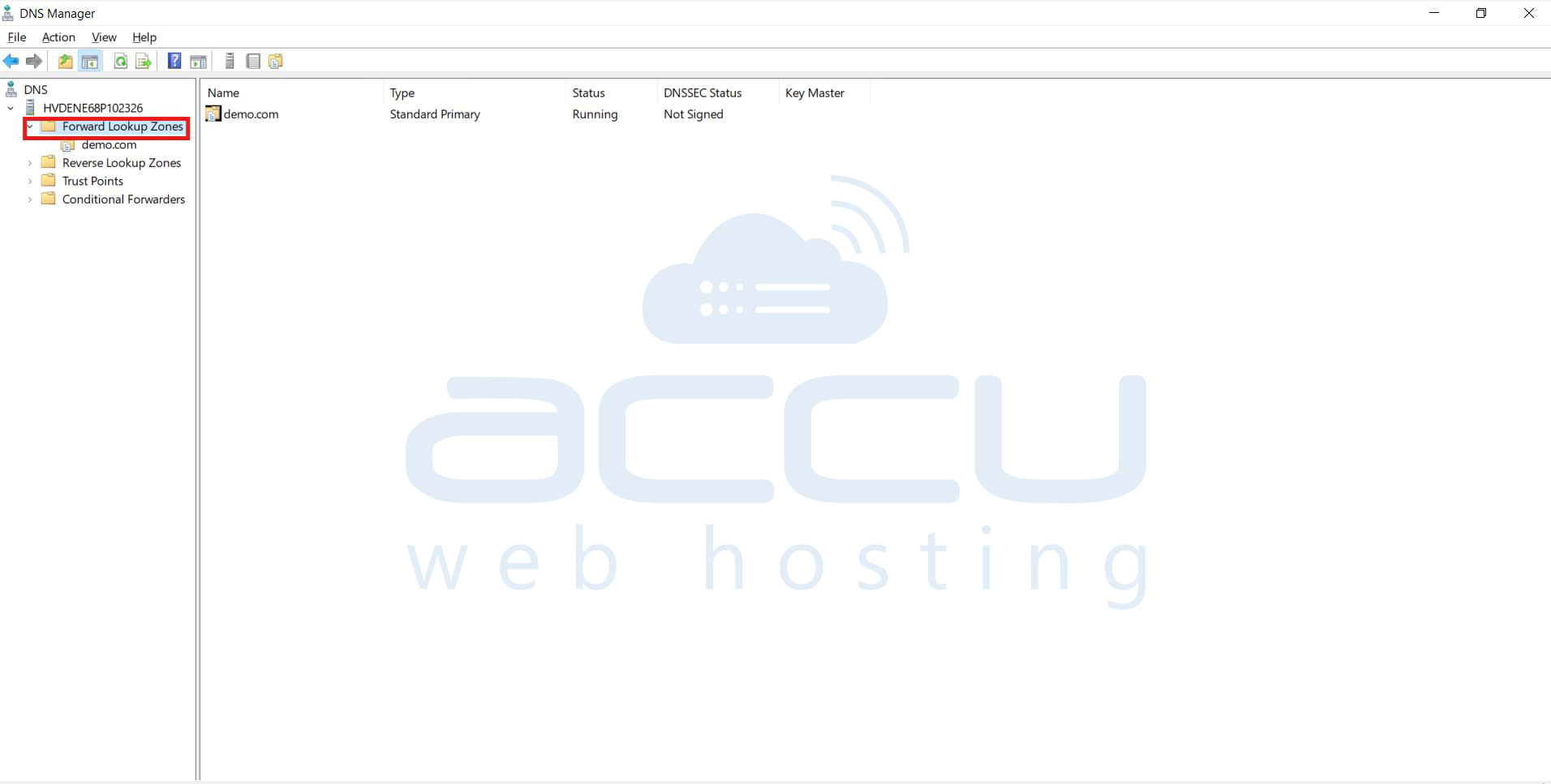
Step 1: Open DNS expands the forward lookup zone
Step 2: Right-click the domain name
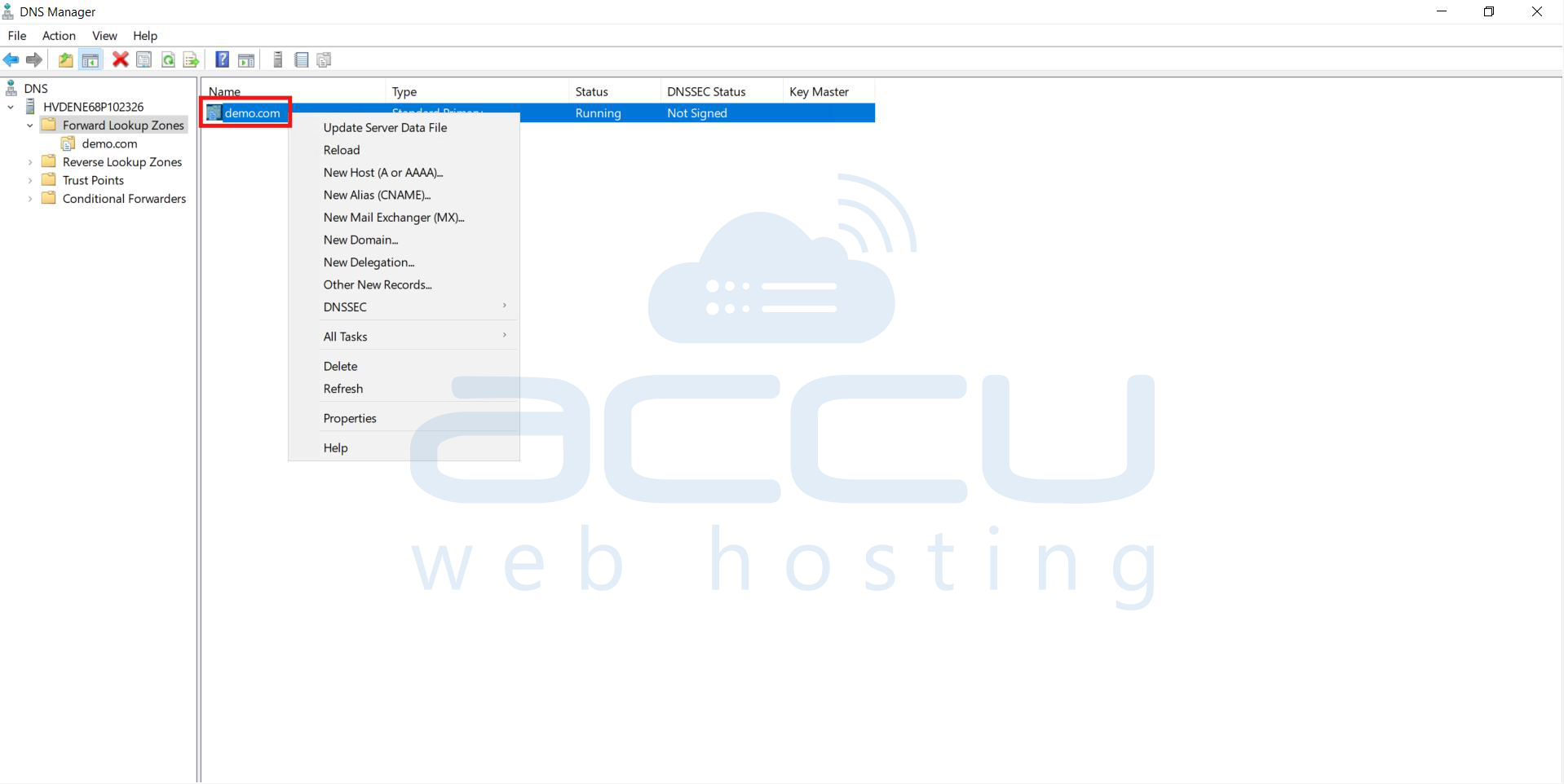
Step 3: Select an A or MX, or TXT record.
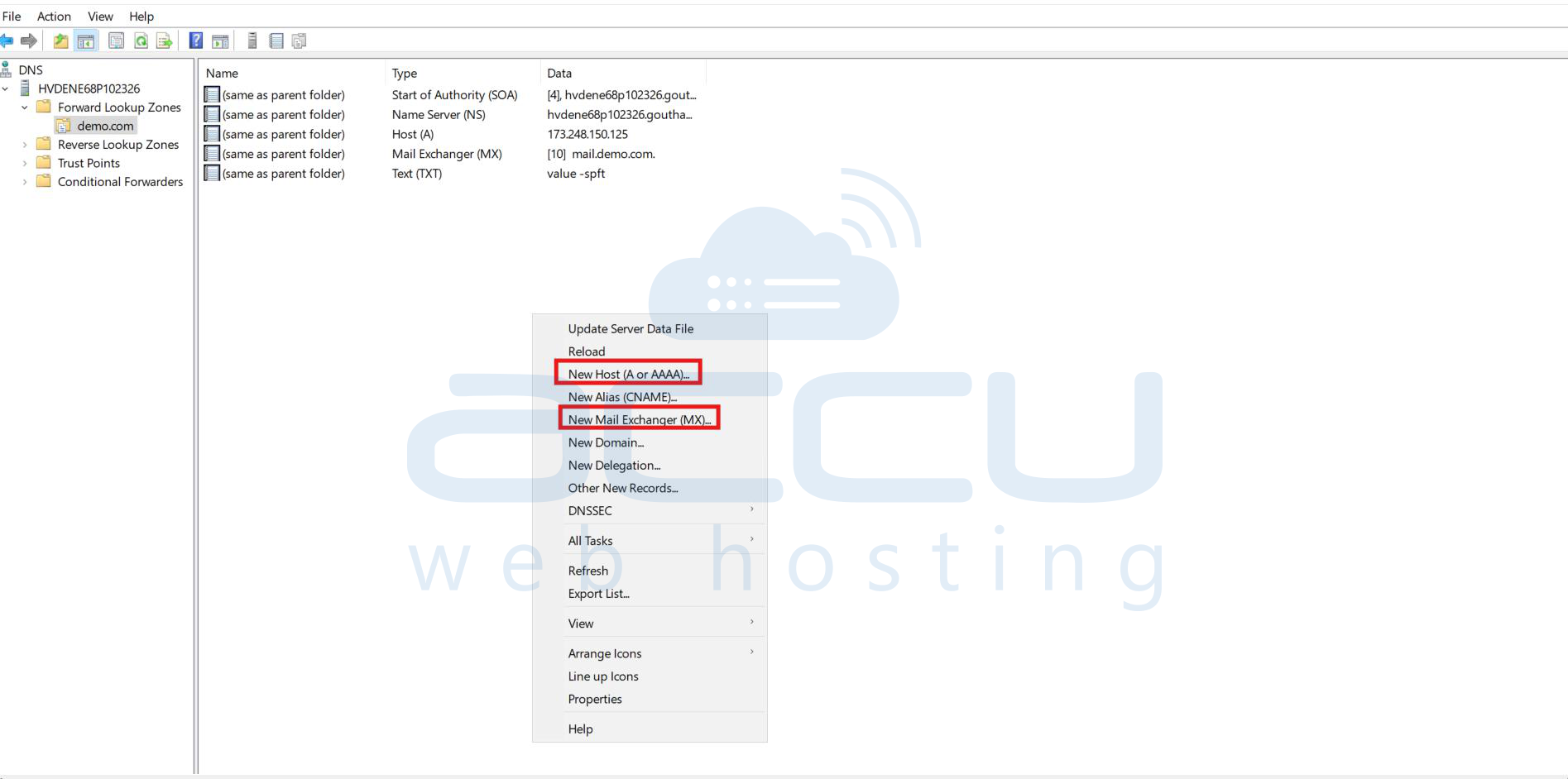
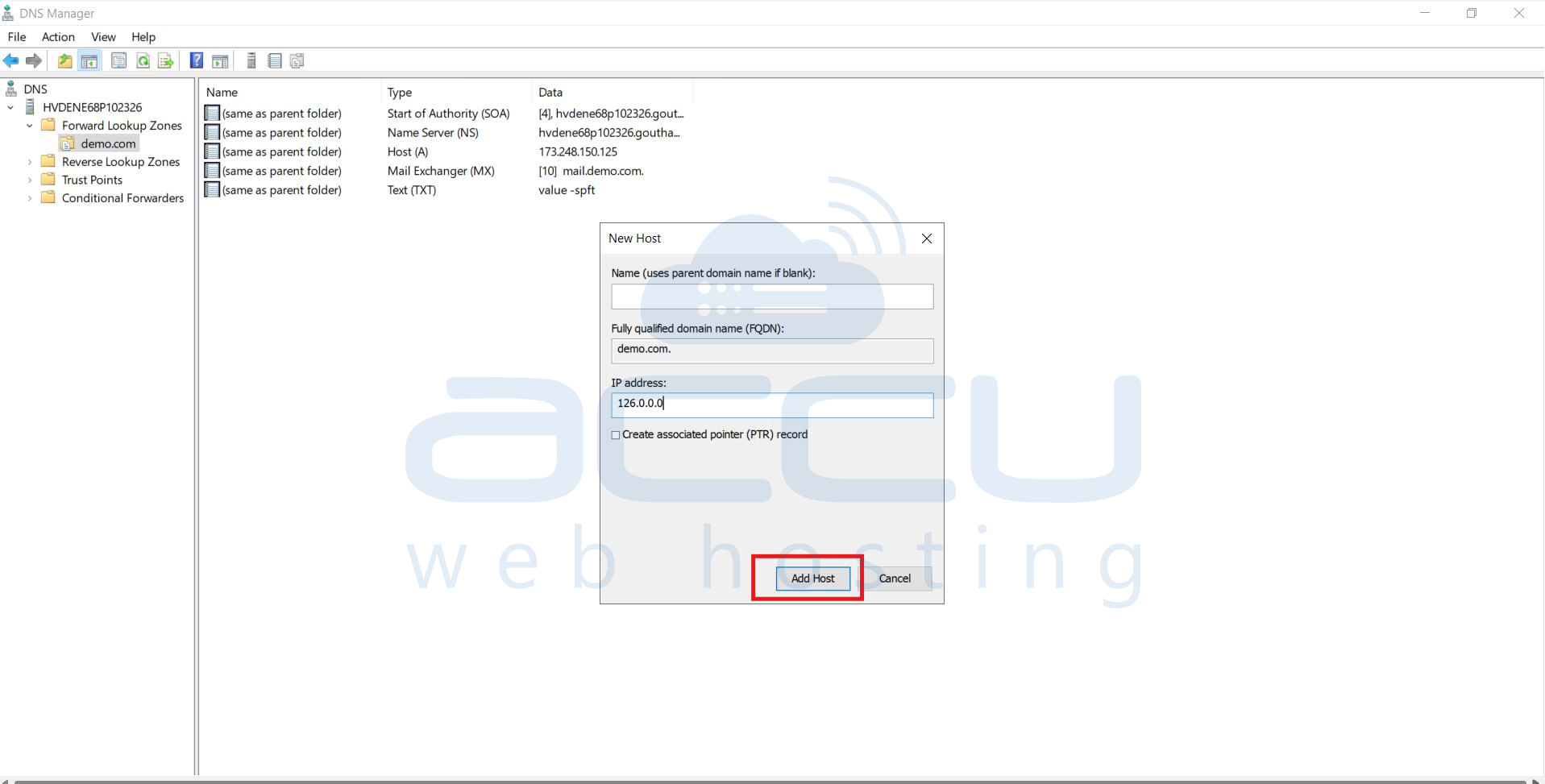
A record
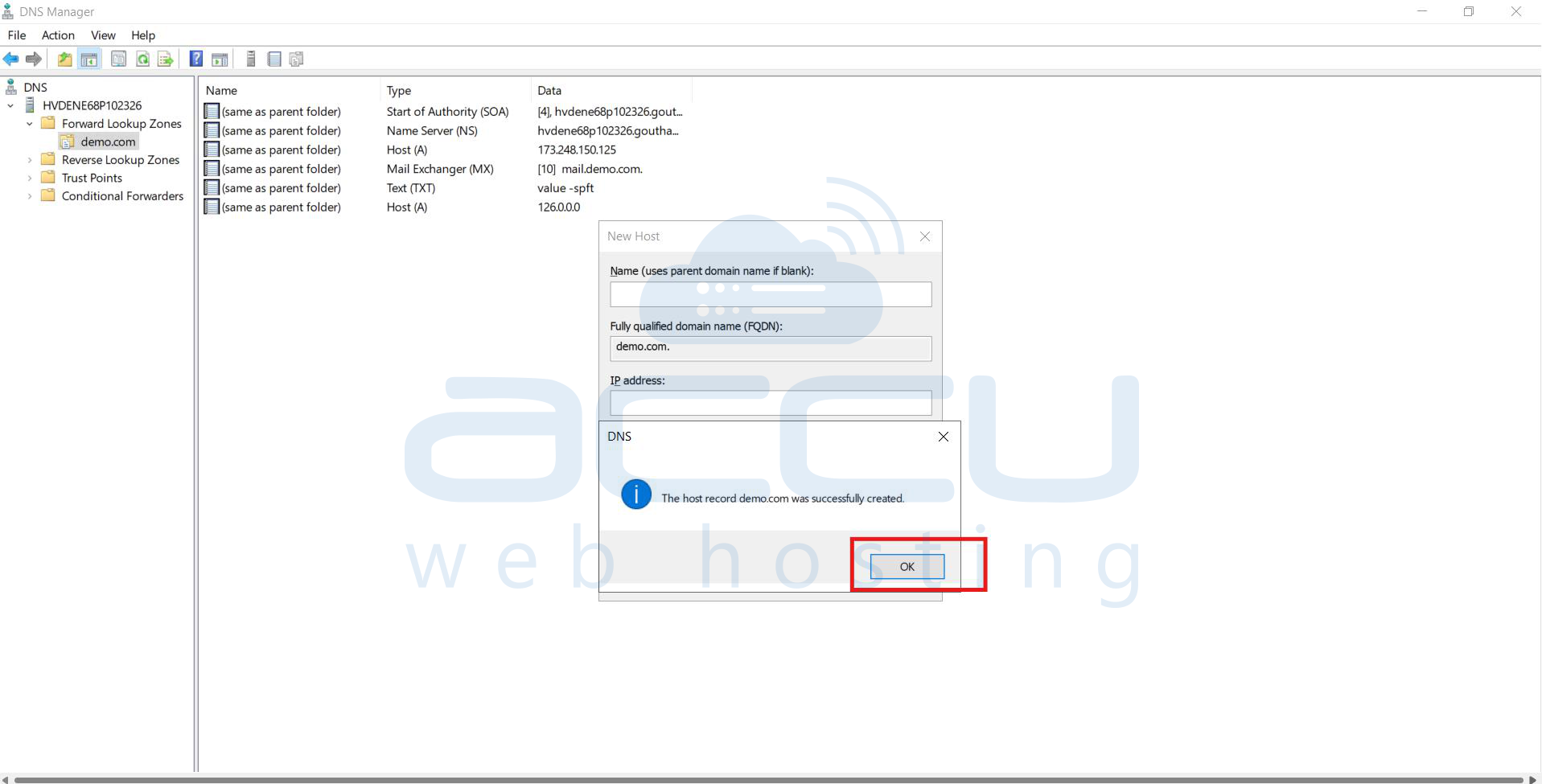
Add ip address of the A record and click on ADDHost
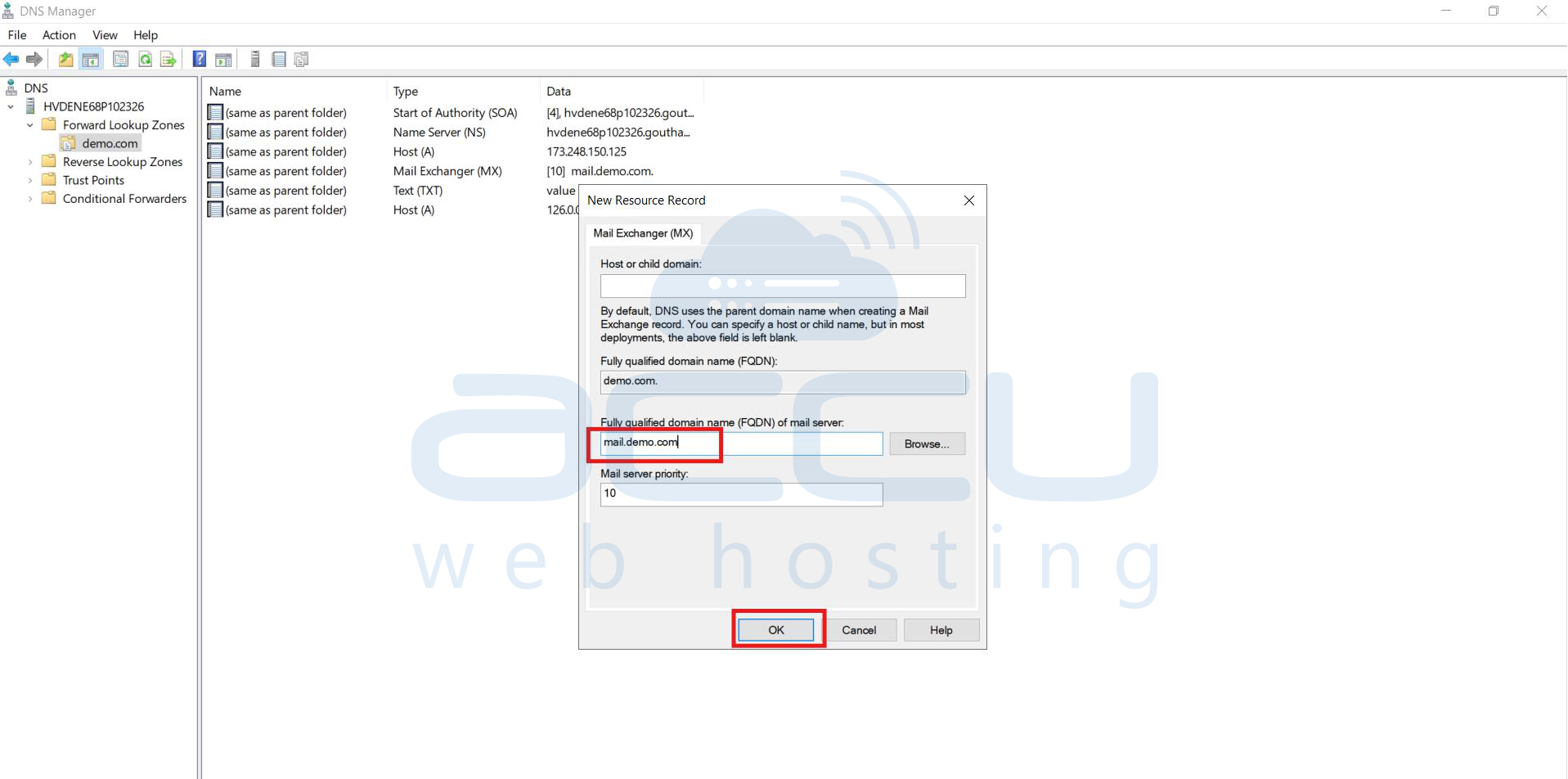
MX record
Enter the value of the MX record
TXT record
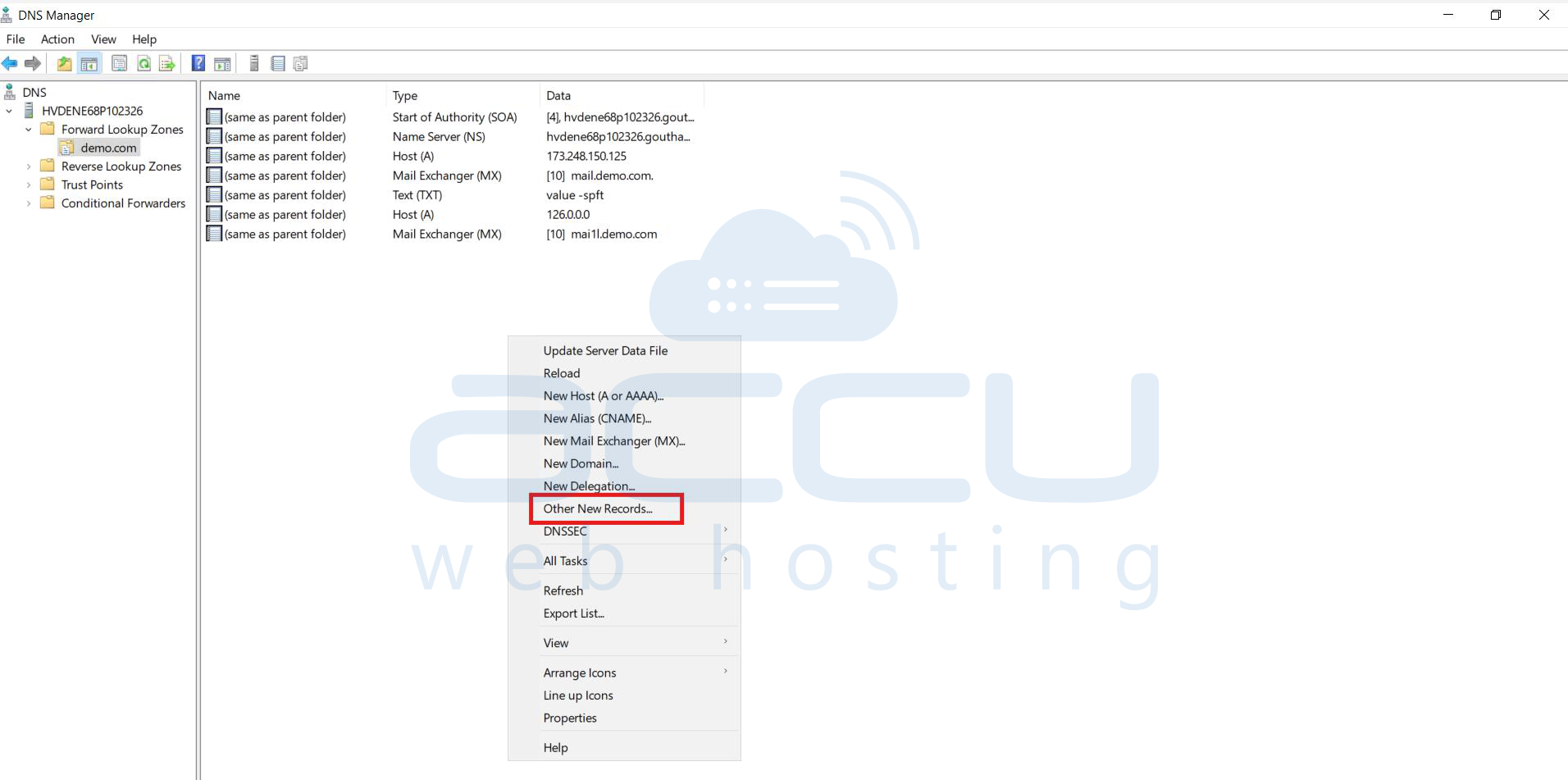
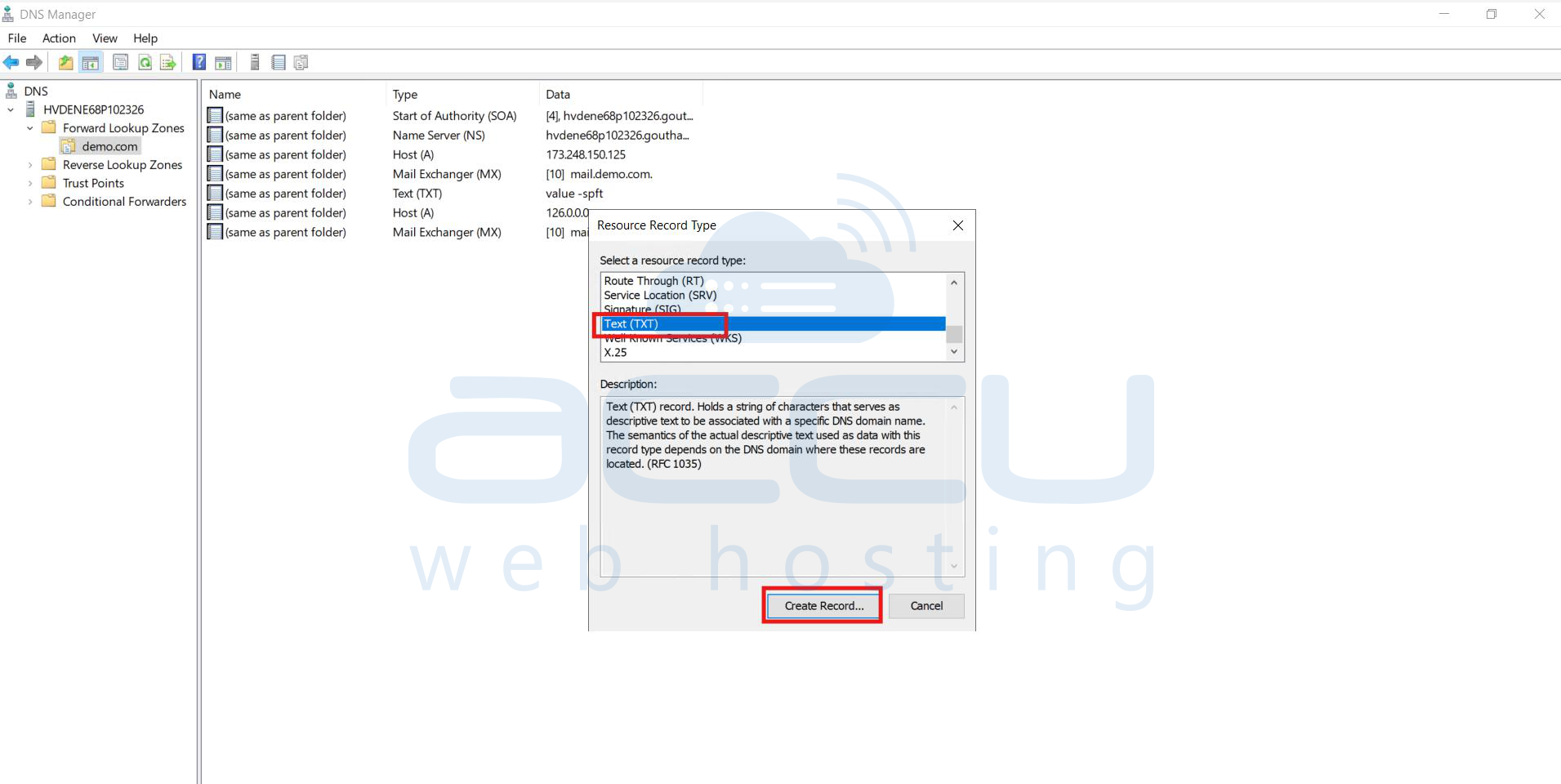
Right click on the domain name, select other>> NEW records option>>select TXT record>> click on Create Record
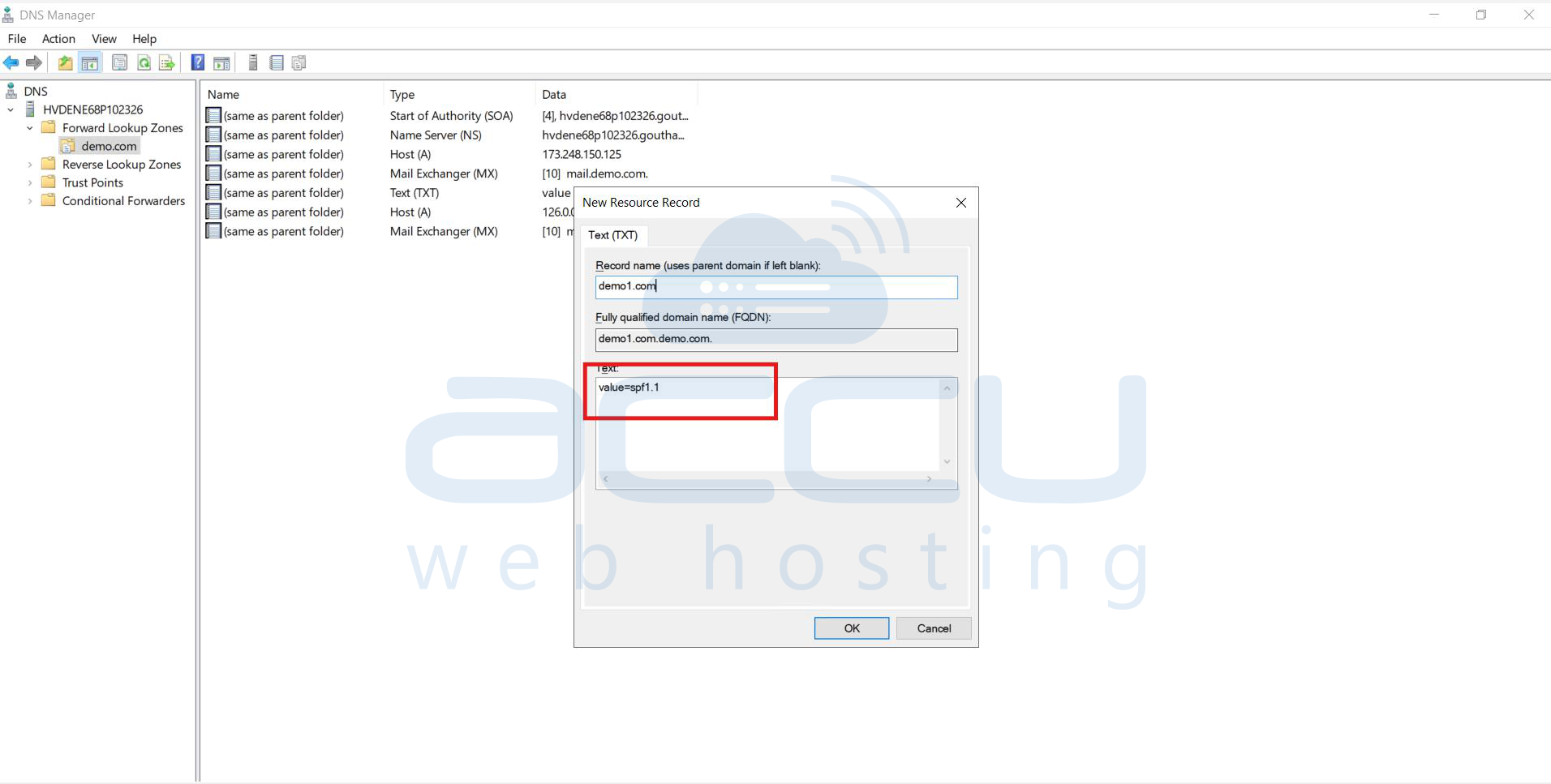
Enter the value of the TXT record.
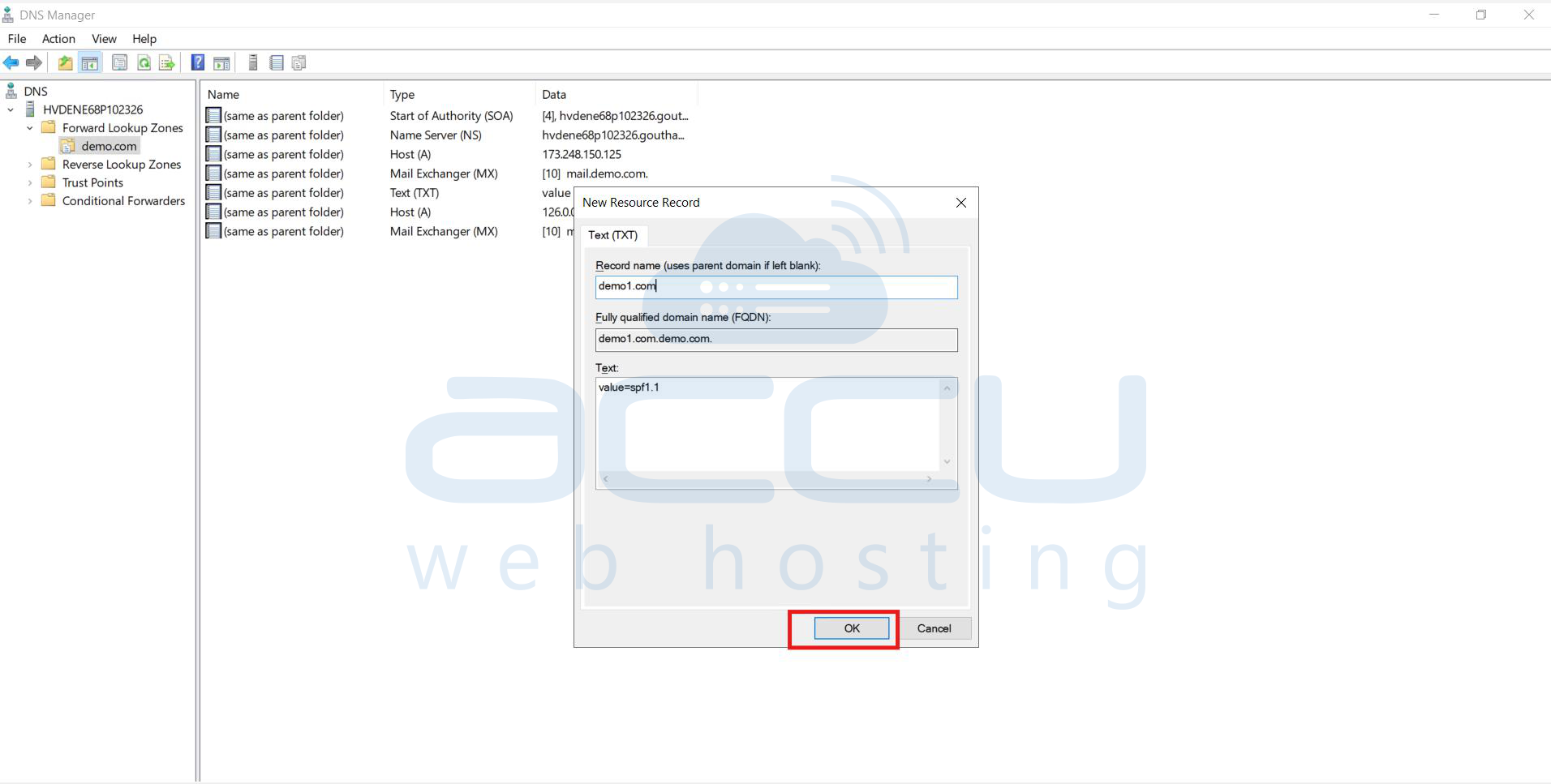
Step 4: Click on ok
Nameserver
Add NS Records
Most zones already contain default NS records. You must edit or add your custom nameservers.
Step 1: Right-click the domain name
Choose Properties.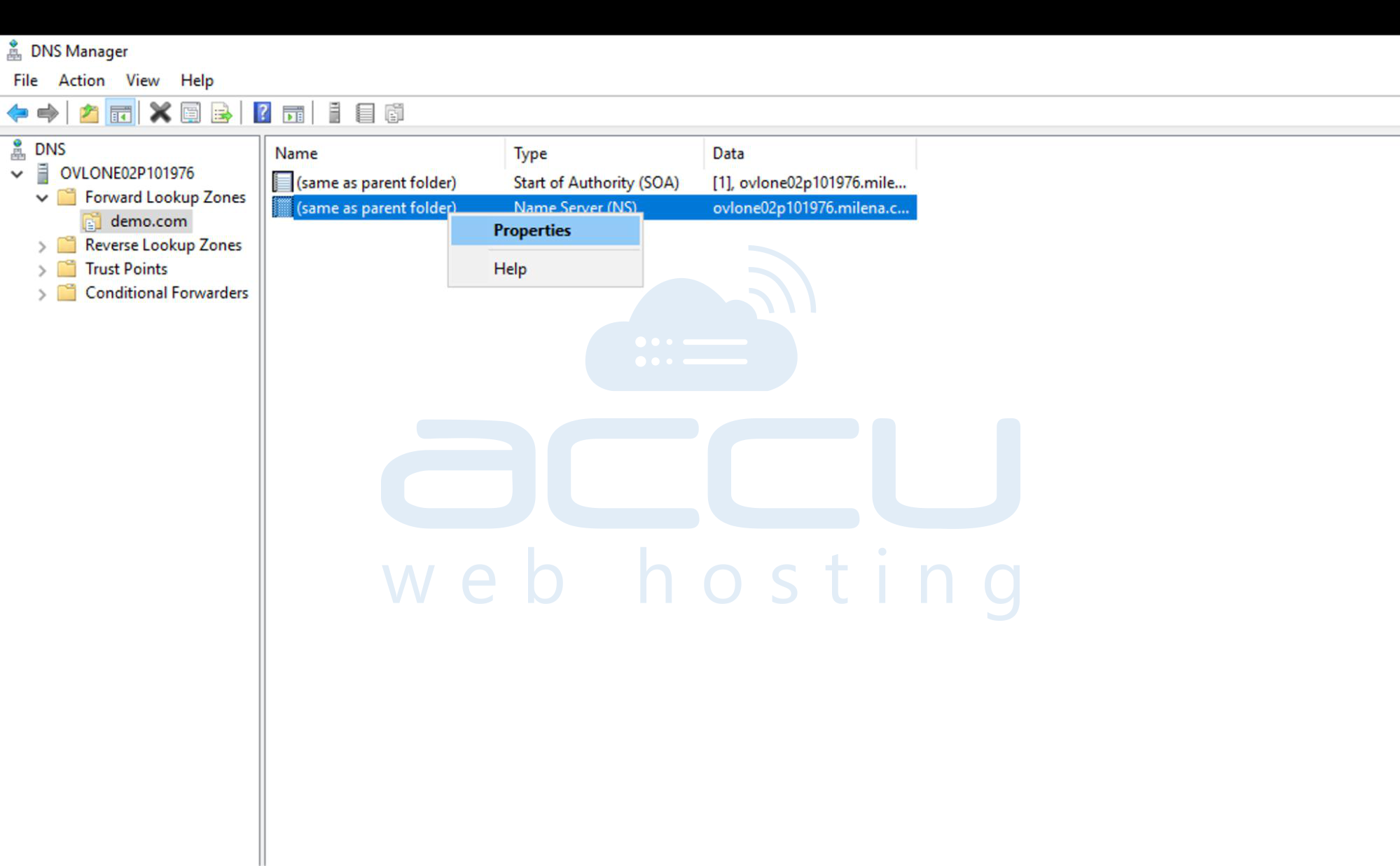
Step 2: Go to the “Name Servers” tab
Click Add…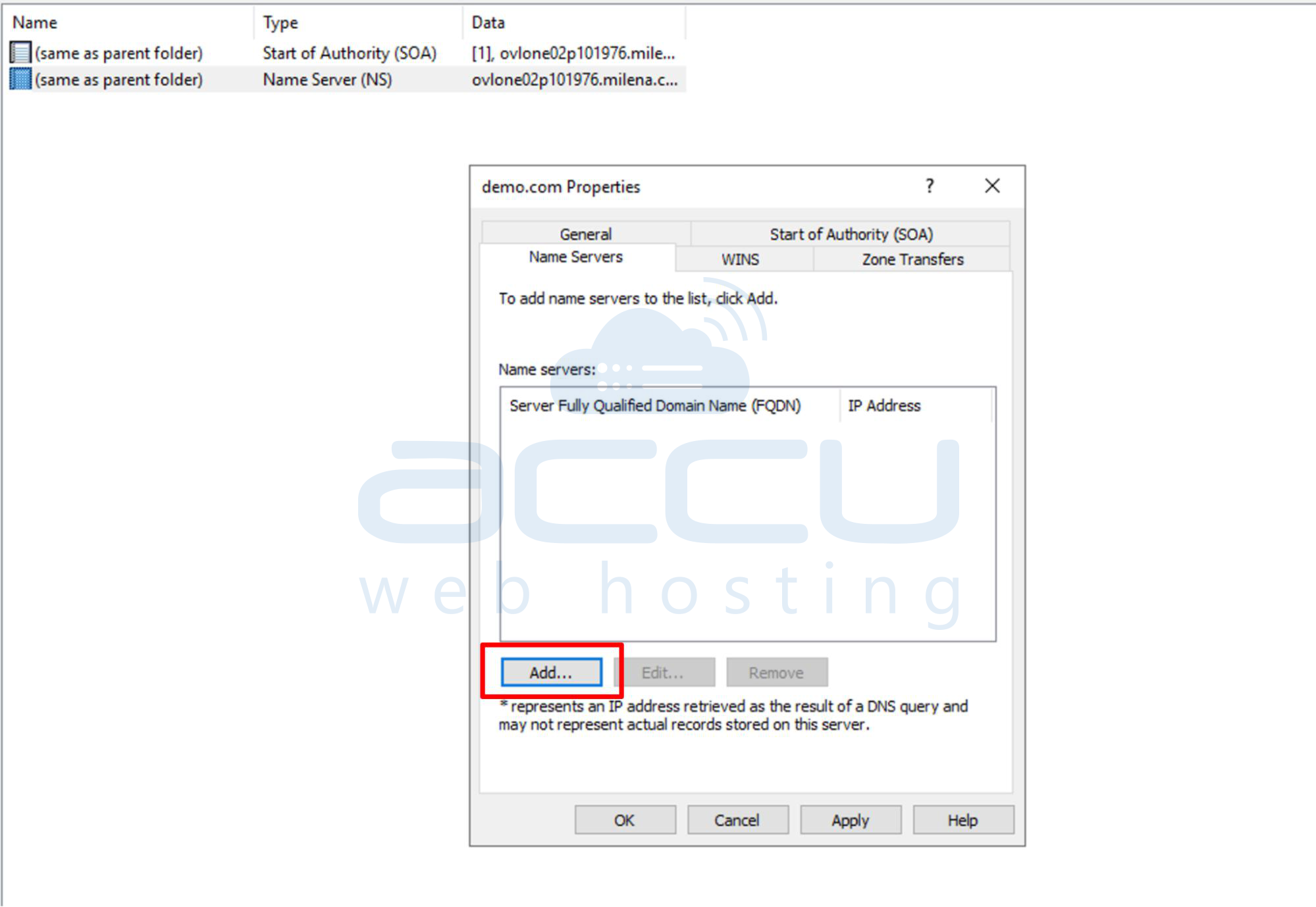
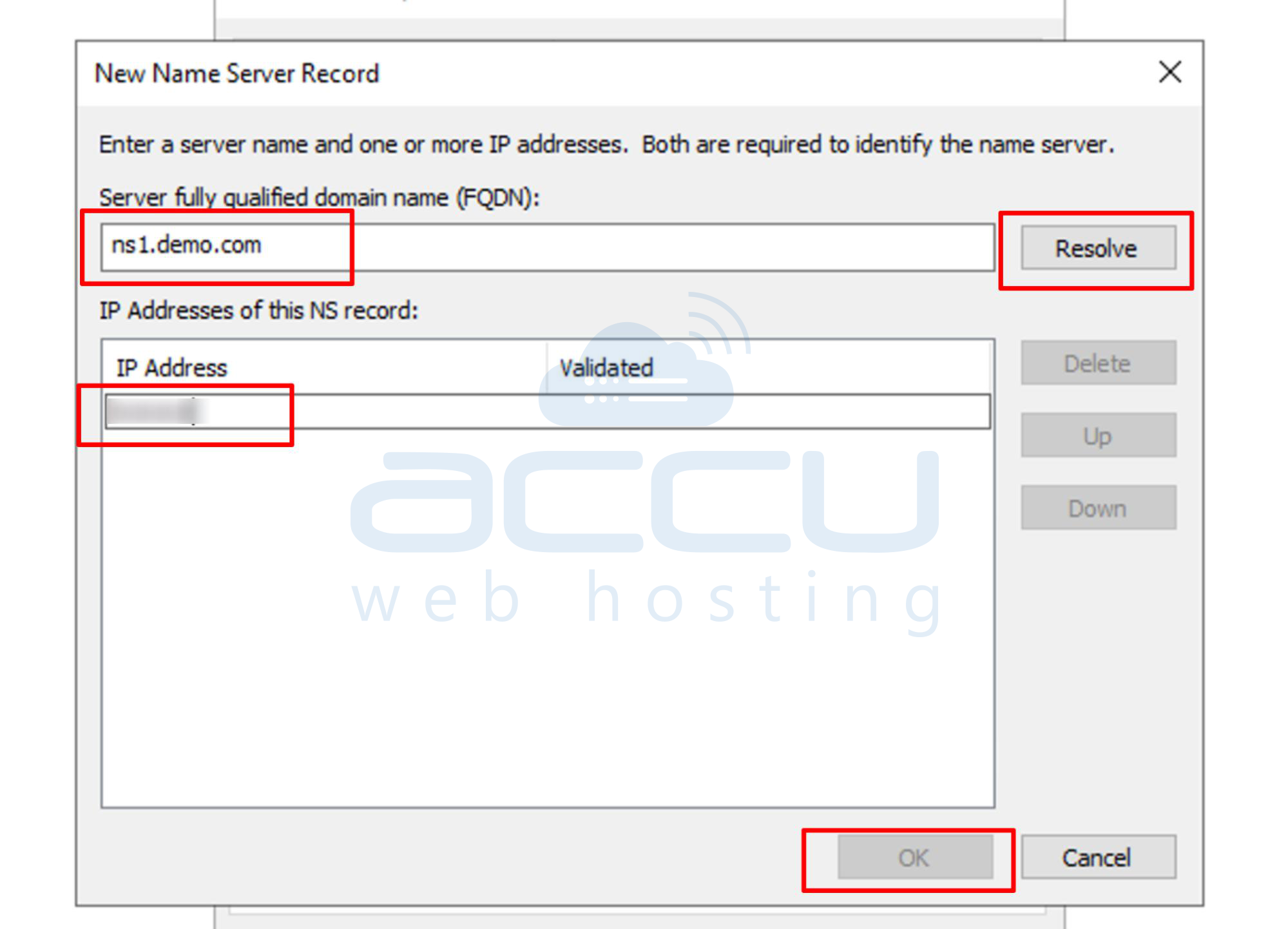
Step 3: Add ns1.yourdomain.com
- Type: ns1.yourdomain.com
- Click Resolve (it should resolve to the IP created in the A record)
- Click OK
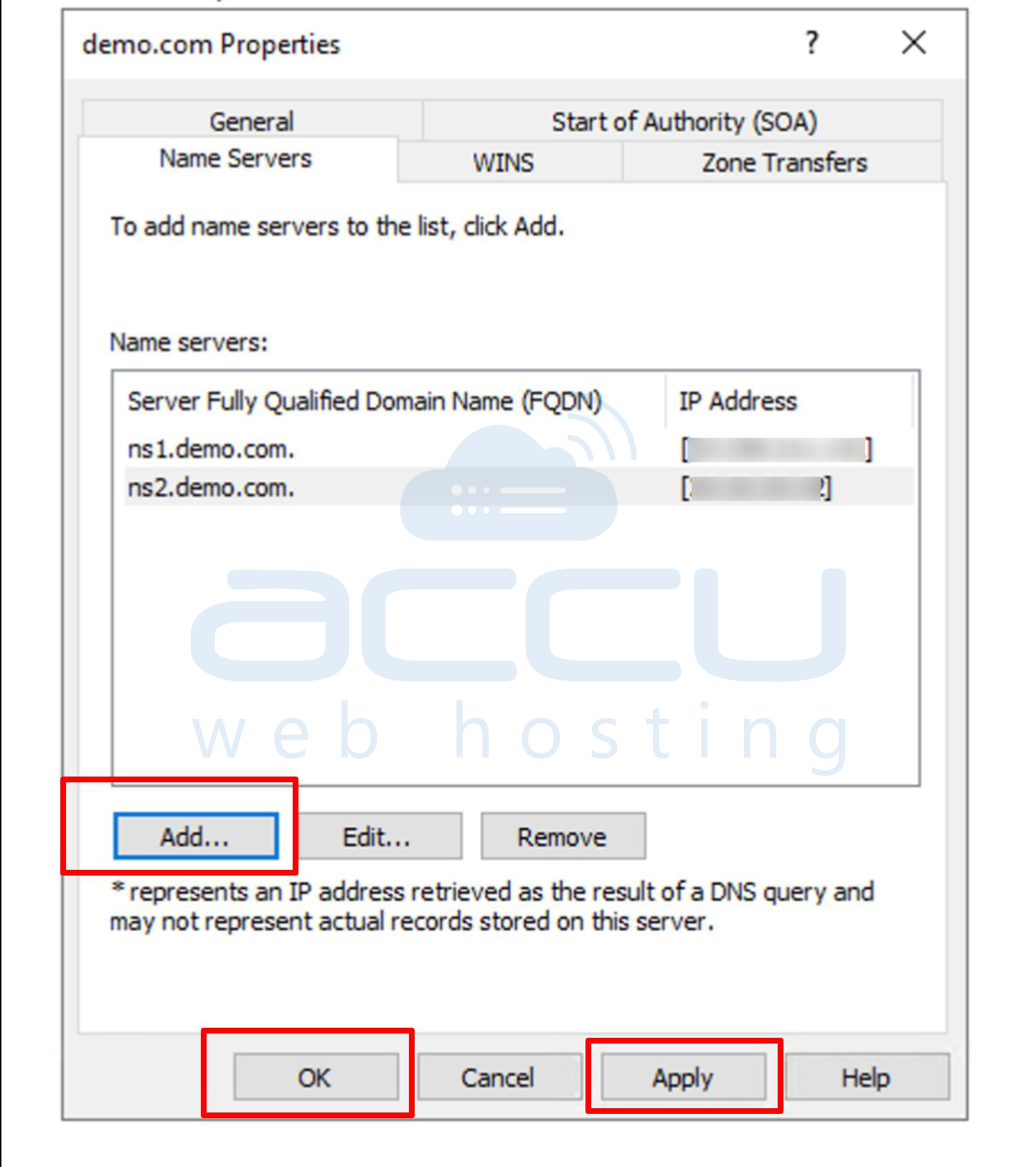
Conclusion:
Adding a new DNS zone and managing DNS records on a Windows VPS allows you to fully control how your domain resolves to different services, such as websites, mail servers, or subdomains. By correctly creating the zone, configuring records like A, MX, CNAME, and TXT, and verifying propagation, you ensure your domain functions smoothly across the internet. Regularly reviewing and updating DNS entries also helps maintain the performance, security, and reliability of hosted services.


