
Introduction:
Managing access to your hosting control panel is an essential part of server administration. DirectAdmin provides a simple built-in option to update or reset the administrator password directly from its interface. This method is useful when you already have access to the panel and want to update credentials securely without using SSH.
Note: If you do not have access to the DirectAdmin control panel or are unable to log in, you can retrieve or reset the password using SSH by following this guide:
Prerequisites:
Before proceeding, ensure that:
-
You have access to the DirectAdmin control panel.
-
You know the current administrator password.
-
The DirectAdmin service is running and accessible.
Steps to Reset the DirectAdmin Admin Password
Step 1: Log in to DirectAdmin
Access the DirectAdmin control panel using the following URL:
http://IP_ADDRESS:2222
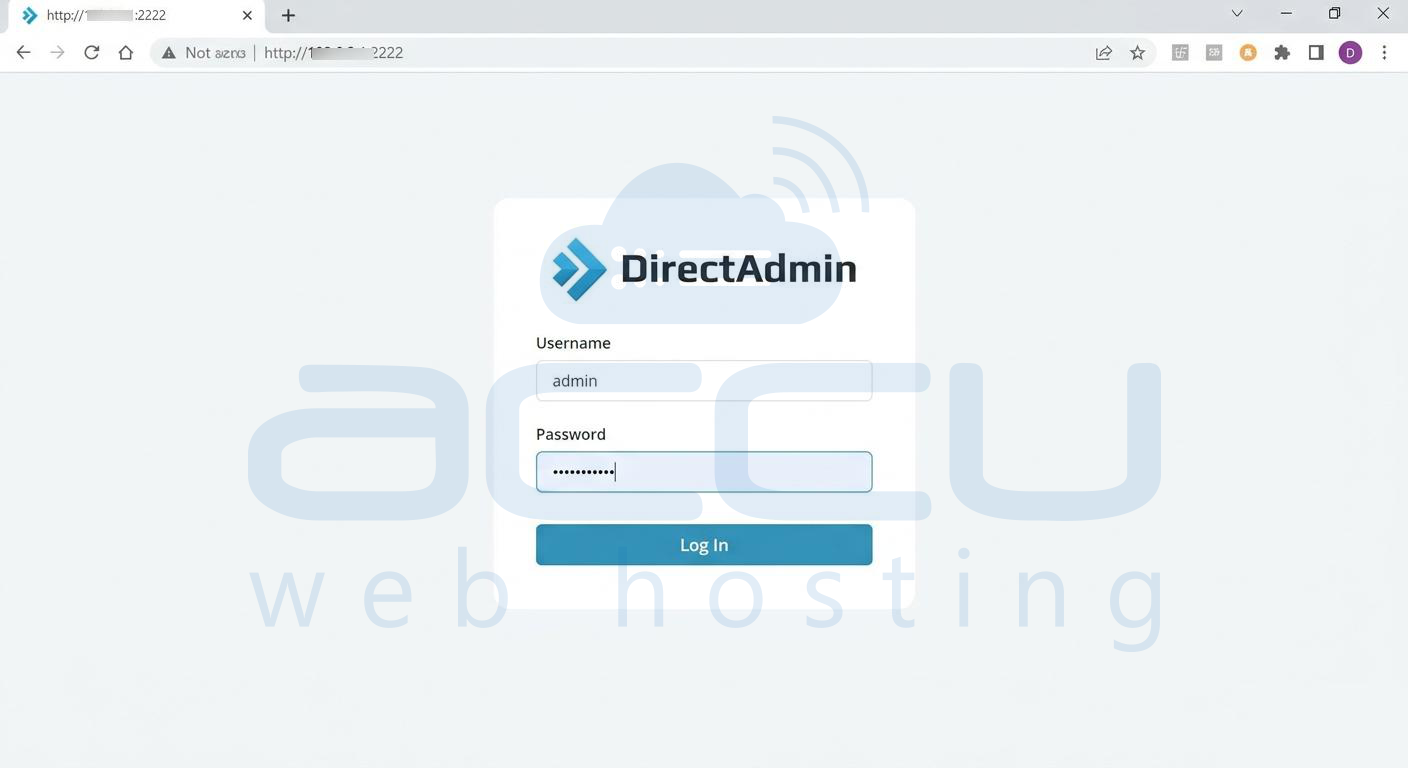
Replace IP_ADDRESS with your server's actual IP address.
Step 2: Open the Change Password Page
After logging in, locate and click the Change Password option within the DirectAdmin interface.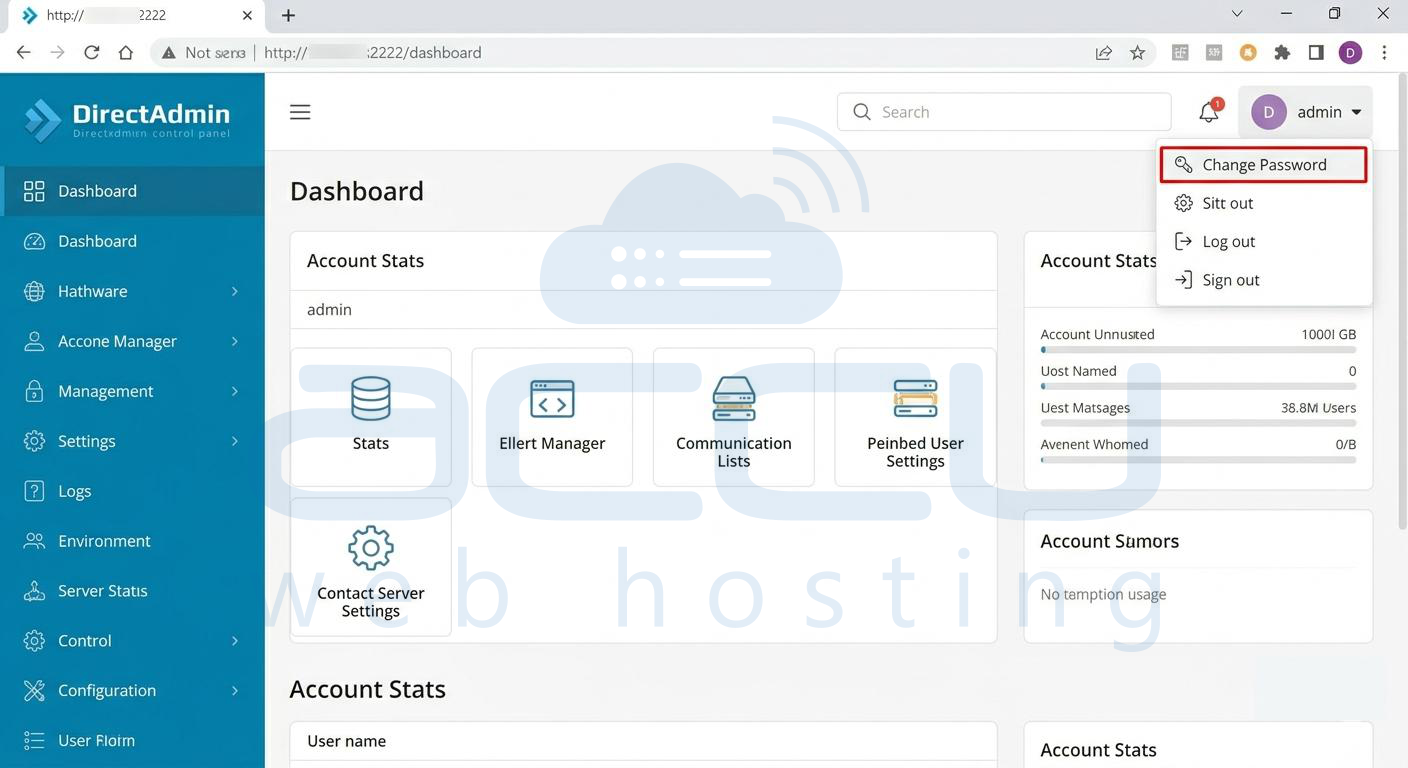
Step 3: Enter Password Details
Provide the following information:
-
Current Password
-
New Password
-
Re-type New Password (for confirmation)
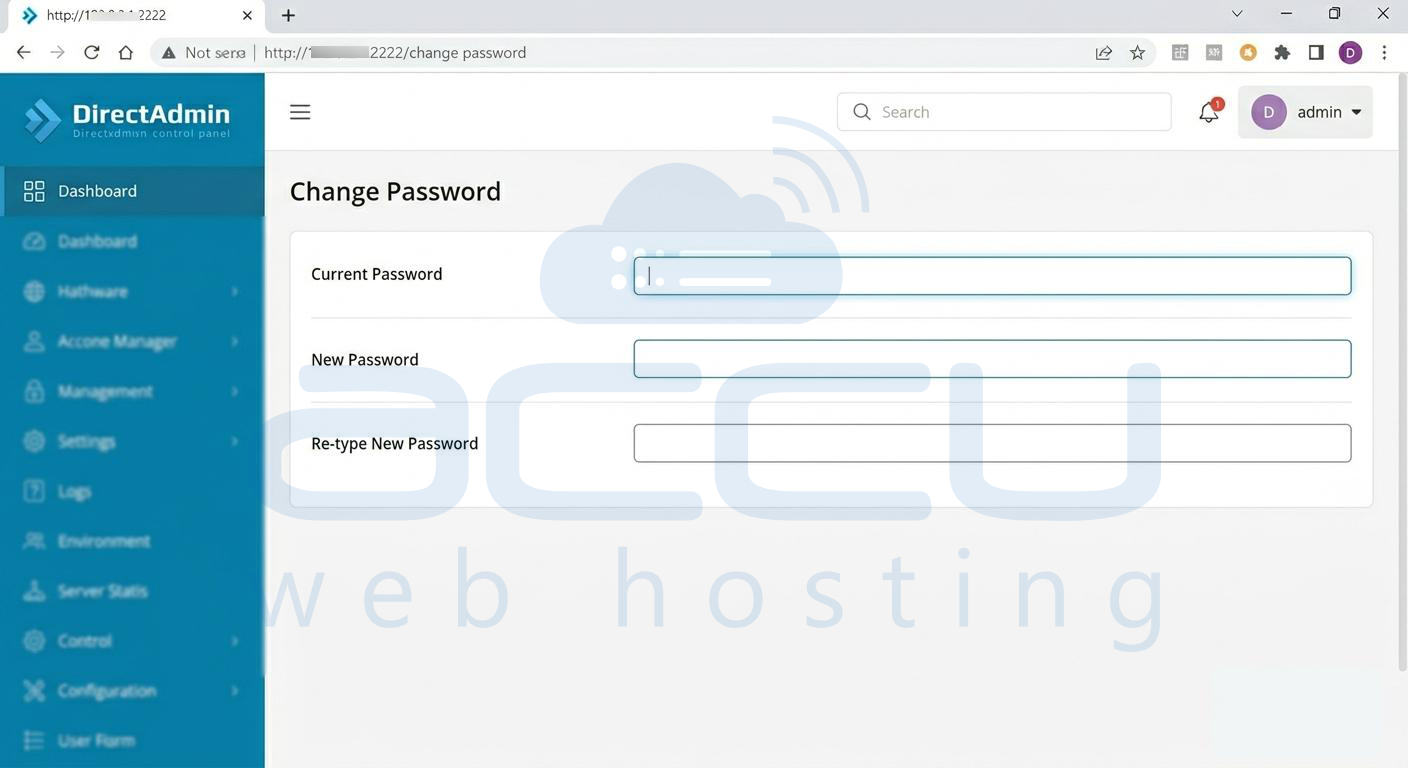
Step 4: Select Additional Services (Optional)
If desired, you can also update passwords for associated services, such as:
-
FTP Accounts
-
Database Users
Select the applicable options before proceeding.
Step 5: Save the Changes
Click the Submit button to apply the new password settings.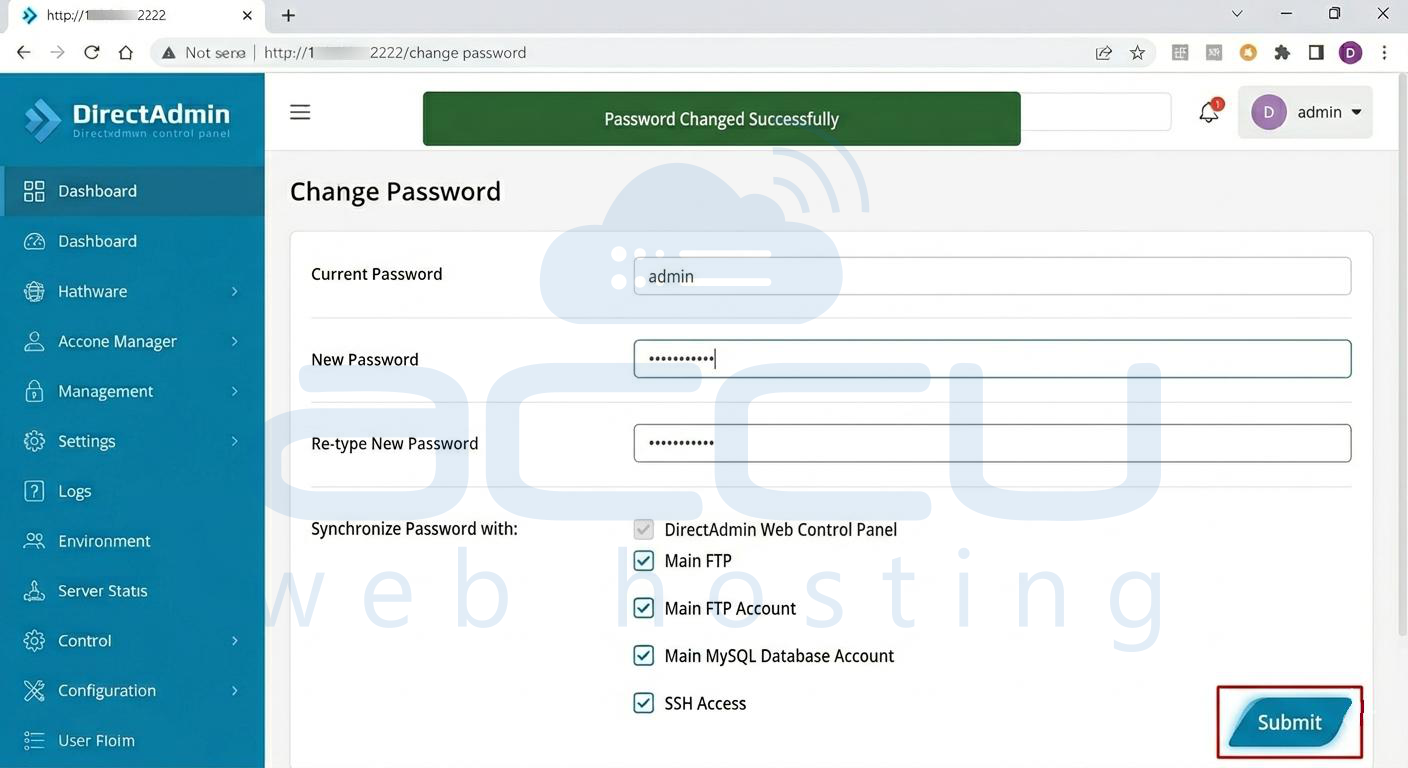
Once the process completes successfully, the new password will take effect immediately.
Best Practices for Password Security
To maintain account security, consider the following recommendations:
-
Use a strong password containing uppercase letters, lowercase letters, numbers, and special characters.
-
Avoid using easily guessable information such as names or birthdays.
-
Change passwords periodically.
-
Store credentials securely using a trusted password manager.
-
Do not share administrator credentials with unauthorized users.
Conclusion:
Resetting the administrator password in DirectAdmin is a quick and straightforward process when you already have access to the control panel. This method allows you to update credentials securely without requiring server-level access or SSH commands. Following strong password practices will help protect your hosting environment and reduce the need for future password recovery procedures.
