
This guide will show you how to enable Nginx Reverse Proxy with the Apache server.
Apache’s power and Nginx’s speed are well known. However, both servers do have drawbacks: Apache is hard on server memory, while Nginx (great at static files) needs the help of php-fpm or similar modules for dynamic content. You can configure Nginx as a reverse proxy for Apache. With this, Nginx will serve all the static content while dynamic content will be processed by Apache.
Requirements:
Install the Nginx server(set the default server).
Install Apache server.
Enable Nginx reverse proxy:
Set the default server as the Nginx server.
To enable Nginx reverse proxy, go to Admin panel > Nginx Reverse Proxy.
You can set a custom port for the Apache server.
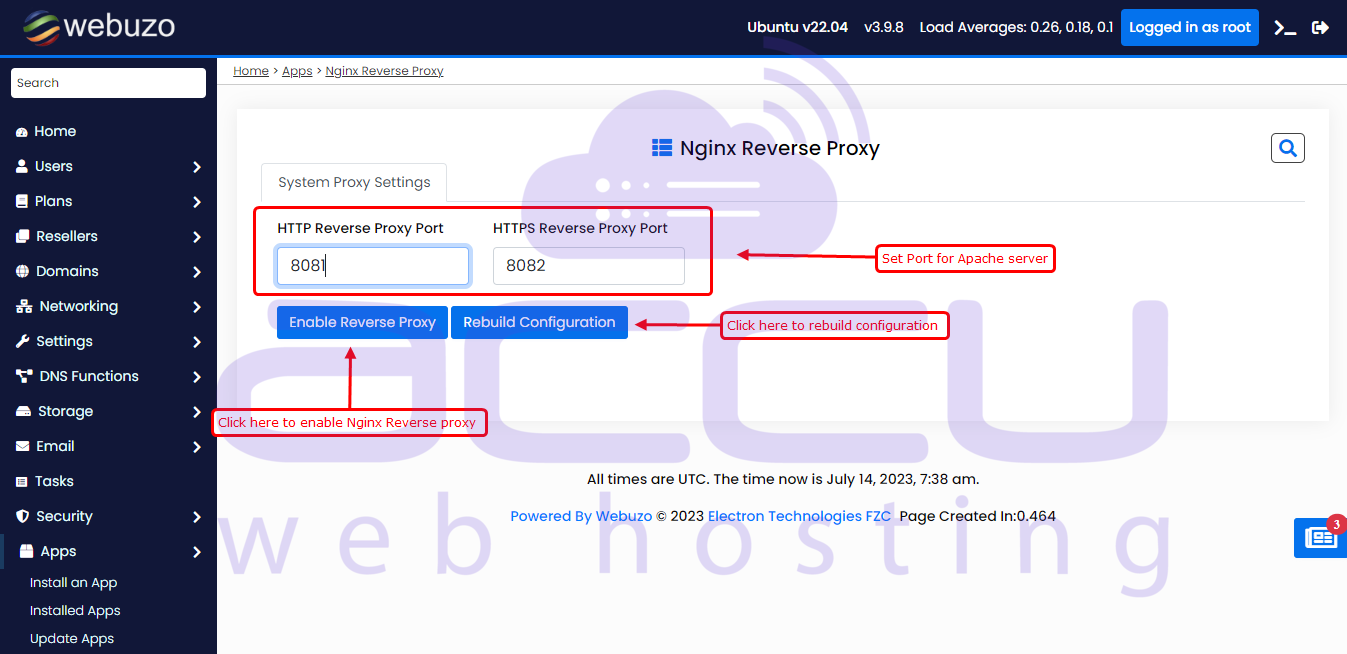
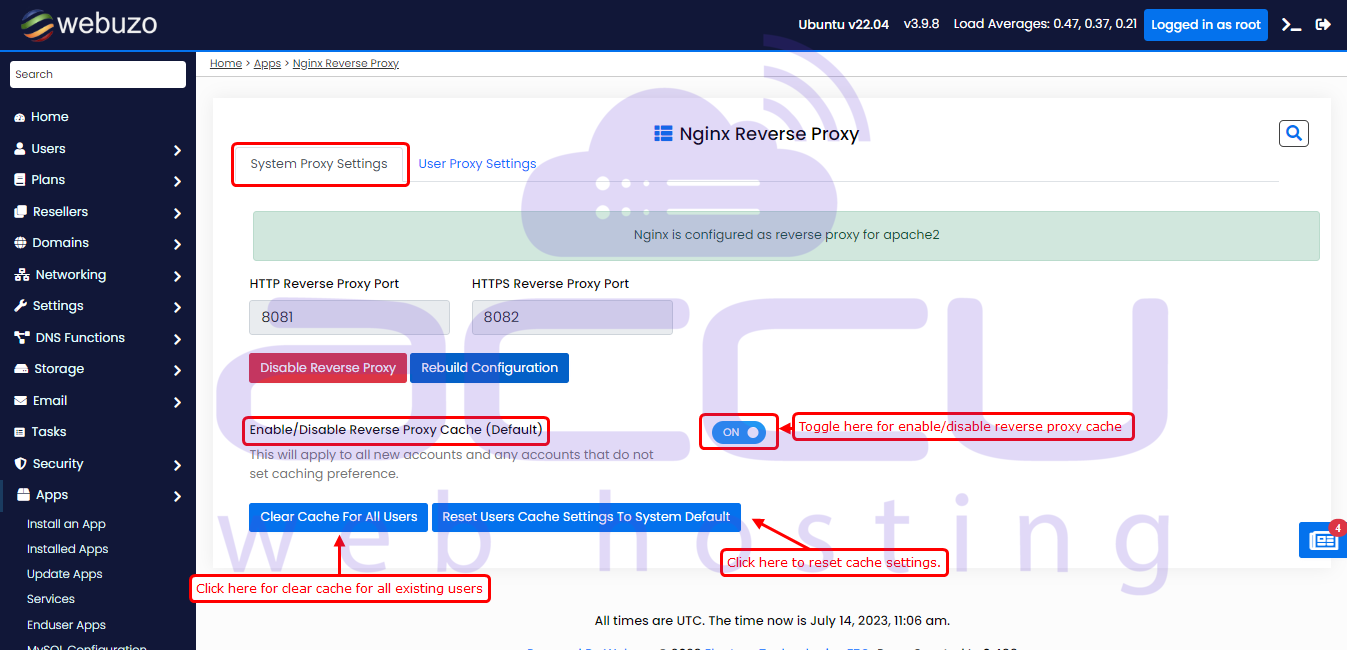
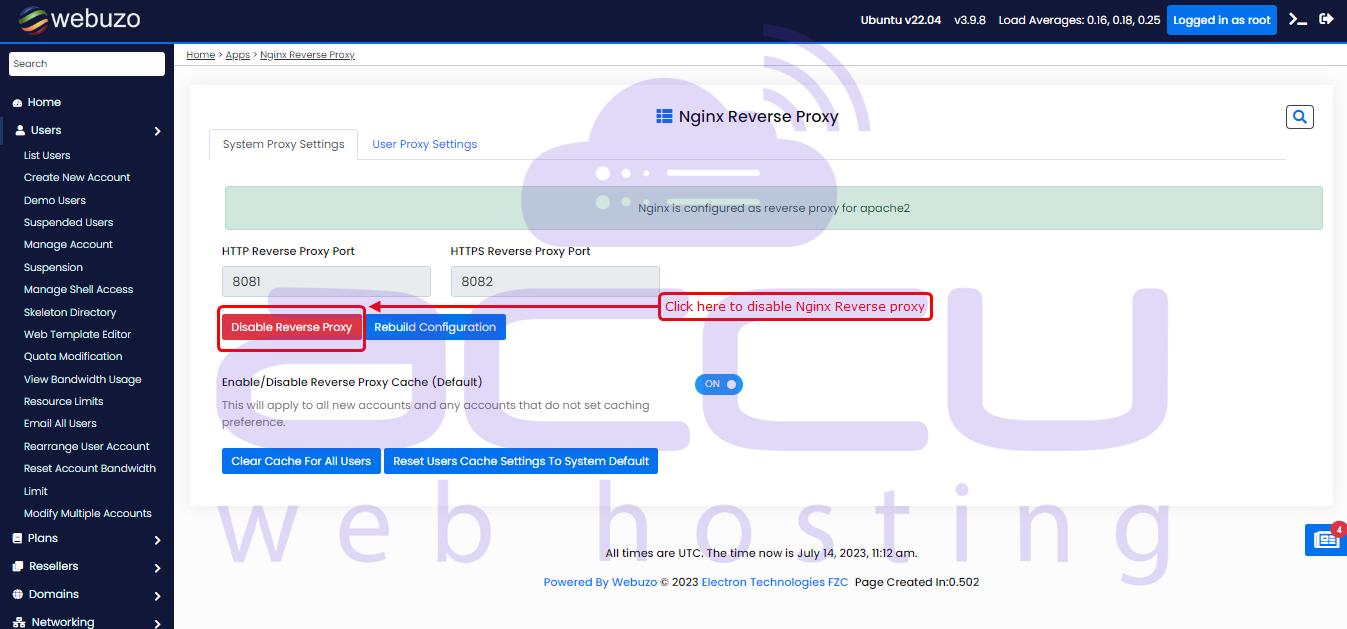
After clicking the Enable Reverse Proxy button, the following page will appear.
Here you can set reverse proxy cache for users. Also, you can clear Nginx cache for all users.
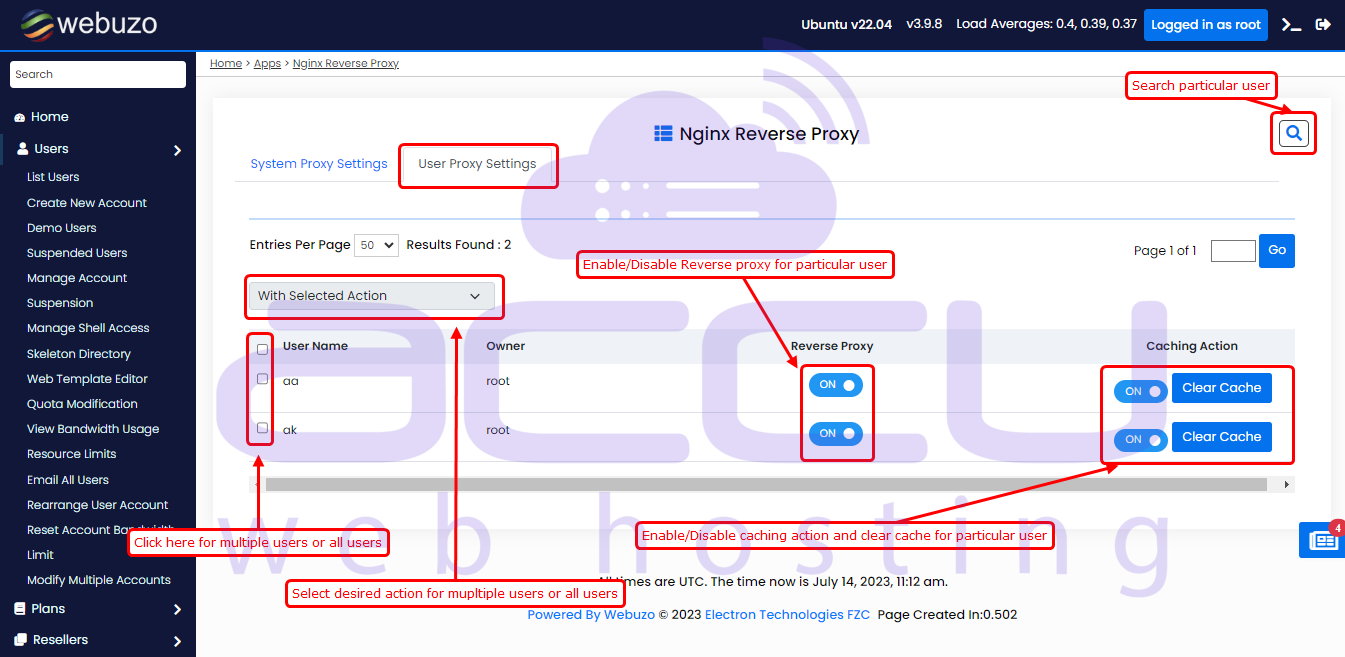
Enable reverse proxy for particular users:
If you want to enable/disable Nginx reverse proxy and reverse proxy cache for a particular user, click on User Proxy Settings
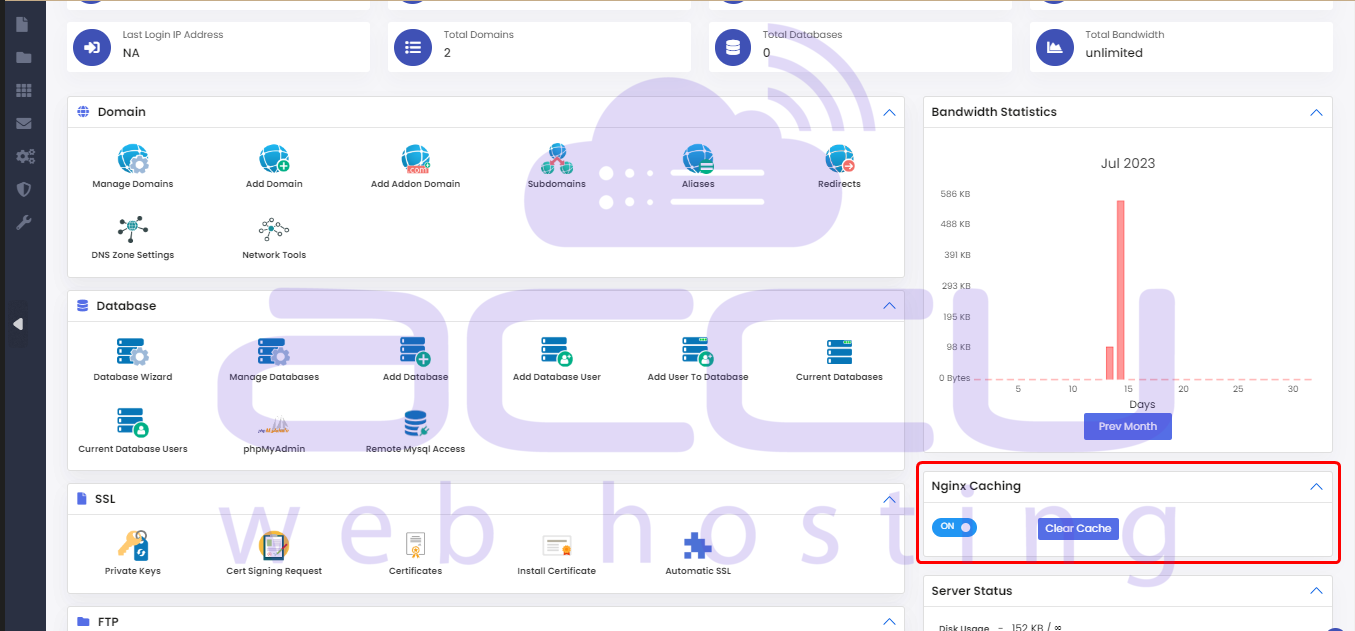
You can also enable/disable Nginx cache and clear cache from the end user home panel.
Once you enable Nginx Reverse proxy, you cannot change the web server until it is disabled.
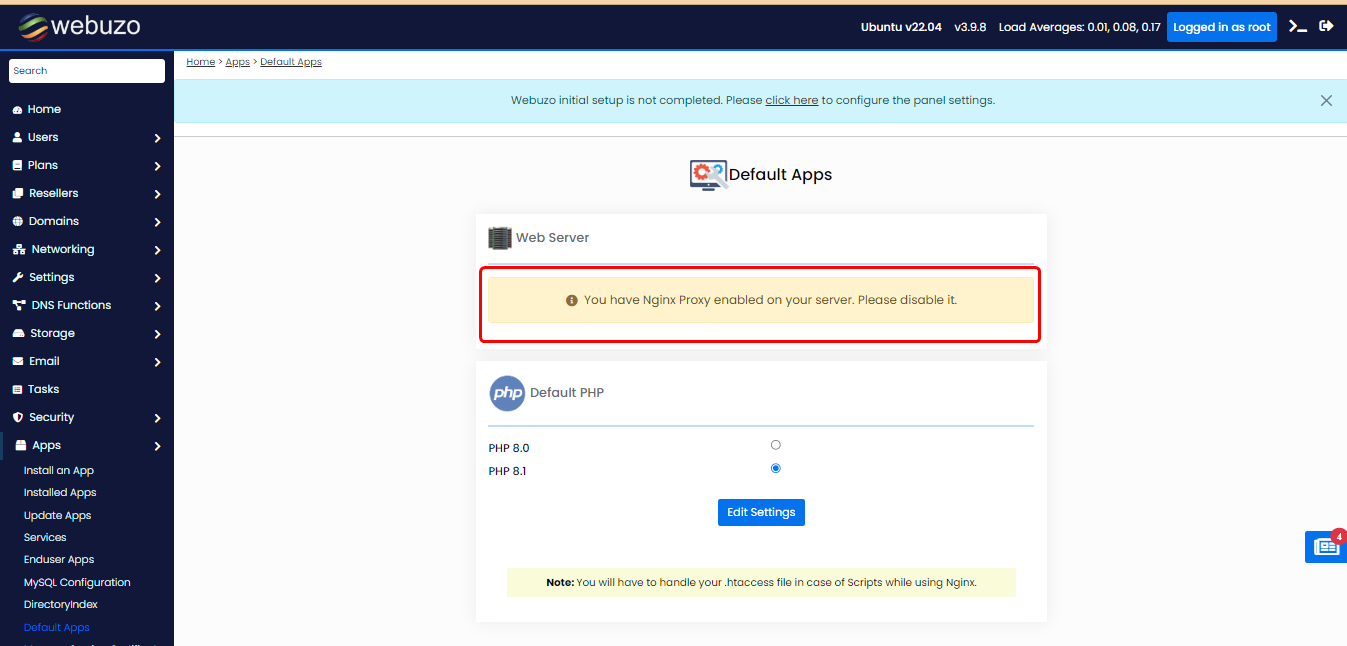
Disable Nginx Reverse Proxy:
You can disable the nginx reverse proxy by clicking on the "Disable Reverse Proxy" button.
Conclusion:
Enabling Nginx Reverse Proxy in Webuzo is one of those power moves that instantly upgrades your server performance without overcomplicating your stack. You get the best of both worlds: Nginx handling static content at lightning speed while Apache processes dynamic requests with stability and flexibility. The result? Faster load times, reduced server load, and a smoother user experience.
If you're serious about performance, scalability, and squeezing more efficiency out of your infrastructure, this setup isn’t optional; it’s essential. Whether you're running high-traffic websites or managing multiple client environments, this configuration gives you a noticeable edge.
Don’t leave performance on the table. Log in to your Webuzo Admin Panel and enable Nginx Reverse Proxy today. Optimize speed, boost reliability, and take control of your server like a pro.


