
Quick Fixes: Unable to Log in to PHP-Nuke Site
A PHP-Nuke site is a website built using PHP-Nuke, which is an older Content Management System (CMS) based on PHP and MySQL. From incorrect credentials to corrupted sessions or database issues, several factors can cause Unable to Log in to PHP-Nuke Site error. In this article, we’ll walk through quick and effective methods to fix login issues in PHP-Nuke and regain access to your website.
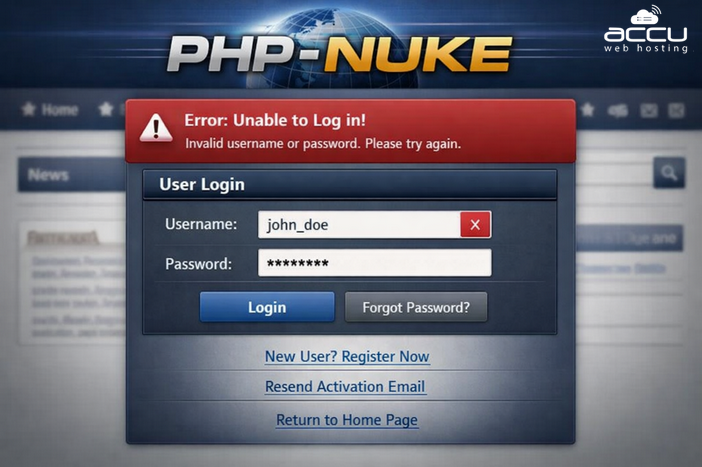
1. Verify Username and Password (Reset via Database)
Sometimes the issue is as simple as incorrect login credentials. If you can’t reset the password through the site interface, you can manually reset it through the database.
Steps:
1. Log in to your hosting control panel.
2. Open phpMyAdmin.
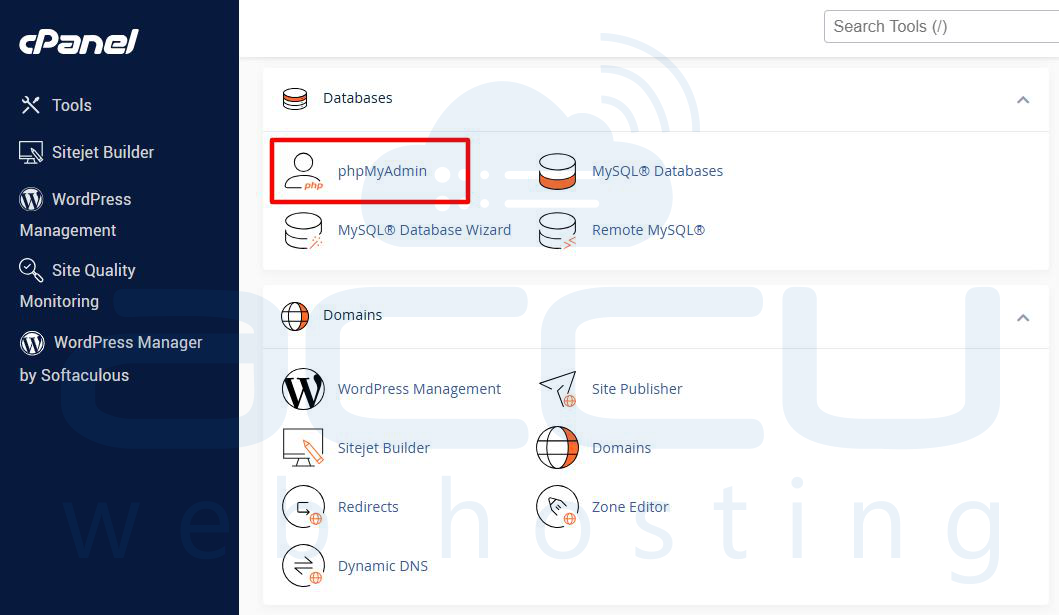
3. Select your PHP-Nuke database.
4. Open the nuke_users table.
5. Locate your admin account.
6. Update the password field using an MD5 hash.
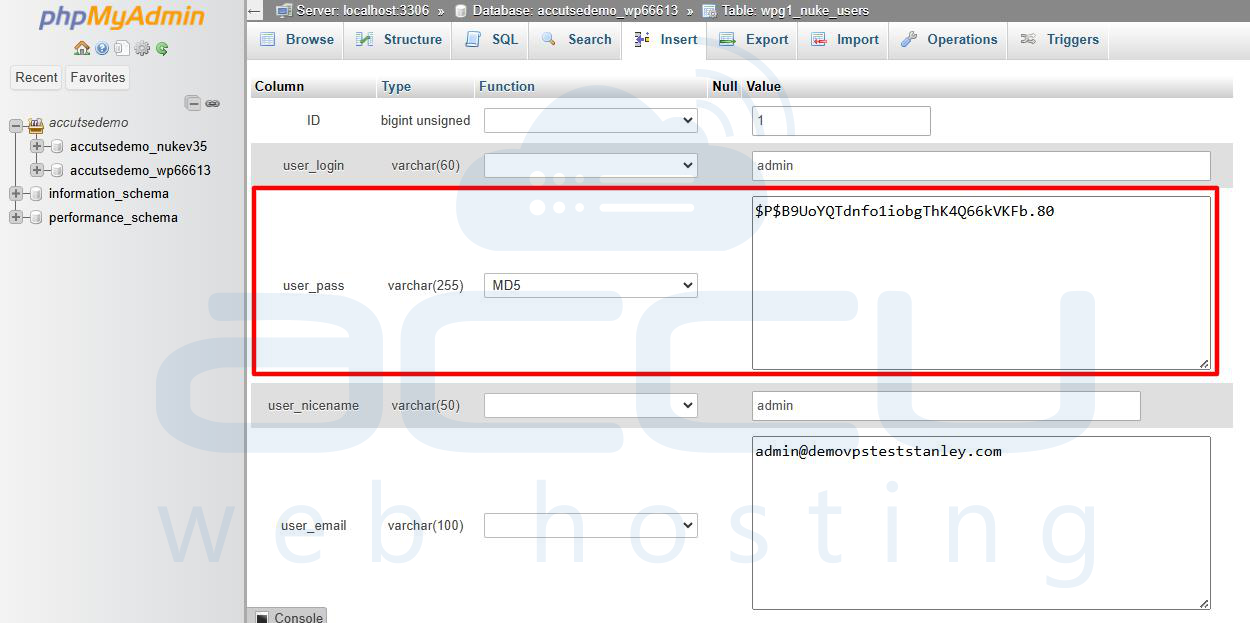
Note: Older PHP-Nuke versions use MD5 encryption, which is outdated. Consider upgrading or implementing stronger password hashing.
2. Clear Browser Cache and Cookies
Corrupt cookies or cached session data may prevent successful login attempts.
Fix:
- Clear browser cache and cookies.
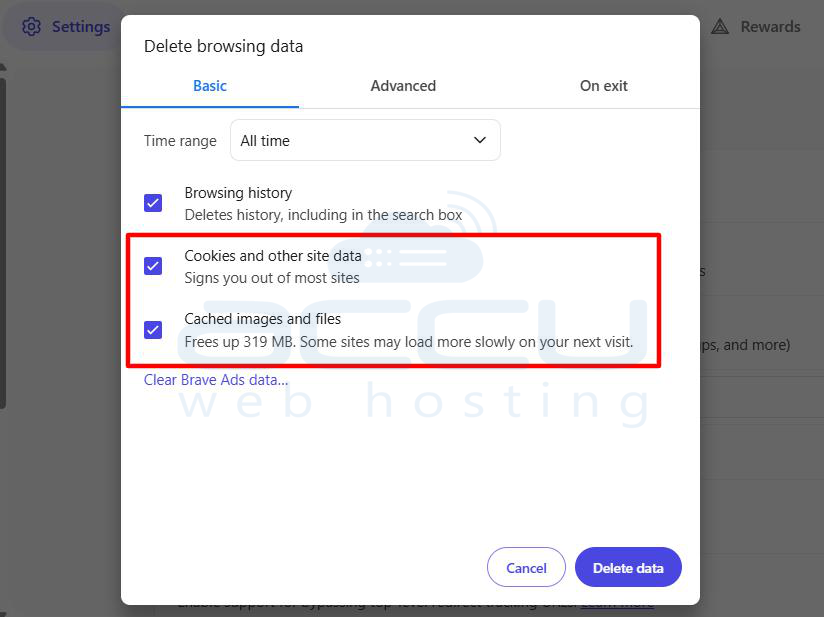
- Try logging in using Incognito/Private mode.
- Attempt login from a different browser or device.
This quick step often resolves session-based authentication errors.
3. Check Session and Cookie Configuration
PHP-Nuke relies heavily on proper session handling and cookie validation. If sessions aren’t working correctly, login will fail.
What to Check:
- Ensure session.save_path is correctly configured in your php.ini.
- Verify that the /tmp directory (or custom session folder) has proper write permissions.
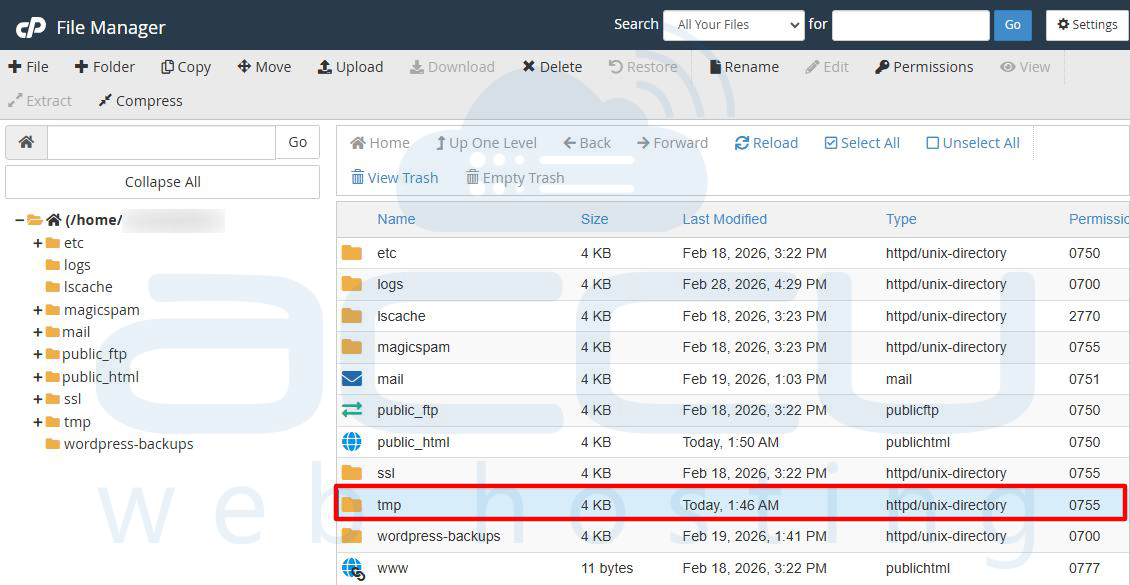
- Confirm cookies are enabled in your browser.
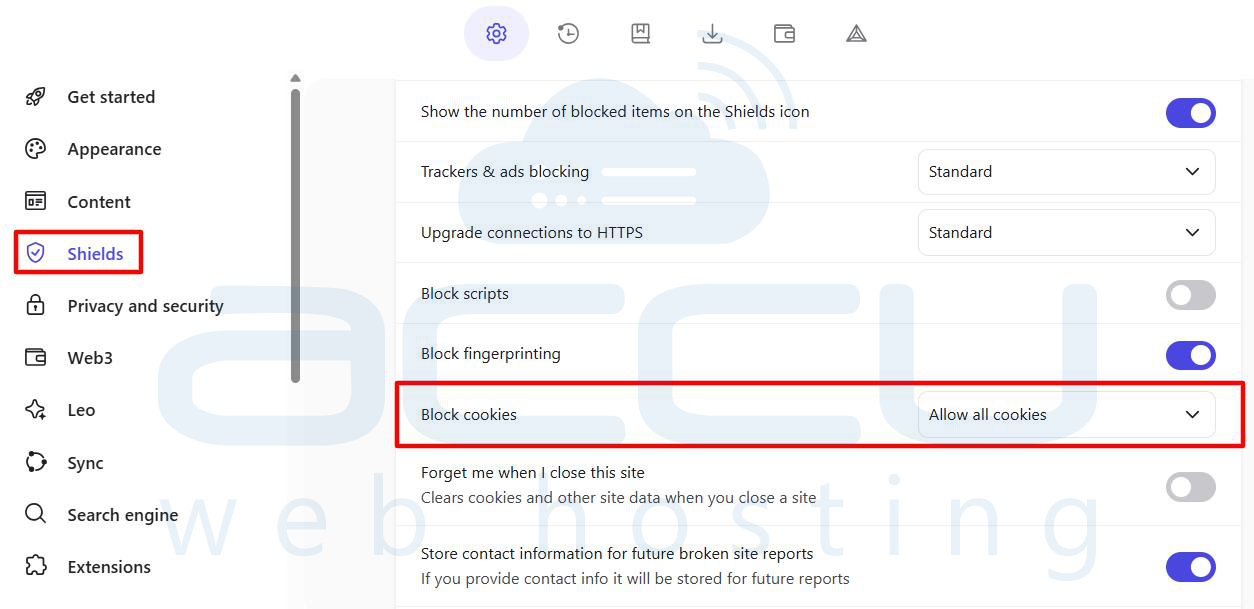
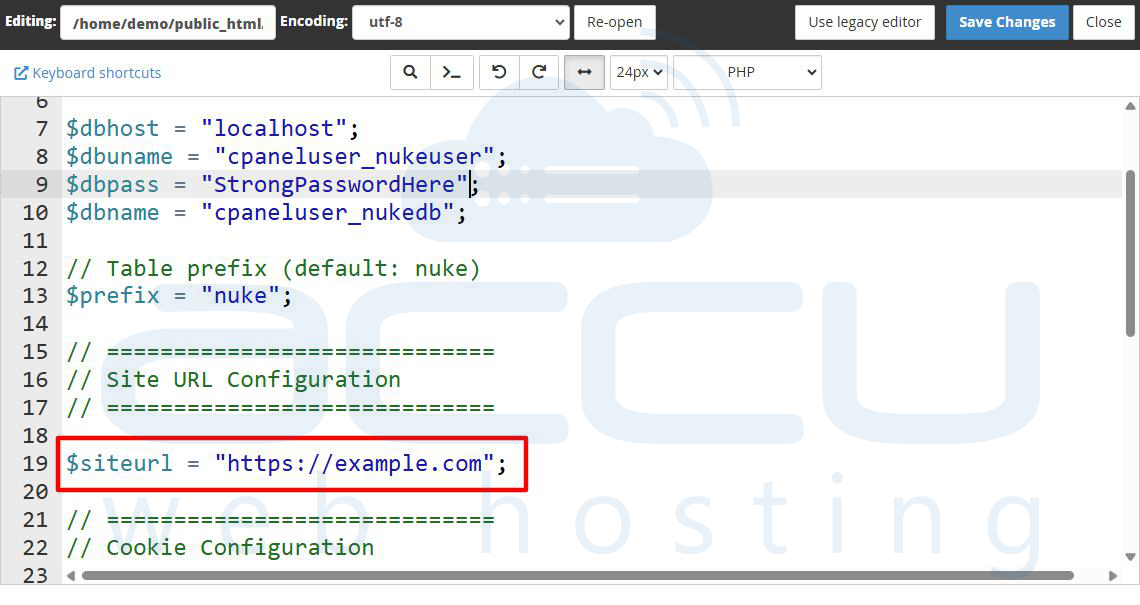
- Check your site’s URL settings in config.php (HTTP vs HTTPS mismatch can cause login loops).
- Make sure the $cookiepath and $cookiedomain settings match your actual domain.
Incorrect cookie paths or domain settings commonly cause redirect-to-login-page issues.
4. Nameserver (NS) Propagation & Cookie Validation Issues
If you’ve recently transferred hosting or updated nameservers, login problems may occur even when your credentials are correct. When transferring an existing set of nameservers and the website uses a CMS based on PHP-Nuke, you may have to wait until the NS is fully propagated before you can access the website with a username and password.
This is due to the cookie validation process that CMS systems use.
When using the interim web address (for example:http://111.222.333.44/~username), the CMS will attempt to assign cookies for the website domain configured in the system (most likely www.mywebsite.com).
Because:
- The cookie is being set for www.mywebsite.com
- But you’re accessing the site via an IP address or temporary URL
The browser will reject or mis-handle the cookie, causing login failures or endless redirects.
How to Fix It
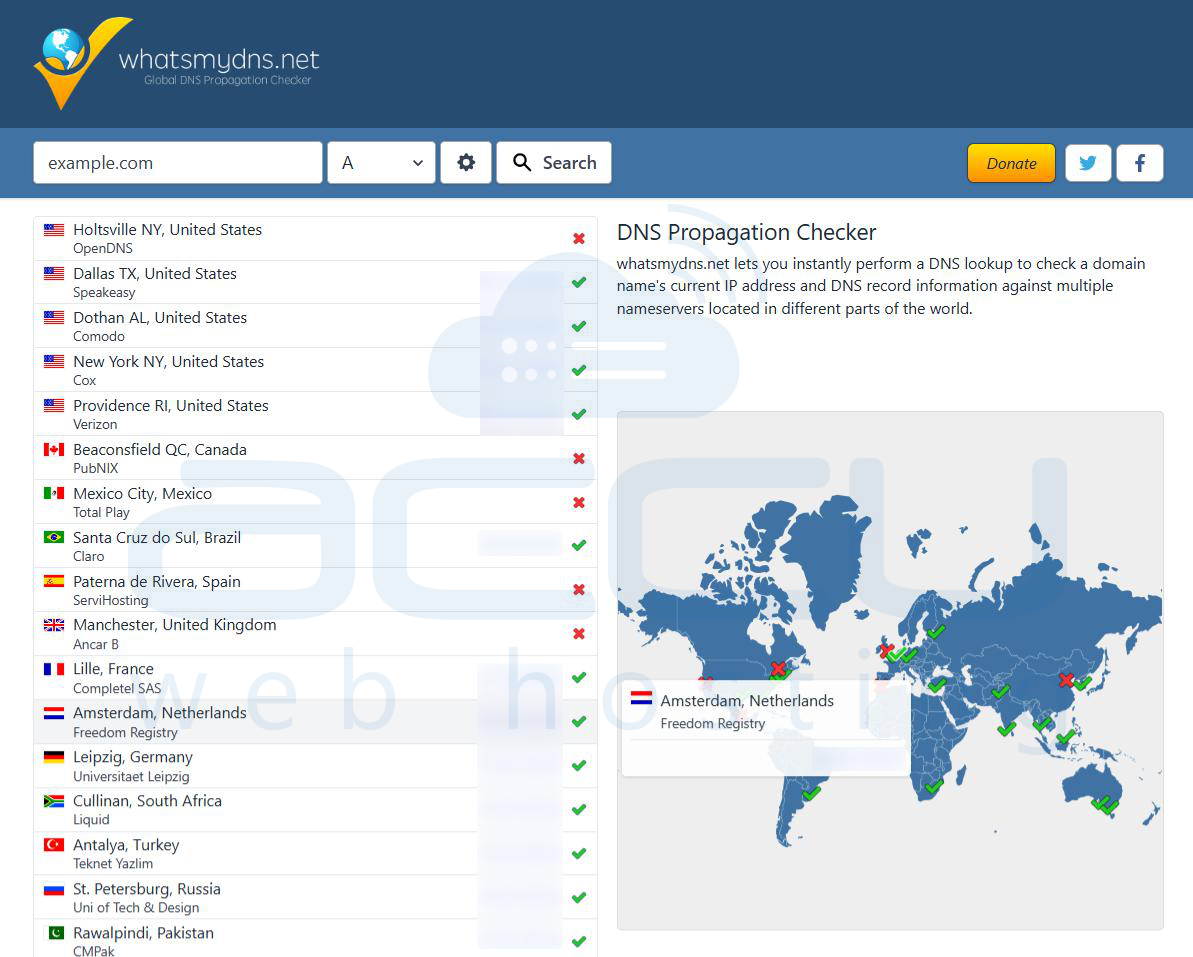
- Wait for full DNS/NS propagation (usually 4-24 hours).
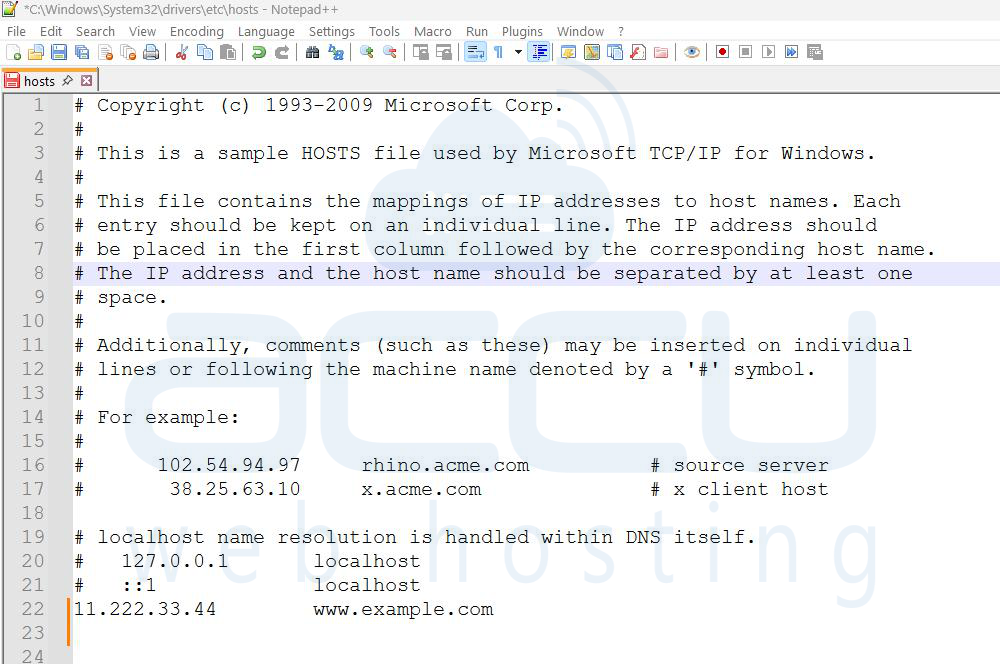
- Modify your local hosts file to preview the domain properly.
- Temporarily update the site URL in config.php to match the interim address (advanced users only).
- Avoid logging in through IP-based or temporary URLs when possible.
Once propagation completes, login functionality typically returns to normal.
5. Repair Database
A corrupted database can prevent authentication from functioning properly.
Steps:
Step 1: Login to cPanel.
Step 2: Click MySQL® Databases
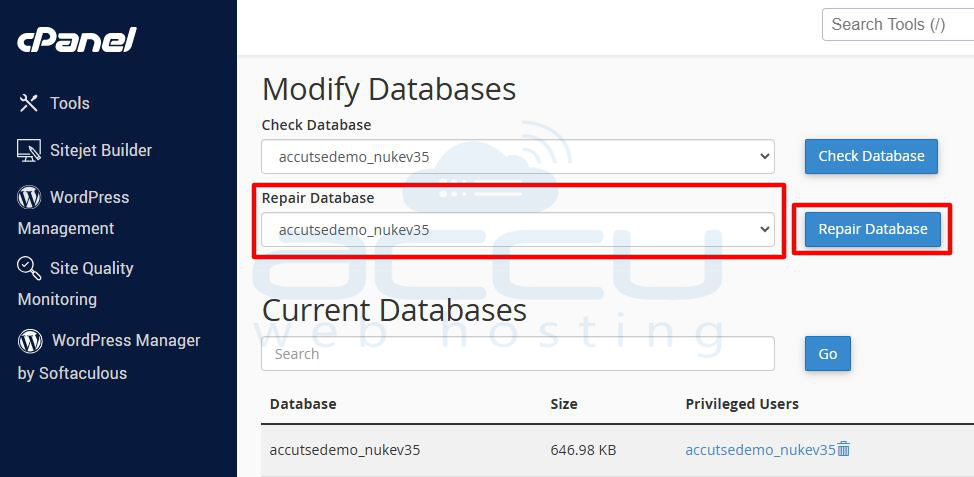
Step 3: Scroll down to Modify Databases. Select your database name from the dropdown and click Repair Database. Wait for the process to complete.
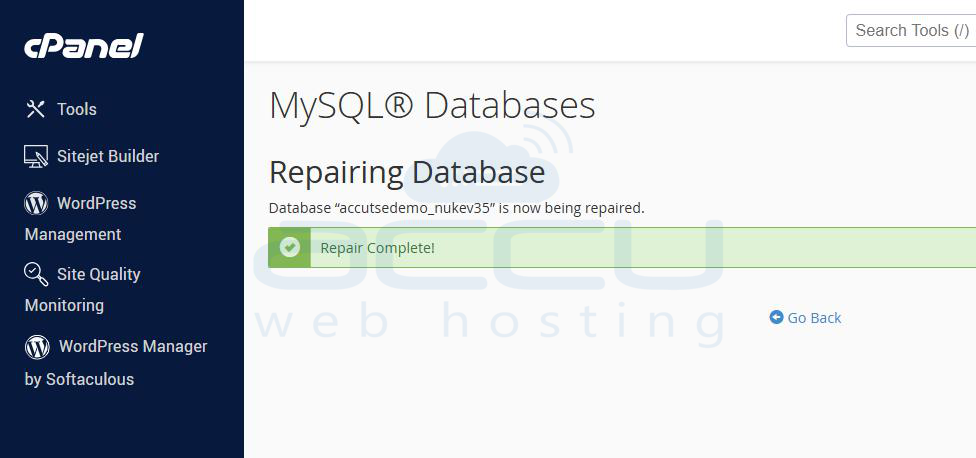
You should see a message: Database “db_name” is now being repaired.
If corruption persists, consider restoring from a recent backup.
Disable Security Modules or .htaccess Temporarily
Overly strict security rules can block login attempts.
Possible Causes:
- Misconfigured .htaccess rules
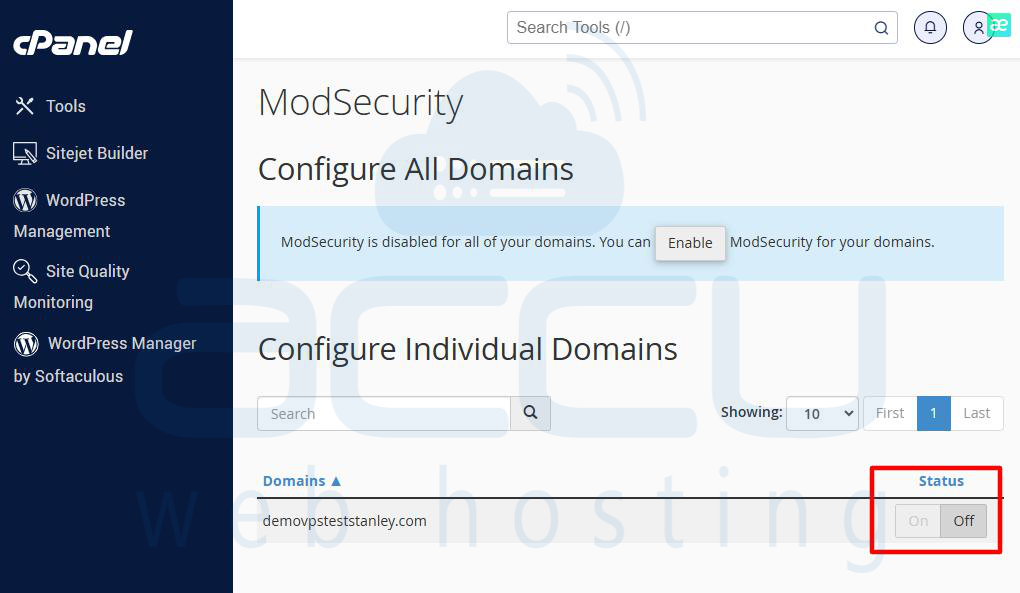
- ModSecurity blocking POST requests
- Firewall or hosting-level security settings
Fix:
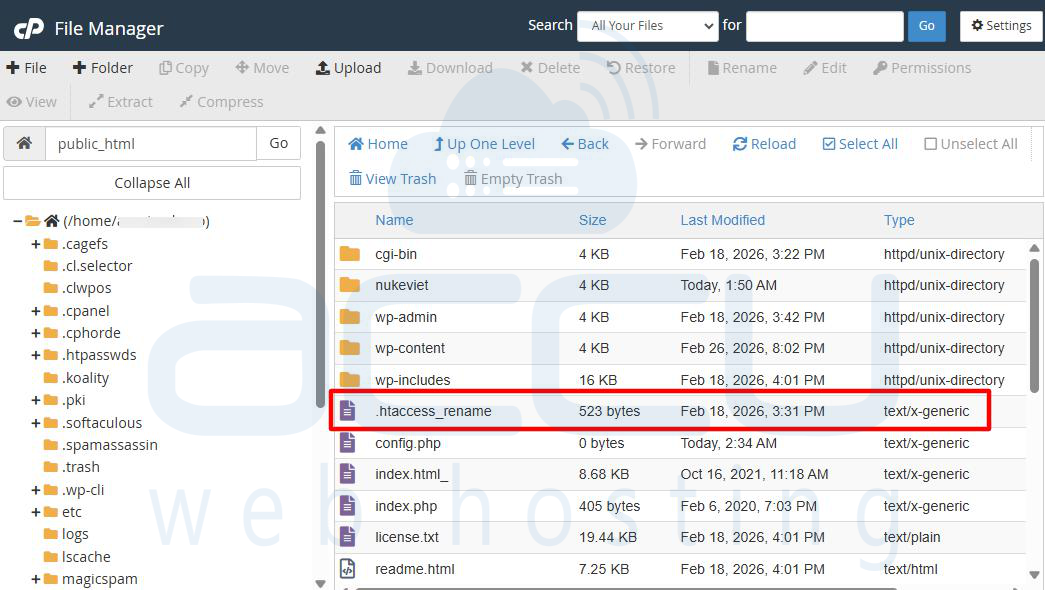
- Temporarily rename .htaccess to .htaccess_rename
- Disable ModSecurity from your hosting control panel
If login works after disabling security, carefully re-enable rules one by one to identify the culprit.
Bonus Tip: Enable Debugging Mode
To pinpoint the issue, enable error reporting in PHP:
error_reporting(E_ALL);
ini_set('display_errors', 1);
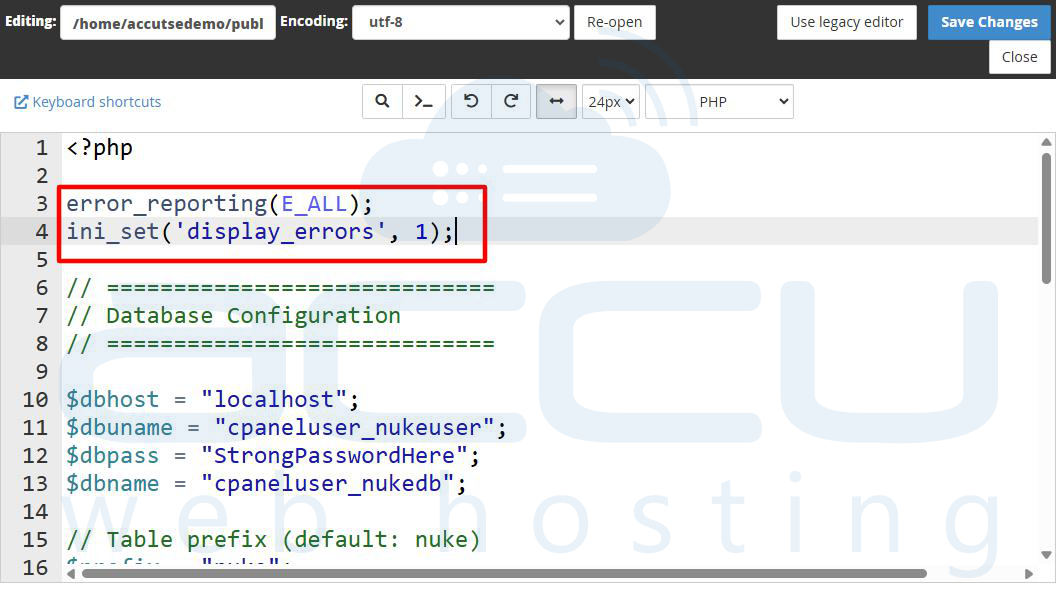
This will show underlying PHP errors that may be interfering with login functionality.
Conclusion
Login issues in PHP-Nuke can arise from a variety of causes, including incorrect credentials, corrupted sessions, DNS propagation delays, cookie misconfiguration, database corruption, or restrictive server security settings.
By carefully and systematically reviewing each of these potential problem areas, you can identify the root cause and restore access to your site more efficiently. If your PHP-Nuke installation is significantly outdated, it may also be wise to consider migrating to a more modern CMS platform to benefit from enhanced security, better performance, and long-term stability.


