
Typesense is an open-source search platform built to deliver fast, typo-resistant, and developer-friendly search experiences.
It is frequently utilized when one desires a search experience similar to Google within their own website, application, or internal tool, without relying on external services such as Algolia or Elasticsearch.
It performs a role similar to Elasticsearch or Algolia, but:
- It is simpler to configure
- For the majority of applications, it offers greater speed and efficiency
- It features a straightforward API tailored for developers
Key Features
- Extremely fast: engineered for low-latency search capabilities.
- Error tolerance: automatically manages spelling errors.
- Advanced text search: supports filtering, faceting, and sorting to refine results.
- Self-hosted deployment: ensures full ownership and control of your data, unlike cloud-only services.
- Lightweight design: easier to install and maintain compared to Elasticsearch or Solr.
Common Use Cases
- Online stores: Support product discovery using filters such as category, brand, and cost.
- Knowledge Repositories / Documentation: Conduct searches within documents, help centers, and blogs.
- Media Applications: Search for movies, songs, and podcasts using tags and filters.
- Internal Tools: Search for users, logs, and internal records.
Prerequisites for Installing Typesense
- Operating System: Linux (Ubuntu, Debian, AlmaLinux, CentOS, RHEL, Fedora, etc.)
- Requirements: 64-bit CPU with at least 2 GB of RAM.
Typesense does not require an external database like MySQL, PostgreSQL, or MongoDB.
Below is the step-by-step procedure to install Typesense on the Ubuntu OS
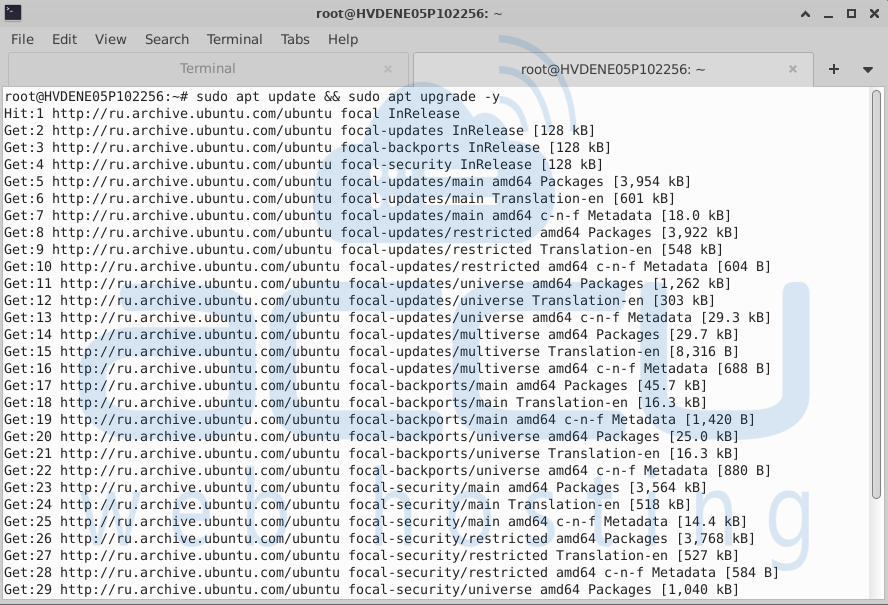
Step 1: Update system
Keeps your system protected and up to date with the newest libraries.
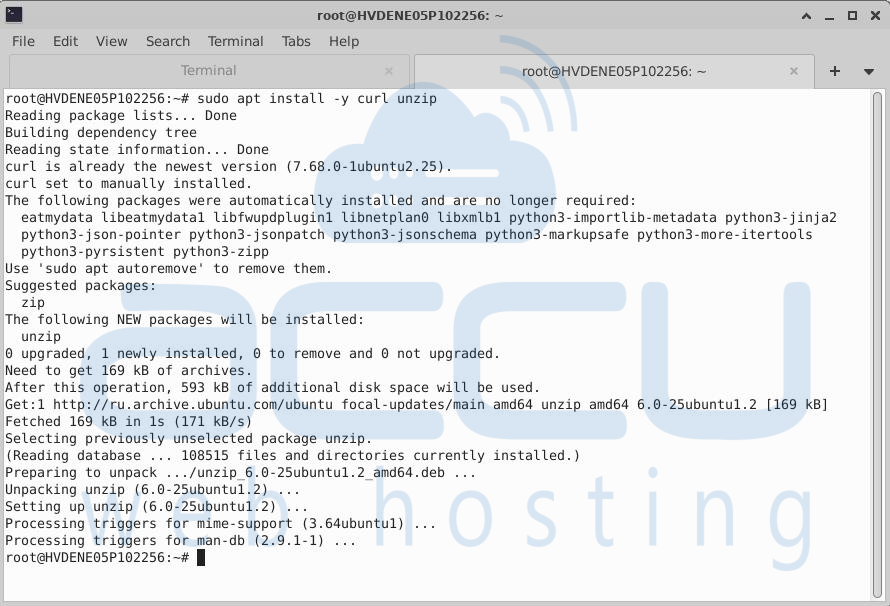
Step 2: Install required tools
Curl is used to download files from the internet.
Unzip is handy if you deal with compressed archives.
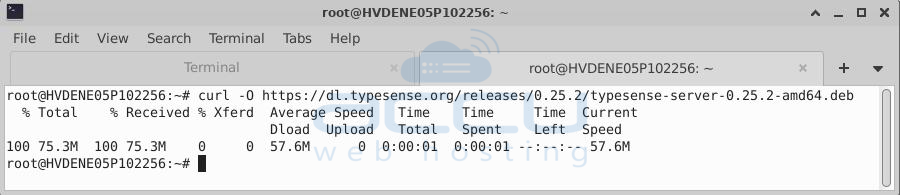
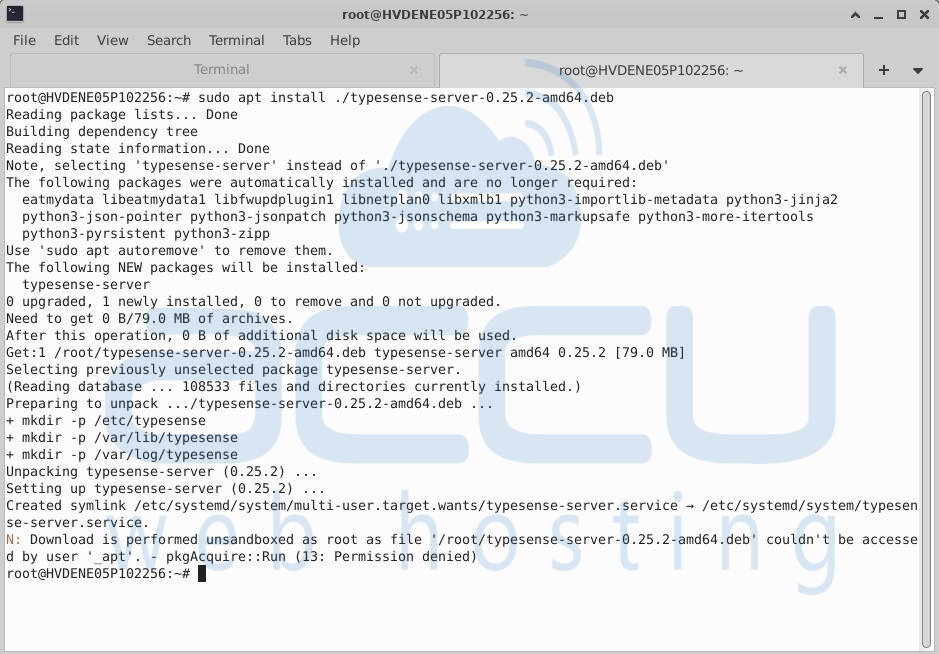
Step 3: Download and install the Typesense server
curl -O downloads the .deb package from Typesense’s official release.
apt install ./...deb installs the downloaded package into your system.
Step 4: Create a configuration file
sudo nano /etc/typesense/typesense-server.ini

Add the information shown below to the file in case it’s not there:
[server]
api-address = 0.0.0.0
api-port = 8108
data-dir = /var/lib/typesense
api-key = xyz123
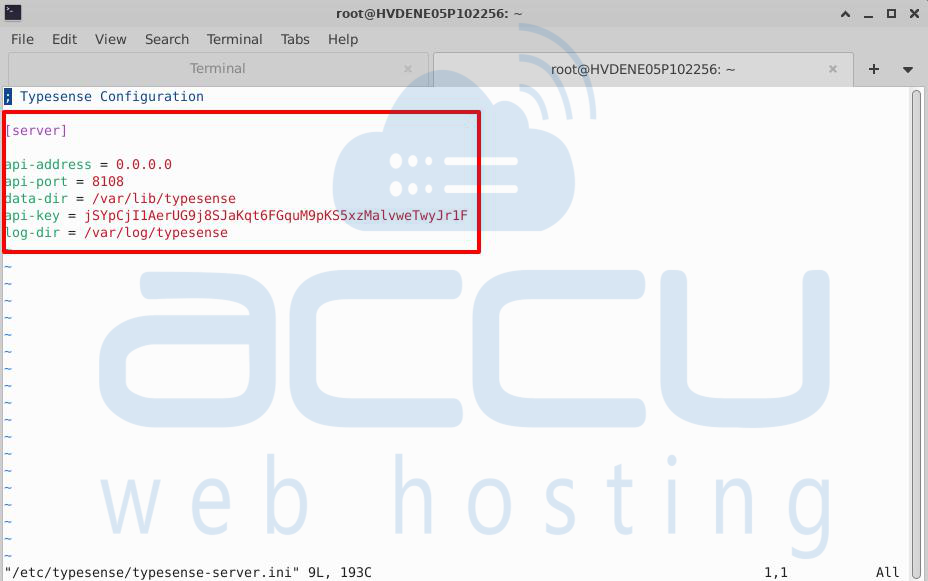
api-address = 0.0.0.0: allows external connections.
api-port: Default API port
data-dir: location where Typesense stores its data files (persisted to disk).
api-key: required for all client queries; choose your own secure value.
Step 5: Start Typesense
sudo systemctl start typesense-server
sudo systemctl status typesense-server
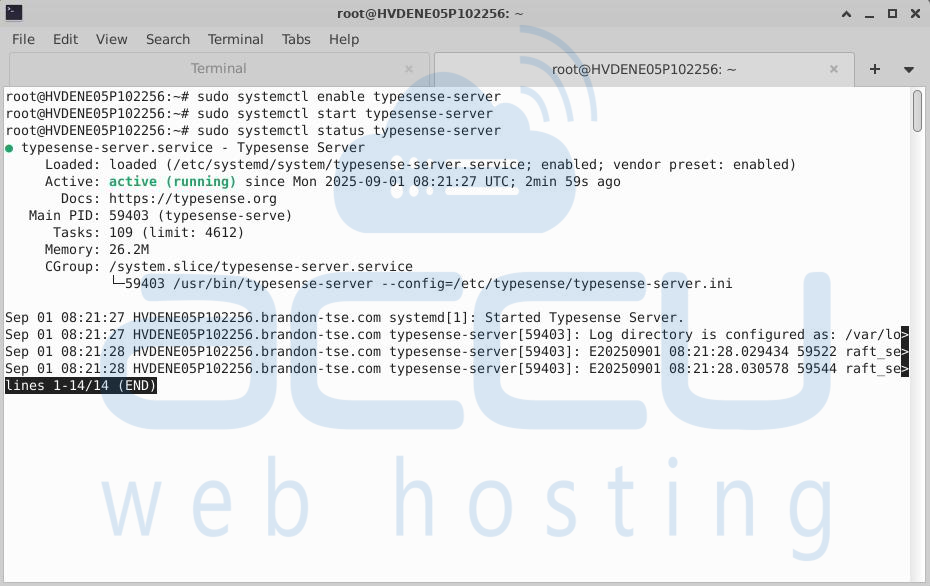
Step 6: Verify Installation
Once Typesense is running, test it with the following command:
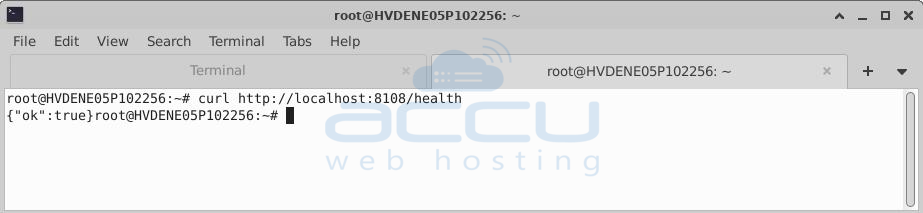
It will give you output as per the attached screen capture. This means the API is live and ready to accept requests.
Because Typesense provides a REST API, you can try it out directly in your browser.
http://<SERVER_IP>:8108/health
You’ll see {"ok": true} in your browser window.
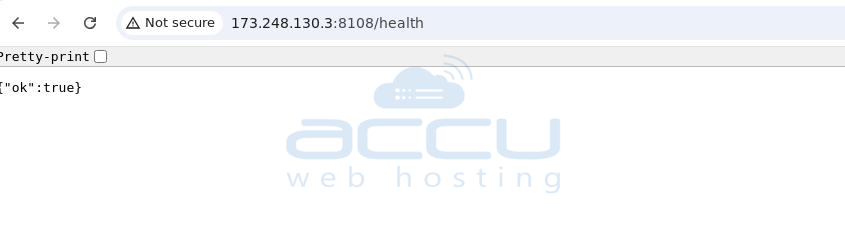
Typesense is now running as a service on your machine.
Installing on AlmaLinux
The steps are almost identical to Ubuntu. The main difference is the use of dnf instead of apt when installing packages and managing updates.
Conclusion:
Typesense is a powerful, lightweight, and developer-friendly search engine that provides fast, typo-tolerant, and flexible search capabilities. By following the above steps, you can easily install and configure Typesense on both Ubuntu and AlmaLinux environments without the complexity of traditional search platforms like Elasticsearch.
With its simple configuration, robust REST API, and ability to be self-hosted, Typesense gives you complete control over your data while delivering Google-like search experiences within your own applications, e-commerce platforms, or internal tools.
Once installed, you’ll have a fully functional search engine running as a service, ready to integrate into your projects and scale as your data grows.


