
This guide explains how to restore a `.BAK` file (SQL Server database backup) using the Plesk control panel on Windows hosting. It also includes how to create a database and notes about `.BAK` backup limitations in Plesk.
Steps to Create an MSSQL Database
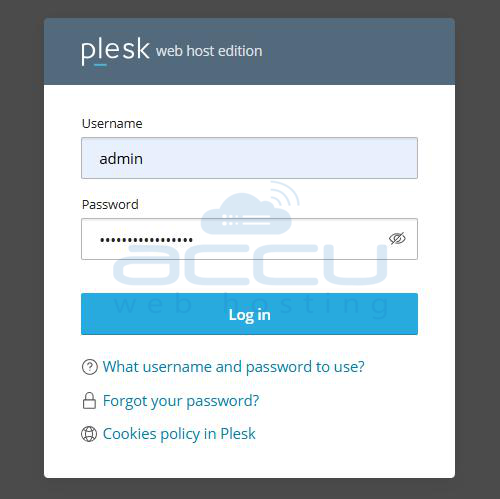
Step 1: Open your web browser, go to the Plesk login URL provided by your hosting provider, and log in using your username and password.
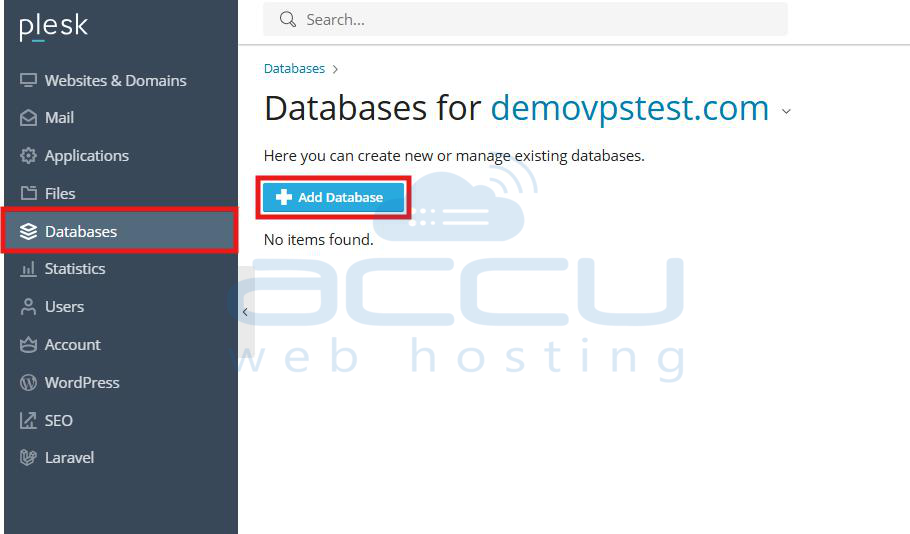
Step 2: After login, click on Websites & Domains from the left-hand menu of the Plesk dashboard.
Step 3: Click on the domain name (for example, `example.com`) where you want to create the database and restore the `.BAK` file.
Step 4: Under the selected domain, click on the Databases option to manage database-related settings.
Step 5: Click the Add Database button to begin creating a new MSSQL database for your restoration.
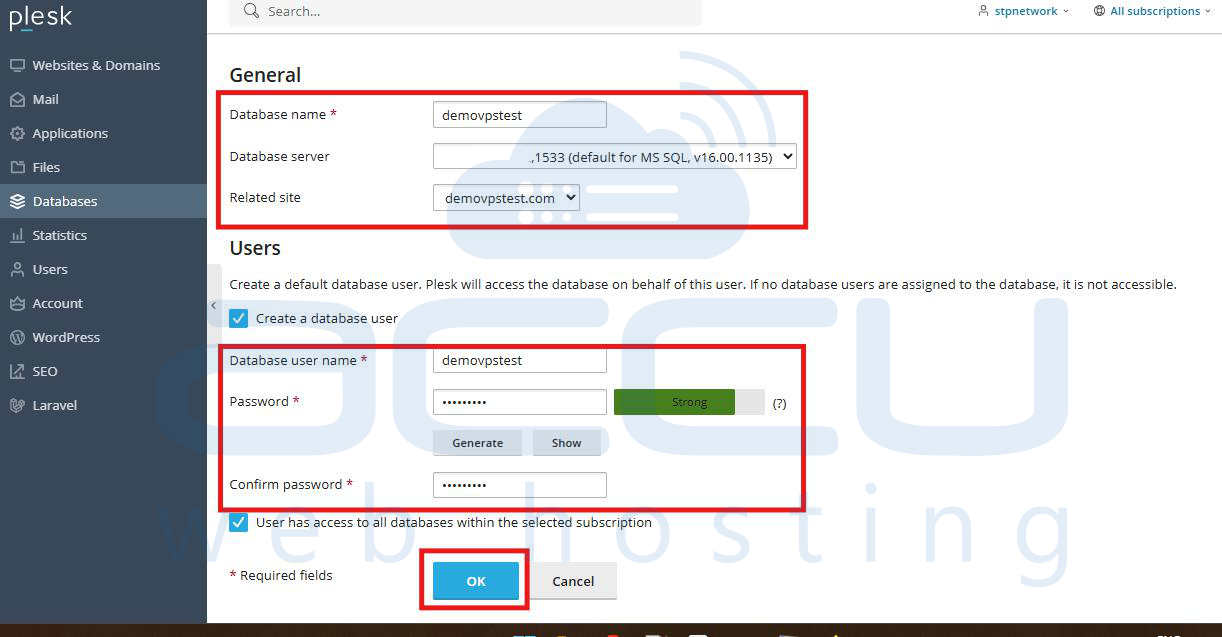
Step 6: In the form, enter a name for your new database that is easy to remember and relevant to your project.
Step 7: From the Database server dropdown, select MSSQL to ensure compatibility with the `.BAK` file.
Step 8: Unless required otherwise, leave the related site field as it is with the default selection.
Step 9: Scroll down and enter a username and password to create a database user who can access and manage the database.
Step 10: If needed, check the box to allow the user to access all databases under the selected subscription.
Step 11: Click OK to complete the database and user creation process.
Steps to Import/Restore an MSSQL database
Step 1: Go back to Websites & Domains, then to Databases, and click on Import Dump next to your new database.
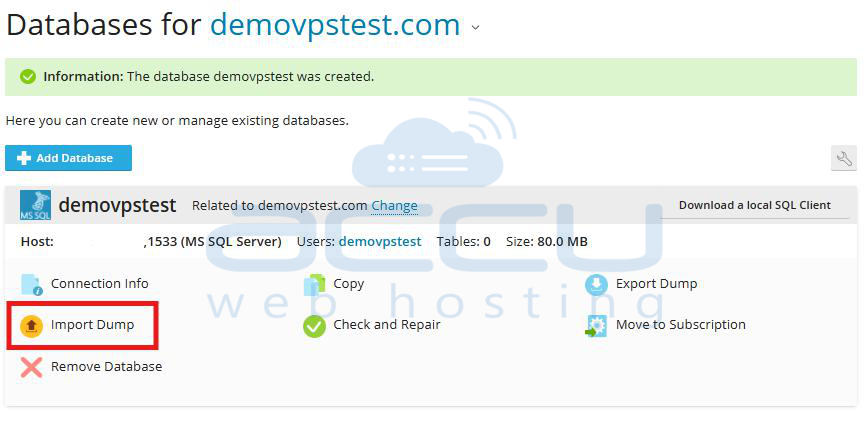
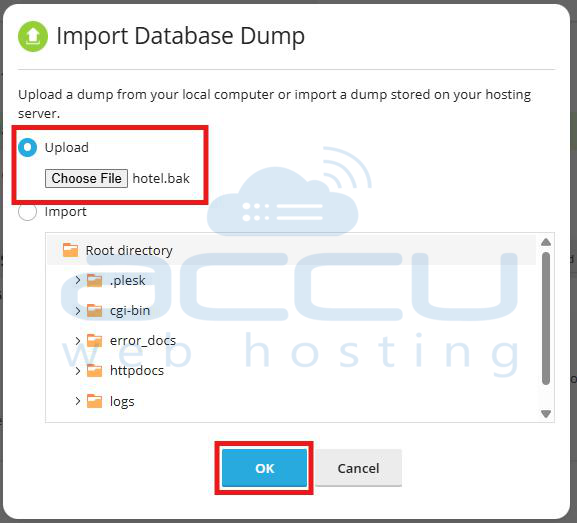
Step 2: If the .BAK file is on your local computer, choose the Upload option. Click Browse, locate the `.BAK` file on your computer, and upload it.
If the `.BAK` file is already on the server, select Import and choose the file from the server's directory.
Step 3: Click OK to start the restoration of the .BAK file into the selected MSSQL database.
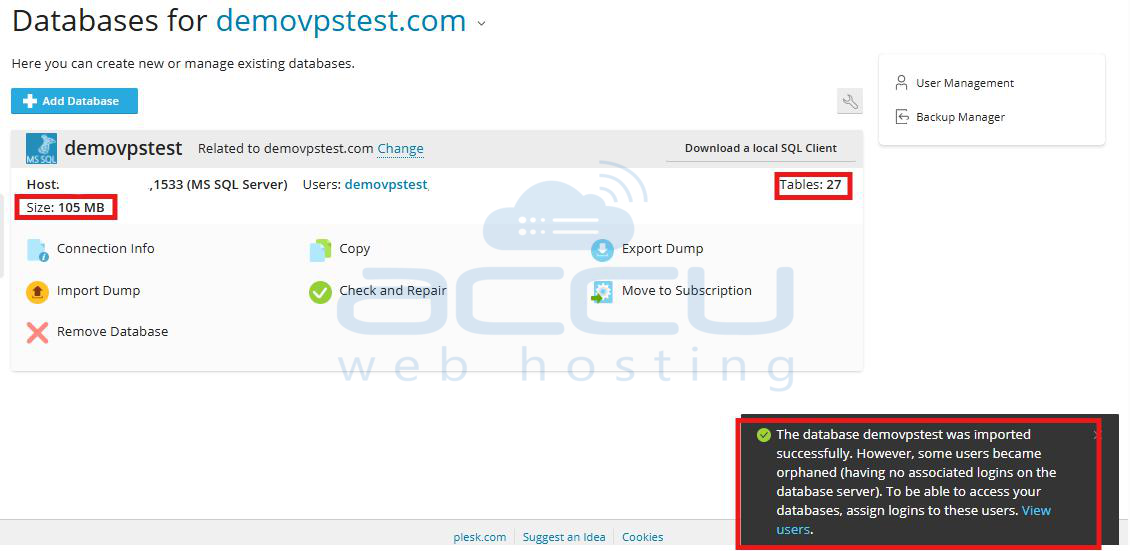
Wait for the confirmation message that says: The database was imported successfully.
Know the Backup Limitation: Plesk does not allow you to generate `.BAK` backups of MSSQL databases from the panel directly. To create a `.BAK` file, use SQL Server Management Studio (SSMS) or contact your hosting provider for help.
Conclusion
By following these steps, you can safely restore a `.BAK` database backup in Plesk. While restoring is supported, generating `.BAK` backups is not available in Plesk itself. Always store backup files securely and coordinate with your hosting provider for advanced database operations.


