
You can follow these steps to install the latest windows updates and patches on Windows 2019 OS VPS.Login to your VPS using a remote desktop application. Please refer below URL to understand how to log into a VPS from the various OS.
https://manage.accuwebhosting.com/knowledgebase/1261/How-do-I-connect-Windows-VPS-using-Remote-Desktop-from-different-operating-systems.html
IMPORTANT: Before you install the updates, make sure that there is enough space on your VPS. There should be a minimum of 2GB+ free space on your VPS. Don't start the updates if there is not enough space. Contact AccuWeb Hosting in such a scenario.
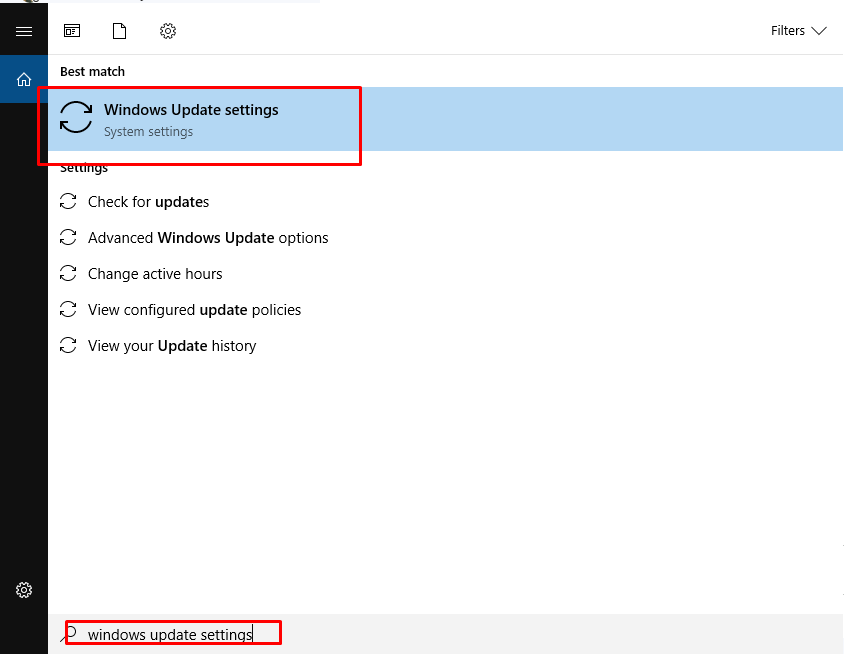
1. Click on Start button and type "Windows Update Settings".
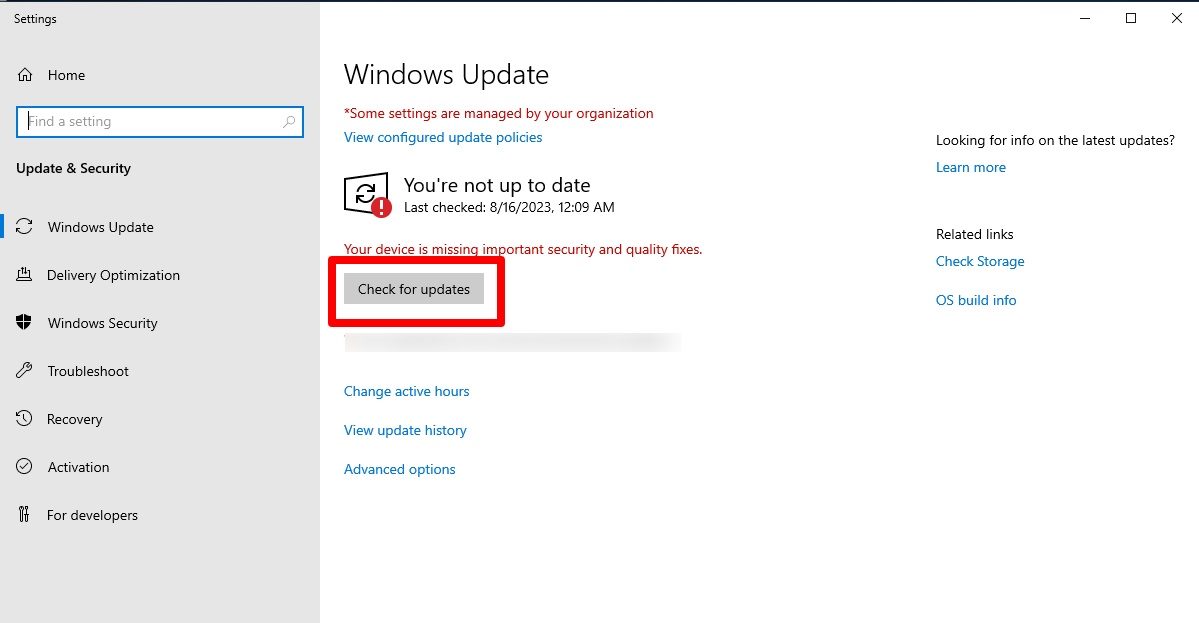
2. Click on "Check for updates" option
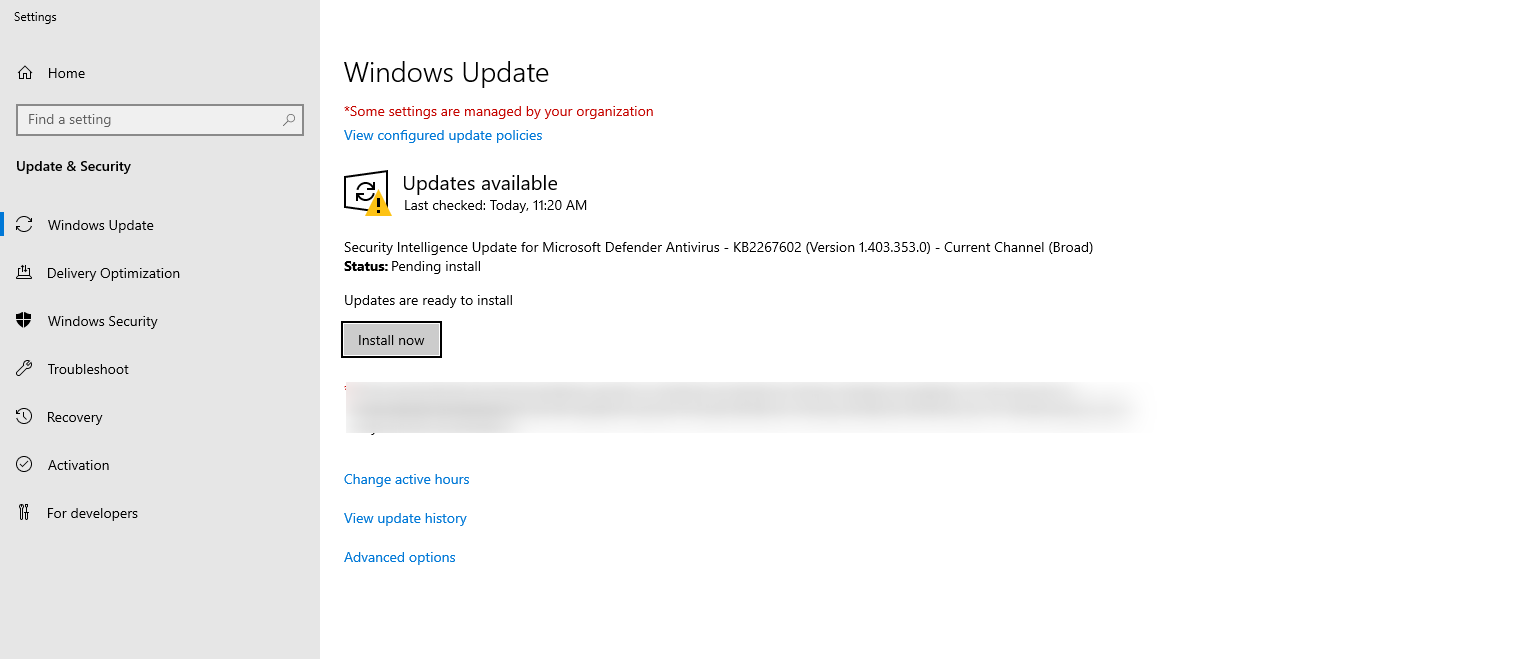
3. It will display the list of updates to be installed on the VPS. Click Install Updates
4. After the installation is completed, reboot the VPS
5. Once the server is up again, repeat the steps 2-9 till you get the message "There is no updates" or "the server is upto date"


