
The sort command is a Linux/Unix utility that sorts text file lines alphabetically or numerically. It can also be used to sort another command's output or a file's contents.
The default order of lines of text is ascending, but it can also be sorted descending or according to a specific field in the text. The 'sort' command allows you to sort the contents of a file or the output of a command in various ways.
The syntax of the 'sort' command is Sort [options] [file].
In this, 'options' are the various sorting options you can use to specify how the file's contents will be sorted, and 'file' is the file name you wish to sort. The sort will read from standard input when you do not specify a file name.
$ sort -r -k1 example.txt
Here are some standard sort options you can use with the sort command.
1. -b or --ignore-leading-blanks : This will ignore leading blanks while sorting the content.
2. -d or --dictionary-order : This will sort content in dictionary order, i.e. only considering letters, digits, and blanks.
3. -f or --ignore-case : This option ignores the case while sorting the content.
4. -i or --ignore-nonprinting : This option ignores non-printable characters while sorting the content.
5. -M or --month-sort : This option sorts by month name abbreviation.
6. -n or --numeric-sort : This option sorts numerically, i.e. considering numbers only.
7. -r or --reverse : This option reverses the content in sorting order.
8. -t or --field-separator : By using this option you can specify the field separator for sorting.
9. -u or --unique : This function removes duplicate lines while sorting the content.
10. -k or --key : This option sorts based on a specific field or column.
Examples of sort commands:
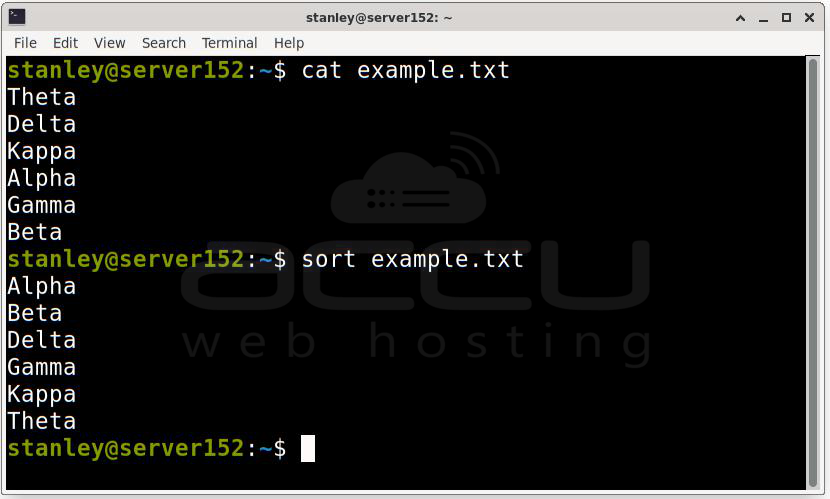
1. Sort content in alphabetical order.
Using the default sort command makes it easy to view information alphabetically. No additional options are required, and A-Z sorting works even with mixed-case entries. Here is what you'll see if you view the content of a sample text file named example.txt:
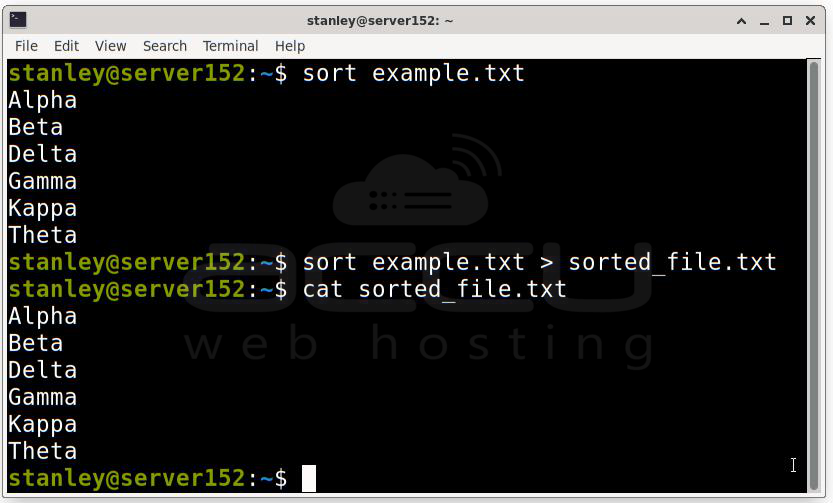
2. Sort a file and save the output to a new file:
$ sort example.txt > sorted_file.txt
This command will sort the file and save the output to a new file named "sorted_file.txt".
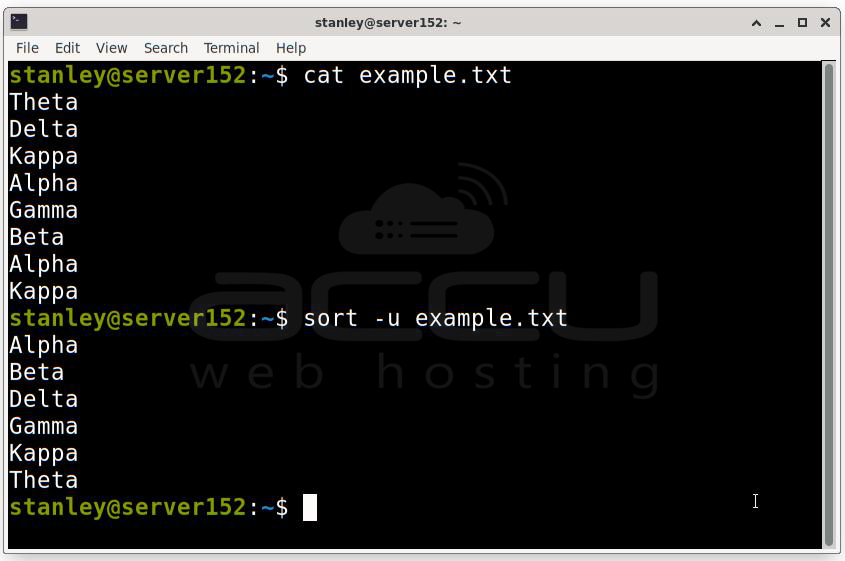
3. Sort a file and remove duplicates:
$ sort -u example.txt
This command will sort the file and remove any duplicate lines.
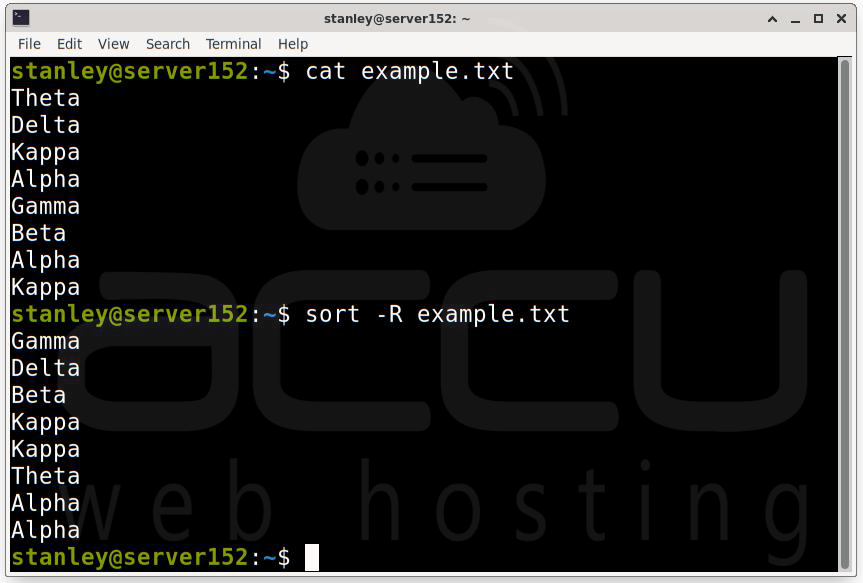
4. Sort a file in random order:
$ sort -R example.txt
This command will sort the file in a random order.
5. Sort a file ignoring case:
$ sort -f example.txt
This command will ignore case sensitivity when sorting the file.

6. Sort a file ignoring leading white space:
$ sort -b example.txt
This command will ignore any leading white space in the file when sorting content.

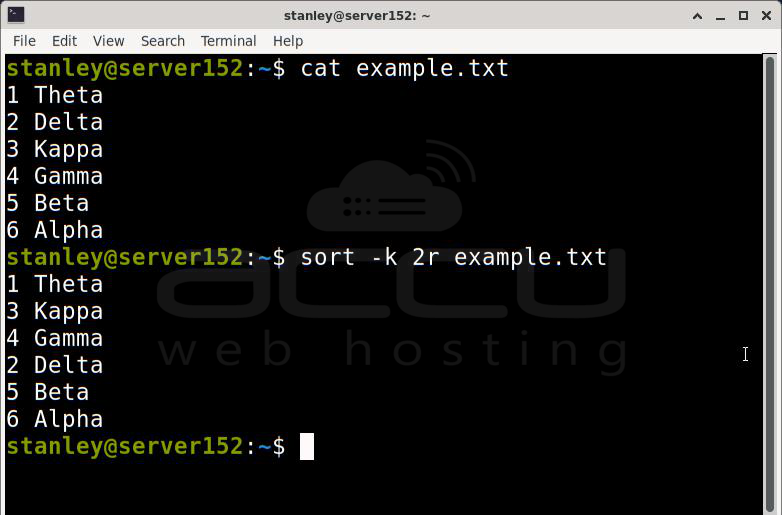
7. Sort a file in reverse order by field (column):
$ sort -k 2r example.txt
This command will sort the file in reverse order based on the second field (column).
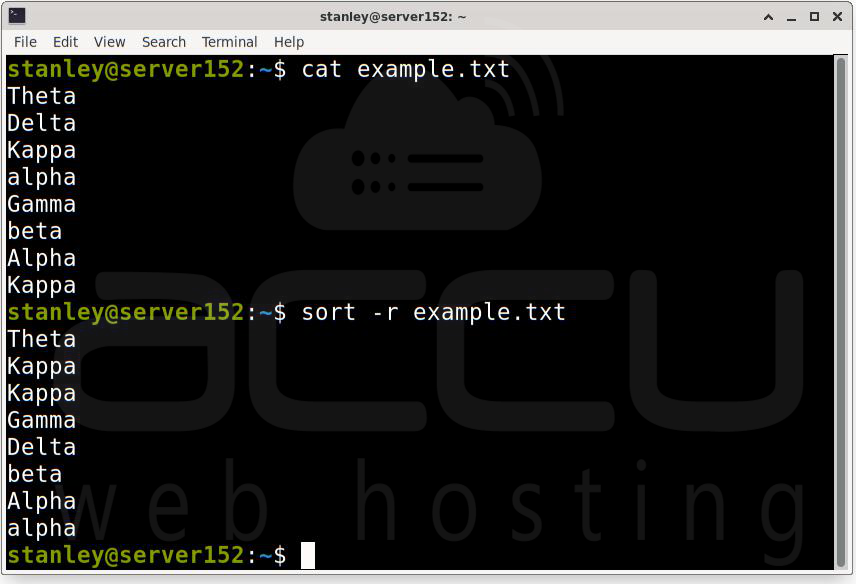
8. Sort a file in reverse alphabetical order:
$ sort -r example.txt
This command will sort the file in reverse alphabetical order.
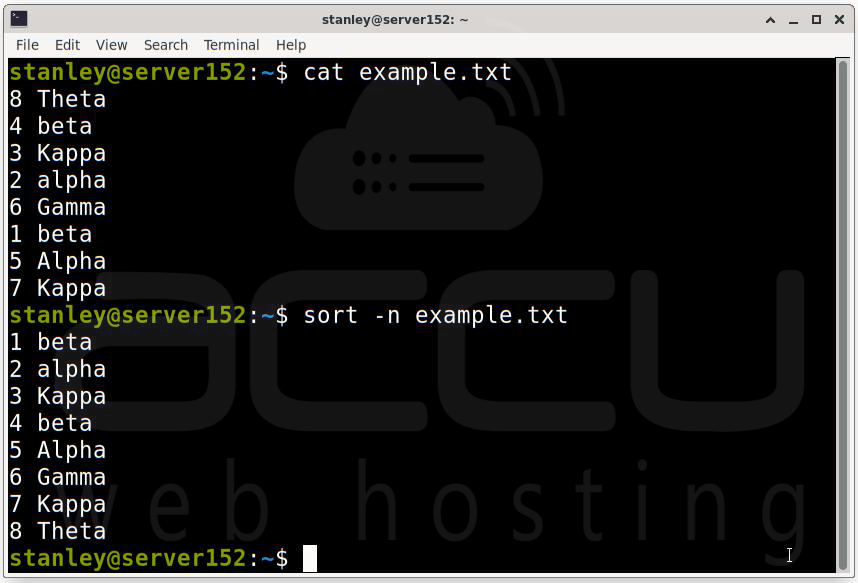
9. Sort a file by numerical value:
$ sort -n example.txt
This command will sort the file in numerical order.
10 Sort a file content by reverse numerical order:
$ sort -nr example.txt
This command will sort the file in numerical reverse order.

Conclusion:
In Linux, the Sort command sorts input text and prints the sorted results to stdout. We hope you find the Linux sort command syntax and options in this post helpful. We can sort the file content or command output using the above options. Large data sets can be arranged in ascending or descending order in a matter of seconds. Our data is safe because we did not change the original file. We can use many options to re-arrange the data in all possible ways.


