MySQL's only_full_group_by is the new default mode that changed in version 5.7.5. This mode is enabled to force the addition of a group by preventing aggregated values from being included in non-aggregated values, and causing other errors.
When you enable it, all the selected fields will be included in the group. When you disable it, you can use one or more of the select fields.
There are two ways to disable Only_full_group_by mode.
1) Disable Only_full_group_by from the MySQL console.
2) Disable Only_full_group_by from the PHPMyAdmin
Disable Only_full_group_by from the MySQL console
To completely disable this mode, you need to perform the following steps.
Step 1: Login into your server through SSH as the root user. If you have WHM access, then navigate to WHM >> Terminal.
Step 2: Enter the following command in the terminal to find which SQL_MODE options are enabled and copy the result.
# mysql -sse "SELECT @@GLOBAL.sql_mode;"

The output should be like this.
ONLY_FULL_GROUP_BY,STRICT_TRANS_TABLES,NO_ZERO_IN_DATE,NO_ZERO_DATE,ERROR_FOR_DIVISION_BY_ZERO,NO_AUTO_CREATE_USER,NO_ENGINE_SUBSTITUTION
Step 3: Open the MySQL conf file using any command-line text editor you prefer (ex, vi, vim, nano, etc). The MySQL path may be different. Generally, it is /etc/my.cnf. In this article, it is /etc/mysql/my.cnf.
nano /etc/mysql/my.cnf

Step 4: Add sql-mode= to the bottom of the [mysqld] section, followed by the result you copied in step 2, and remove ONLY_FULL_GROUP_BY.
sql-mode=STRICT_TRANS_TABLES,NO_ZERO_IN_DATE,NO_ZERO_DATE,ERROR_FOR_DIVISION_BY_ZERO,NO_AUTO_CREATE_USER,NO_ENGINE_SUBSTITUTION

Important note: Do not copy the sql-mode line shown above as it may contain options that are incompatible with your version of MySQL--for example, NO_AUTO_CREATE_USER is not supported by MySQL 8.
Step 5: Save and close the file.
Step 6: Restart MySQL to apply the change by running the following command in the terminal.
# systemctl restart mysql

Step 7: Execute the following command in the terminal to confirm ONLY_FULL_GROUP_BY was removed from the enabled sql_mode options.
# mysql -sse "SELECT @@GLOBAL.sql_mode;"

You can see that Only_full_Group_By is removed.
Disable Only_full_group_by from the PHPMyAdmin
Step 1: Open PHPMyAdmin and select localhost.
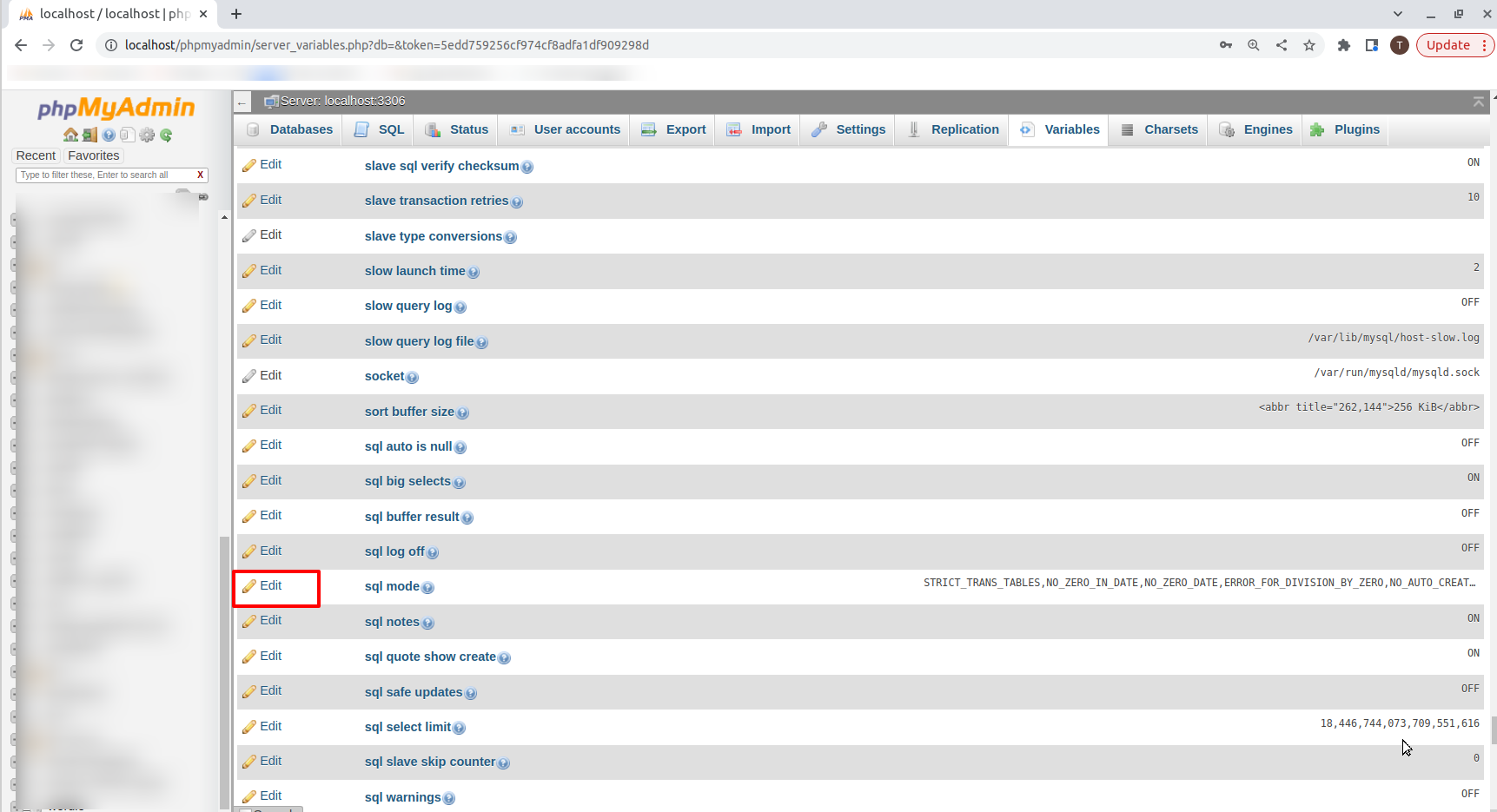
Step 2: Click on the Variables option and scroll down for sql mode.

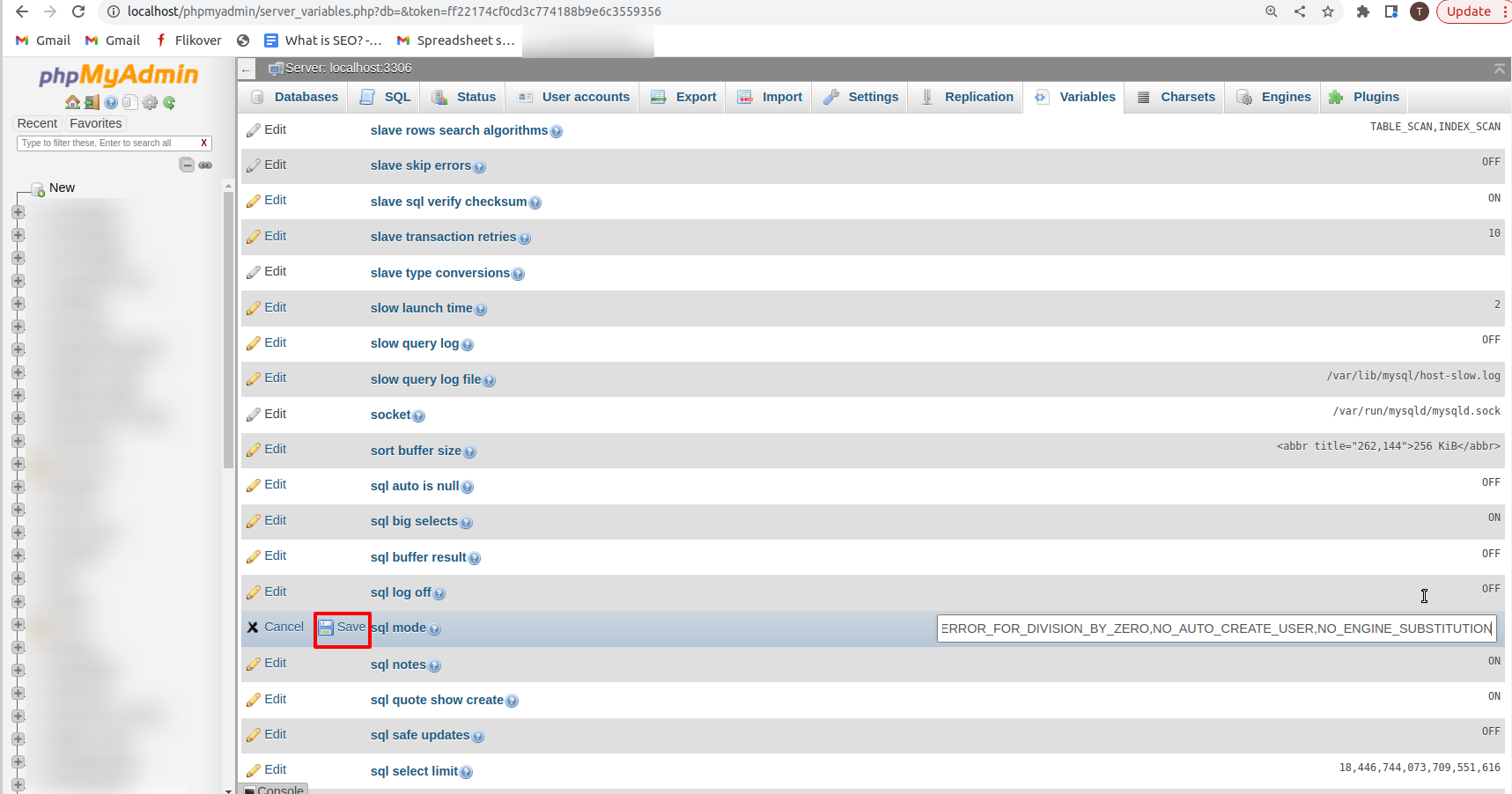
Step 3: Click on the edit button to change the values & remove ONLY_FULL_GROUP_BY.
Step 4: Click on the Save button to save the changes. That's all.