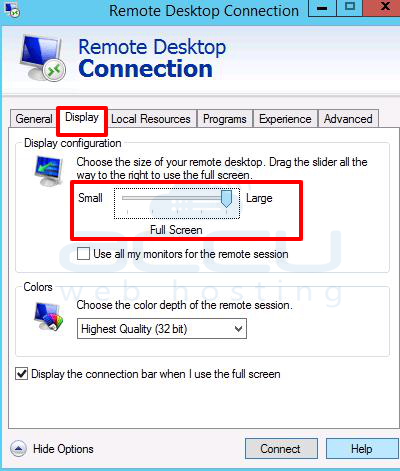
You may need to change your remote server or VPS screen resolution while connecting it using RDP. Screen resolution needs to be set from the local system's RDP settings.
Please refer to the following steps to change the RDP screen resolution –
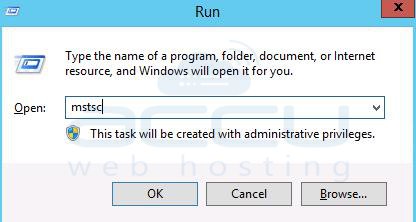
1. Click on the Start button and type Run.
2. Inside the Run command, type mstsc and click on the OK button.
It will open the RDP connection.
3. Click on the Show options button.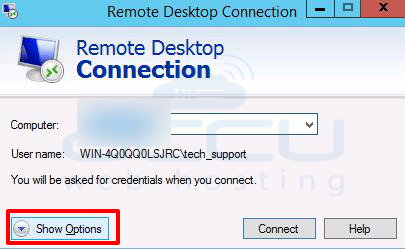
4. Switch to the Display tab.
Here, you will find the option called display configuration. You can drag the slider and choose the screen resolution as per your requirement.