
Please refer to the following article on creating a user account in DirectAdmin.
- Log in to your DirectAdmin Panel using IPAddress:2222
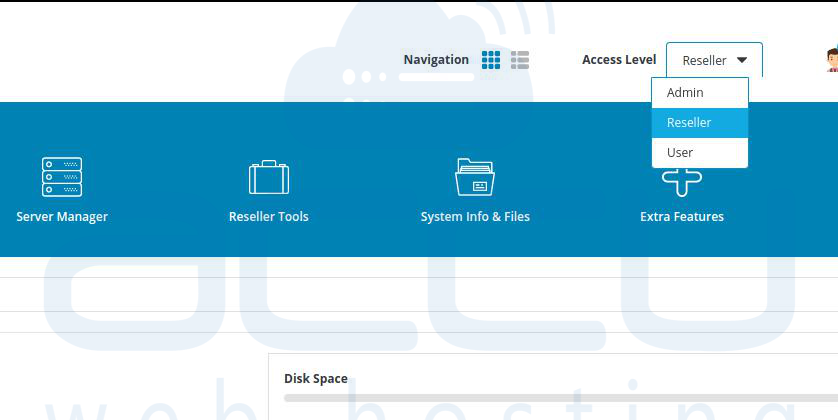
- At the Access Level, select the Reseller. You can refer to our article on how to create a reseller on DirectAdmin.
- At Account Manager, click on the Manage User Packages >> Add Package

- At the create a new package page, add all the details as per your requirement.
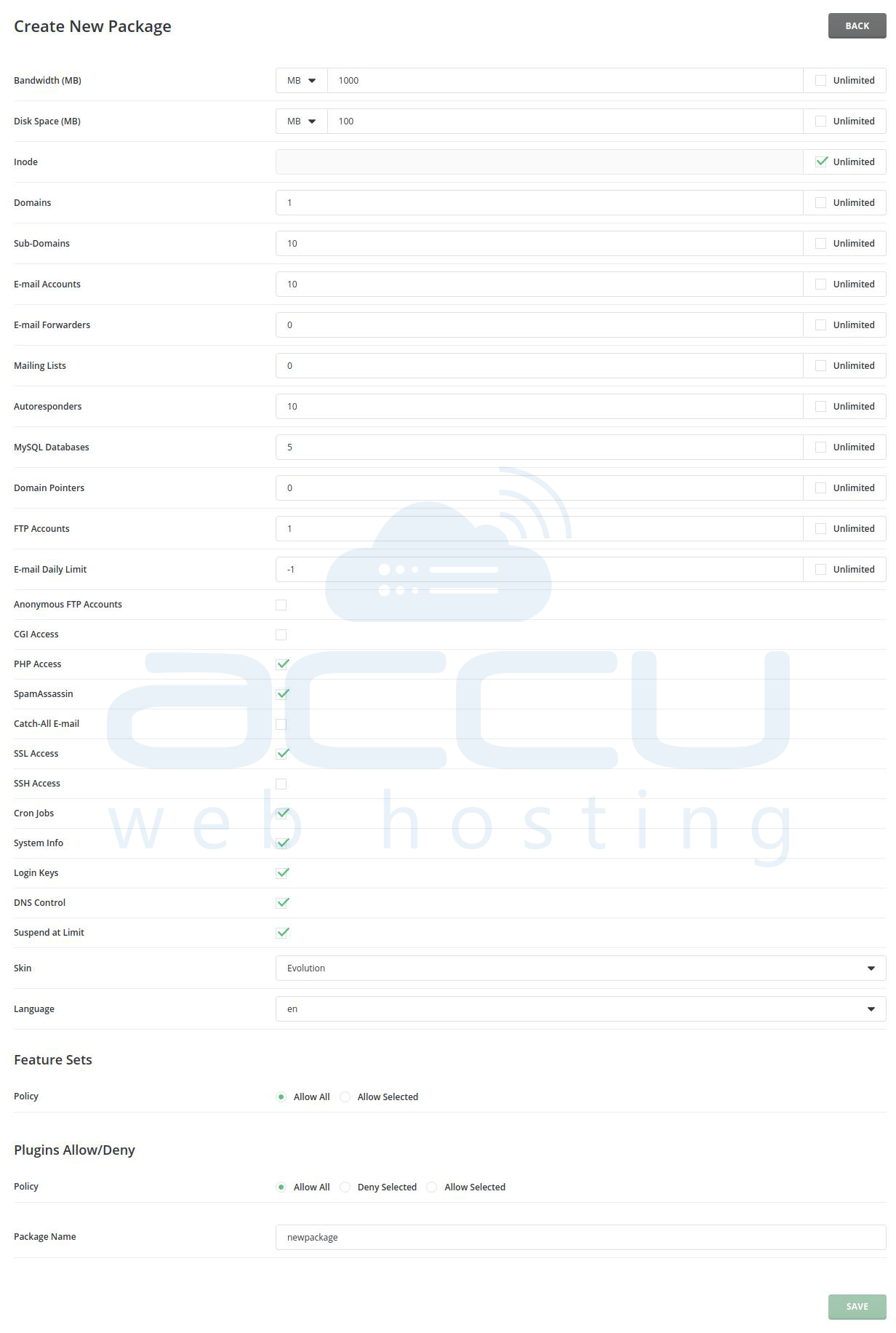
- You will see your created package once you are done with the same.


