
Enabling PHP error logging with a .htaccess file lets you capture and save any errors that happen on your website into a log file. This is really helpful for debugging problems, keeping track of warnings, or monitoring unexpected behavior, without having errors show up directly on your live site.
By setting it up in .htaccess, you can choose exactly where PHP stores the error details and keep everything organized in a custom log file inside your hosting account.
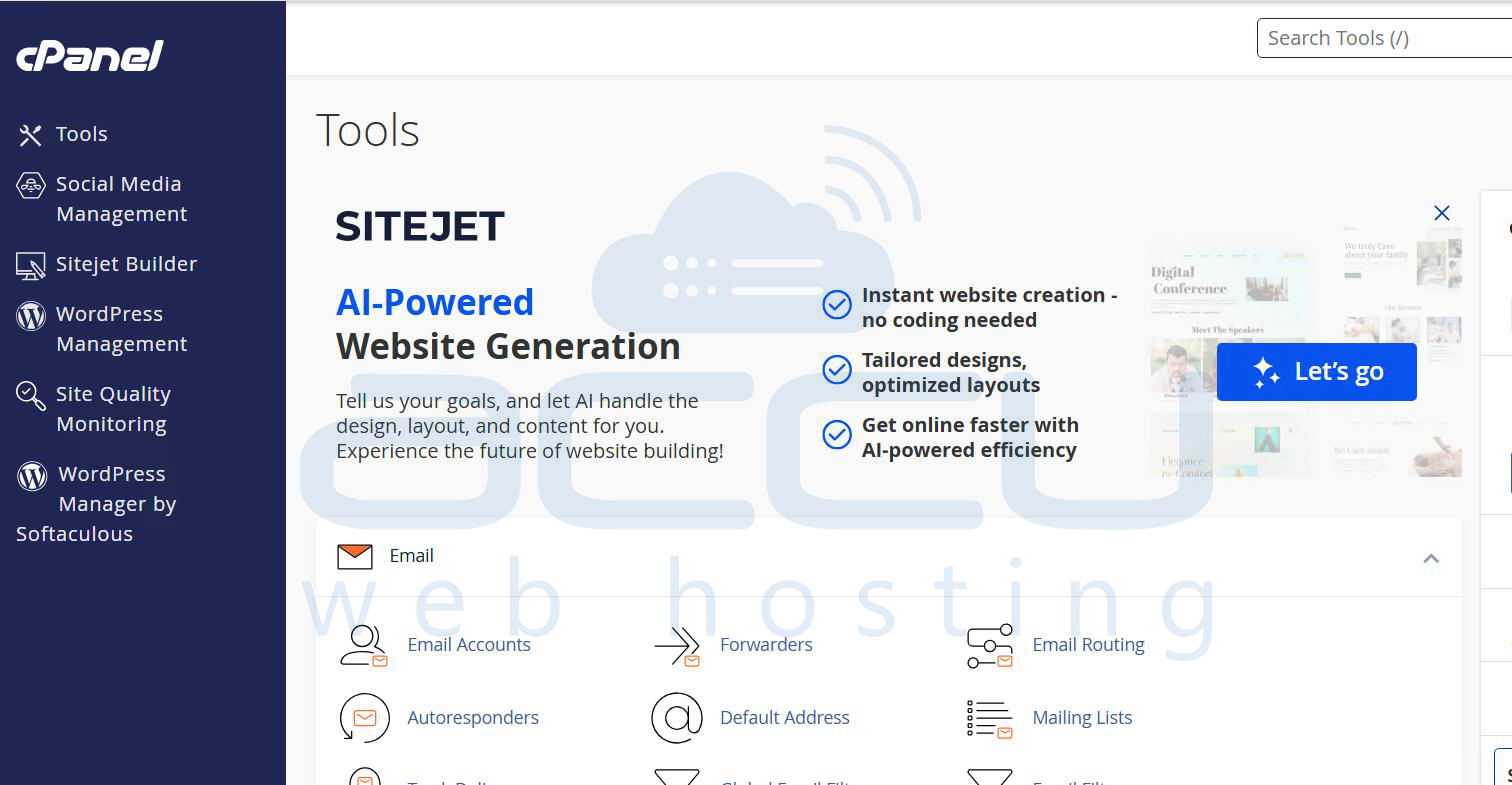
Step 1: Log in to your cPanel account
Step 2: Navigate to public_html through the file manager
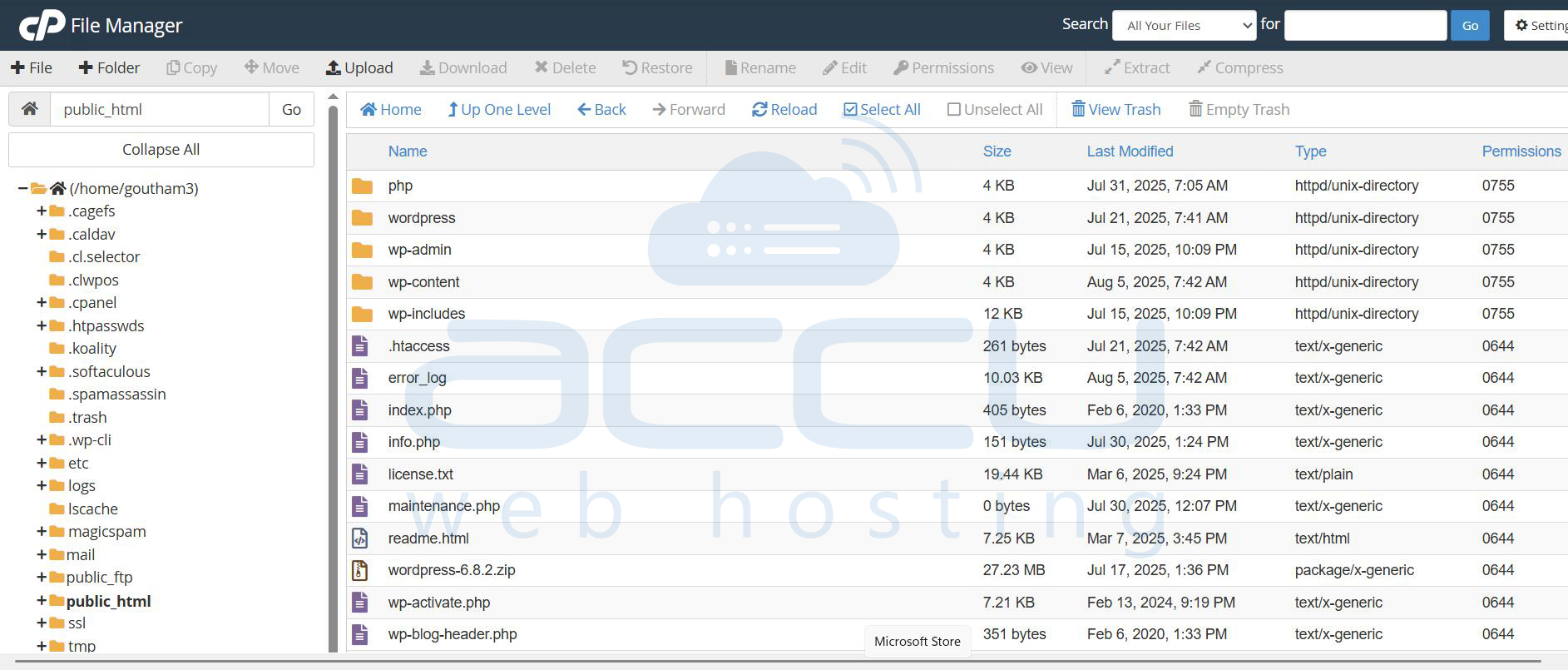
Step 3: Open .htaccess from your edit option
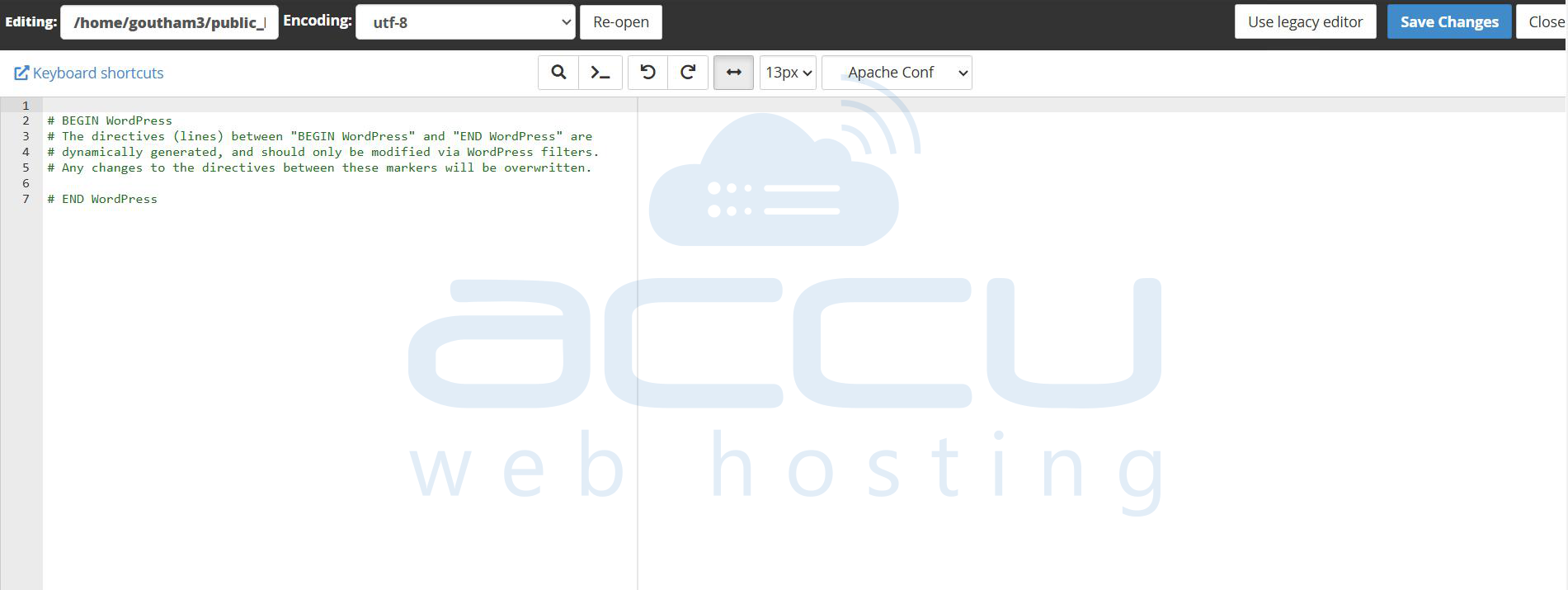
Step 4: Add the lines below to the .htaccess
# Enable error logging
php_flag log_errors On

# Set the error log file path
php_value error_log "/home/username/public_html/error-log.txt"
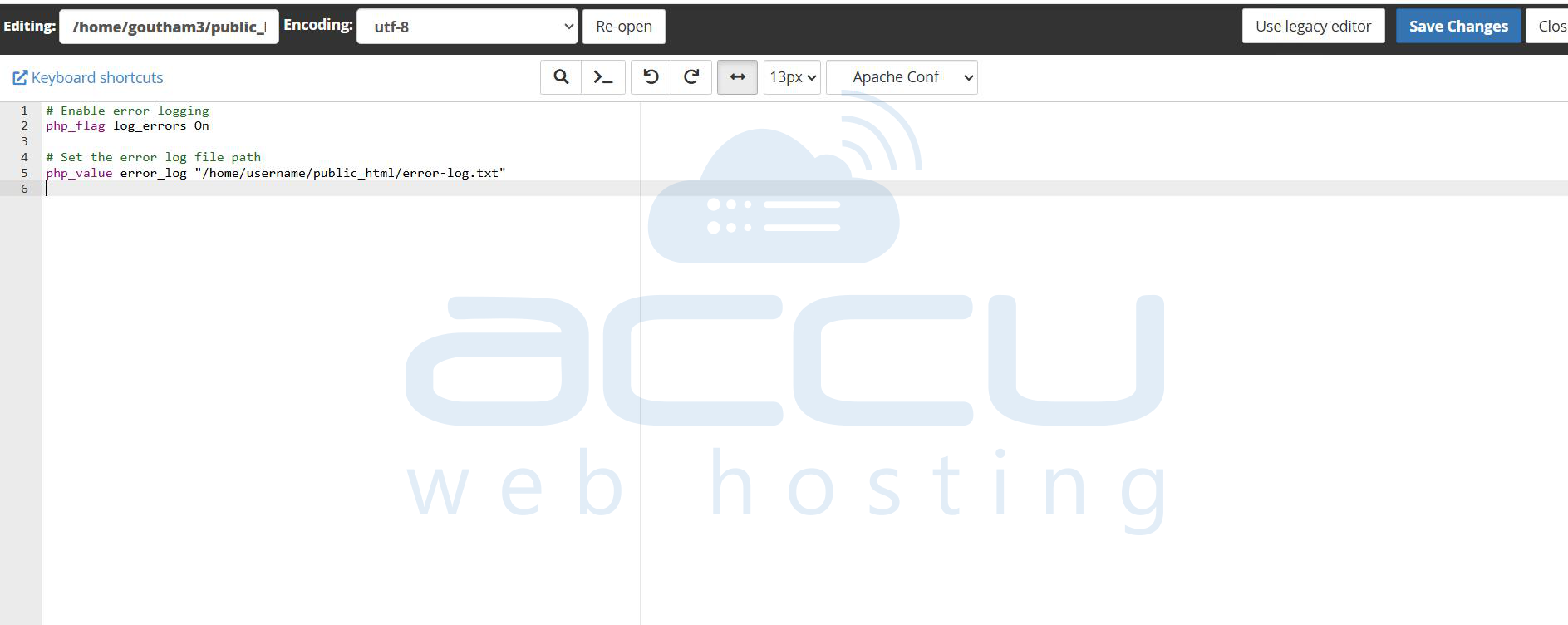
Step 5: You need to replace the username with your cPanel username.
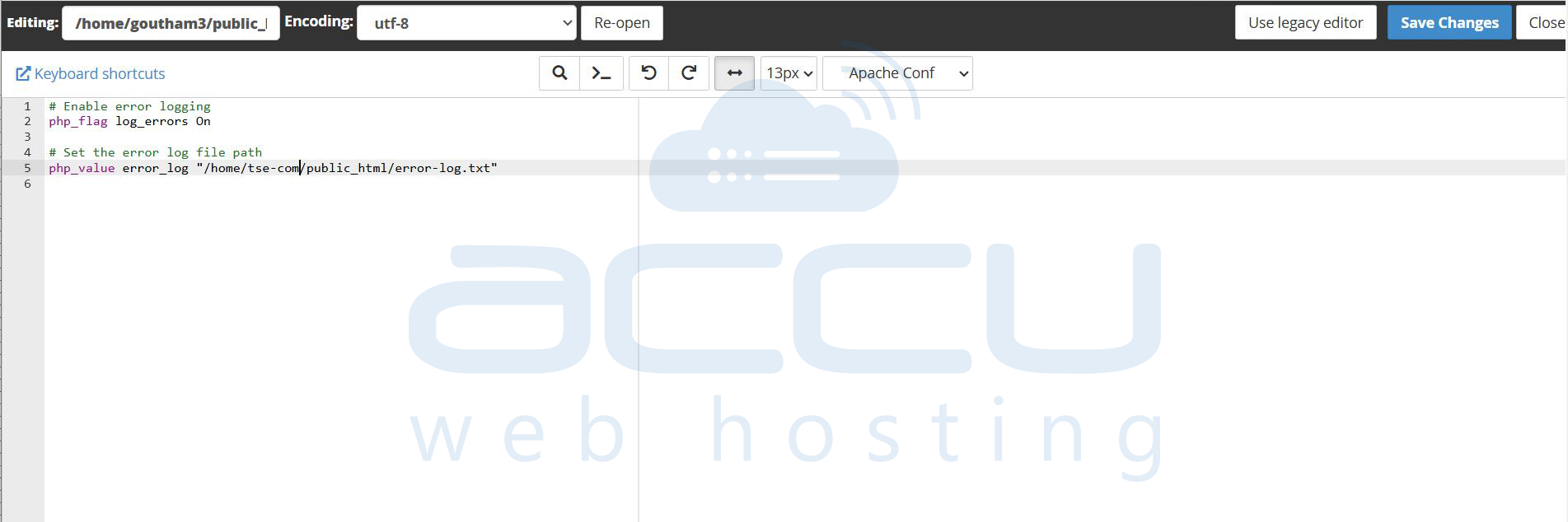
Step 6: Save the changes made to the file.
Step 7: Create a file named error-log.txt in the public_html. check / set permission is 644
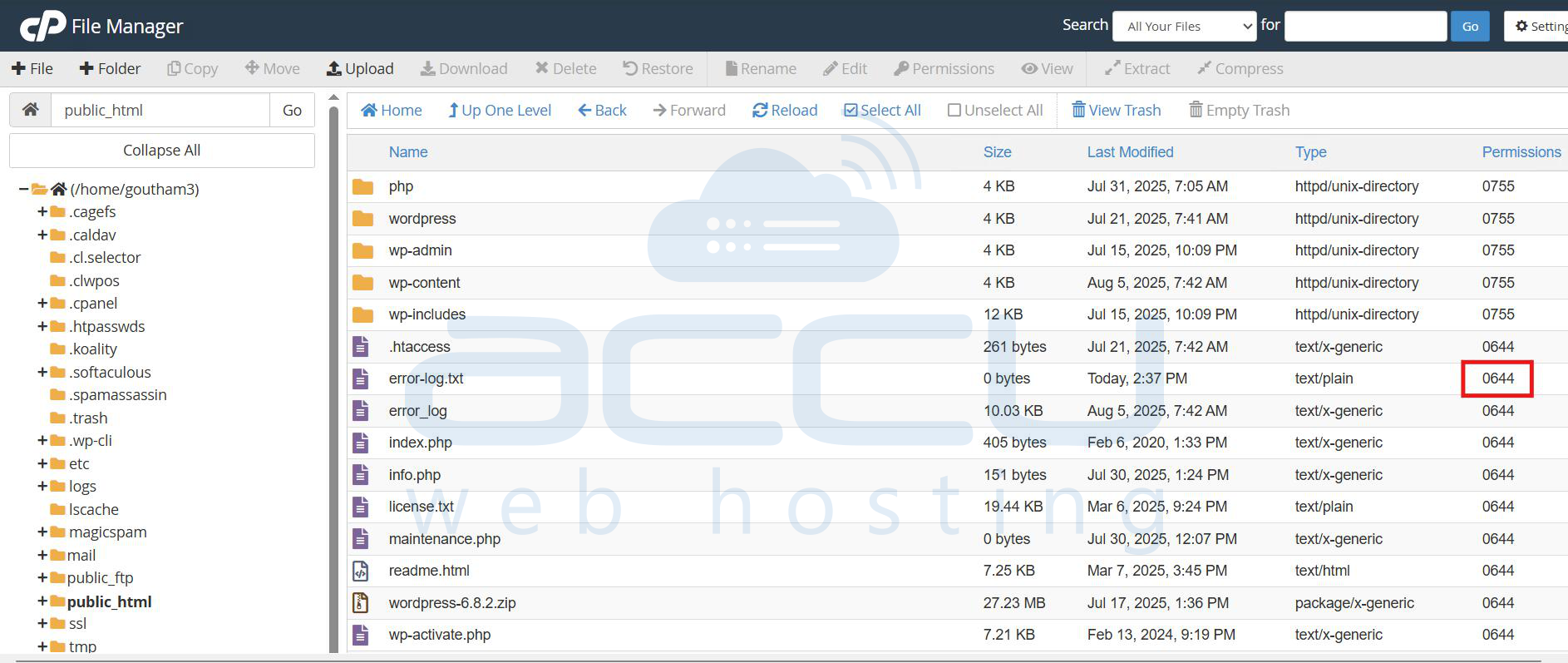
Step 8: Check the logs which is been saved in error-log.txt
Conclusion:
By enabling error logging through the .htaccess file, you ensure that all PHP errors and warnings are captured in a dedicated error-log.txt file. This makes it easier to troubleshoot and fix issues on your website without exposing error details to visitors. If your hosting provider restricts .htaccess overrides, you can achieve the same result through php.ini or your hosting control panel. Regularly monitoring and clearing the log will also help keep your site secure and optimized.
