
The wait_timeout and interactive_timeout parameters in MySQL define how long the server should wait before closing an idle connection. Increasing or decreasing these timeout values can help manage connection stability and server resources.
In this guide, we will show you how to modify MySQL timeout settings in a Linux environment.
Note: You’ll need root or sudo access to modify MySQL configurations.
Step 1: Log in to Your Server
Use SSH to log in to your server with root or sudo privileges:
# ssh root@your_server_ip
Step 2: Open the MySQL Configuration File
Use any text editor to open the my.cnf configuration file:
# sudo vi /etc/my.cnf
If /etc/my.cnf does not exist, try /etc/mysql/my.cnf or /etc/mysql/mysql.conf.d/mysqld.cnf.
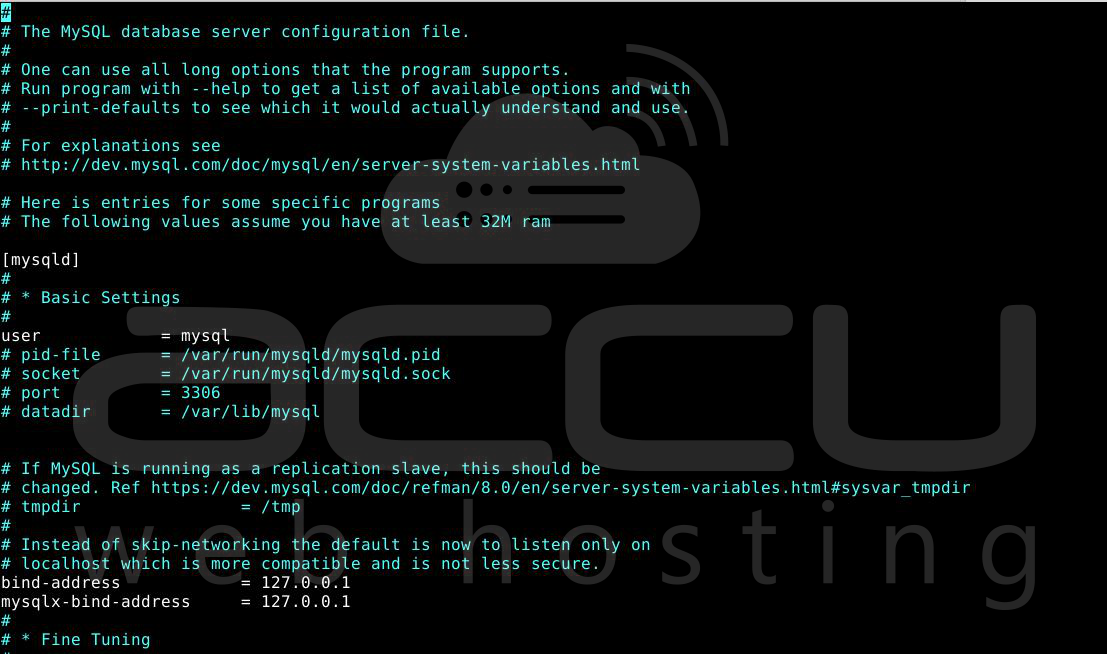
Step 3: Modify Timeout Settings
Add or update the following directives under the [mysqld] section:
wait_timeout = 2880
interactive_timeout = 2880
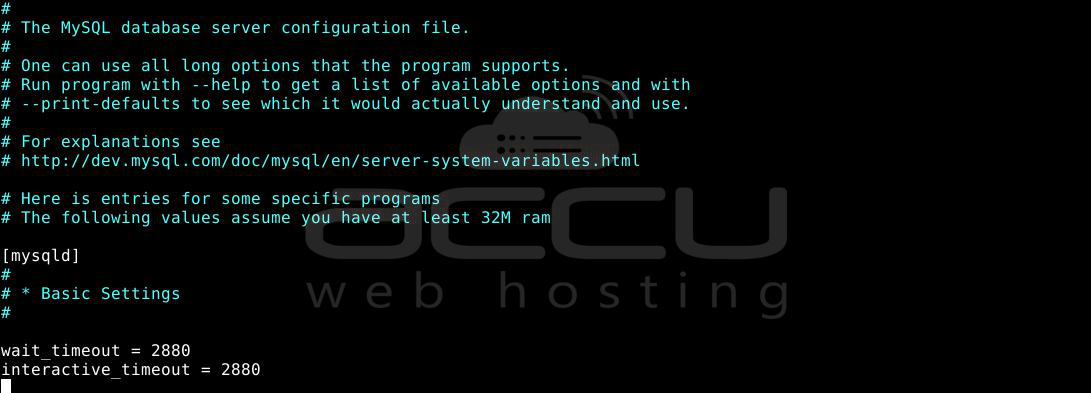
You can adjust the values (in seconds) as needed.
Step 4: Save and Exit
Press Esc, then type:wq and press Enter to save and exit the file (in the vi editor).
Step 5: Restart MySQL Service
Apply the changes by restarting the MySQL service:
# sudo systemctl restart mysqld
If systemctl doesn’t work, try:
# sudo service mysql restart
Step 6: Verify the Changes
Log in to MySQL and verify the new values:
# mysql -u root -p
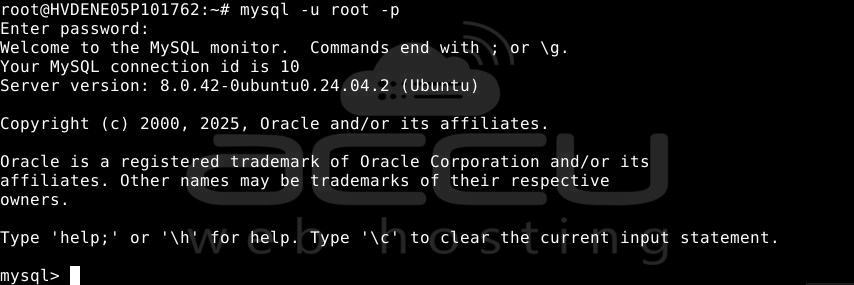
Then run:
# SHOW VARIABLES LIKE '%timeout%';
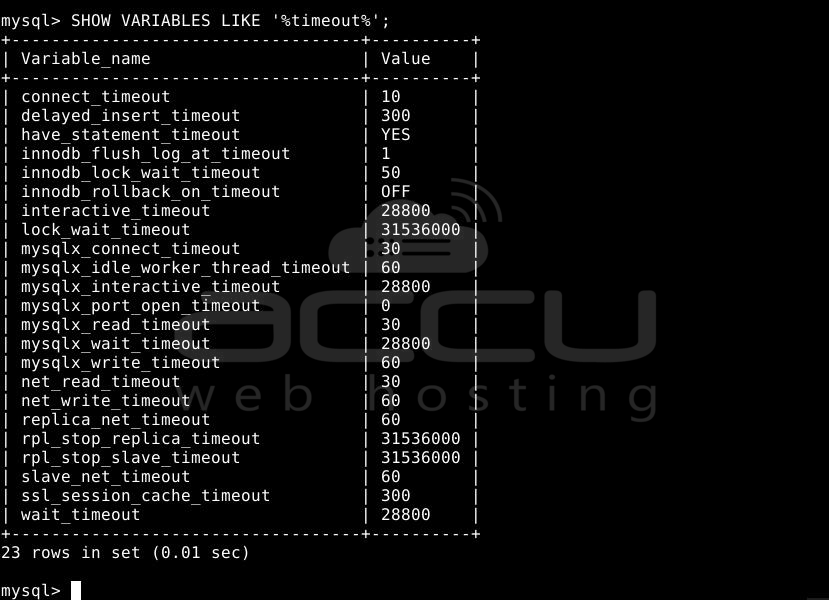
Conclusion:
You have successfully changed the MySQL timeout limits on your Linux server. This setting helps manage how long idle connections are allowed before being terminated. Adjust the values based on your application's requirements to optimize performance and resource usage.


