
Magento is a popular and powerful e-commerce platform used by many online stores.
Sometimes, you may need to change your Magento site’s base URL, for example, after migrating your store to a new domain or server. You can easily update the base URL directly from phpMyAdmin without editing Magento configuration files.
In this article, we will show you how to change the base URL for Magento from phpMyAdmin by following these steps:
Step 1: Log in to your cPanel account.
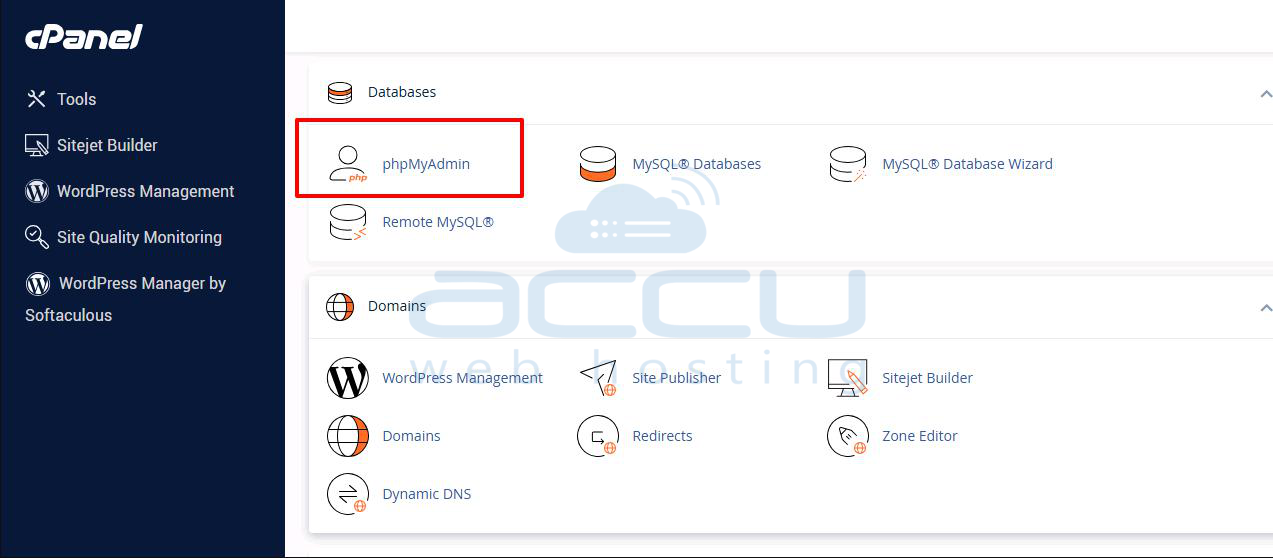
Step 2: Click on phpMyAdmin under the DATABASES section.
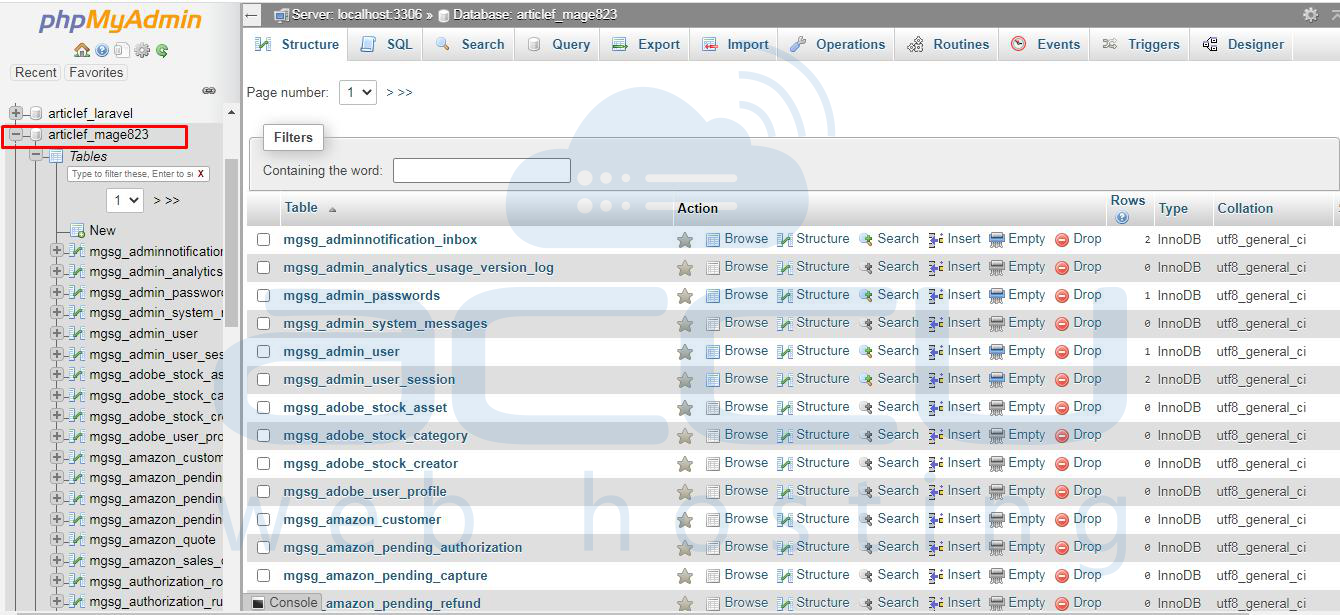
Step 3: Select your Magento database.
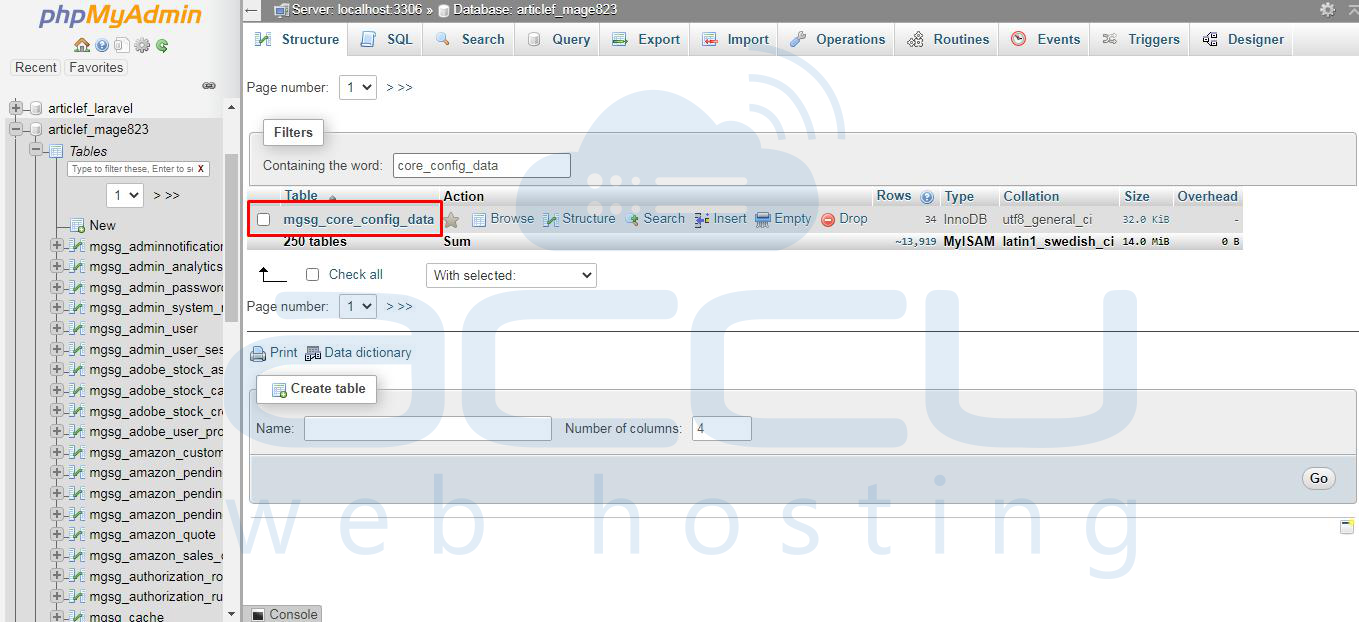
Step 4: Find the table named mg_core_config_data and click on it.
Step 5: In the Path column, find and update the URL in the lines below.
You can click the edit button and do this.
# web/unsecure/base_url
# web/secure/base_url
Step 6: Add the new URL with http in web/insecure/base_url and click on the Go button.
Step 7: Add the new URL with https in web/secure/base_url and click on the Go button.
Conclusion:
You have successfully updated your Magento store’s base URL using phpMyAdmin. Your store should now be accessible via the new domain.
This method is beneficial when: You cannot access the Magento Admin Panel due to a wrong or outdated URL, or you have migrated your site to a new domain or hosting server. Or you want to switch between staging and production environments quickly.
