
Following are the steps to provide FTP User permission for the web deploy.
- Login into IIS.
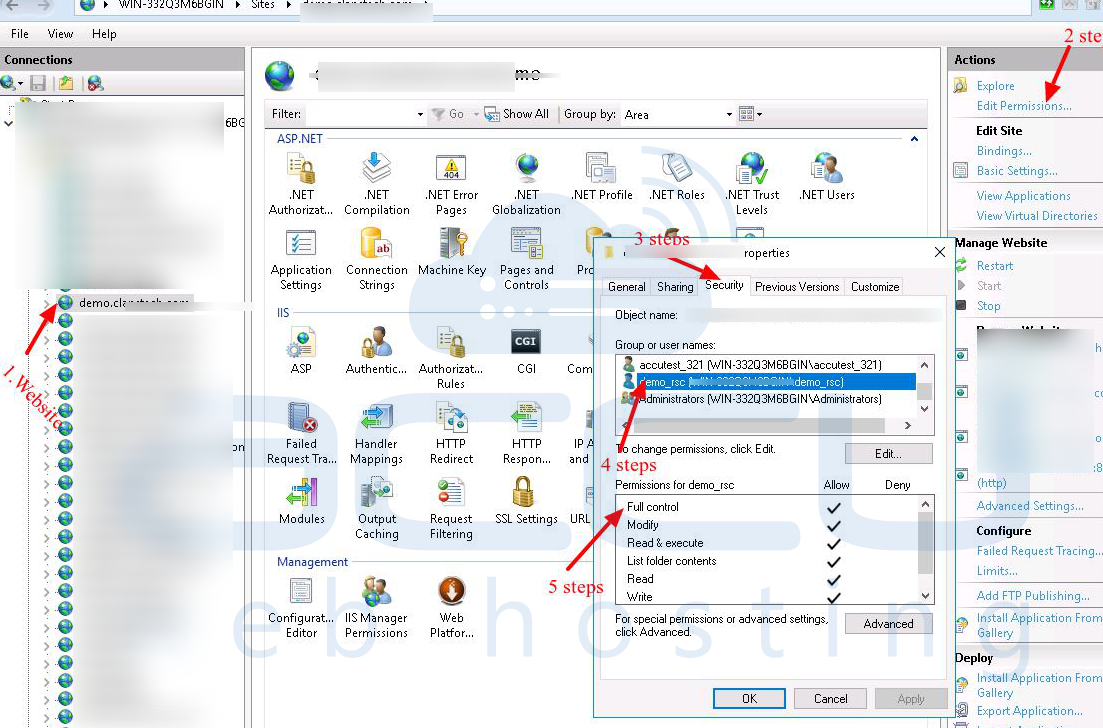
- Click on the website for which you deploy the content.
- At the Right side panel and click on the Edit Permissions option.
- Click on the Security Tab and assign the full permission for the FTP user which you want to use for web-deploy.
Also, you need to assign this FTP user to the IIS Manager permission. For this, you need to refer the following steps.
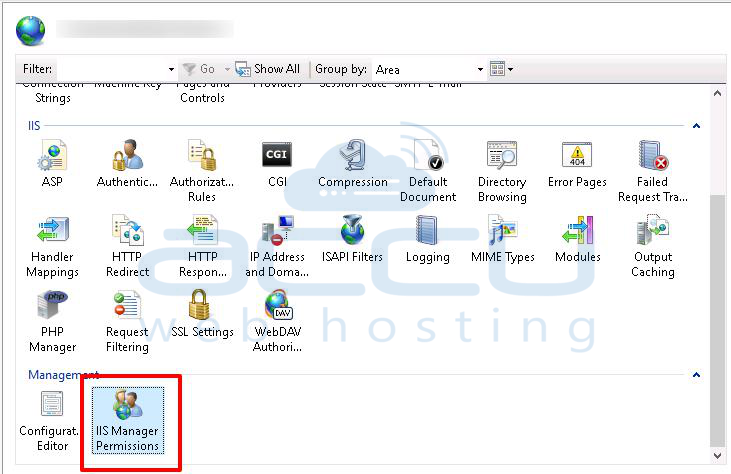
- Click on your website for which you want to deploy content.
- Double-Click on IIS manager permission.
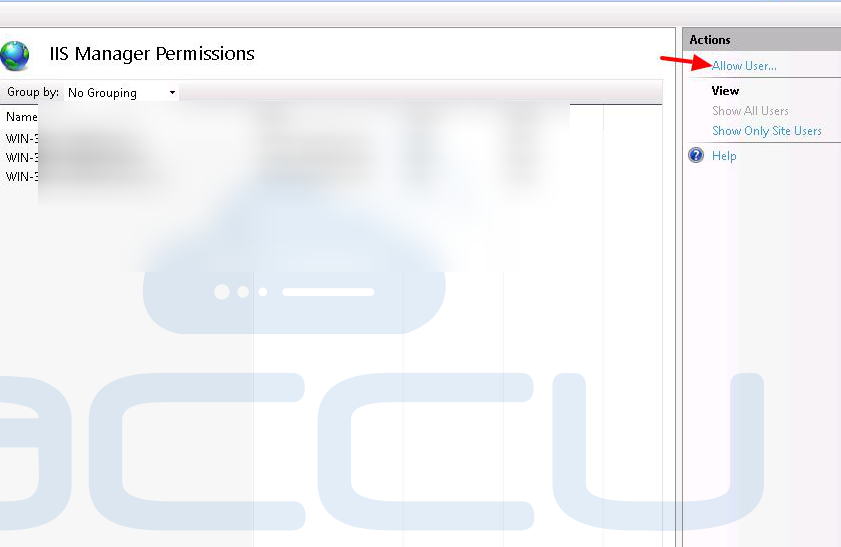
- Go to the right-side panel and click on allow user option.
- Select windows and click on the select option.
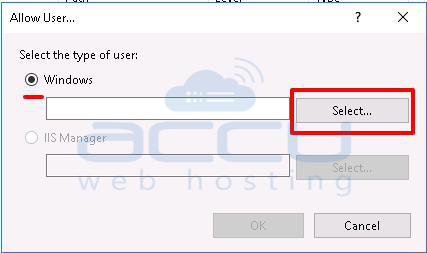
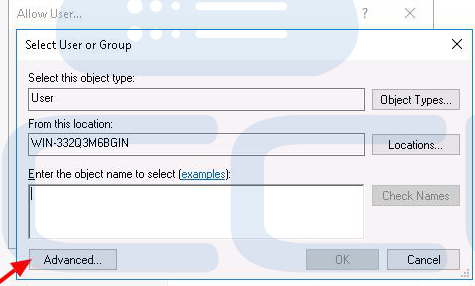
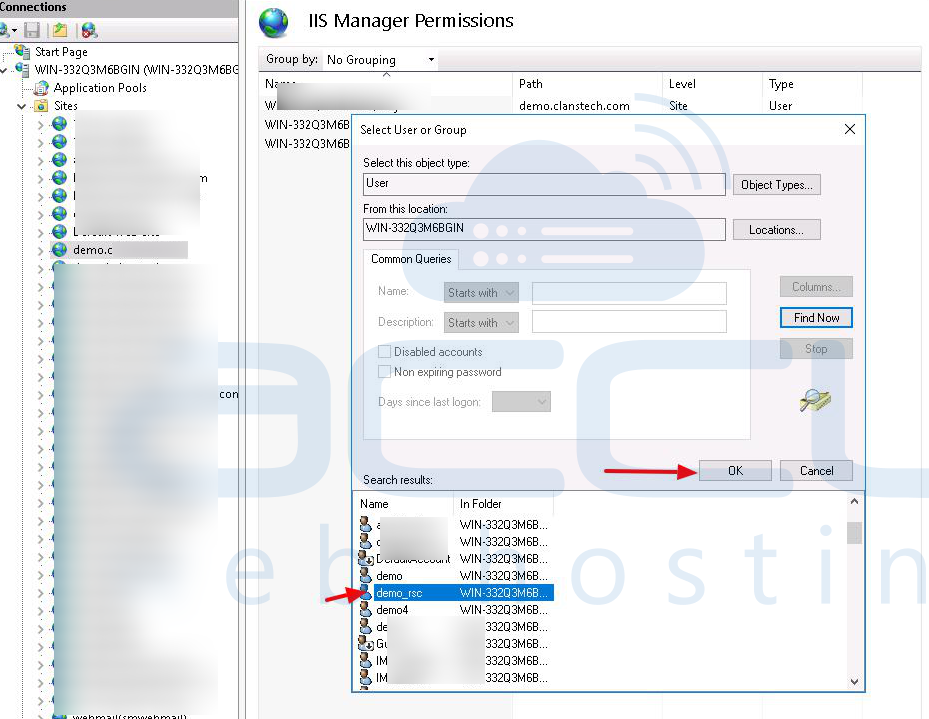
- Click on the advanced option and find out the FTP user and click on ok Button.
Now, you should be able to deploy your website content with the same FTP user without any issue.


