
When working with MySQL, it's common to convert date and time values between time zones, especially for global applications. MySQL (8.0) provides a built-in function, CONVERT_TZ(), that helps convert time values from one time zone to another.
In this article, we’ll show how to easily convert time zones using a simple SQL query.
Step 1: Basic Time Zone Conversion
You can use the following SQL command to convert the current time (NOW()) from one time zone to another:
# SELECT CONVERT_TZ(NOW(), 'current-time-zone', 'target-time-zone');
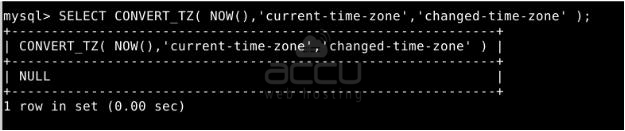
Step 2: Troubleshooting – NULL Output Fix
If your CONVERT_TZ() query returns NULL, it means time zone tables are not loaded. Run the following command (run this from your Linux shell, not inside MySQL):
# mysql_tzinfo_to_sql /usr/share/zoneinfo | mysql -u root -p mysql
Step 3: Then, restart MySQL
# sudo systemctl restart mysql
After that, again run the check command:
# SELECT CONVERT_TZ(NOW(), 'current-time-zone', 'target-time-zone');
Example – MST to UTC. If your current time zone is MST and you want to convert it to America/New_York, use this query:
# SELECT CONVERT_TZ(NOW(), 'UTC', 'Asia/Kolkata');
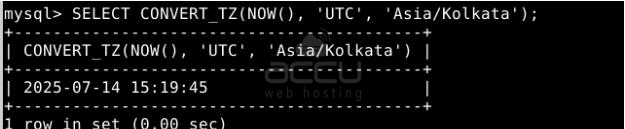
Make sure your MySQL server has time zone tables loaded; otherwise, named time zones like 'America/New_York' may return NULL.
Conclusion:
Converting time zones in MySQL is simple using the CONVERT_TZ() function. This is especially helpful when handling users or data across multiple regions. Just replace the current-time-zone and target-time-zone in the query as needed, and you’re good to go!


