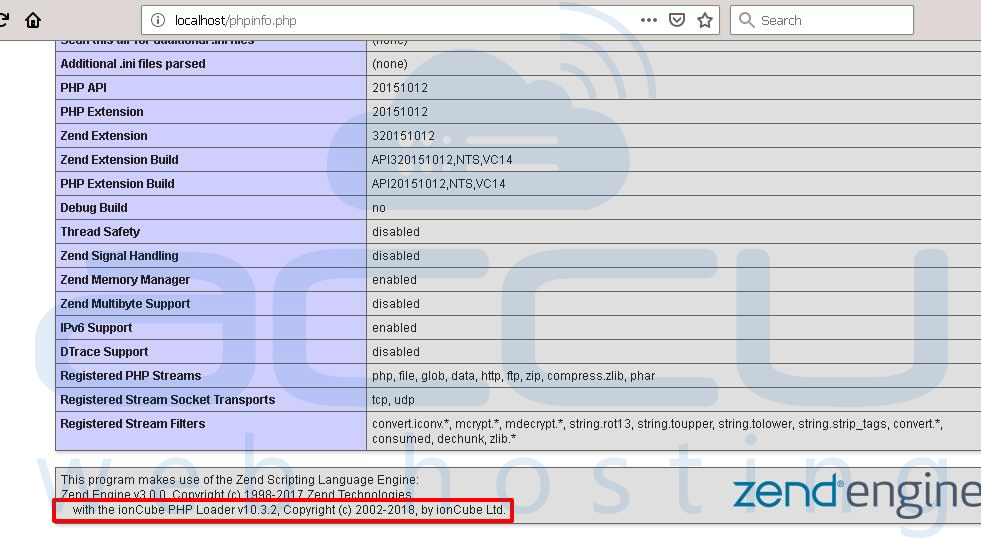
The following are the steps to add the Ioncube for PHP 8.1 or 8.2, or 8.3.
Step 1: Log in to VPS.
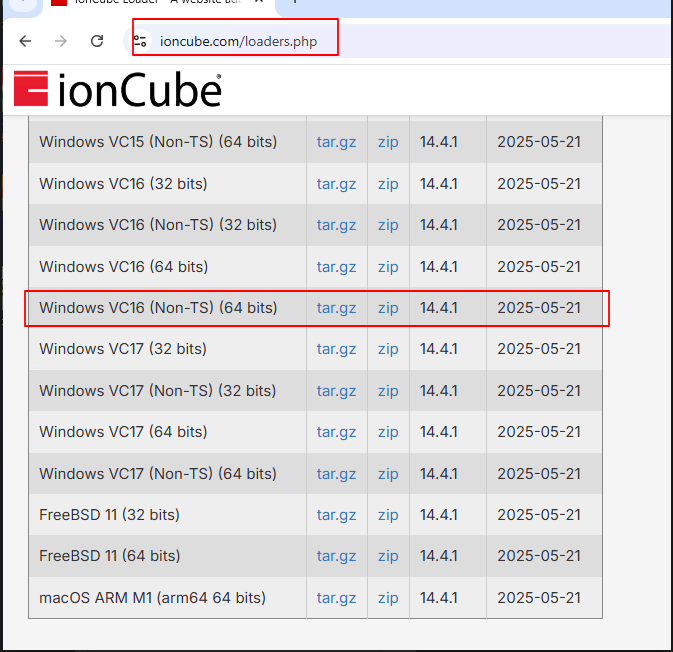
Step 2: Download the Windows VC16 (Non-TS) (64 bits) Ioncube version for PHP 8.1 or 8.2, or 8.3 from the URL: https://www.ioncube.com/loaders.php
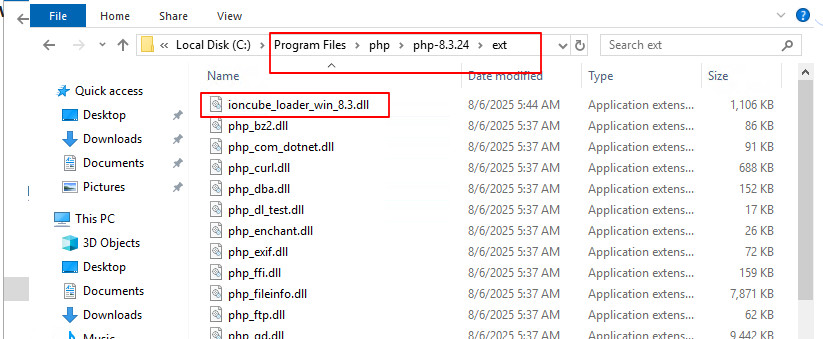
Step 3: Copy/Paste the ioncube_loader_win_8.3.dll file to the C:\Program Files\php\php-8.3.24\ext folder.
Step 4: Add the selected lines in a red rectangle to the php.ini file.
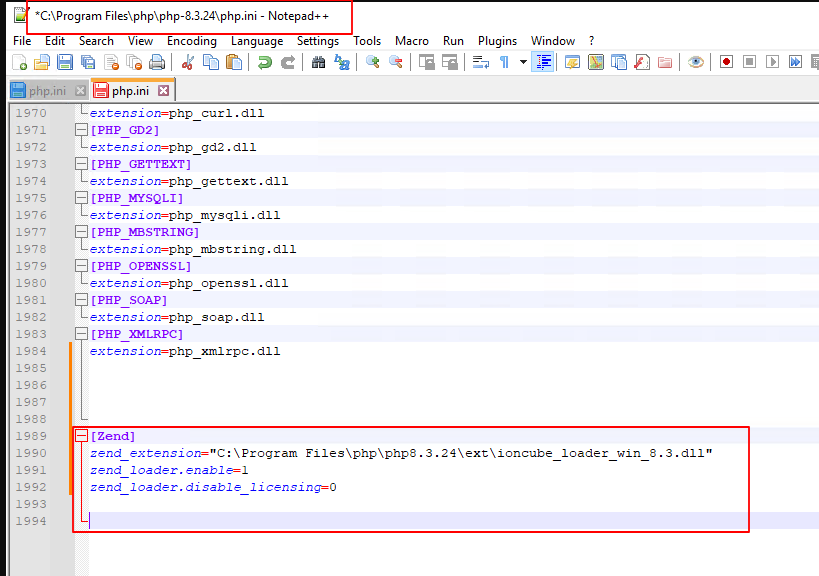
[Zend]
zend_extension="C:\Program Files\php\php8.3.24\ext\ioncube_loader_win_8.3.dll”
zend_loader.enable=1
zend_loader.disable_licensing=0
Verify the Ioncube loader as mentioned in the screen capture below.
Step 5: Verify the Ioncube loader as mentioned in below screen capture below.