
The MySQL root account is the most privileged database user in your Linux server environment—it can access, modify, or delete any database on the system. For security, performance, and operational hygiene, periodically updating this password is a best practice—especially after onboarding a new system admin, recovering from a compromise, or completing a server handover.
WHM (Web Host Manager) offers a user-friendly interface to manage core server configurations, including the ability to safely change the MySQL root password without touching the command line. This method is recommended for VPS and dedicated server customers who want quick and secure access control over their MySQL environment.
In this article, we will describe steps to change the root password of the MySQL server from WHM. This article is only applicable to Linux VPS and Dedicated server customers.
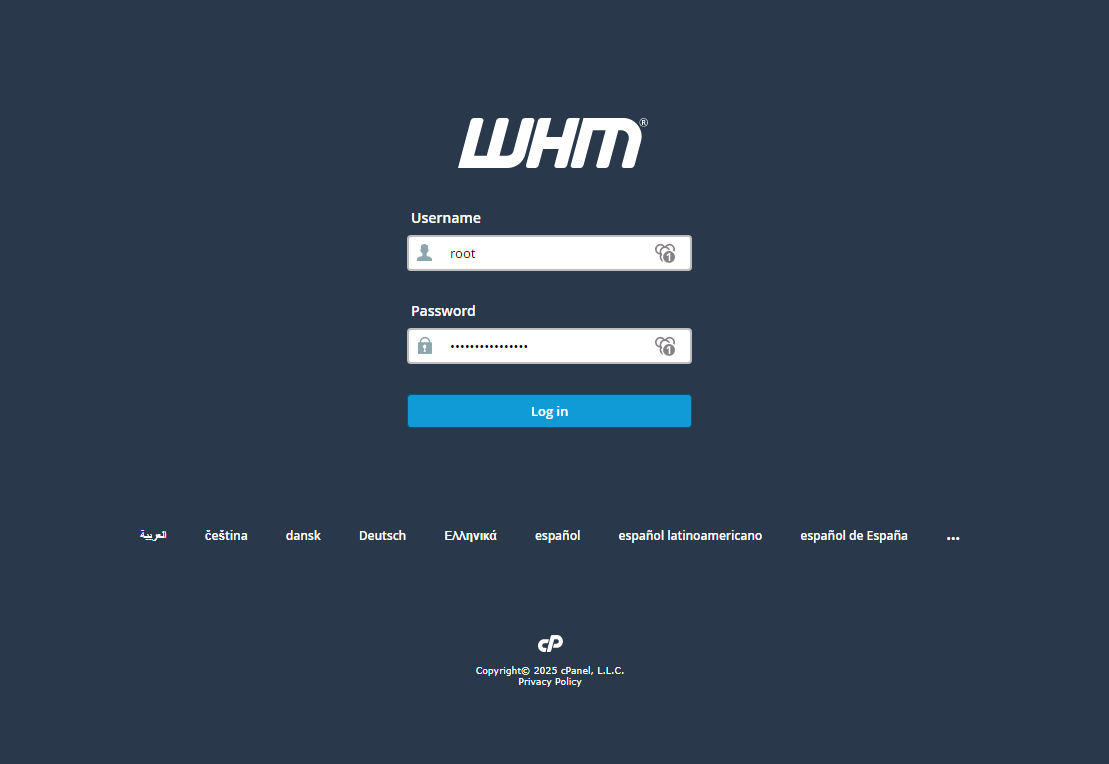
Step 1: Log in to WHM with the root user.
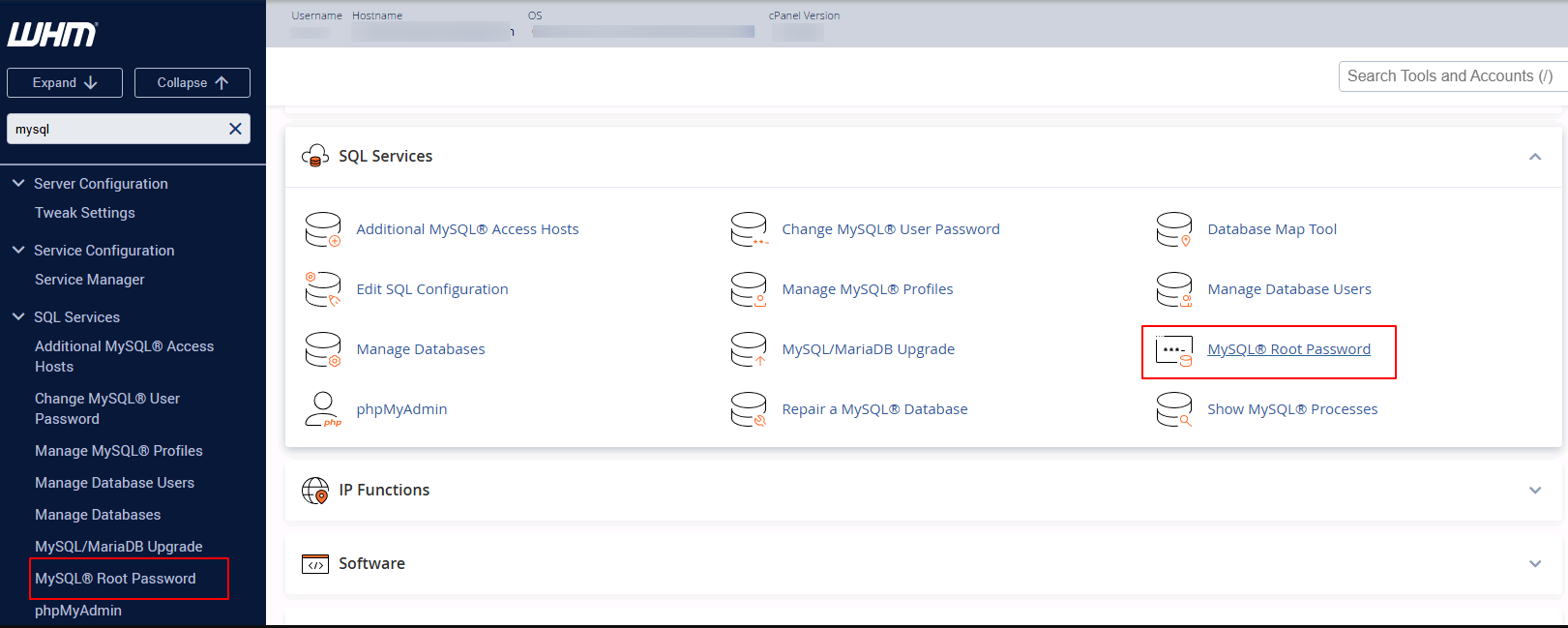
Step 2: Under the SQL Services category. Locate and select the MySQL Root Password option.
Step 3: At the next screen, you'll have to enter a new MySQL root password.
NOTE: The MySQL root password can be used to gain access to every database on your system; you should set this to something very hard to guess.
If you enter the password manually, make sure you use a combination of letters (upper and lower case), numbers, and special characters. As you enter the new password in the box, the strength indicator will indicate how strong your password is. Alternatively, you can use the Password Generator to create a strong and random password.
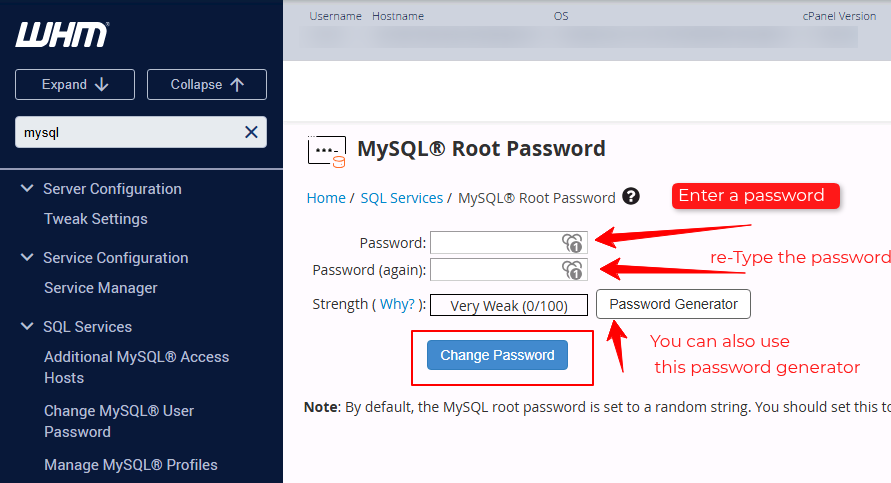
Step 4: Once you write down the new password in a safe place, click on the Change Password button. Upon successful password change, you will receive a screen stating your new password.
Conclusion:
Resetting the MySQL root password through WHM is a simple but powerful operation—one that directly impacts the security of your entire database layer. Whether you're locking down after a migration or just tightening up practices, updating this credential ensures no unauthorized processes or users can gain unrestricted access to your data.


