
When hosting websites that use custom fonts, you may need to configure MIME types in IIS to ensure browsers can correctly load your font files. Without the proper MIME type mappings, fonts may fail to load, leading to broken designs or missing icons on your site.
This article explains how to set up MIME types in IIS to support commonly used web font formats such as .eot, .woff, .woff2, .ttf, and .svg.
Why Do You Need MIME Types for Fonts?
Web fonts are served as downloadable files, and browsers expect them to have specific MIME types. If IIS does not recognize the file extension, it may serve it with the wrong content type or block it altogether. By adding correct MIME type mappings, you ensure cross-browser compatibility for custom fonts generated with tools like Font Squirrel’s @font-face generator
A typical @font-face rule references multiple font formats to support different browsers, for example:
.eot   application/vnd.ms-fontobject
.ttf    application/octet-stream
.svg   image/svg+xml
.woff   application/font-woff
.woff2  application/font-woff2
Steps to Add MIME Types in IIS
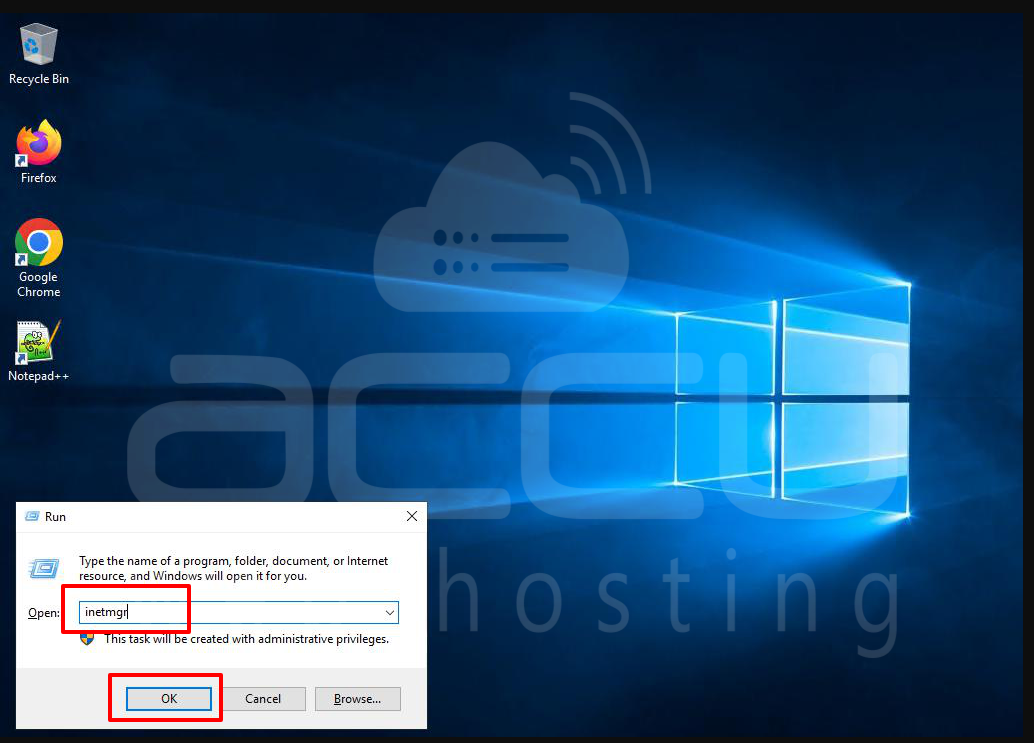
Step 1: Open IIS Manager
Press Win + R, type inetmgr, and press Enter. This will launch the IIS Manager.
Step 2: Open MIME Types Section
Select the root node from the connections pane. Double-click MIME Types from the features pane.
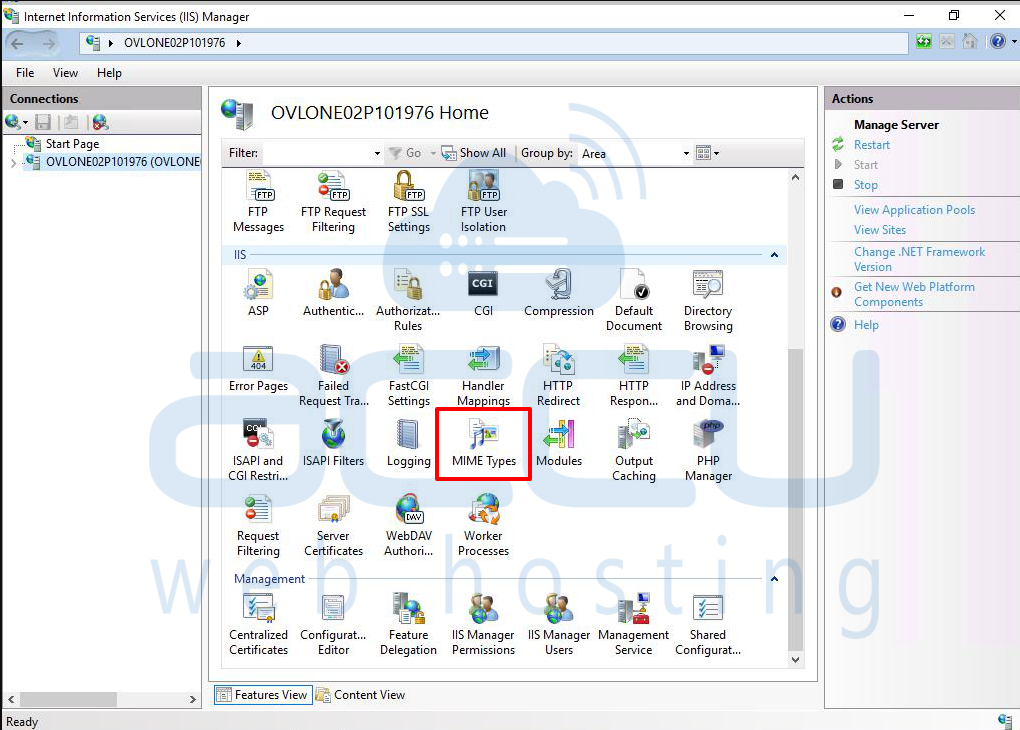
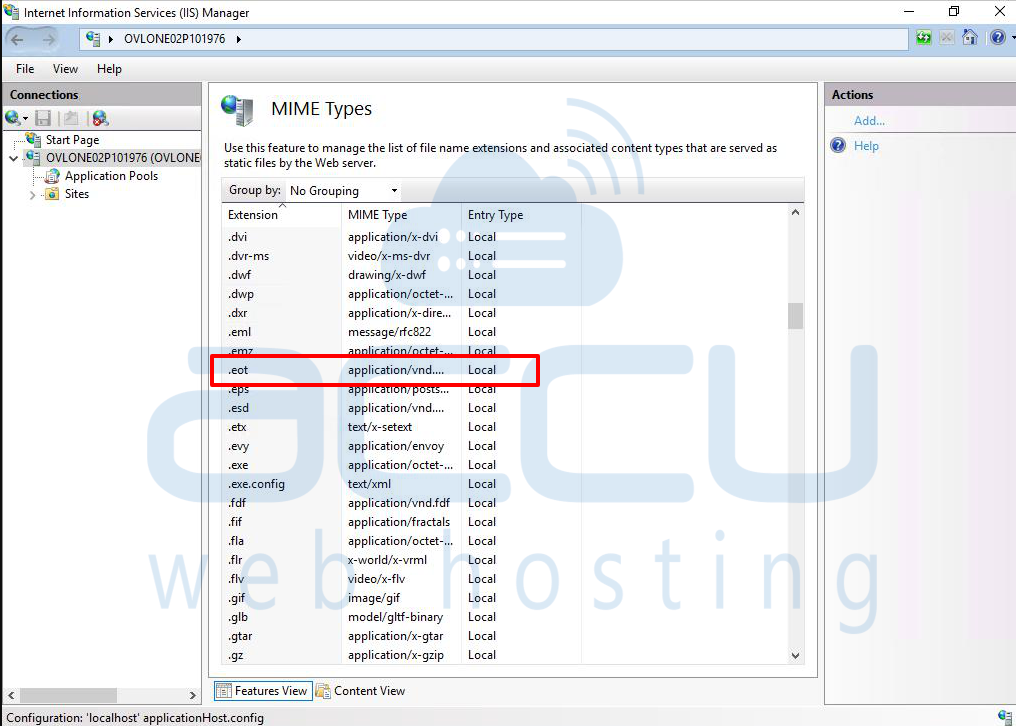
You will now see a list of all MIME types currently configured.
Step 3: Add New MIME Types
Click on Add link in the Actions pane. This will bring up the dialog box. Enter file extensions, specify the corresponding MIME type, and click OK.

(Repeat this step for each font file extension you need to add.)
Step 4: Verify the Configuration
Once all MIME types are added, restart IIS to apply the changes:
Test your website and check if fonts load correctly in multiple browsers.
Conclusion:
By configuring the correct MIME types in IIS, you ensure that custom web fonts load properly across all browsers and devices. This is especially important when using @font-face with tools like Font Squirrel, which generate multiple font formats for compatibility.


