
You might be receiving an email with a subject like - “The SSL certificate for “[service like Exim, FTP, Dovecot, cPanel]” on “[VPS Hostname]” will expire in less than 30 days.”
These self-signed certificates of services, such as cPanel, Exim, Dovecot, FTP, etc., must be reset yearly.
To reset these certificates, please follow the steps:
Step 1: Log in to the WHM login URL [https://vpsipaddress:2087].
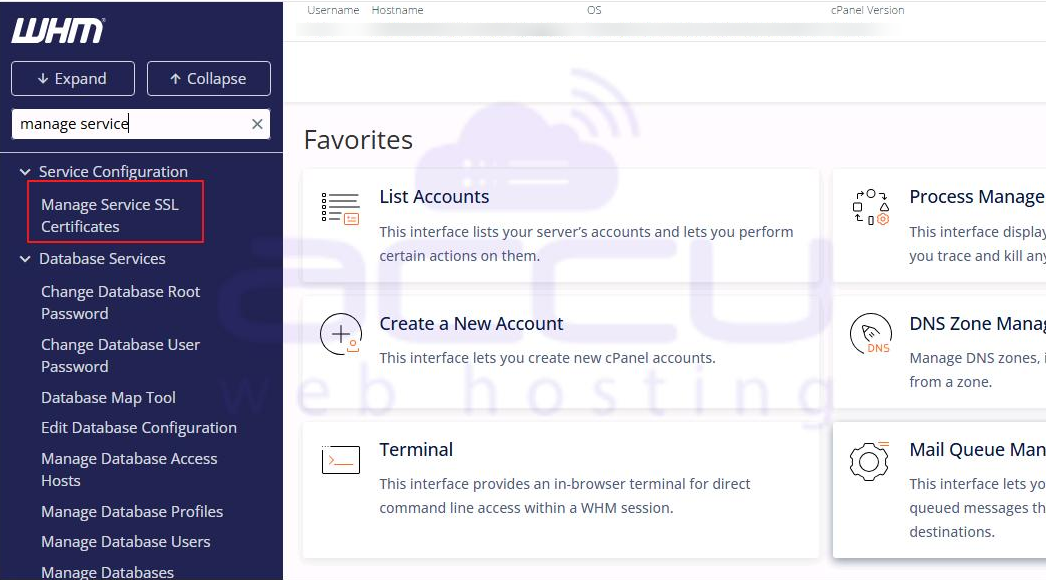
Step 2: Once logged in, go to Home >> Service Configuration >> Manage Service SSL certificate.
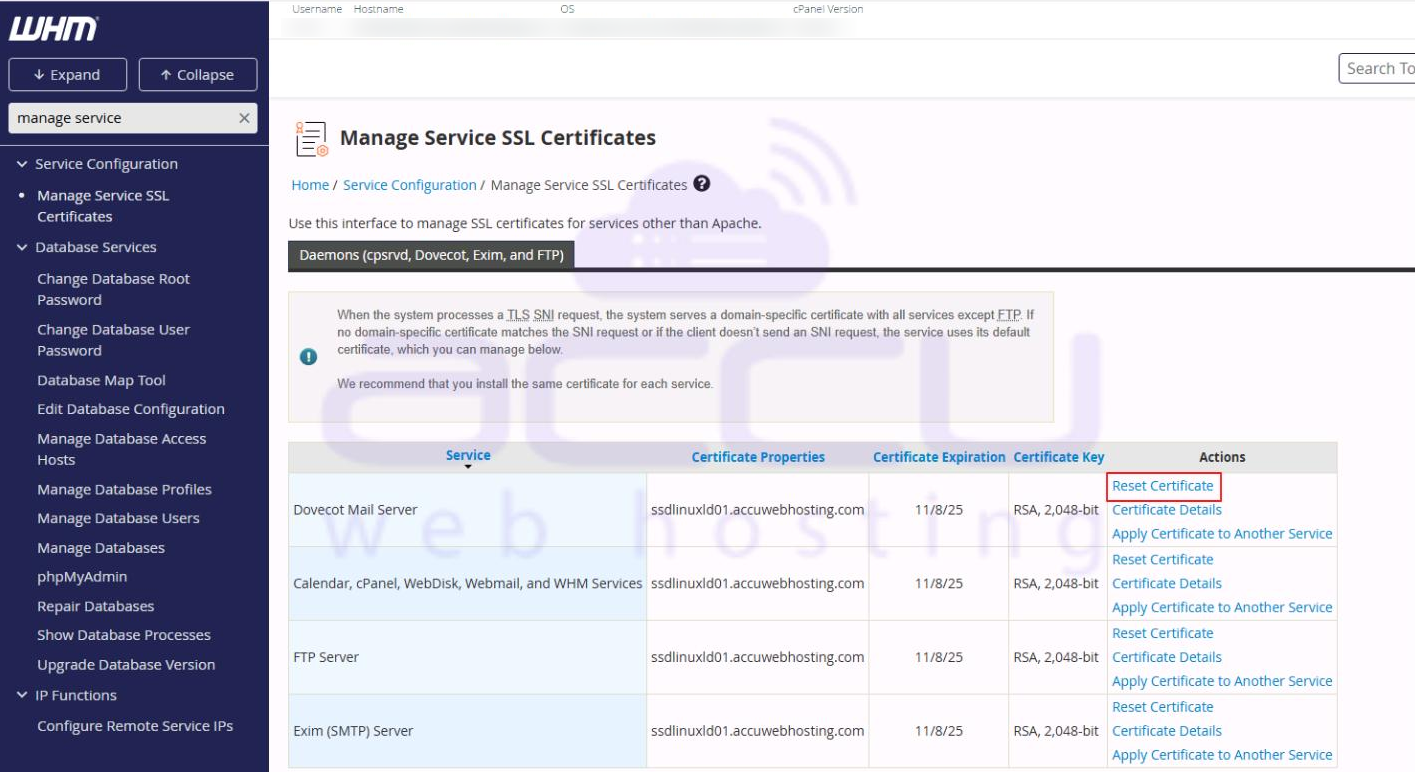
Step 3: It will show the list of available self-signed certificates. Click on Reset Certificate to renew each certificate.
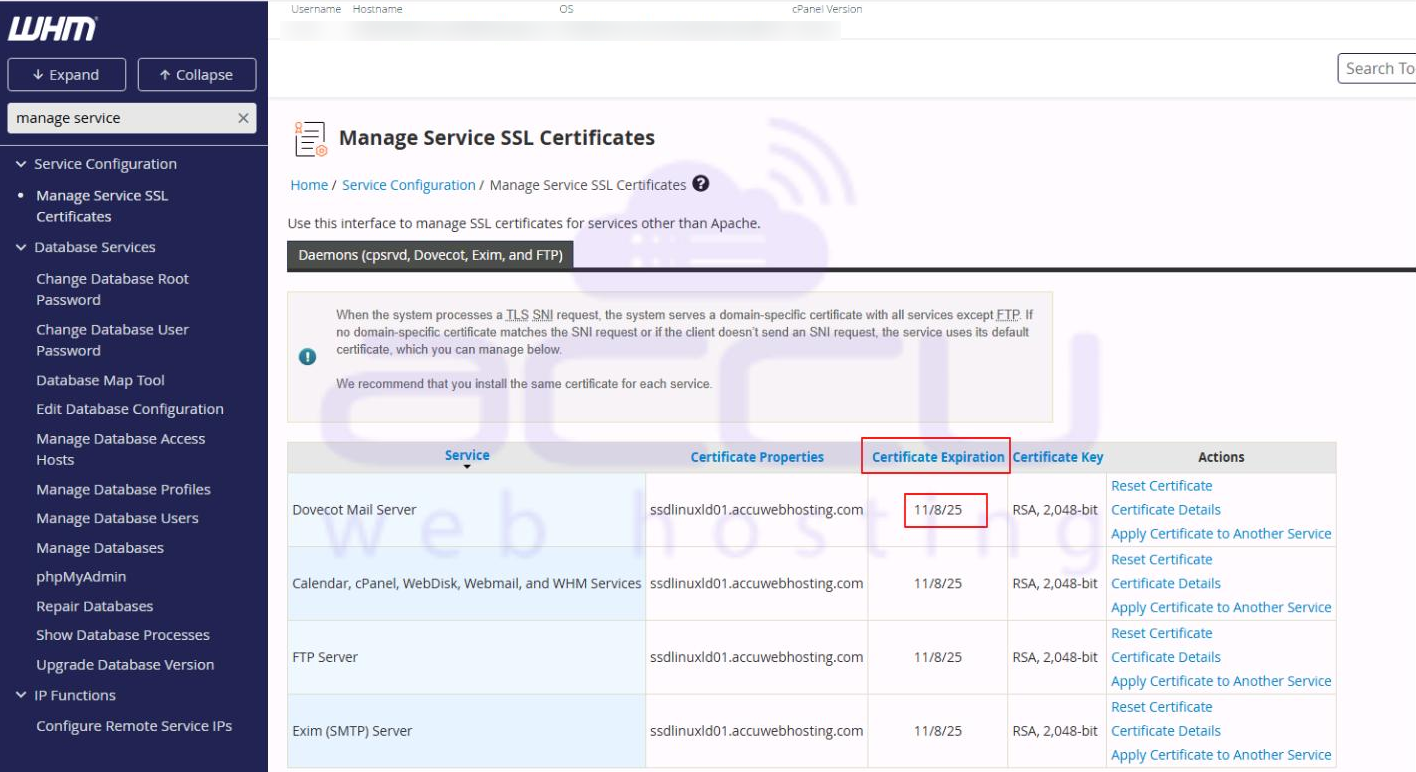
Step 4: Once renewed, it will show the extended expiry date.
Note: Resetting the certificate may require allowing Security Exception on the web browser/ email client to bypass the SSL warning.


