
When running an ASP website that uses a database (such as Microsoft Access) on IIS, you may encounter the error:
Microsoft JET Database Engine error '80004005'
Operation must use an updatable query.
This error generally indicates that the ASP page is attempting to perform an update, insert, or delete query, but the IIS user account does not have sufficient write permissions on the database file or its folder.
Assigning proper permissions to the IIS_IUSRS group usually resolves this issue.
Microsoft JET Database Engine error '80004005'
Operation must use an updatable query
/myfolder/test-page.asp, line 315
Here are the practical steps you need to follow:
Step 1: Log in to the Server
Log in to your Windows server using an Administrator account.

Step 2: Locate the Website's Root Folder
Typically, the website root folder is located at: C:\inetpub\wwwroot\ (default IIS folder)
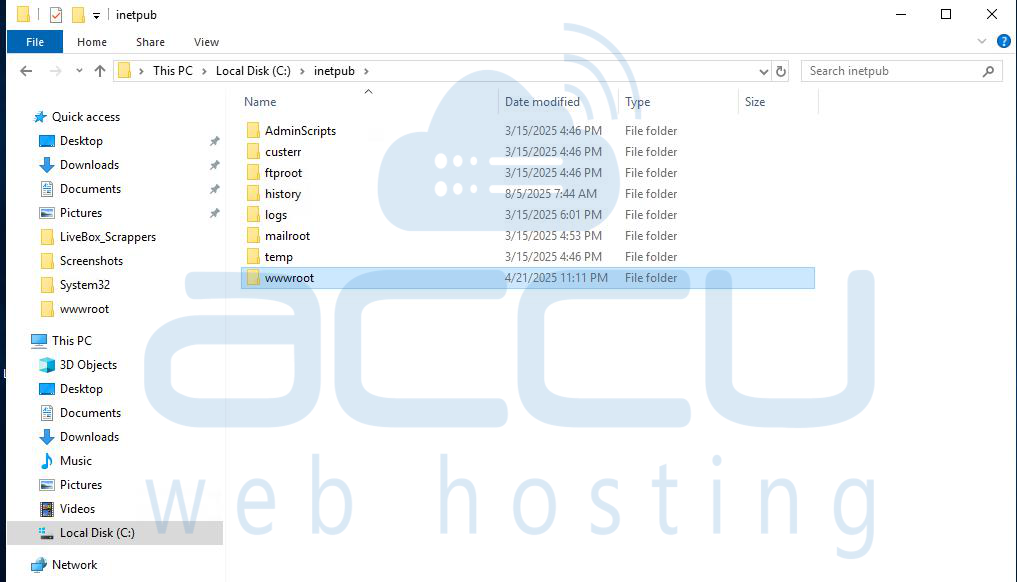
Step 3: Open Folder Properties
Right-click on the website’s wwwroot (or main site) folder. Select Properties. Go to the Security tab.
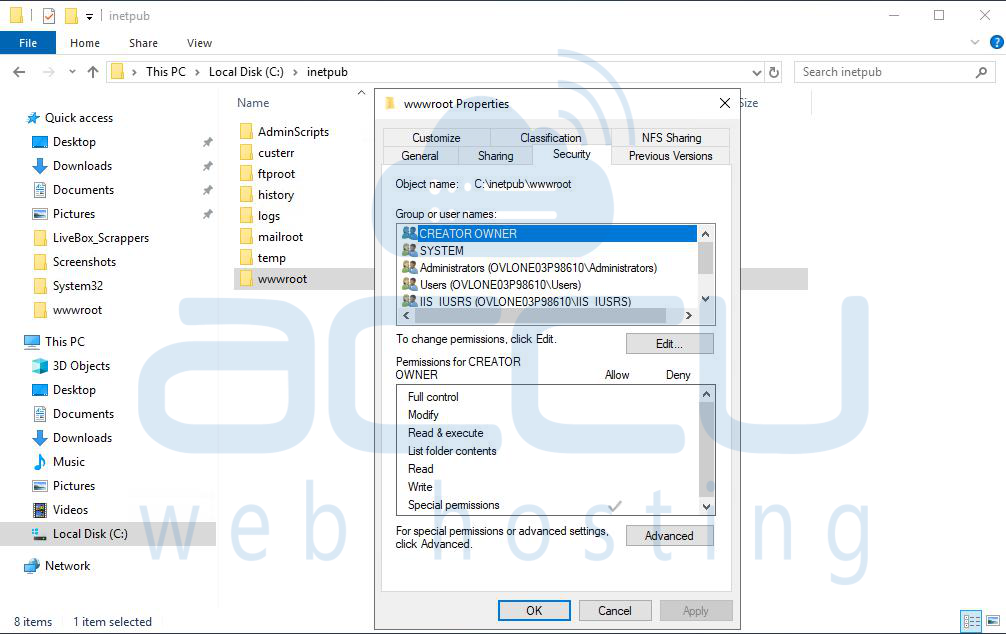
Step 4: Edit Permissions
Click Edit. Select the IIS_IUSRS group from the list. Enable the following permissions: Click OK to apply the changes.
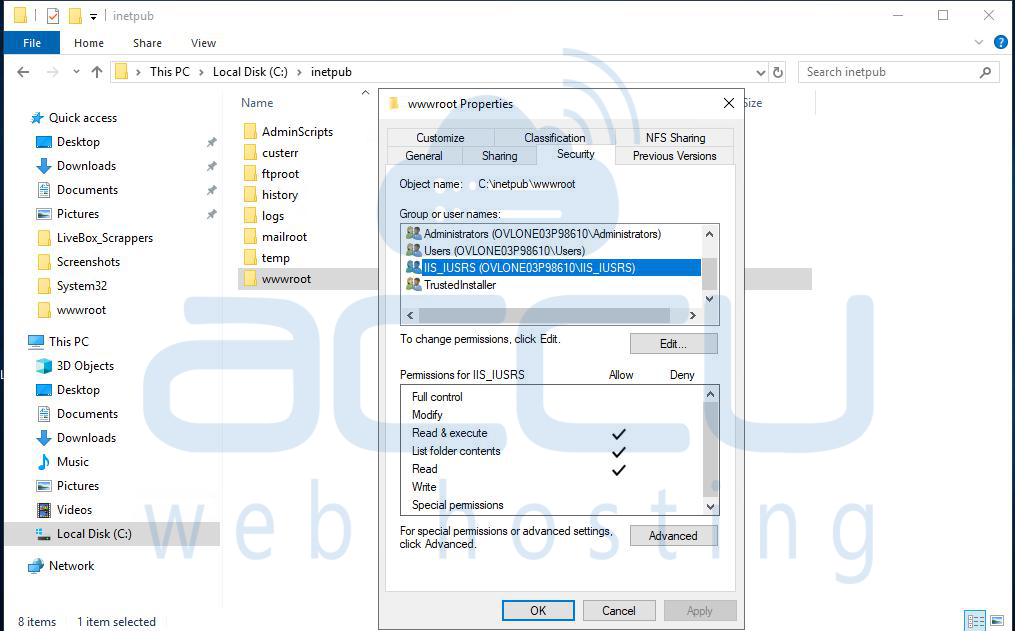
Step 5: Test the Website
Reload the ASP page in your browser and check if the error is resolved.
Conclusion:
The "Operation must use an updatable query" error typically occurs because the IIS worker process does not have sufficient write permissions to update the database file. By granting Read, Write, and Modify permissions to the IIS_IUSRS group for the website’s folder, you allow the ASP application to update the database successfully.


