
Sometimes, you may experience an issue where an ASP-based website or application times out before the configured session timeout value in IIS.
This can happen even if the session timeout in your ASP settings or application configuration is set to a longer period.
One common cause for this issue is the Application Pool not allowing 32-bit applications, which can cause unexpected session behavior in certain hosting environments.
Here are the practical Steps you can follow:
Step 1: Open IIS Manager
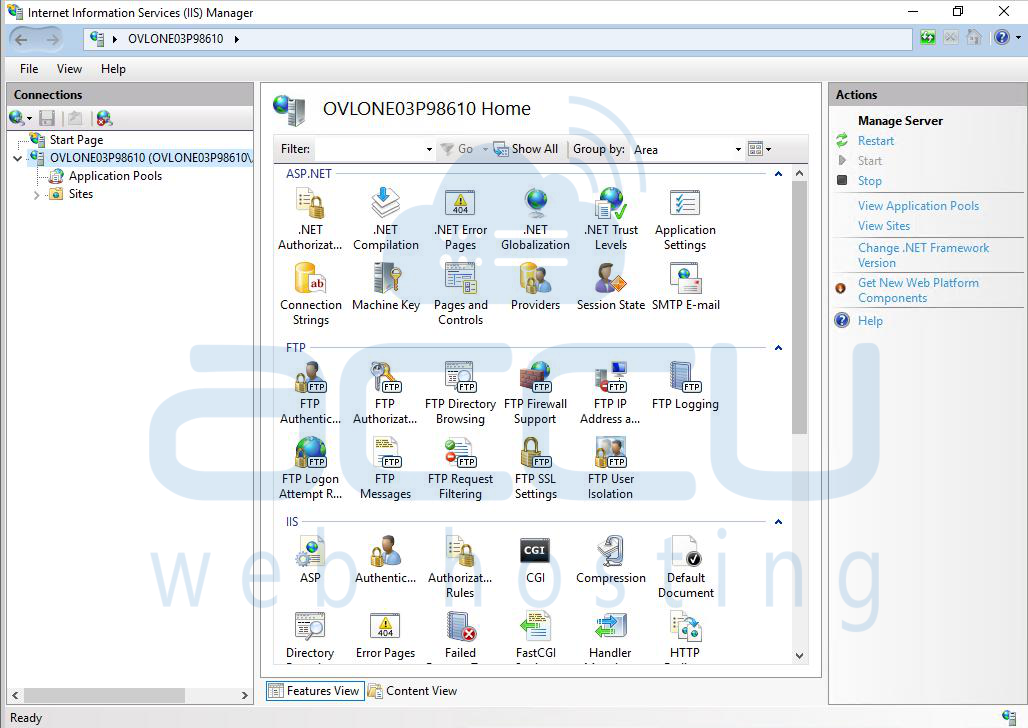
Step 2: Locate the Application Pool
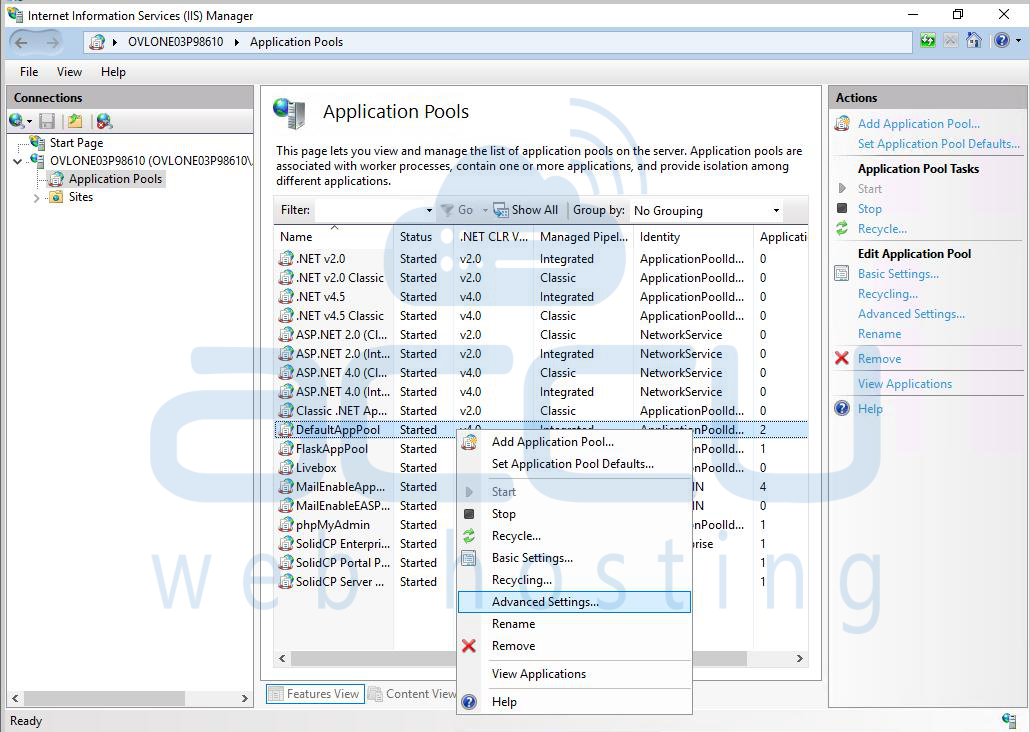
In the left-hand Connections panel, click on Application Pools. Find the Application Pool used by your website or application.

Step 3: Open Advanced Settings
Right-click the Application Pool name. Select Advanced Settings from the context menu.
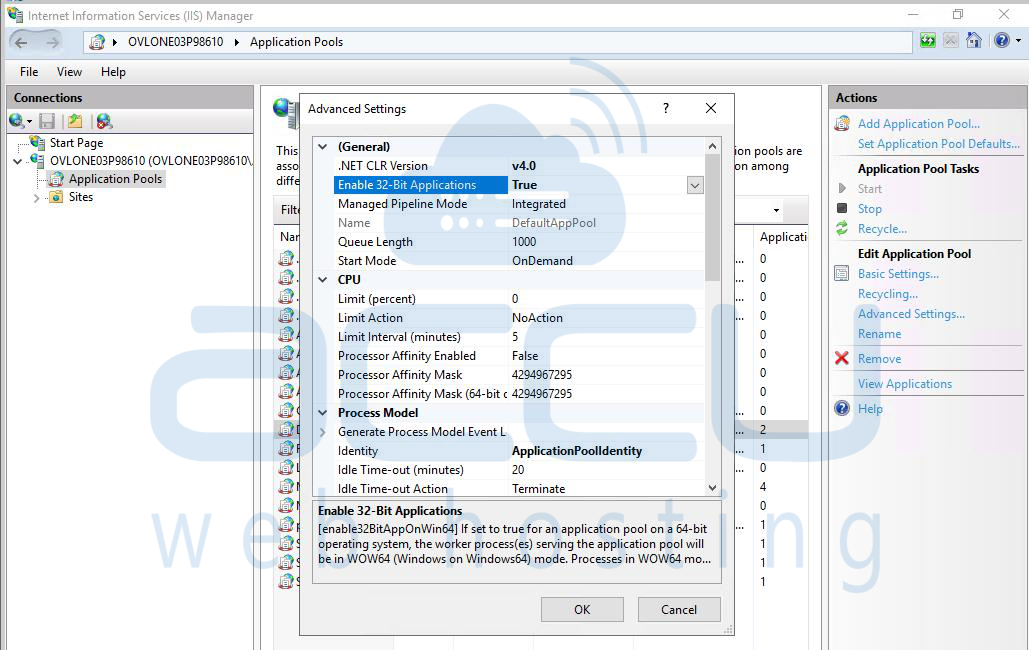
Step 4: Enable 32-Bit Applications
In the General section, find the option: Enable 32-Bit Applications and set it to True.
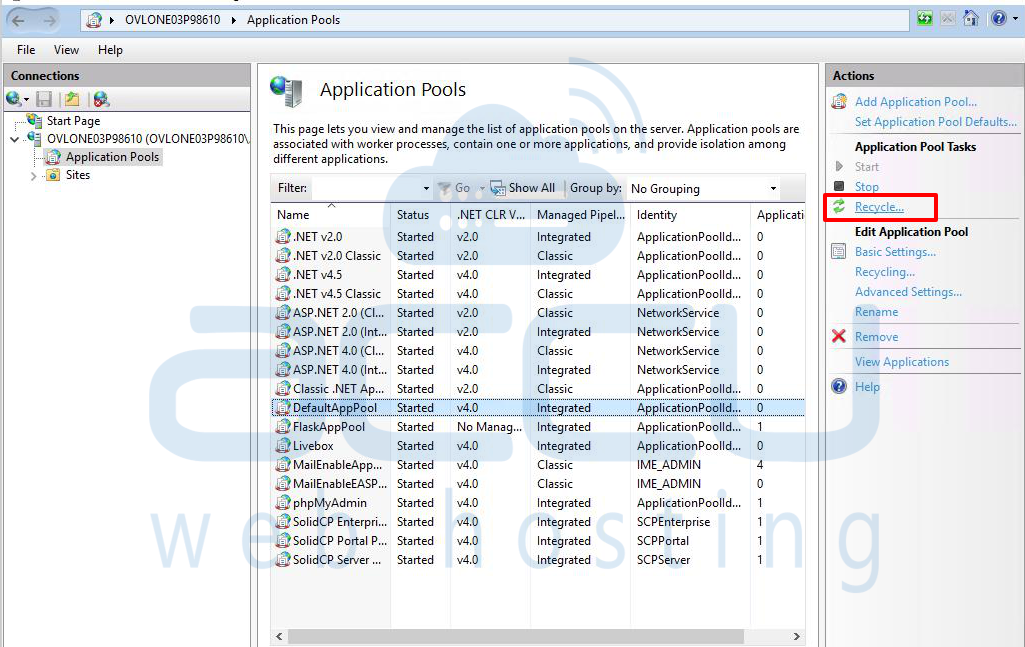
Step 5: Apply the Changes
Click OK to save changes. Restart the Application Pool by right-clicking on it and selecting Recycle.
Conclusion:
Enabling 32-bit application support in IIS often resolves the issue where ASP sessions time out earlier than expected.
If the issue persists after enabling this setting:
- Double-check your session timeout settings in IIS under ASP → Session Properties.
- Review your application’s session handling logic.
- Ensure the Application Pool’s Idle Timeout setting is not shorter than the session timeout.
By aligning the IIS configuration and application settings, you can prevent premature session expirations and maintain consistent user sessions.


