
Introduction:
Modern Linux servers generate thousands of log entries every day. These logs help administrators monitor system health, troubleshoot issues, detect security events, and understand how applications are performing. However, collecting and managing logs from multiple sources can quickly become challenging.
What is Fluent Bit?
Fluent Bit is a lightweight, high-performance log processor and forwarder designed to collect, process, and send logs from servers, containers, and applications to various storage or monitoring platforms.
It is widely used in Linux environments because it consumes very little CPU and memory while handling large volumes of log data efficiently.

Why is Fluent Bit Used?
Fluent Bit helps centralize logs from different sources so they can be analyzed in one place. Instead of manually checking multiple log files across different servers, Fluent Bit automatically collects and forwards logs to monitoring or logging systems.
Some common reasons for using Fluent Bit include:
- Collecting Linux system logs
- Monitoring application logs
- Sending logs to centralized logging platforms
- Filtering unnecessary log entries
- Parsing structured and unstructured log files
- Forwarding logs to cloud services
Common Use Cases:
Fluent Bit is commonly used for:
- Linux server monitoring
- Web server log collection (Apache, Nginx)
- Docker and Kubernetes logging
- Application log forwarding
- Cloud infrastructure monitoring
- Security auditing
- DevOps and observability platforms
Benefits of Using Fluent Bit:
Some of the advantages include:
- Lightweight and fast
- Minimal CPU and memory usage
- Supports hundreds of input and output plugins
- Easy to configure
- Works on physical servers, virtual machines, and containers
- Supports structured and unstructured logs
- Reliable buffering during temporary network failures
- Compatible with many popular logging platforms
How Does Fluent Bit Work?
Fluent Bit processes logs through a pipeline. Each stage performs a specific task before the log reaches its final destination.
Log Source
│
▼
Input Plugin
│
▼
Parser
│
▼
Filters
│
▼
Buffer
│
▼
Output Plugin
│
▼
Destination
Inputs: Inputs tell Fluent Bit where logs come from.
Examples include:
- Log files
- Systemd journal
- Docker containers
- TCP/UDP sockets
- HTTP endpoints
- Kubernetes
Example:
/var/log/syslog
or
/var/log/nginx/access.log
Parsers: A parser converts raw log text into structured fields.
For example:
Raw log:
192.168.1.5 - - [20/Jul/2026:10:25:18] "GET /index.html HTTP/1.1" 200
After parsing:
IP Address
Timestamp
Method
URL
Status Code
Structured logs are much easier to search and analyze.
Filters: Filters modify logs before they are sent.
Examples include:
- Adding hostname
- Removing unnecessary fields
- Renaming fields
- Masking sensitive information
- Selecting only specific logs
Buffers: Buffers temporarily store logs before sending them.
This helps when:
- The destination server is unavailable
- The network is slow
- Large numbers of logs arrive at once
Buffered logs are sent when the destination becomes available again.
Outputs: Outputs define where Fluent Bit sends logs.
Common destinations include:
- Elasticsearch
- OpenSearch
- Loki
- Splunk
- Kafka
- HTTP APIs
- CloudWatch
- Azure Monitor
- Google Cloud Logging
- Standard output (console)
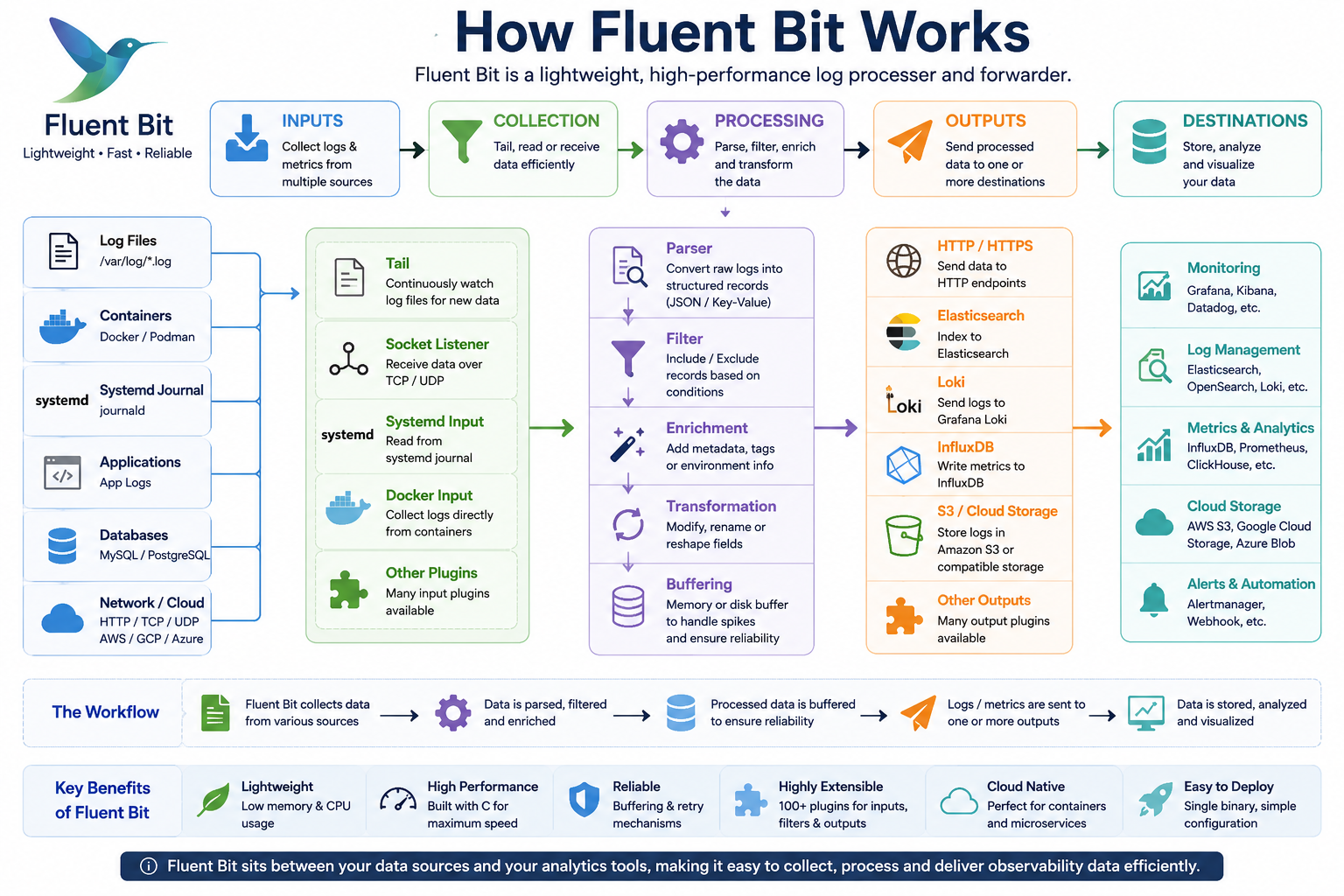
Simple Data Flow:
The process works like this:
- Fluent Bit reads a log file.
- It parses the log.
- Filters modify the log if needed.
- Logs are buffered temporarily.
- Processed logs are sent to the configured destination.
Prerequisites:
Before installing Fluent Bit, ensure your server meets the following requirements.
Supported Linux Distributions:
Fluent Bit supports many Linux distributions, including:
- Ubuntu
- Debian
- RHEL
- CentOS
- AlmaLinux
- Rocky Linux
- Amazon Linux
Required Access:
You should have:
- Root access
or
- A user account with sudo privileges
Installing Fluent Bit:
The recommended installation method is to use the official Fluent Bit package repository.
Install on Ubuntu and Debian:
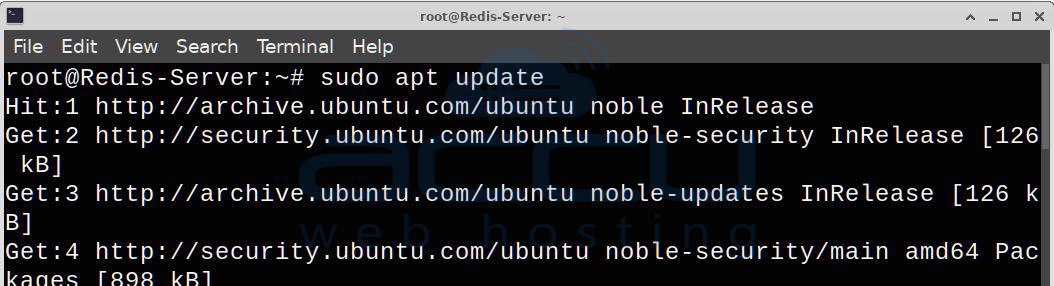
Step 1: Update the Package Index
Update the package list before installing new software.
sudo apt update
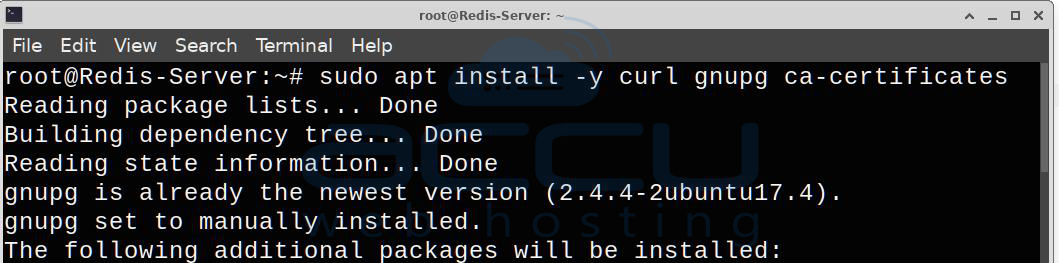
Step 2: Install Required Utilities
These packages allow APT to use HTTPS repositories and import GPG keys.
sudo apt install -y curl gnupg ca-certificates
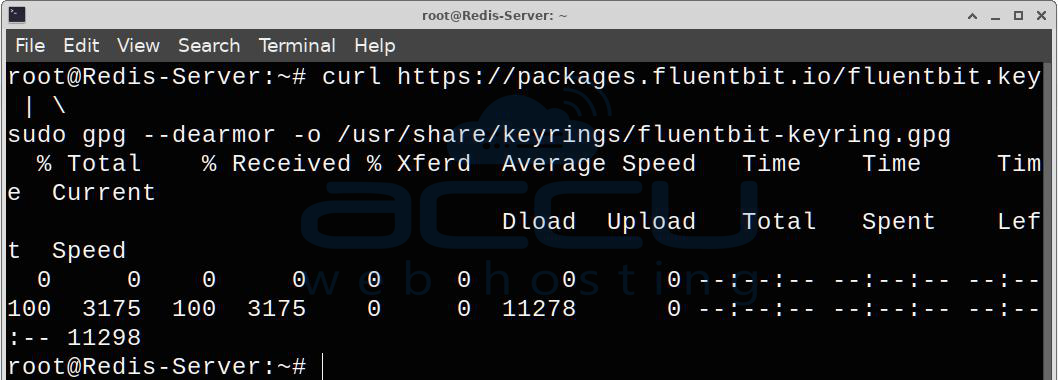
Step 3: Import the Official Repository Key
Download and install the Fluent Bit signing key.
curl https://packages.fluentbit.io/fluentbit.key | \
sudo gpg --dearmor -o /usr/share/keyrings/fluentbit-keyring.gpg
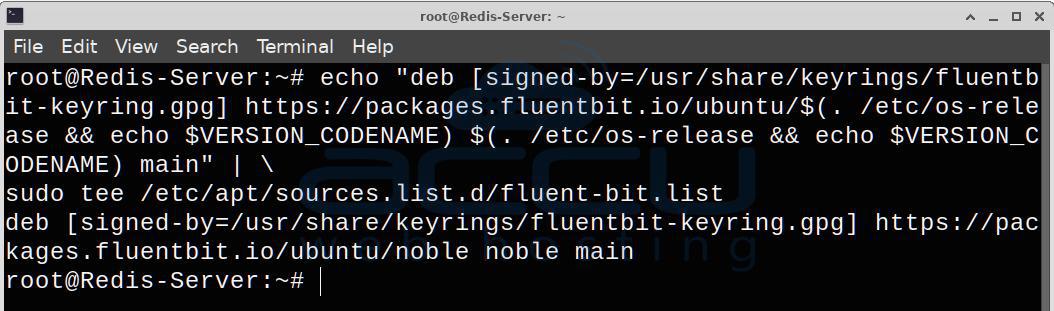
Step 4: Add the Official Repository
Create the repository configuration file.
echo "deb [signed-by=/usr/share/keyrings/fluentbit-keyring.gpg] https://packages.fluentbit.io/ubuntu/$(. /etc/os-release && echo $VERSION_CODENAME) $(. /etc/os-release && echo $VERSION_CODENAME) main" | \
sudo tee /etc/apt/sources.list.d/fluent-bit.list
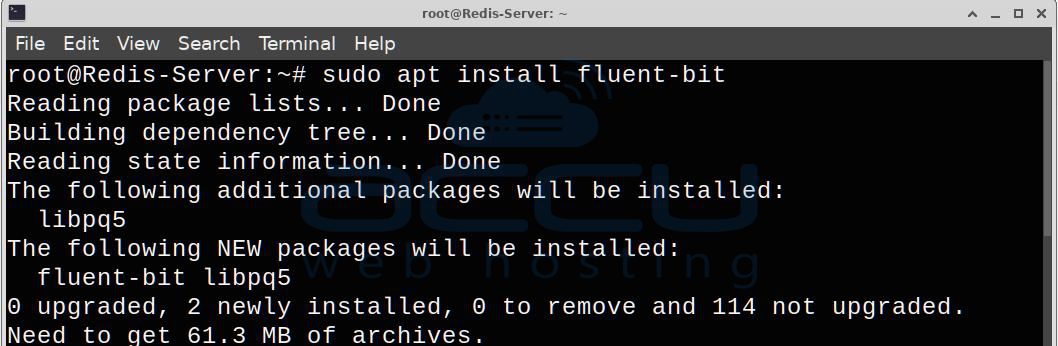
Step 5: Install Fluent Bit
sudo apt update
sudo apt install fluent-bit
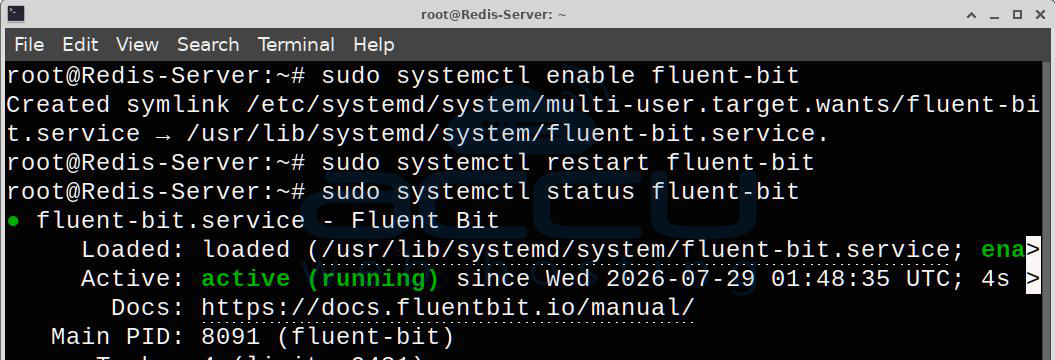
Step 6: Verify Fluent Bit and Start
Enable it during boot:
sudo systemctl enable fluent-bit
Restart Fluent Bit:
sudo systemctl restart fluent-bit
Check Service Status:
sudo systemctl status fluent-bit
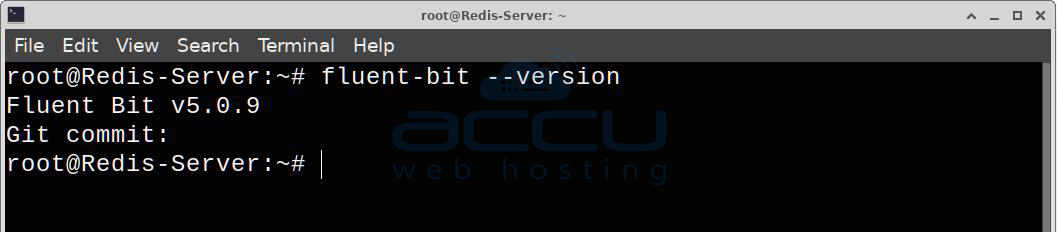
Step 7: Verify Fluent Bit version:
Run the following command to check the Fluent Bit version:
fluent-bit --version
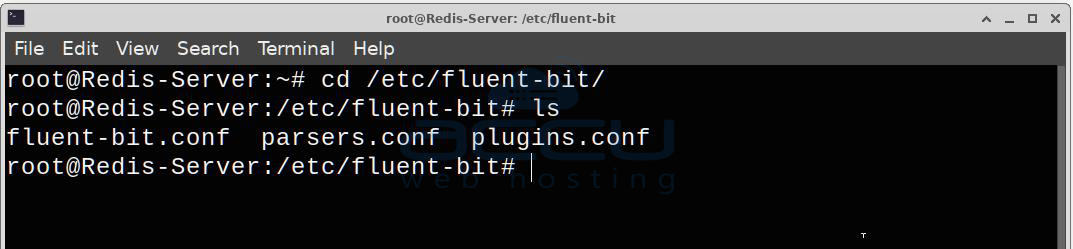
Important Configuration Files:
Most configuration files are stored under:
/etc/fluent-bit/
Example:
/etc/fluent-bit/fluent-bit.conf
/etc/fluent-bit/parsers.conf
/etc/fluent-bit/plugins.conf
Basic Configuration Example:
Open the configuration file.
sudo nano /etc/fluent-bit/fluent-bit.conf
Example configuration:
[SERVICE]
Flush 1
Daemon Off
Log_Level info
[INPUT]
Name tail
Path /var/log/syslog
Tag syslog
[OUTPUT]
Name stdout
Match *
This configuration:
Reads /var/log/syslog
Displays log entries on the console
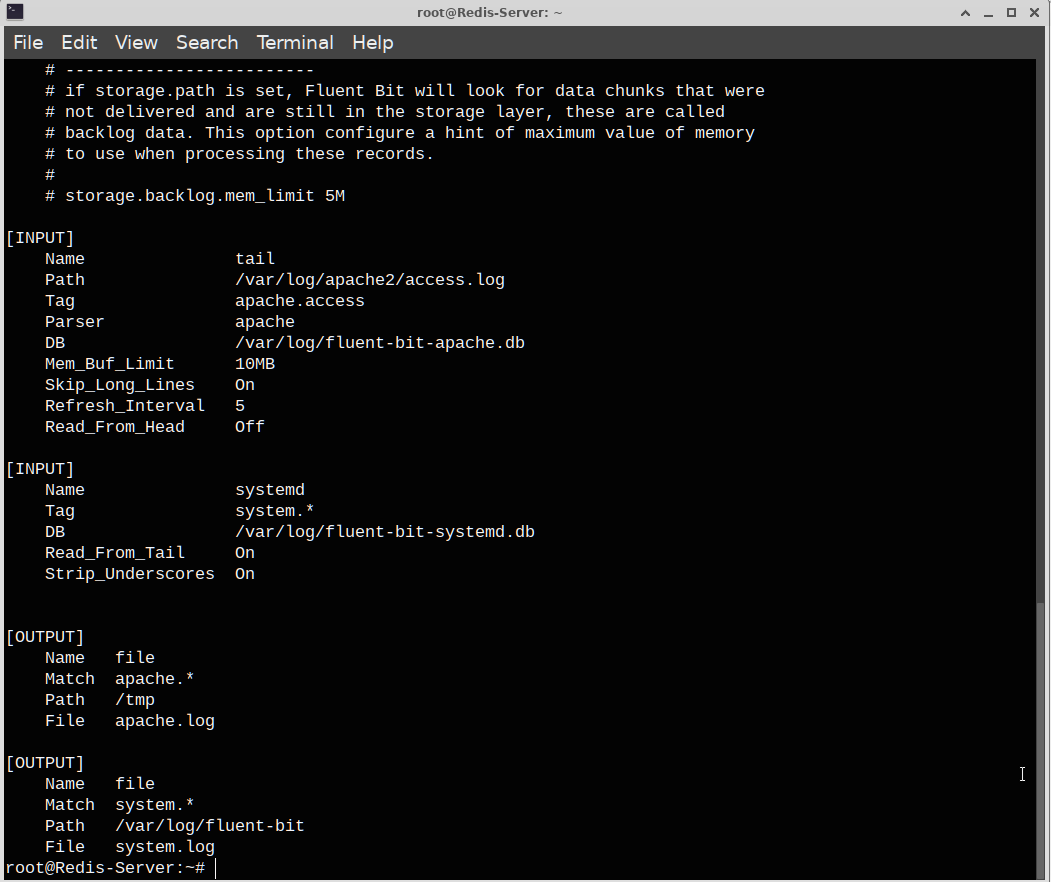
Read Apache Logs:
Example:
[INPUT]
Name tail
Path /var/log/apache2/access.log
Tag apache.access
Parser apache
DB /var/log/fluent-bit-apache.db
Mem_Buf_Limit 10MB
Skip_Long_Lines On
Refresh_Interval 5
Read Nginx Logs:
[INPUT]
Name tail
Path /var/log/nginx/access.log
Tag nginx
Filter Log Records:
Example:
[FILTER]
Name record_modifier
Match *
Record Server Linux01
This adds:
Server=Linux01
to every log entry.
Restart After Configuration Changes:
Restart the fluent-bit service to apply the changes:
sudo systemctl restart fluent-bit
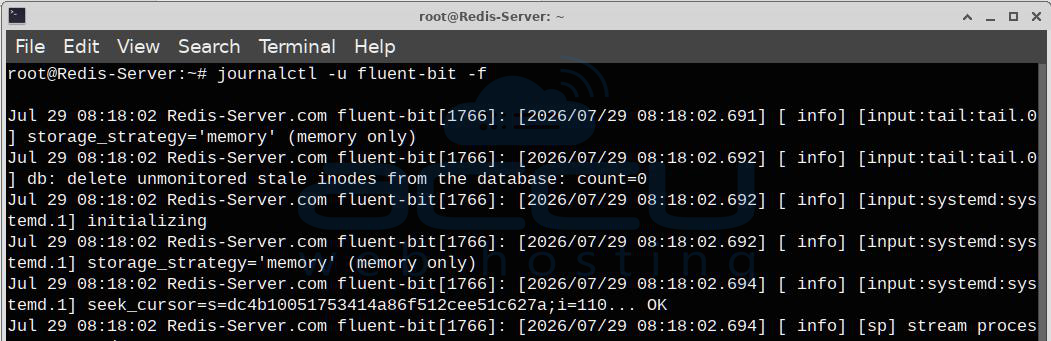
View Service Logs
The following command is used to view the live logs of the Fluent Bit service managed by systemd. It's one of the most useful commands for monitoring and troubleshooting Fluent Bit.
journalctl -u fluent-bit -f
Test Configuration:
You can validate the Fluent Bit configuration using the following command:
sudo /opt/fluent-bit/bin/fluent-bit -c /etc/fluent-bit/fluent-bit.conf
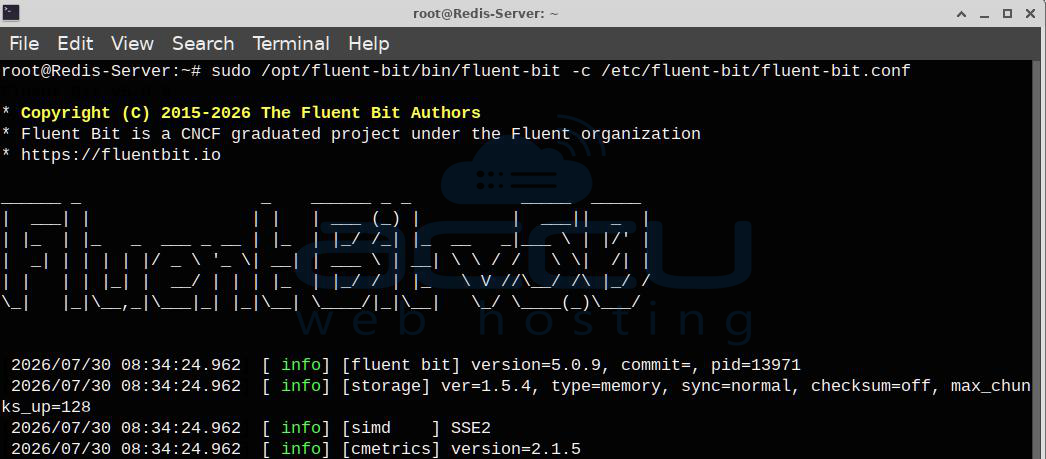
If the configuration is correct, Fluent Bit starts processing logs. Press Ctrl+C to stop the foreground process after testing.
Conclusion:
Fluent Bit is a lightweight and efficient log processor that helps centralize logs from Linux servers, applications, and containers. With its flexible plugin system, low resource usage, and support for numerous output destinations, it is well suited for both small deployments and large-scale production environments.
In this article, we explained what Fluent Bit is, how it works, how to install it on Ubuntu, and how to create a basic configuration that reads a log file and outputs processed data to the console. Once you are comfortable with the basics, you can extend your configuration to send logs to centralized logging platforms such as Elasticsearch, OpenSearch, Loki, Splunk, Kafka, or cloud logging services, helping you build a more effective monitoring and troubleshooting workflow for your Linux infrastructure. By configuring appropriate inputs, filters, and outputs, you can build a reliable log collection pipeline that improves monitoring, troubleshooting, and operational visibility.
If you encounter any issues during installation, please feel free to contact us via chat or support. Our support team will assist you with the installation process.


