
Managing multiple websites can quickly become overwhelming, especially when each site has its own domain, content, and audience. Fortunately, WordPress Multisite offers a powerful solution that allows you to run multiple independent sites from a single installation. When combined with domain mapping, each site can even have its own custom domain while still being centrally managed. In this guide, you’ll learn how to set up and manage multiple domains in a WordPress Multisite network using domain mapping.
What is WordPress Multisite?
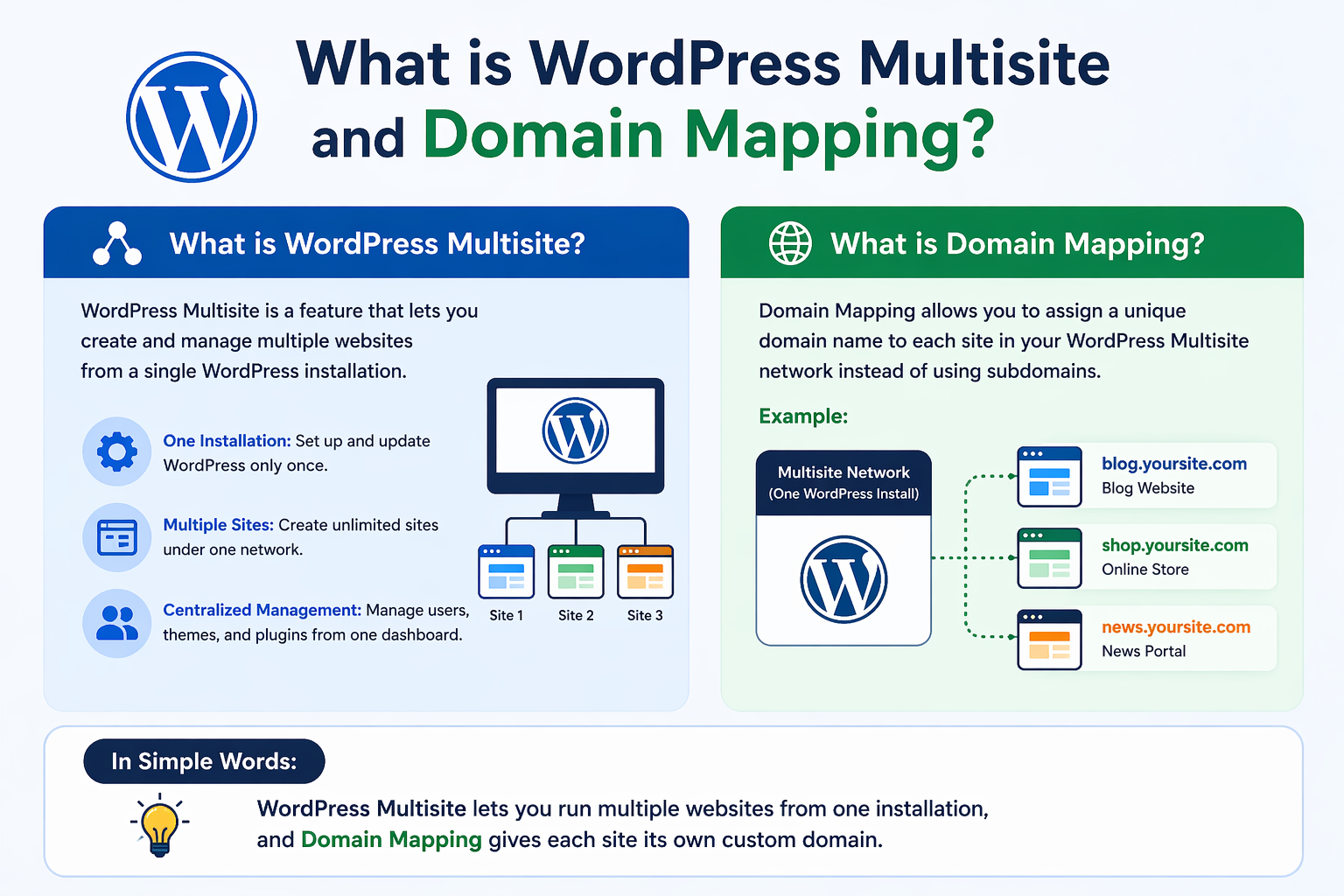
WordPress Multisite is a feature that allows you to create a network of sites under one WordPress installation. Instead of installing WordPress separately for each domain, you manage everything from one dashboard.
Each site in the network:
-
Has its own content, themes, and plugins (depending on permissions)
-
Can have separate users or shared users
-
Operates independently while sharing core files
What is Domain Mapping?
Domain mapping allows you to assign a unique custom domain (like example.com) to a site within your Multisite network. Without mapping, sites typically use subdomains (site1.yournetwork.com) or subdirectories (yournetwork.com/site1).
With domain mapping:
-
Each site appears as a standalone website
-
Visitors won’t see your main network domain
-
Branding remains consistent for each project
Requirements Before You Start
Before setting things up, make sure you have:
-
A hosting provider that supports WordPress Multisite
-
Access to your domain DNS settings
-
SSL certificates for each domain (recommended)
-
Basic understanding of WordPress file structure
Step 1: Enable WordPress Multisite
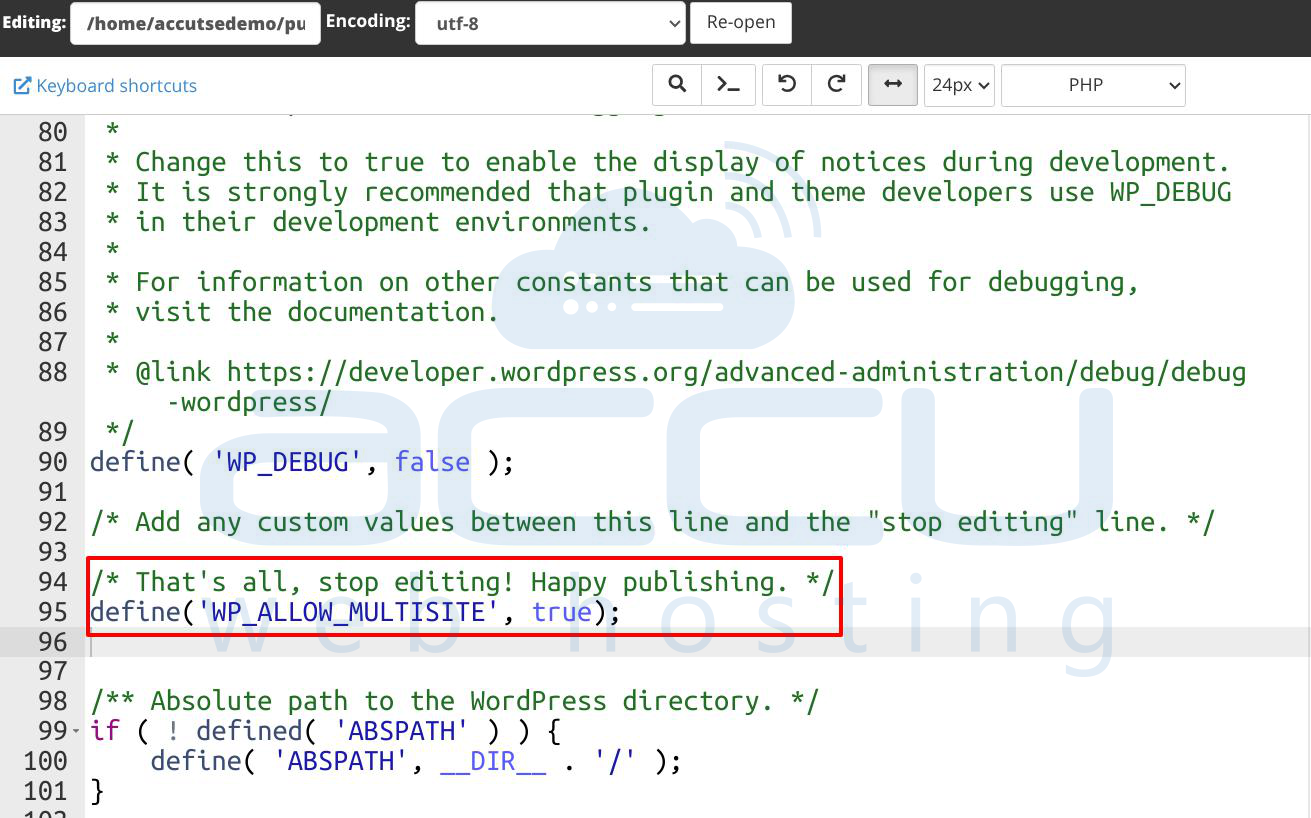
1.1 Open your wp-config.php file and add the following line above “That’s all, stop editing”:
define('WP_ALLOW_MULTISITE', true);
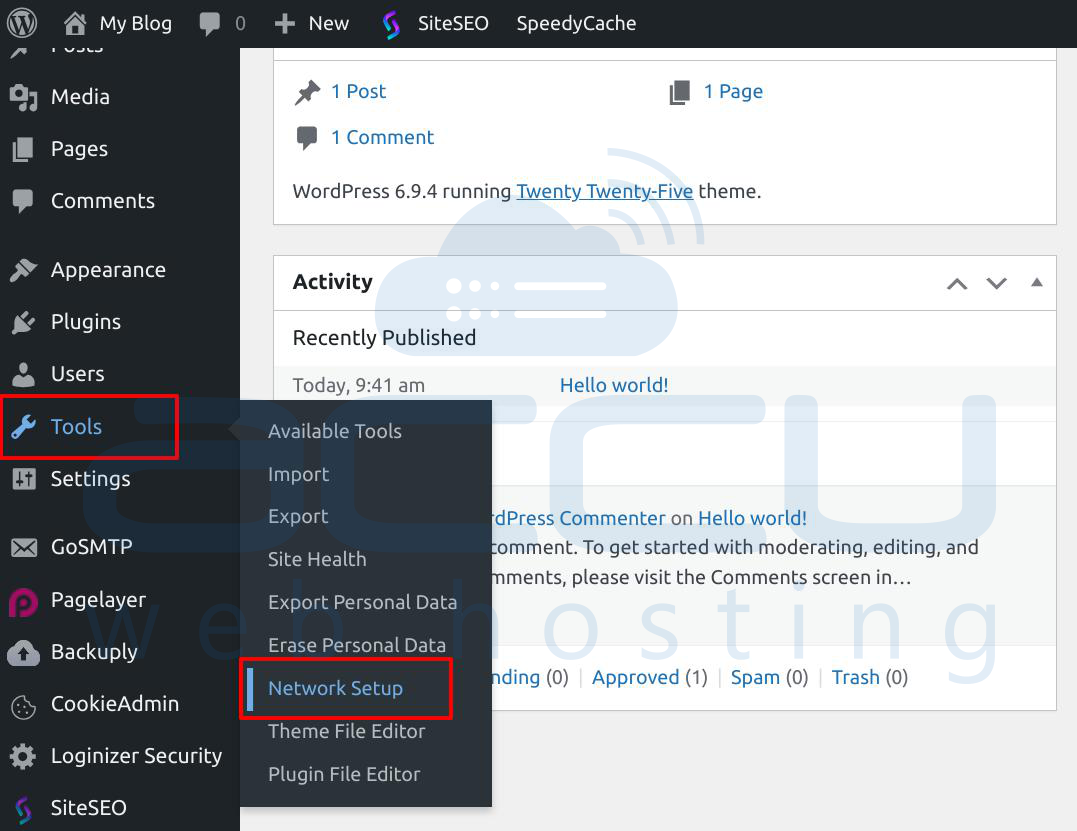
1.2 Log in to your WordPress dashboard.
1.3 Go to Tools → Network Setup
1.4 Choose between subdomains or subdirectories
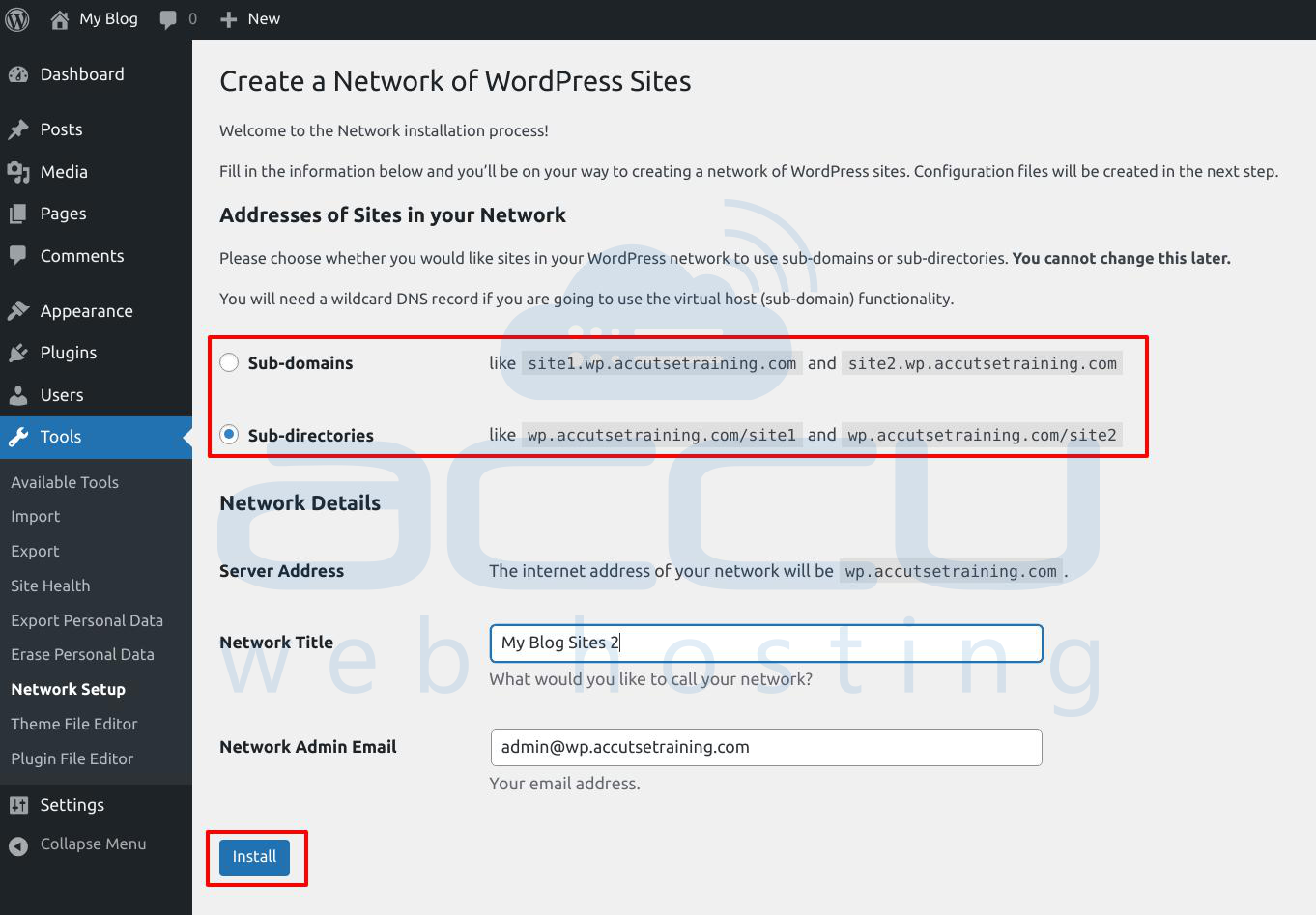
1.5 Follow the instructions to update:
-
wp-config.php
-
.htaccess
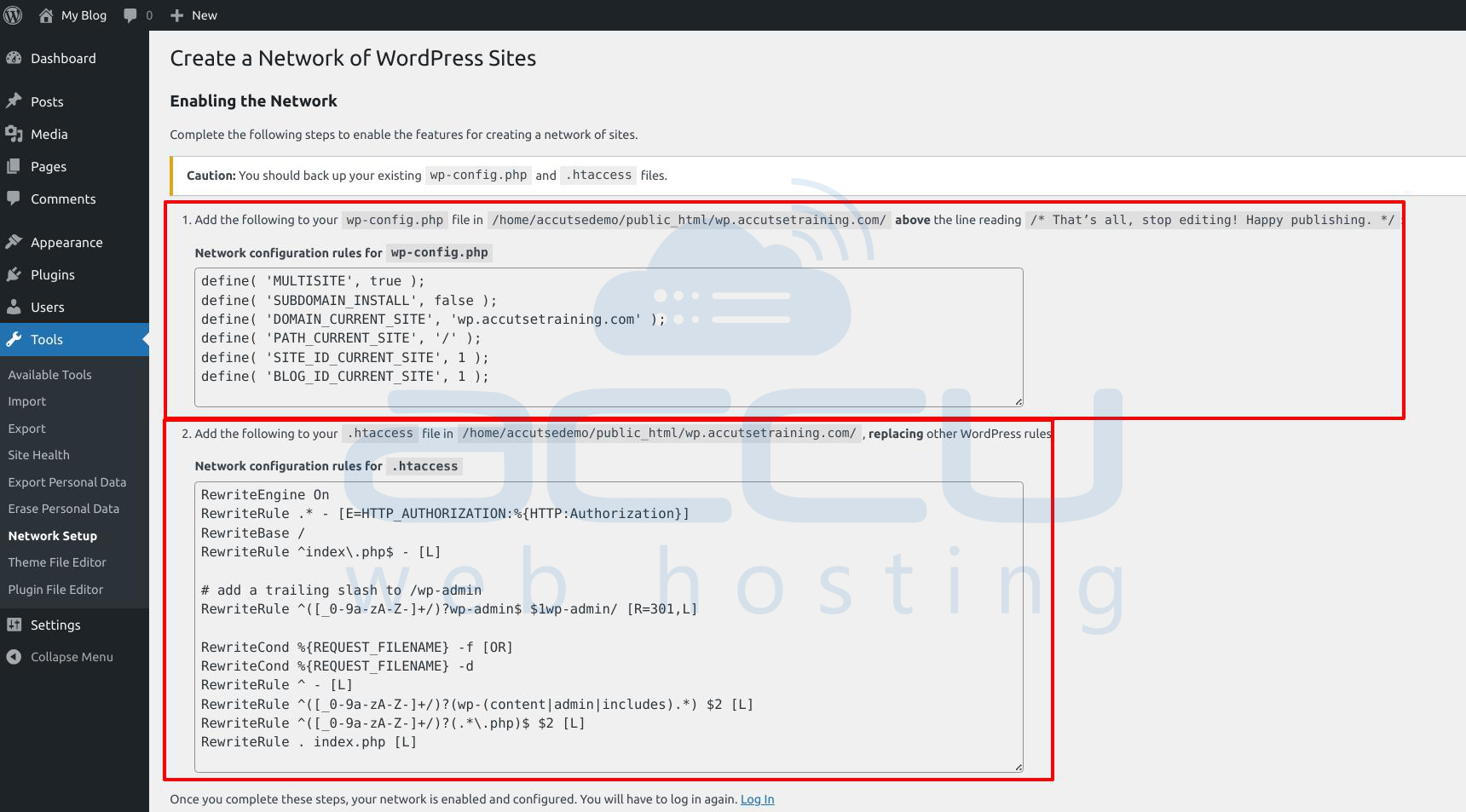
Once done, you’ll have a Network Admin dashboard.
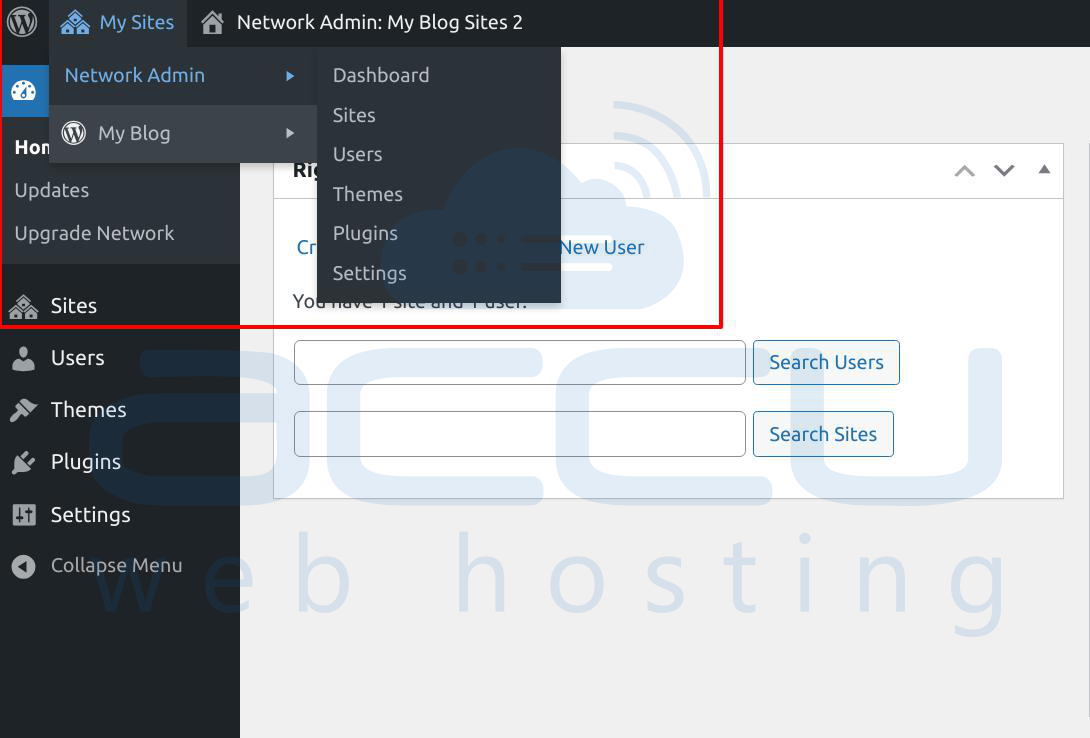
Step 2: Create New Sites in the Network
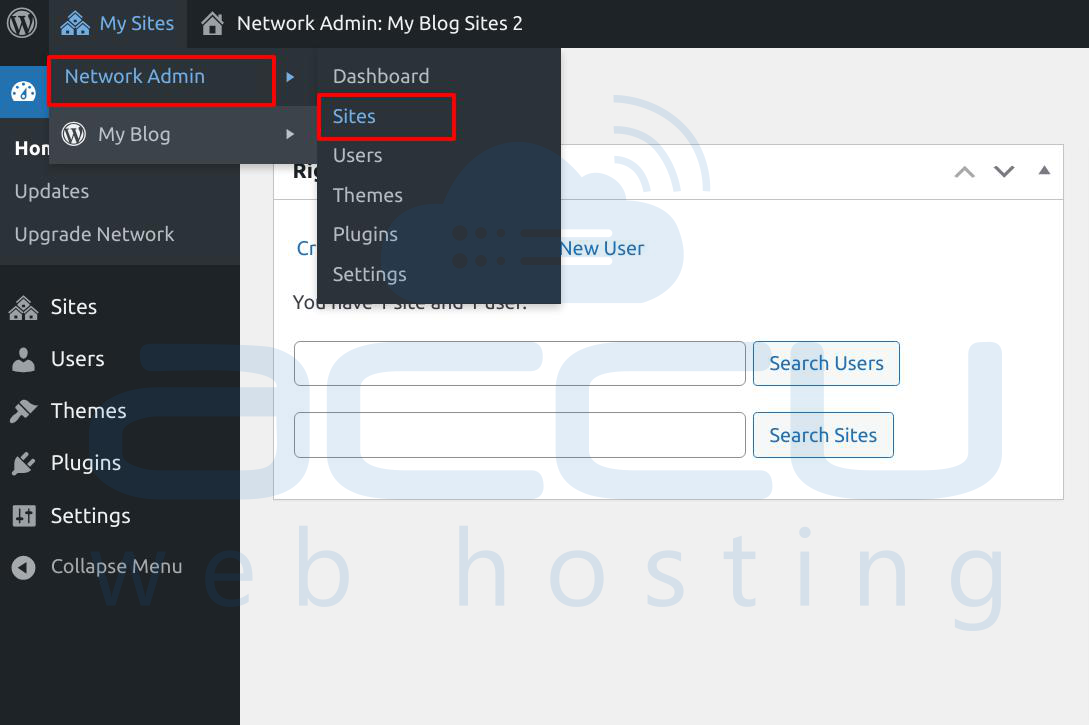
2.1 Go to My Sites → Network Admin → Sites
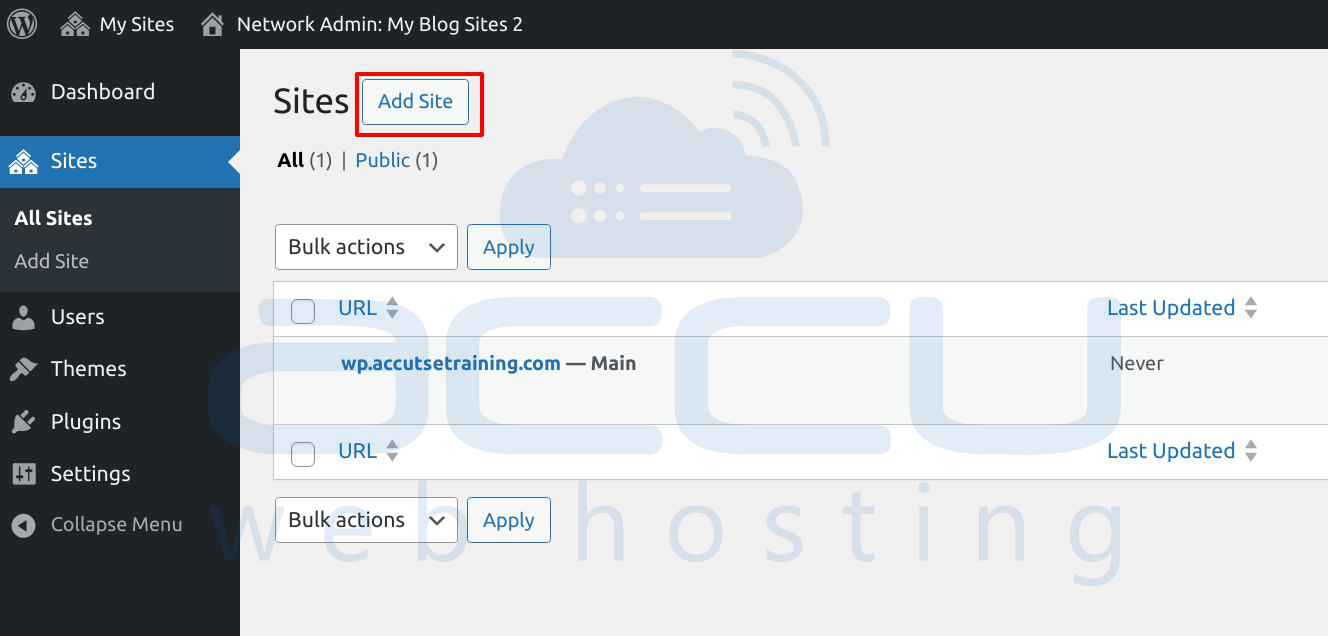
2.2 Click Add site
2.3 Enter:
-
Site Address (temporary)
-
Site Title
-
Admin Email
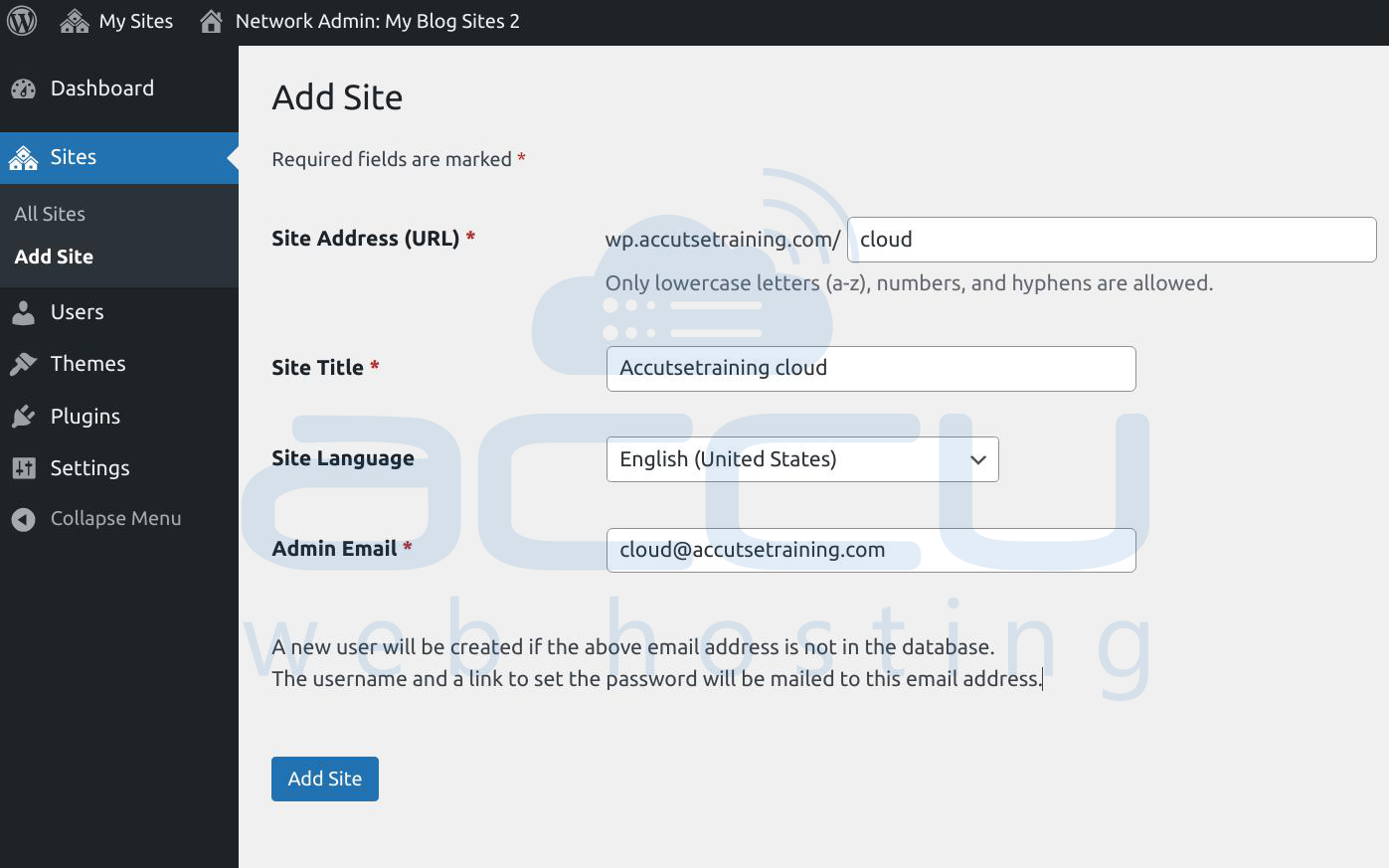
Repeat this process for each domain you want to manage.
Step 3: Configure Domain DNS (If you have setup Network Setup with subdomains)
For each domain you want to map:
-
Point the domain to your server’s IP address using an A record
OR -
Use a CNAME record pointing to your main network domain
This ensures that all domains resolve to your WordPress installation.
Step 4: Map Domains to Sites
Modern WordPress versions (4.5+) support domain mapping natively, no plugin required.
4.1 Go to Network Admin → Sites
4.2 Click Edit on a site
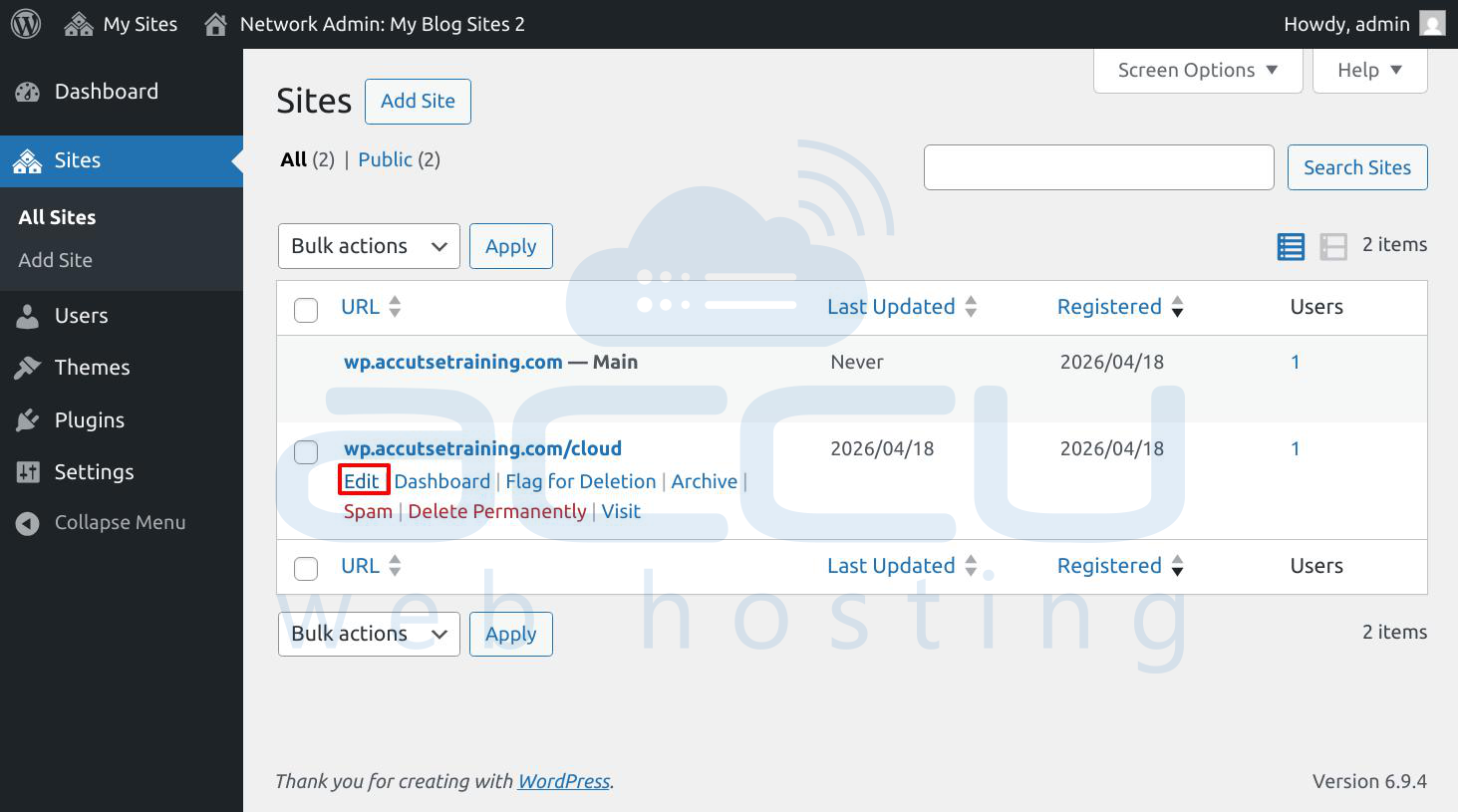
4.3 Navigate to the Settings tab
4.4 Replace the Site Address (URL) with your custom domain (e.g., https://example.com)
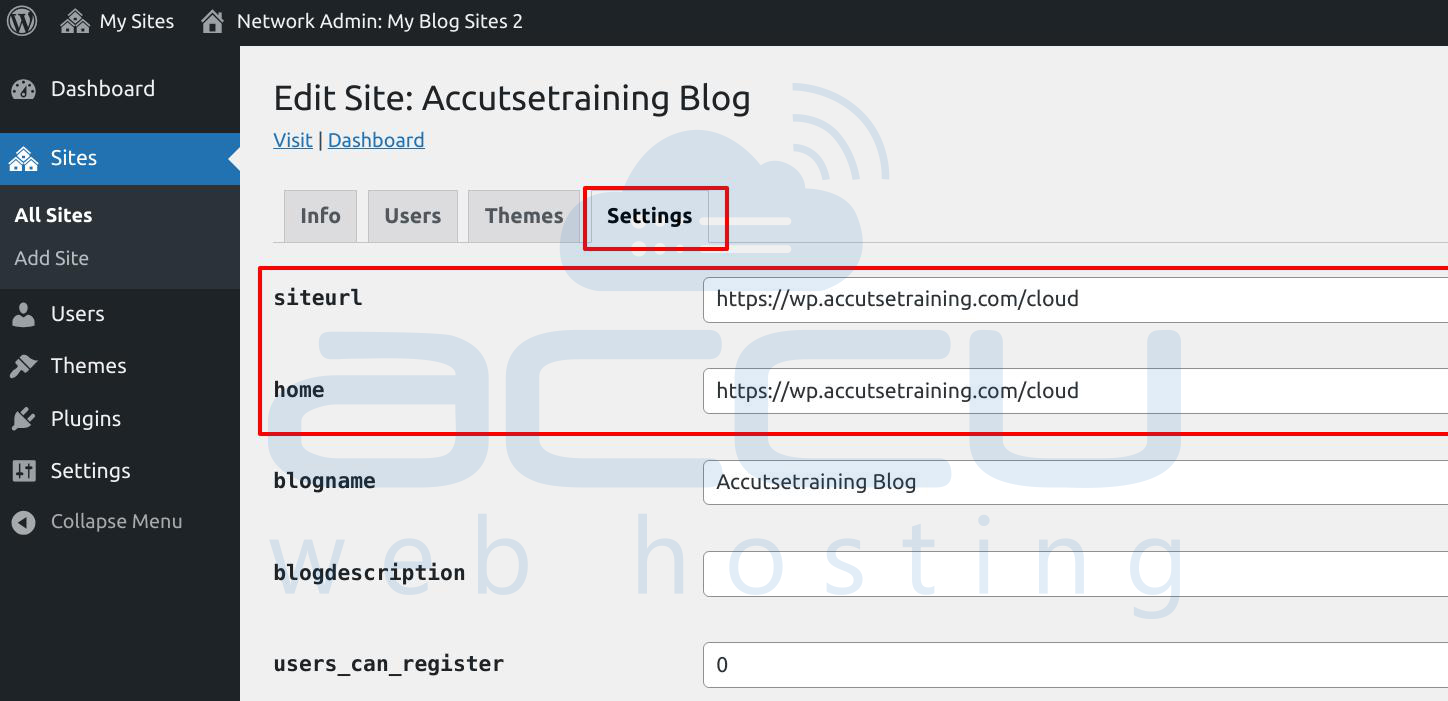
4.5 Save changes
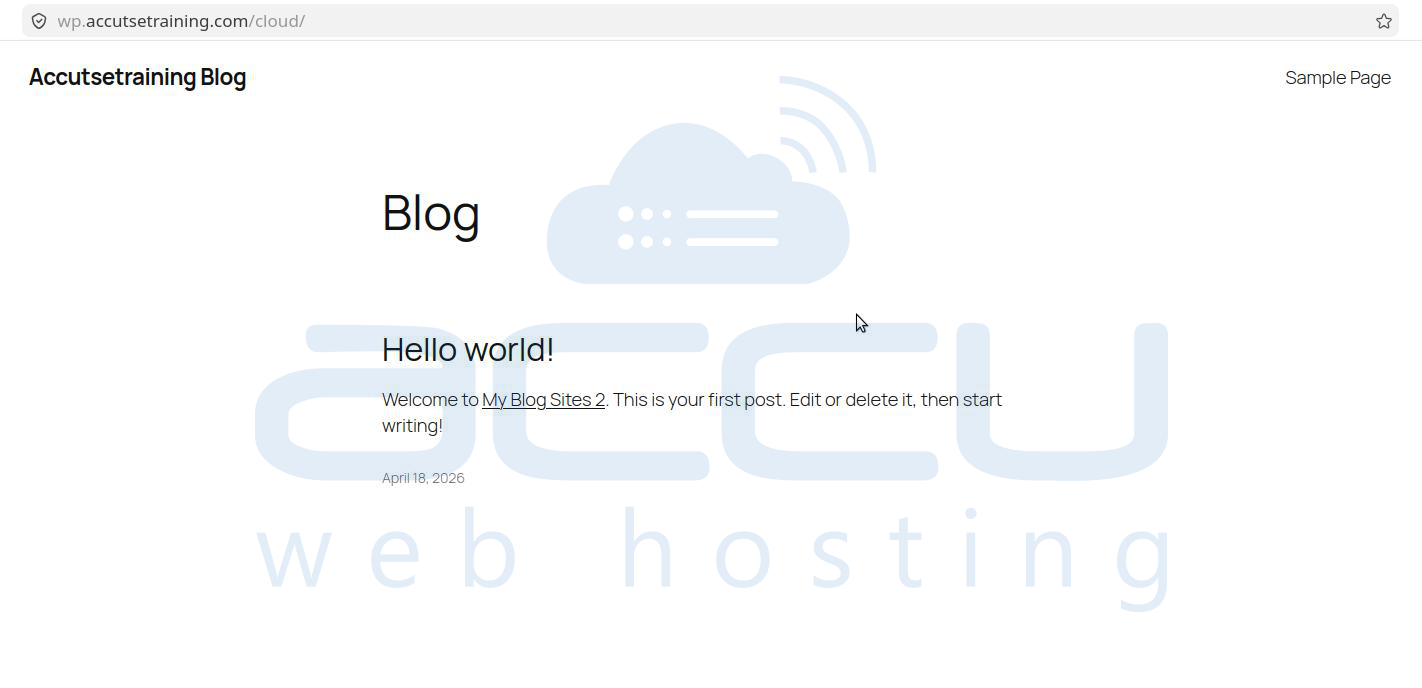
Now that site will load using its mapped domain.
Step 5: Set Up SSL for Each Domain(If you have setup Network Setup with subdomains)
To avoid browser warnings, Install SSL certificates for all mapped domains
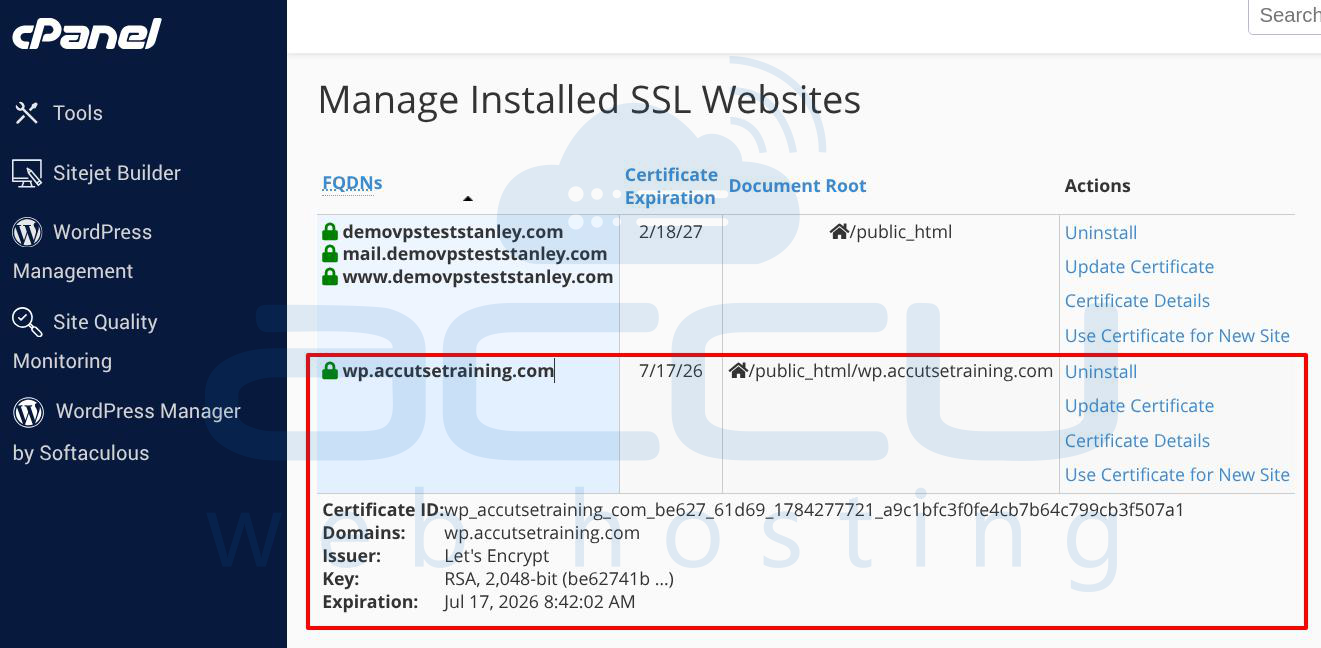
Ensure HTTPS is enforced in WordPress settings:
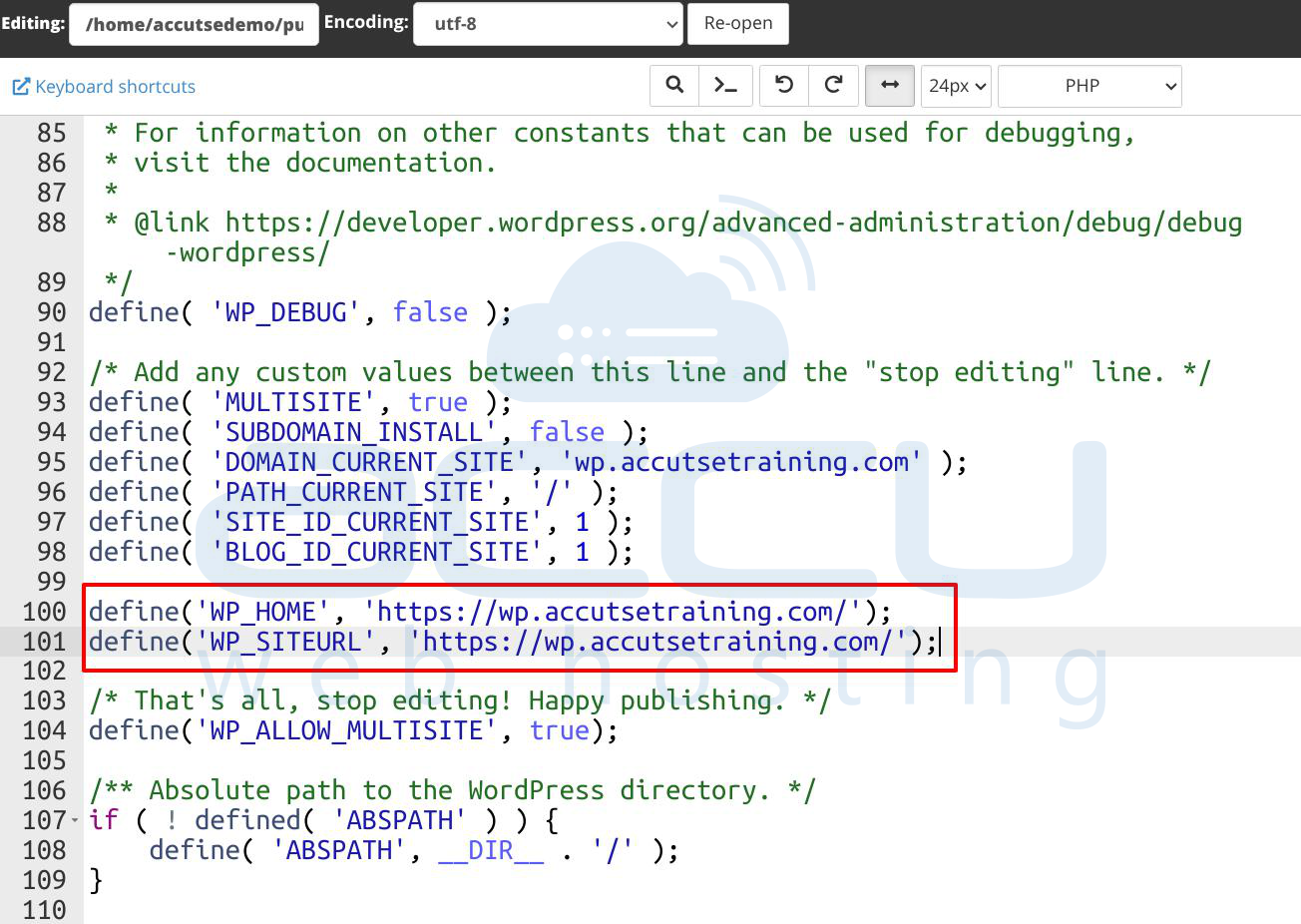
Enforce via wp-config.php (Recommended): Add the following lines in your wp-config.php file:
define('WP_HOME', 'https://yourdomain.com');
define('WP_SITEURL', 'https://yourdomain.com');
This overrides database values and guarantees HTTPS usage.
Step 6: Manage Themes and Plugins Centrally
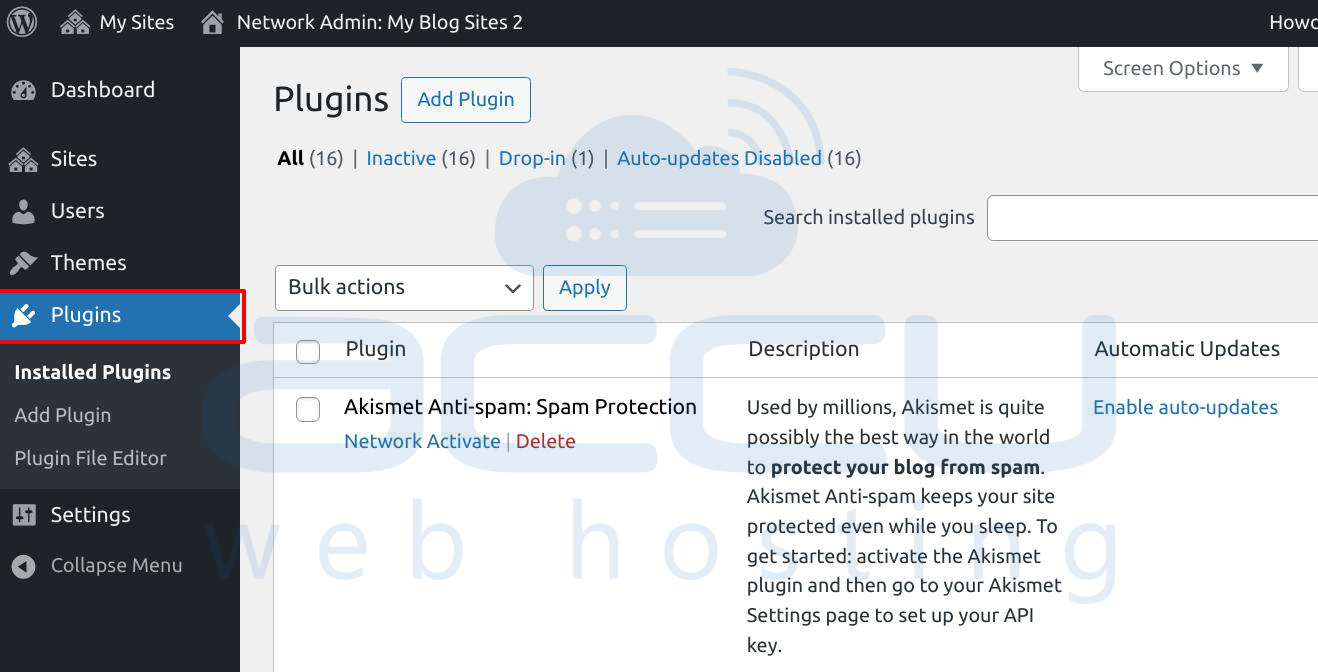
From the Network Admin dashboard, you can:
-
Install themes and plugins once
-
Activate them network-wide or per site
-
Control which sites can use specific plugins
This central control is one of Multisite’s biggest advantages.
Step 7: User and Permission Management
-
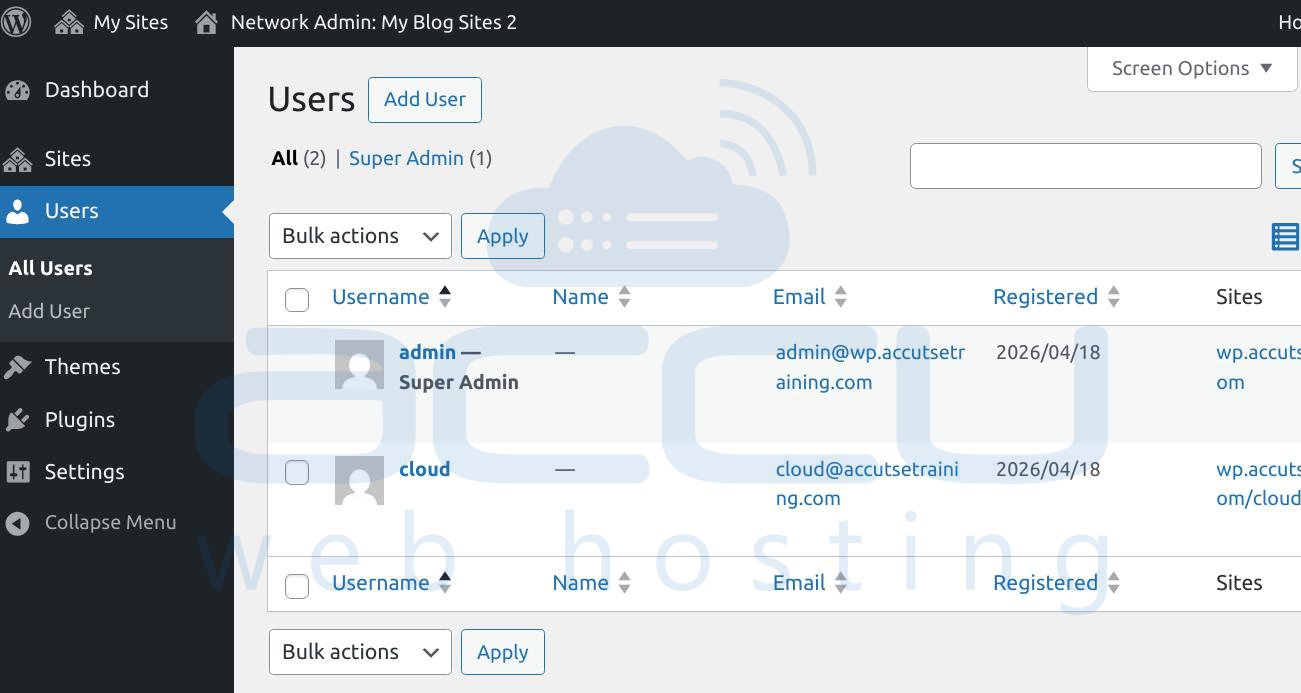
Add users at the network level
-
Assign roles per site (Administrator, Editor, etc.)
-
Give different teams access to different domains
Advantages of WordPress Multisite Using Domain Mapping Setup
-
Centralized management of multiple websites
-
Reduced maintenance and updates
-
Cost-effective hosting and Easy scalability
-
Consistent development environment
Conclusion
Using WordPress Multisite with domain mapping is an efficient way to manage multiple independent websites from a single dashboard. Whether you’re running a network of blogs, client sites, or regional business domains, this setup saves time, reduces complexity, and gives you full control. Once configured correctly, each domain functions as its own standalone site, while you enjoy the convenience of centralized management.
