
CPU Pinning for KVM Virtual Machines and Docker Containers
Performance tuning in virtualization environments is no longer optional. Whether you're running high-traffic applications, latency-sensitive workloads, databases, or network appliances, consistent CPU performance is critical. One of the most effective techniques to achieve predictable and optimized performance is CPU Pinning.
In this guide, we will cover what CPU pinning is, CPU pinning in KVM virtual machines and CPU pinning in Docker containers.
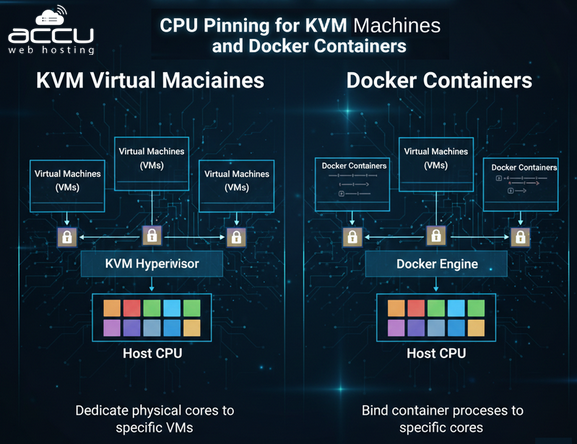
What is CPU Pinning?
CPU Pinning, also known as CPU Affinity, is the process of binding a virtual machine (VM), container, or process to specific physical CPU cores on a host system. Normally, the Linux scheduler dynamically distributes processes across available CPU cores to balance load and maximize utilization. However, this dynamic scheduling can introduce:
-
Extra time lost when the CPU keeps switching between tasks
-
Data not found in fast memory (cache), causing delays
-
Small, inconsistent changes in performance
-
Response time that is not stable or predictable
CPU pinning eliminates this unpredictability by forcing a workload to run only on designated physical CPU cores.
Why CPU Pinning Matters?
Modern servers often run multiple workloads simultaneously. In shared environments, CPU resources are constantly contested.
Without pinning:
-
VMs and containers compete for CPU cycles.
-
Applications move across cores.
-
Cache locality is reduced.
-
Latency becomes inconsistent.
With CPU pinning:
-
Workloads get dedicated CPU cores.
-
Cache utilization improves.
-
Latency becomes predictable.
-
Performance stabilizes under load.
This is especially important for:
-
Financial trading systems
-
VoIP servers
-
Real-time analytics
-
High-performance databases
-
NFV (Network Function Virtualization)
-
Gaming servers
-
Dedicated hosting platforms
How CPU Scheduling Works in Linux?
Linux uses the Completely Fair Scheduler (CFS) to distribute CPU time among processes.
By default:
-
Any process can run on any available CPU core.
-
The scheduler dynamically balances load.
-
Processes may migrate between cores.
While this improves overall throughput, it may harm latency-sensitive applications.
CPU pinning overrides this behavior by restricting a process to specific CPU cores.
CPU Pinning for KVM Virtual Machines
KVM (Kernel-based Virtual Machine) is one of the most widely used hypervisors in Linux environments. CPU pinning in KVM is typically managed using libvirt and the virsh command-line tool.
There are two approaches:
-
Temporary (runtime pinning)
-
Permanent (XML configuration)
Step 1: Check Available CPUs on Host. Before pinning, identify physical CPUs:
lscpu
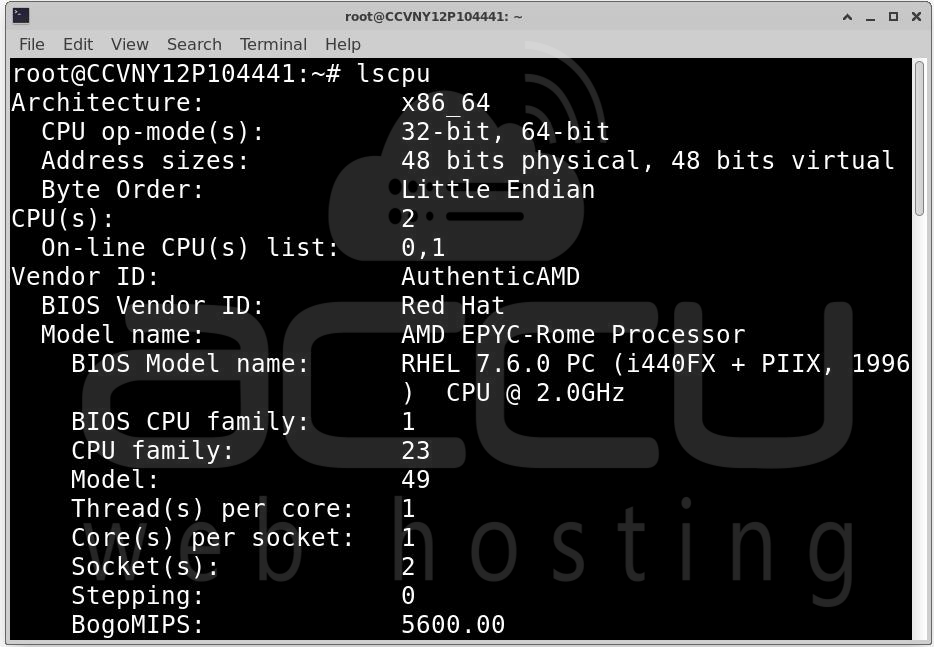
Or:
virsh nodeinfo
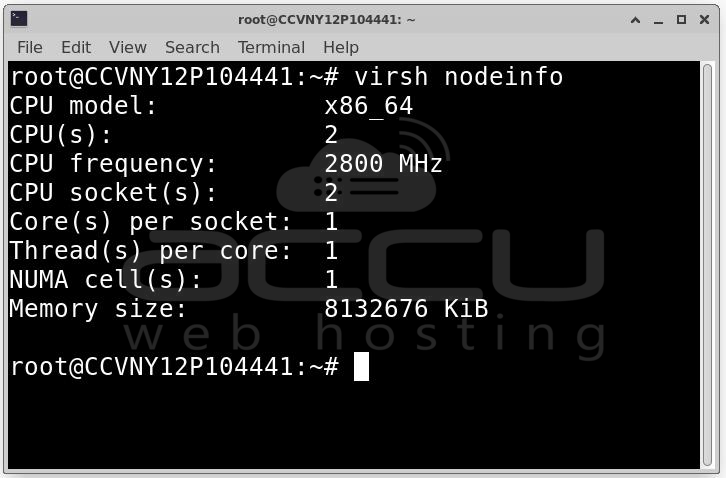
This shows:
-
Total CPUs
-
NUMA nodes
-
Threads per core
-
Core topology
Understanding topology is important before assigning cores.
Temporary CPU Pinning Using virsh
Temporary pinning lasts only until the VM is rebooted.
List VMs: virsh list --all
Pin a vCPU to a Physical CPU
Syntax: virsh vcpupin <vm-name> <vcpu-number> <physical-cpu>
Example:
virsh vcpupin myvm 0 2
This pins:
-
vCPU 0
-
To physical CPU 2
You can repeat for additional vCPUs.
Verify Pinning: virsh vcpuinfo myvm
This shows CPU affinity details.
Permanent CPU Pinning (Recommended for Production)
Permanent pinning ensures CPU bindings survive reboots.
Edit VM XML Configuration: virsh edit myvm
Add a <cputune> section:
<cputune>
<vcpupin vcpu='0' cpuset='2'/>
<vcpupin vcpu='1' cpuset='3'/>
</cputune>
This binds:
-
vCPU 0 → Physical CPU 2
-
vCPU 1 → Physical CPU 3
Restart VM
virsh shutdown myvm
virsh start myvm
Verify: virsh vcpuinfo myvm
CPU Pinning for Docker Containers
Docker uses Linux cgroups to manage CPU allocation.
There are two relevant concepts:
1. CPU pinning (core binding)
2. CPU quota limiting (time-based limit)
True CPU Pinning in Docker
Use --cpuset-cpus.
Example: docker run --cpuset-cpus="2,3" nginx
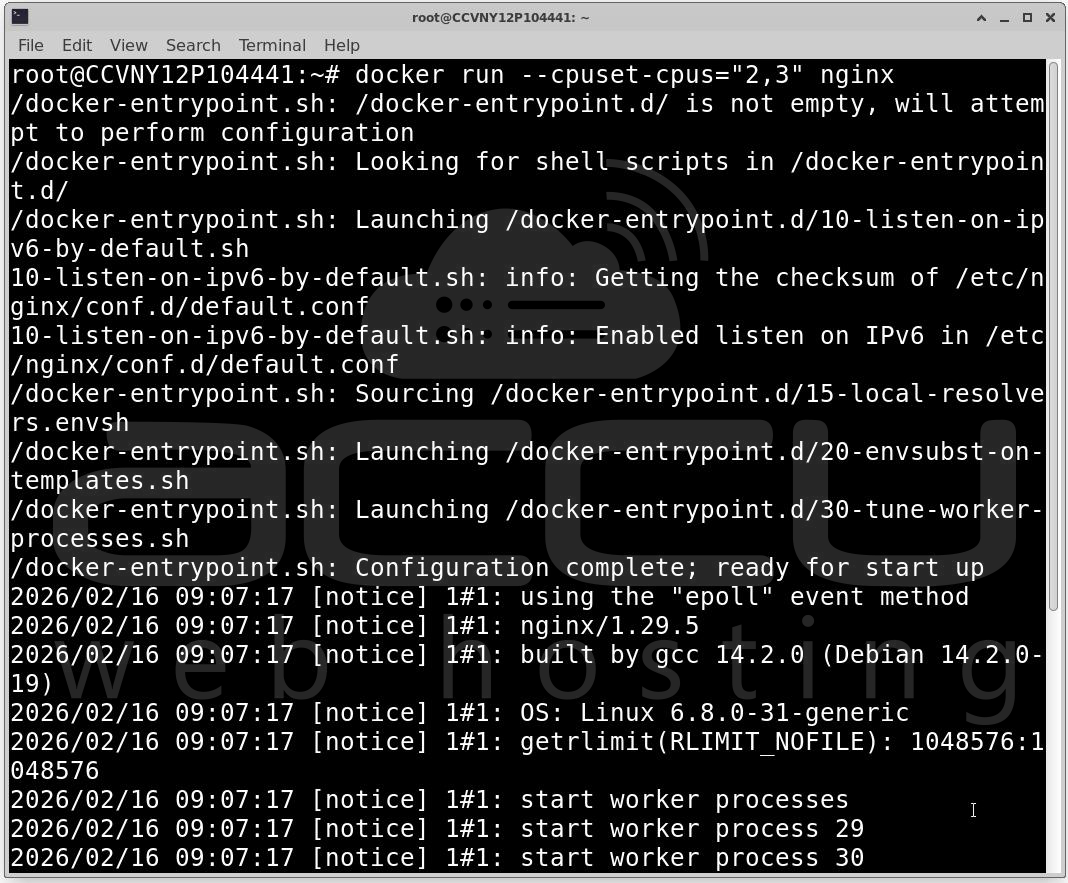
This restricts the container to CPU cores 2 and 3 only.
Using Docker Compose
version: '3'
services:
app:
image: nginx
cpuset: "2,3"
Start:
docker-compose up -d
CPU Limiting (Not Pinning)
This limits CPU usage but does not bind to specific cores:
docker run --cpus="2.0" nginx
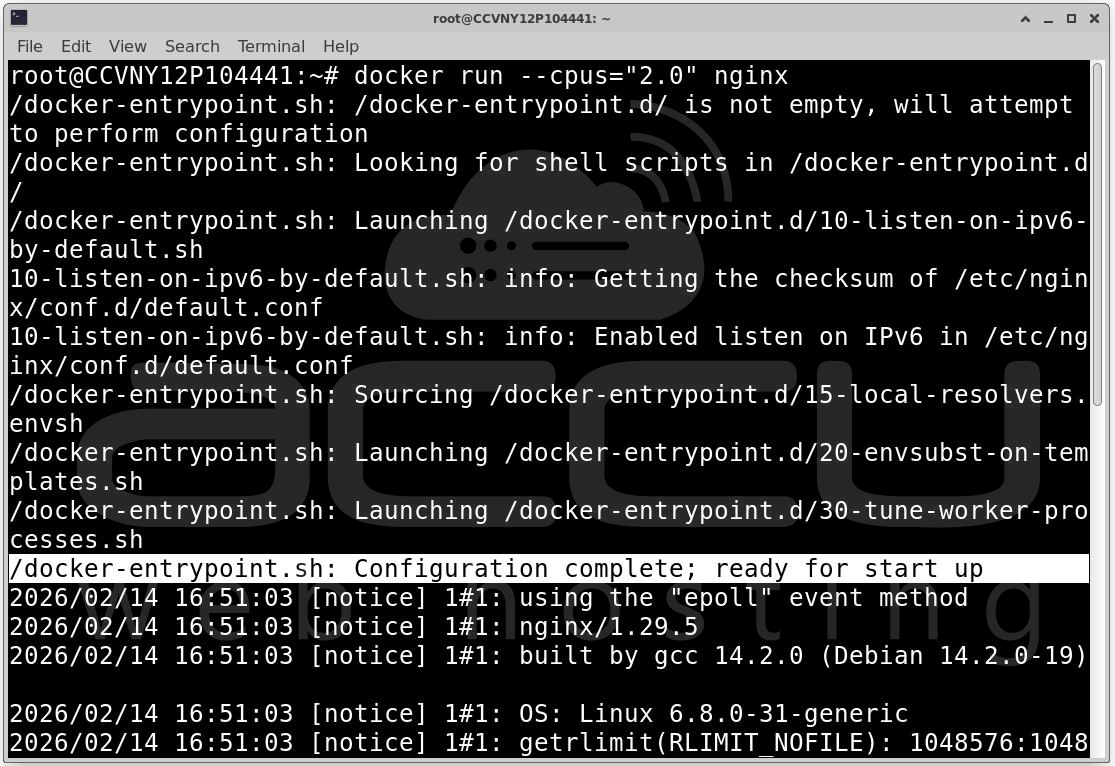
This allows usage of 2 cores worth of CPU time, but the scheduler decides which cores.
Verifying Docker CPU Pinning
Check configuration: docker inspect <container-id>

Look for: "CpusetCpus": "2,3"
Monitor live: htop
Real-World Use Cases
1. Database Servers: CPU pinning is highly beneficial for database workloads because it improves cache locality and reduces memory access overhead, resulting in more efficient CPU usage.
2. VoIP and Real-Time Apps: Latency spikes cause jitter. CPU pinning prevents unpredictable scheduling and ensures consistent packet processing.
3. NFV (Network Function Virtualization): Virtual routers and firewalls need deterministic performance. Pinning reduces packet drop and improves throughput.
4. Dedicated Hosting: Hosting providers isolate customer VMs to prevent noisy neighbor effects and guarantee performance tiers.

Benefits of CPU Pinning
-
Predictable latency
-
Improved cache performance
-
Reduced context switching
-
Better isolation
-
Enhanced real-time performance
CPU Pinning vs CPU Limiting
|
Feature |
CPU Pinning |
CPU Limiting |
|
Core Binding |
Yes – CPU pinning binds a VM, container, or process to specific physical CPU cores. This ensures the workload runs only on designated cores, improving cache usage and predictability. |
No – CPU limiting restricts the total CPU time a process can use but does not fix it to specific cores. The scheduler can move it across any available CPU. |
|
Latency Stability |
High – Since workloads run on dedicated cores, latency is predictable and consistent. Ideal for real-time or latency-sensitive applications such as financial trading, VoIP, or NFV. |
Moderate – CPU time is controlled, but because tasks can move between cores, latency may vary slightly depending on host load and scheduling. |
|
Scheduler Flexibility |
Low – The OS scheduler cannot migrate pinned workloads to other cores. This improves predictability but reduces flexibility for dynamic load balancing. |
High – Processes can move freely between cores. The scheduler optimizes overall CPU utilization, which is good for shared environments with many processes. |
|
Best For |
Real-time workloads, Low-latency applications, high-performance VMs, or dedicated containers that require consistent CPU performance. |
Shared environments, Multi-tenant servers, general-purpose workloads, or container clusters where CPU sharing and dynamic allocation are preferred. |
Conclusion
CPU pinning is more than just a way to boost performance, it's a smart way to optimize how virtual machines use the CPU. When done right, it helps make the system more predictable, reduces delays for sensitive applications, and improves reliability by preventing issues caused by other applications (known as noisy neighbor problems). But, it’s important to plan, test, and keep an eye on it regularly to make sure it's working as expected. In industries like finance and telecom, where performance is critical, CPU pinning is often a must-have.


