
If you are experiencing session problems in OSCommerce when switching between HTTP and HTTPS, it usually happens because sessions are not shared correctly across the two protocols. Users may be logged out unexpectedly, or their shopping cart may reset. Here’s how to fix it quickly.
1. Check configure.php Files
OSCommerce has two configure.php files:
- /includes/configure.php
- /admin/includes/configure.php
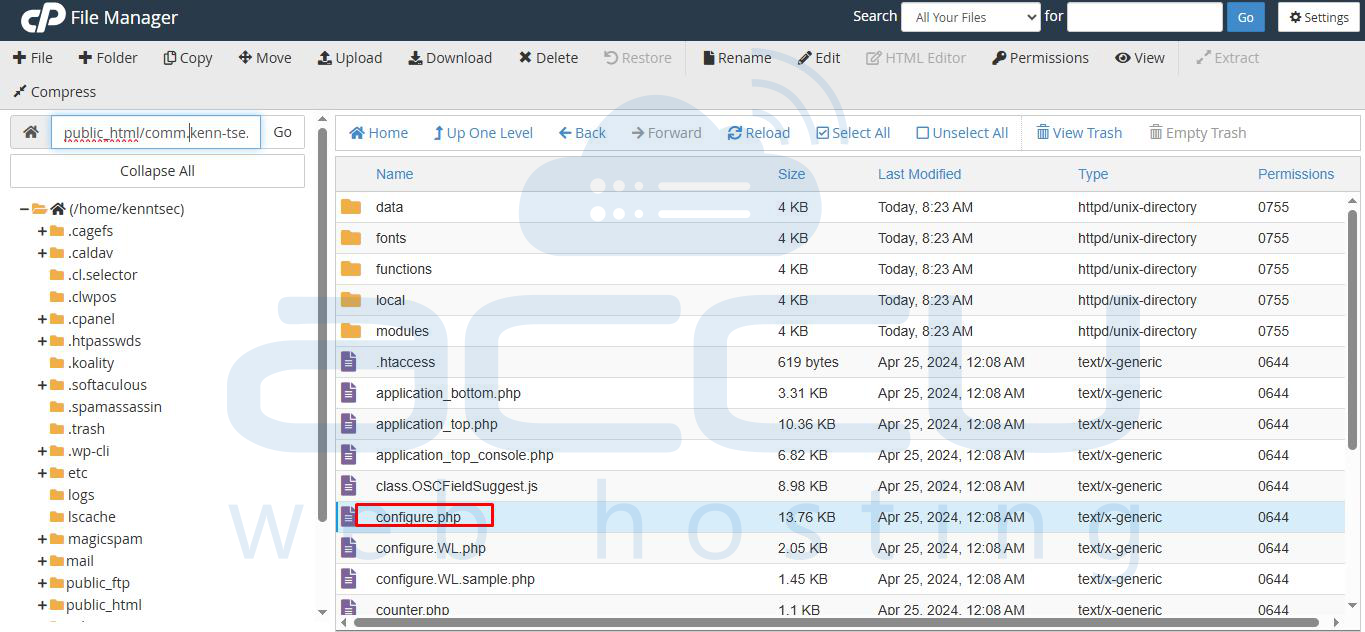
Ensure that the HTTP_SERVER and HTTPS_SERVER constants are correctly defined:
define('HTTP_SERVER', 'http://yourdomain.com');
define('HTTPS_SERVER', 'https://yourdomain.com');
define('ENABLE_SSL', true);
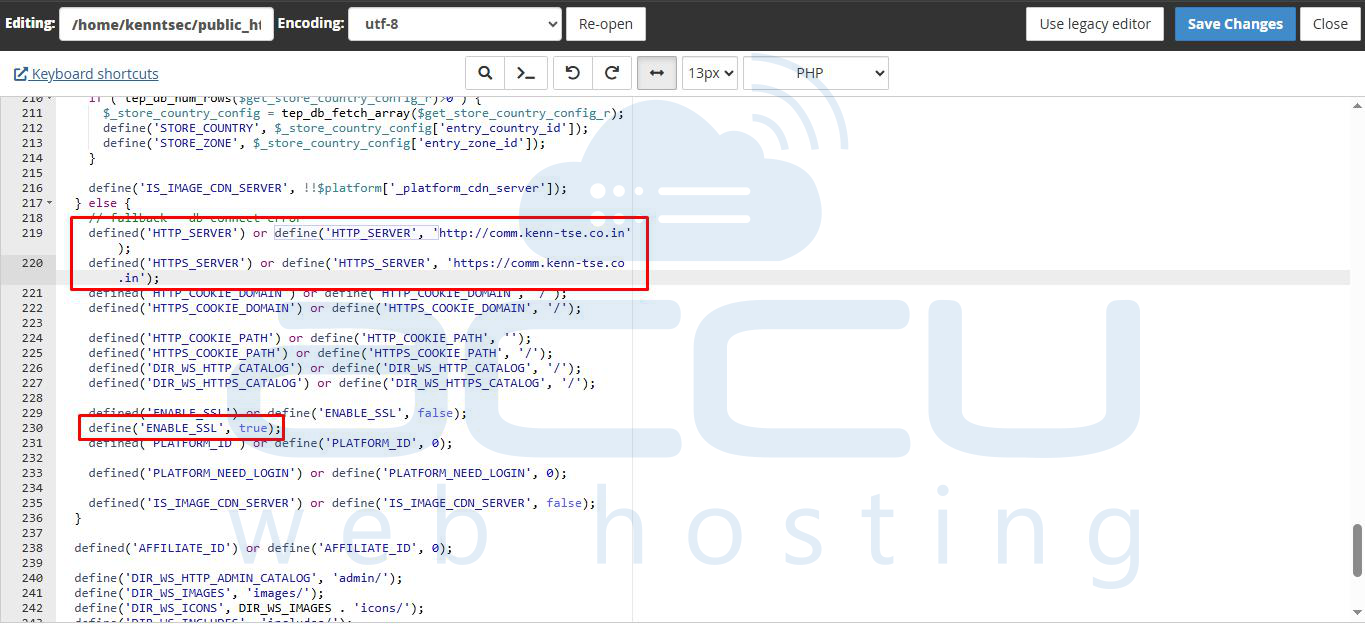
Make sure the DIR_WS_CATALOG and DIR_WS_ADMIN paths are correct.
2. Enable Consistent Cookie Settings
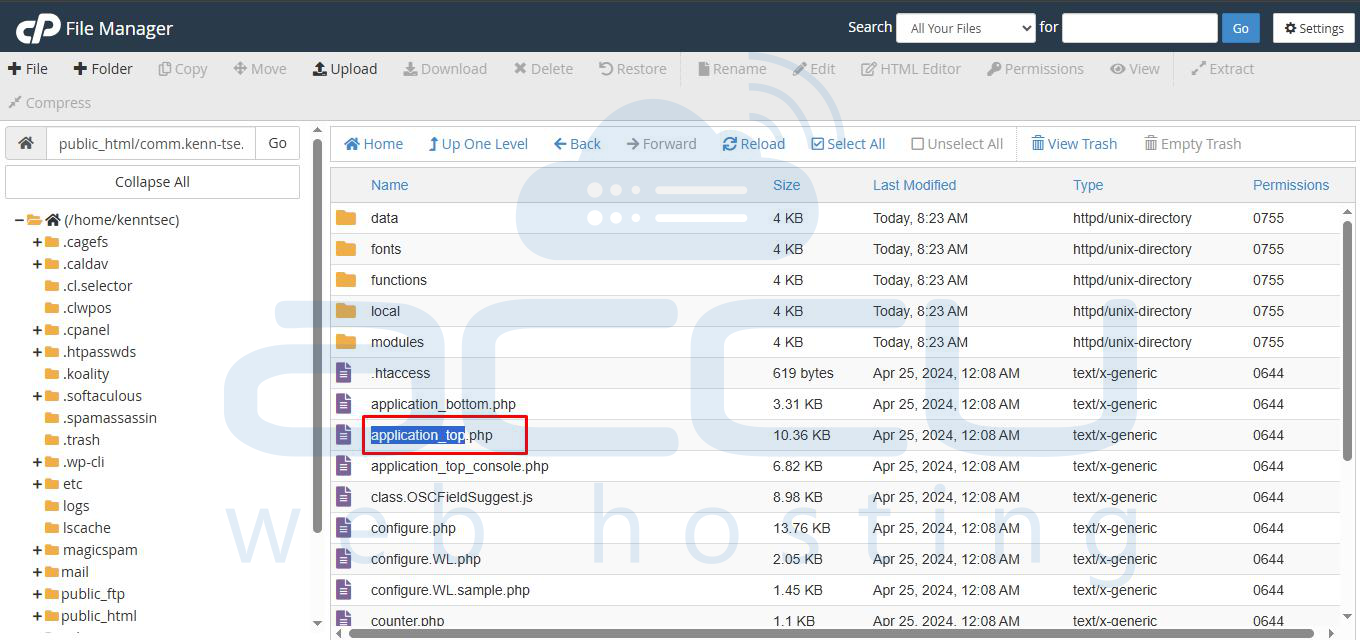
Open /includes/application_top.php and ensure the session cookie is consistent for both HTTP and HTTPS:
ini_set('session.cookie_secure', 1); // Use 0 if testing on HTTP only
ini_set('session.cookie_httponly', 1);
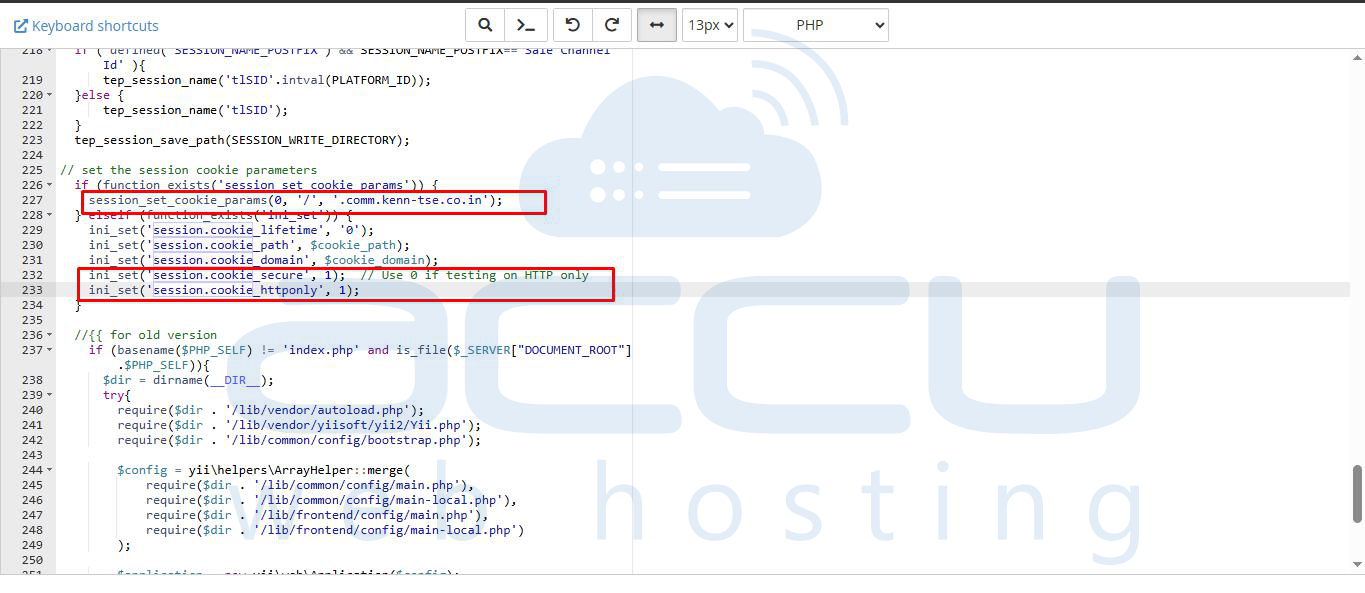
Also, check your domain is set correctly when initializing the session:
session_set_cookie_params(0, '/', '.comm.kenn-tse.co.in');
This ensures cookies are valid for both HTTP and HTTPS.
3. Force SSL for All Pages
If possible, configure your store to always use HTTPS. This avoids session issues entirely:
define('ENABLE_SSL', true);
define('HTTP_SERVER', 'https://yourdomain.com');
define('HTTPS_SERVER', 'https://yourdomain.com');
Update any hard-coded links or redirects to HTTPS.
4. Clear Cache and Cookies
After making changes, clear your browser cache and cookies. Old session cookies may still cause issues.
5. Test Your Fix
- Open your store in both HTTP and HTTPS.
- Add items to your cart and navigate between pages.
- Verify that the session remains active and the cart persists.
Conclusion
Session issues between HTTP and HTTPS in OSCommerce are usually caused by misconfigured server constants, cookie settings, or mixed-protocol browsing. Ensuring consistent configuration and using HTTPS throughout the store usually resolves the problem.
