
Introduction:
Alpine Linux is a lightweight, security-focused Linux distribution widely used for containers, minimal servers, and build environments. In many VPS environments, installing a new operating system via ISO or kexec may be restricted or unreliable.
This article explains a safe, supported, and production-ready method to run Alpine Linux on an Ubuntu 24.04 VPS without using an ISO. The approach uses an Alpine chroot environment, which provides a full Alpine userspace while keeping the Ubuntu kernel and bootloader intact.
Architecture Overview:
In a chroot-based setup:
- Ubuntu 24.04 remains the host operating system
- Ubuntu kernel and GRUB remain unchanged
- Alpine Linux runs as a complete userspace inside /alpine
- Applications run with native performance (no virtualization overhead)
This is commonly used in CI/CD systems, container build hosts, and restricted VPS platforms.
Step-by-Step Installation
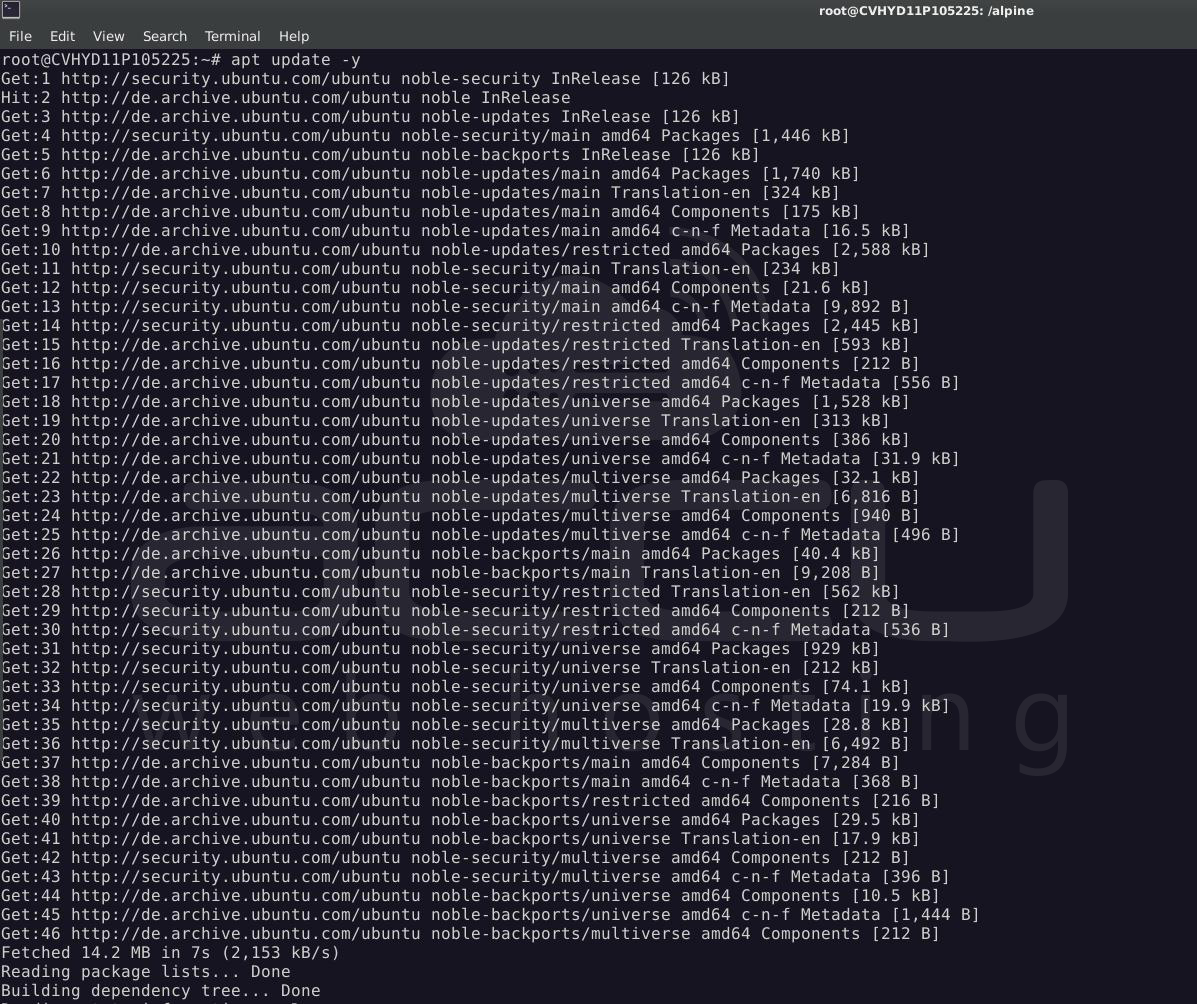
Step 1: Log in to your VPS and update it
> apt update -y
Step 2: Prepare a Clean Directory (Ubuntu Host)
> rm -rf /alpine
> mkdir -p /alpine

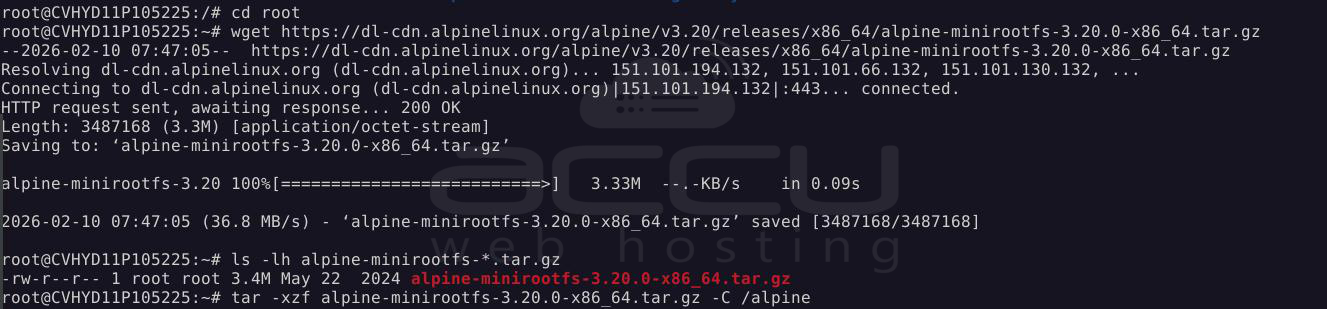
Step 3: Download Alpine MinirootFS
> cd /root
> wget https://dl-cdn.alpinelinux.org/alpine/v3.20/releases/x86_64/alpine-minirootfs-3.20.0-x86_64.tar.gz
Step 4: Extract Alpine Root Filesystem
> tar -xzf alpine-minirootfs-3.20.0-x86_64.tar.gz -C /alpine
- Verify:
> ls /alpine/bin /alpine/etc
Step 5: Prepare the Chroot Environment
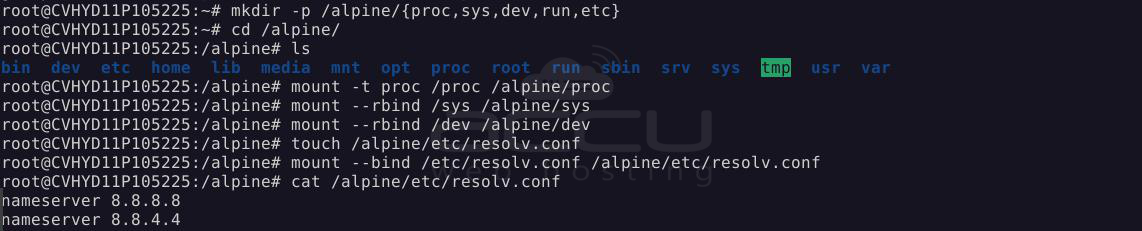
- Create required directories:
> mkdir -p /alpine/{proc,sys,dev,run,etc}
- Mount system filesystems:
> mount -t proc /proc /alpine/proc
> mount --rbind /sys /alpine/sys
> mount --rbind /dev /alpine/dev
- Bind DNS configuration:
> touch /alpine/etc/resolv.conf
> mount --bind /etc/resolv.conf /alpine/etc/resolv.conf
Step 6: Enter Alpine Linux
> chroot /alpine /bin/sh
- Verify:
> cat /etc/os-release
- Expected output:
Alpine Linux v3.20

Step 7: Configure Alpine Package Repositories
> cat > /etc/apk/repositories <<EOF
https://dl-cdn.alpinelinux.org/alpine/v3.20/main
https://dl-cdn.alpinelinux.org/alpine/v3.20/community
EOF

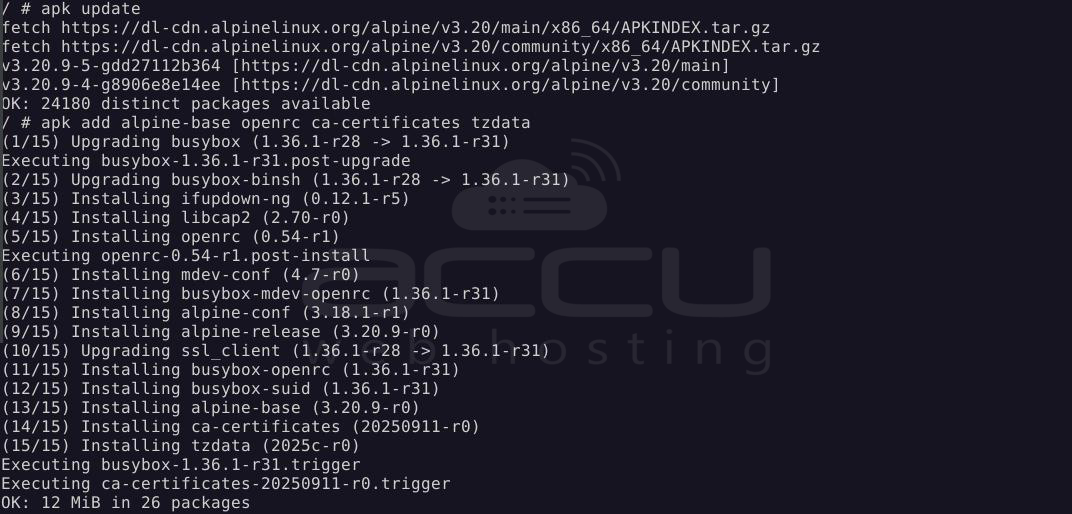
Step 8: Update Packages and Install Base System
> apk update
> apk add alpine-base openrc ca-certificates tzdata
Step 9: Fix OpenRC for Chroot Environment
> mkdir -p /run/openrc
> touch /run/openrc/softlevel
Step 10: Basic System Configuration
- Hostname
> echo "alpine-chroot" > /etc/hostname
- Timezone
> cp /usr/share/zoneinfo/UTC /etc/localtime
> echo "UTC" > /etc/timezone

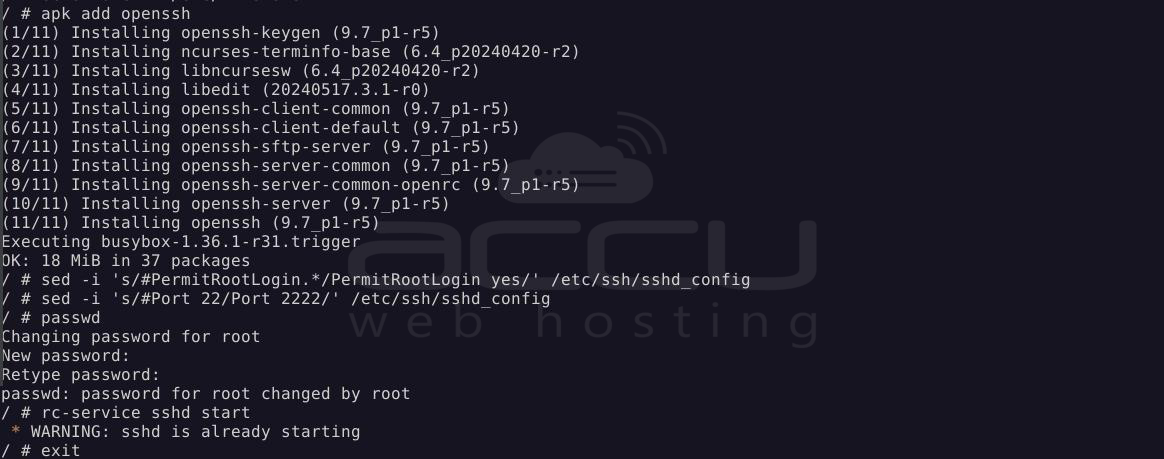
Step 11: Install and Configure SSH (Optional)
> apk add openssh
- Allow root login:
> sed -i 's/#PermitRootLogin.*/PermitRootLogin yes/' /etc/ssh/sshd_config
- Change SSH port to avoid conflict with Ubuntu:
> sed -i 's/#Port 22/Port 2222/' /etc/ssh/sshd_config
- Set root password:
> passwd
- Start SSH:
> rc-service sshd start
Step 12: Exit Alpine
> exit
If you want to re-enter Alpine Linux, you can do so via chroot
From Ubuntu:
> chroot /alpine /bin/sh
Summary:
This guide demonstrated how to install and run Alpine Linux on an Ubuntu 24.04 VPS without using an ISO by leveraging a chroot environment. The method is safe, reversible, and works even on VPS platforms that restrict kernel replacement or rescue mode access.
By correctly preparing the chroot environment, mounting required system filesystems, configuring DNS, and installing the Alpine base system, you now have a fully functional Alpine Linux environment running alongside Ubuntu.
Conclusion:
Running Alpine Linux inside a chroot on Ubuntu 24.04 is a practical and reliable solution when a full operating system replacement is not feasible. This approach allows you to take advantage of Alpine’s lightweight design, security posture, and efficient package management while keeping the host system stable and untouched.
By avoiding kernel and bootloader changes, the risk of system failure is minimized, making this method suitable for production environments, testing platforms, and long-running services. The setup is fully reversible, easy to maintain, and compatible with most VPS and cloud infrastructures.
For administrators who need Alpine Linux functionality without disrupting an existing Ubuntu installation, a chroot-based deployment offers an effective balance between flexibility, safety, and performance.
