
Install Dokploy on Ubuntu 24.04
Dokploy is an open-source application deployment platform built on top of Docker Swarm. It provides a web-based interface to deploy and manage applications, databases, and services. Dokploy also includes built-in SSL support, making it suitable for production environments. This guide explains how to install Dokploy on Ubuntu 24.04 using the official installation script.
Prerequisites
Before starting the installation, ensure the following requirements are met:
-
Operating System: A fresh installation of Ubuntu 24.04 (Server or Desktop)
-
System Resources: At least 2 GB of RAM and 30 GB of available disk space
-
User Access: Root user or a user with sudo privileges
-
Network Ports: Ports 80, 443, and 3000 must be open and not used by other applications
Install Dokploy Using the One-Line Script
Dokploy provides an official installation script that automates the setup process. This script performs the following tasks:
-
Installs Docker
-
Initializes Docker Swarm using your server’s IP address
-
Deploys Dokploy core services, including: Web UI, Traefik (reverse proxy), PostgreSQL, Redis
Run the following command on your server:
curl -sSL https://dokploy.com/install.sh | sh
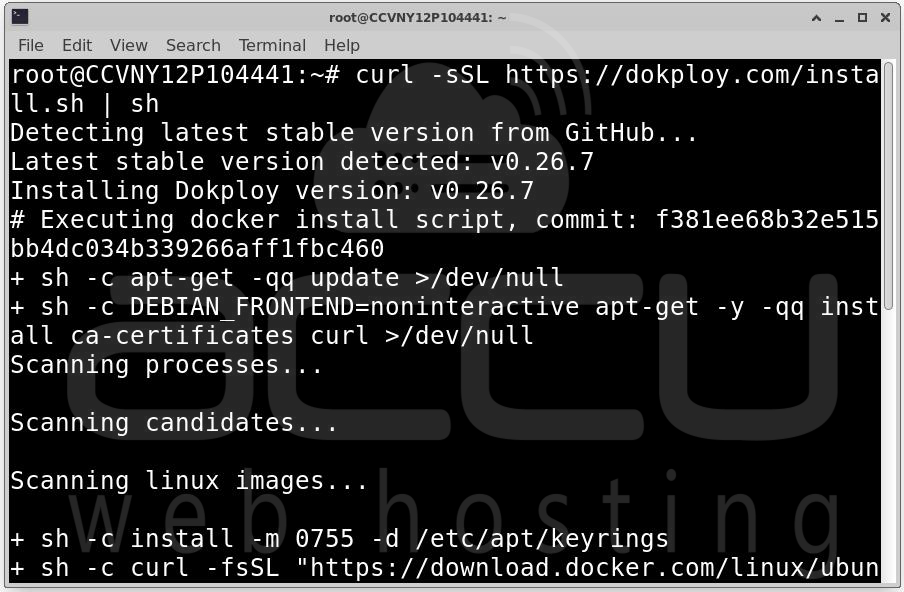
The installation process typically takes 5 to 10 minutes.
Wait until you see the message:
Dokploy has been successfully installed
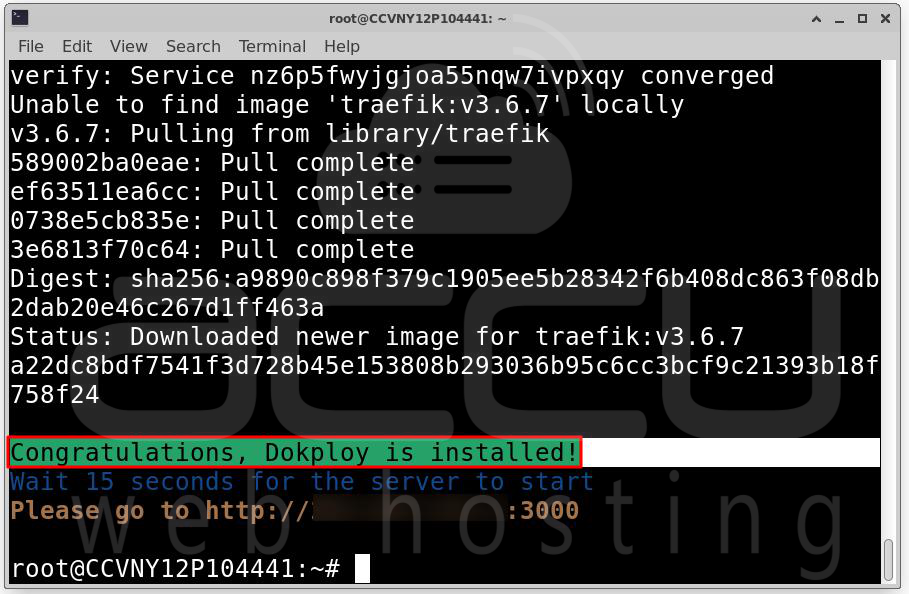
Open Firewall Port (Optional): If your server uses UFW (Uncomplicated Firewall), allow access to port 3000:
sudo ufw allow 3000/tcp
sudo ufw reload
Access the Dokploy Dashboard: After installation, open a web browser and go to:
http://YOUR_SERVER_IP:3000
Replace YOUR_SERVER_IP with your server’s public IP address.
Initial Configuration: On the first login, create an administrator account by providing:
-
Username: Example: dokploy-admin
-
Email: Administrator email address
-
Password: A strong password
Click Save to finish the setup.
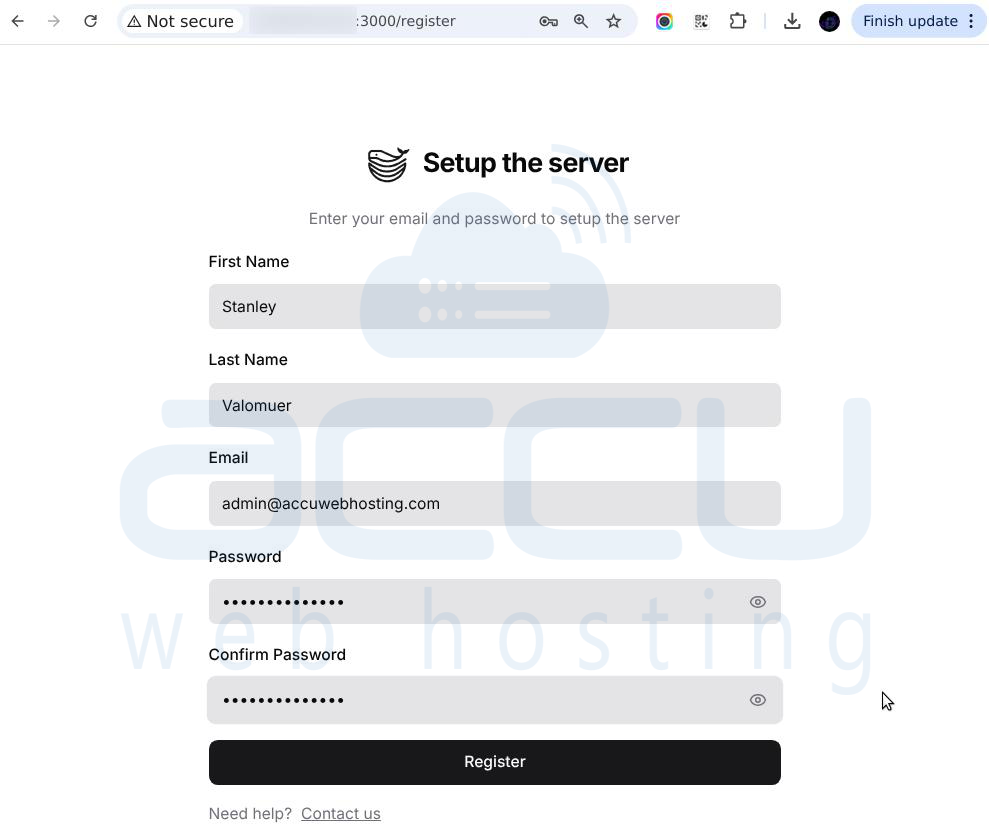
After logging in, you can deploy applications using Git repositories or Docker Compose files. You can also manage databases, configure services, and enable SSL directly from the Dokploy dashboard.
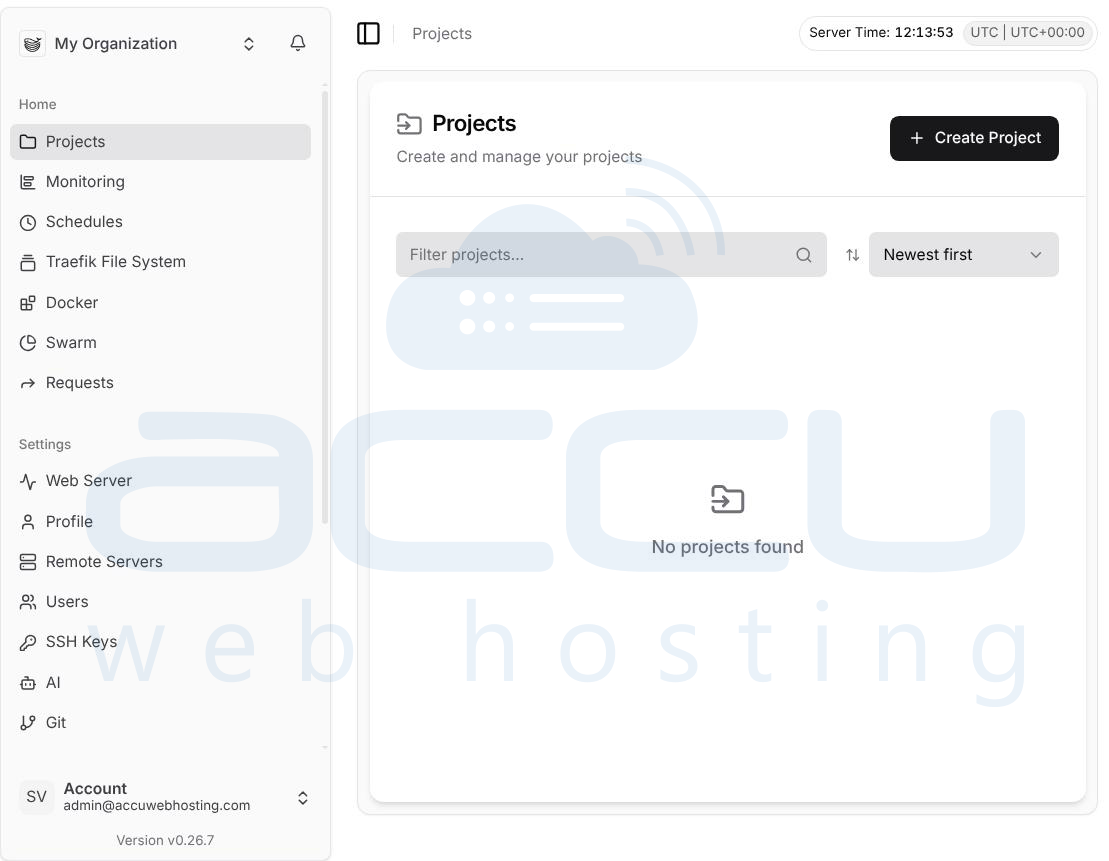
Conclusion
Installing Dokploy on Ubuntu 24.04 is a straightforward process using the official installation script. With Docker Swarm handling orchestration and Dokploy providing a clean web interface, managing and deploying applications becomes much simpler. Once installed, Dokploy offers a reliable platform for running modern containerized applications with minimal configuration effort. Dokploy is now ready for use in development or production environments.


