
The “Relay access denied” error is a common SMTP issue encountered on mail servers running Postfix or Exim. It occurs when a mail server refuses to forward an email because the sending client is not authorized. This is a security feature to prevent open relays and spam abuse.
This article explains the causes of this error, practical solutions for both Postfix and Exim, and how to configure email clients to prevent it.
What Does “Relay Access Denied” Mean?
In simple terms, this error indicates:
- The mail server received a request to send email to an external domain.
- The server does not trust or recognize the sender.
- As a result, the server refuses to relay the message.
It typically affects:
- Web applications (PHP scripts, WordPress contact forms)
- Email clients (Outlook, Thunderbird, mobile apps)
- Scripts using SMTP authentication
Common Causes
1. SMTP authentication is not enabled or used
2. Incorrect SMTP username or password
3. Sending email without authentication from an external IP
4. Domain or IP not allowed in relay configuration
5. Misconfigured mail server settings
Possible Solutions
1. Enable SMTP Authentication (Recommended)
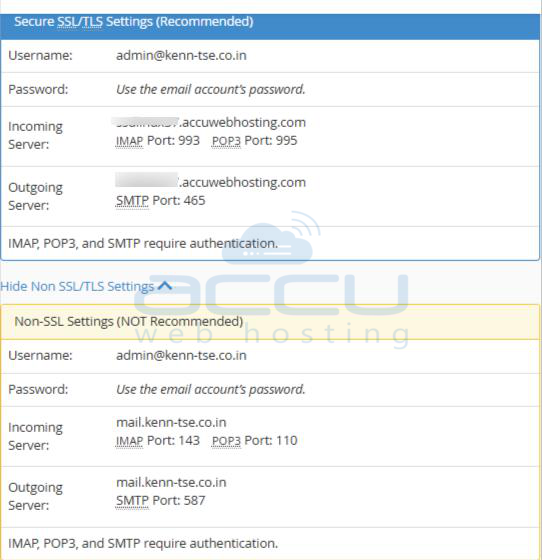
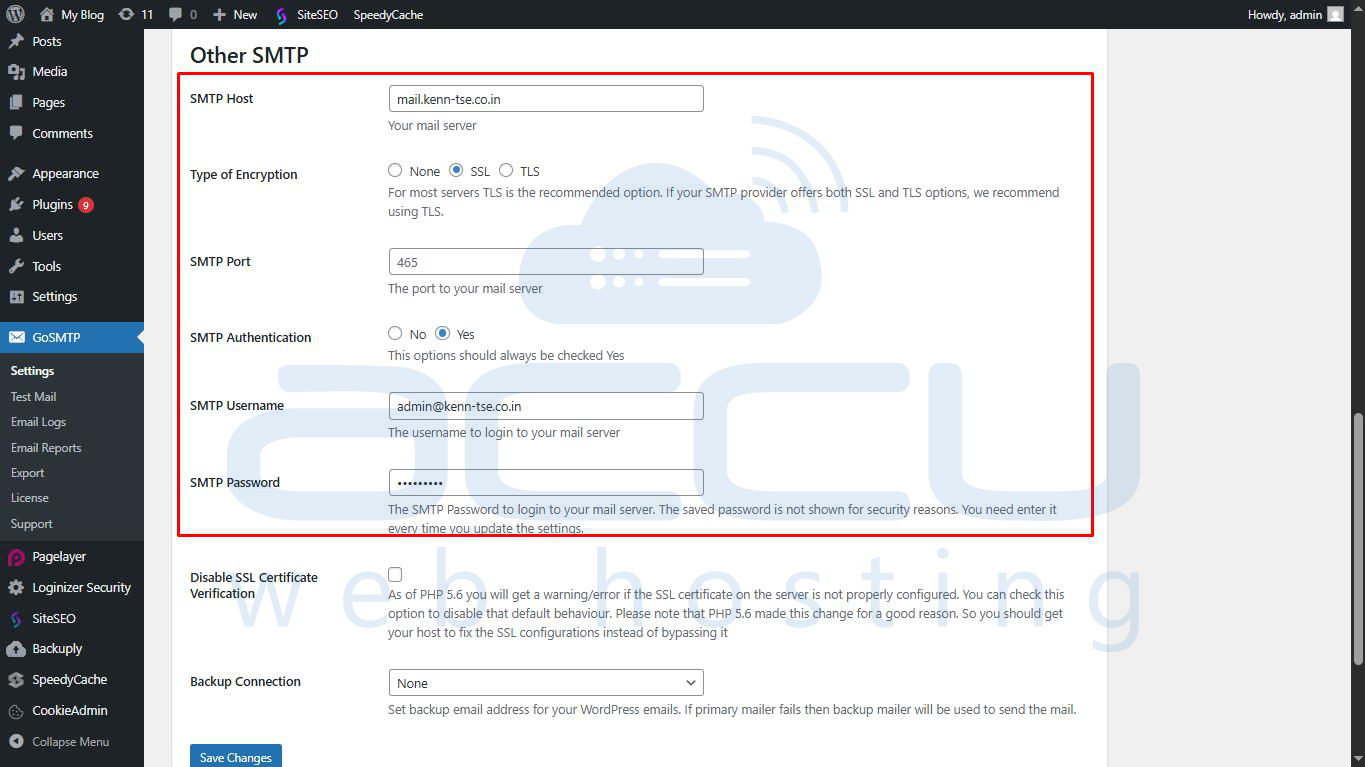
Ensure your email client or application is configured to use SMTP authentication.
Check the following:
- SMTP server hostname (e.g., mail.yourdomain.com)
- Correct port: 587 with STARTTLS (recommended) or 465 with SSL/TLS
- Authentication enabled
- Full email address as username
- Correct password
2. Use the Correct SMTP Port and Encryption
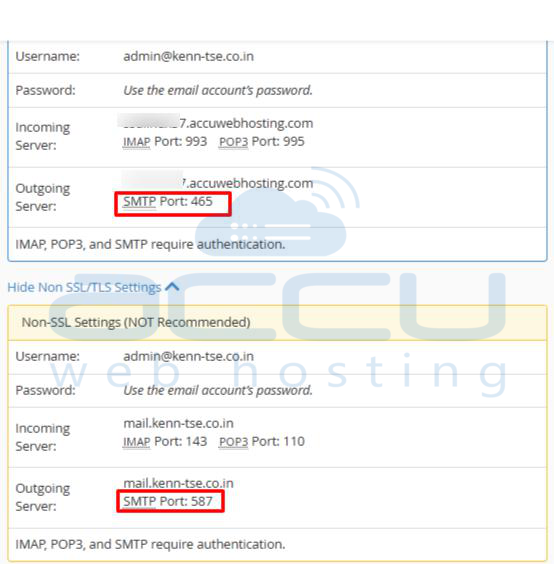
Avoid using port 25 for outgoing mail. Recommended ports:
- 587 with STARTTLS (preferred)
- 465 with SSL/TLS
3. Configure Postfix to Allow Authenticated Relaying (Optional for Postfix servers)
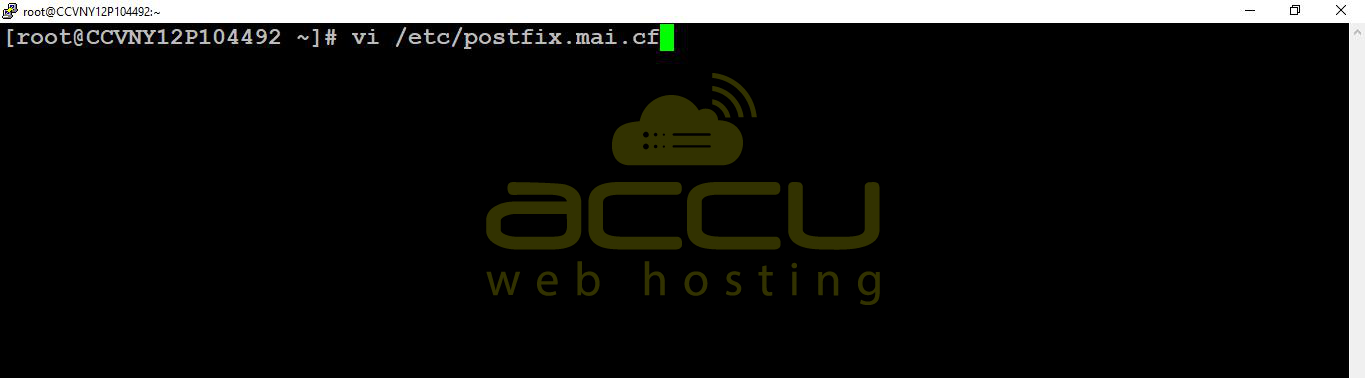
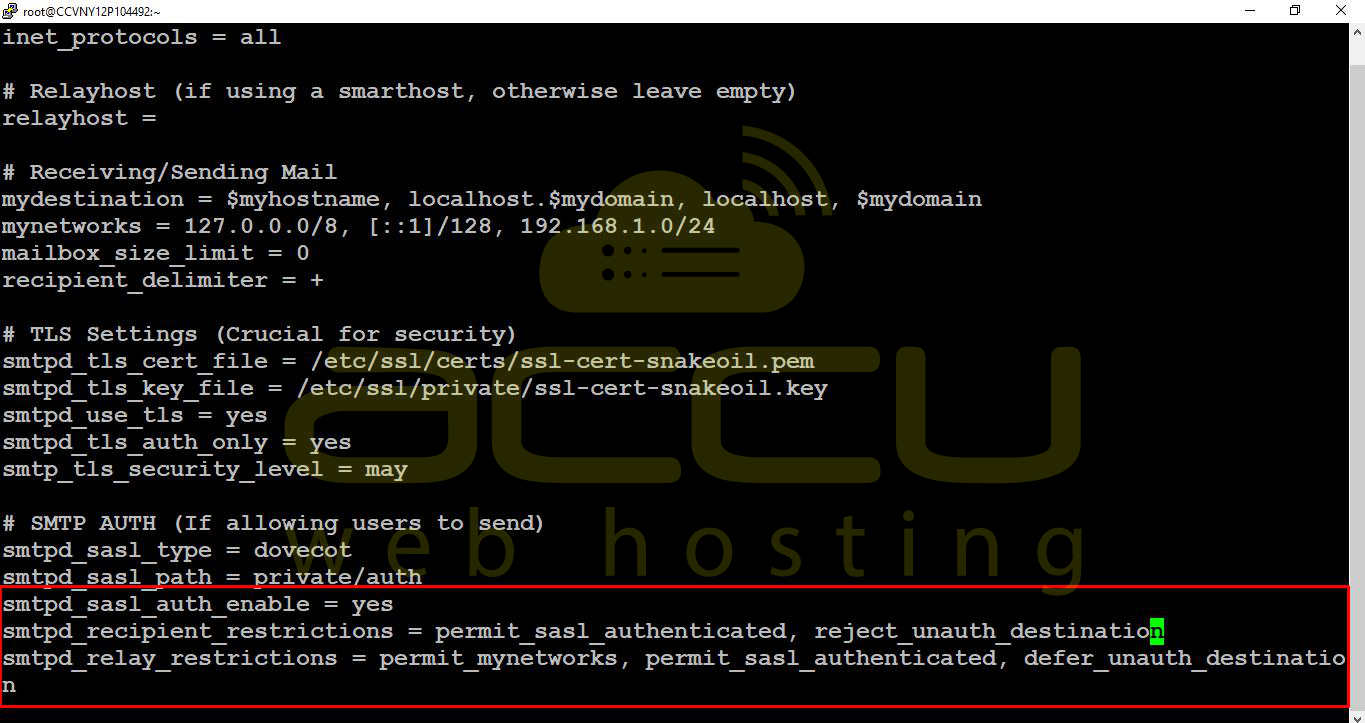
On Postfix servers check main.cf:
smtpd_sasl_auth_enable = yes
smtpd_recipient_restrictions = permit_sasl_authenticated, reject_unauth_destination
After changes, restart Postfix.
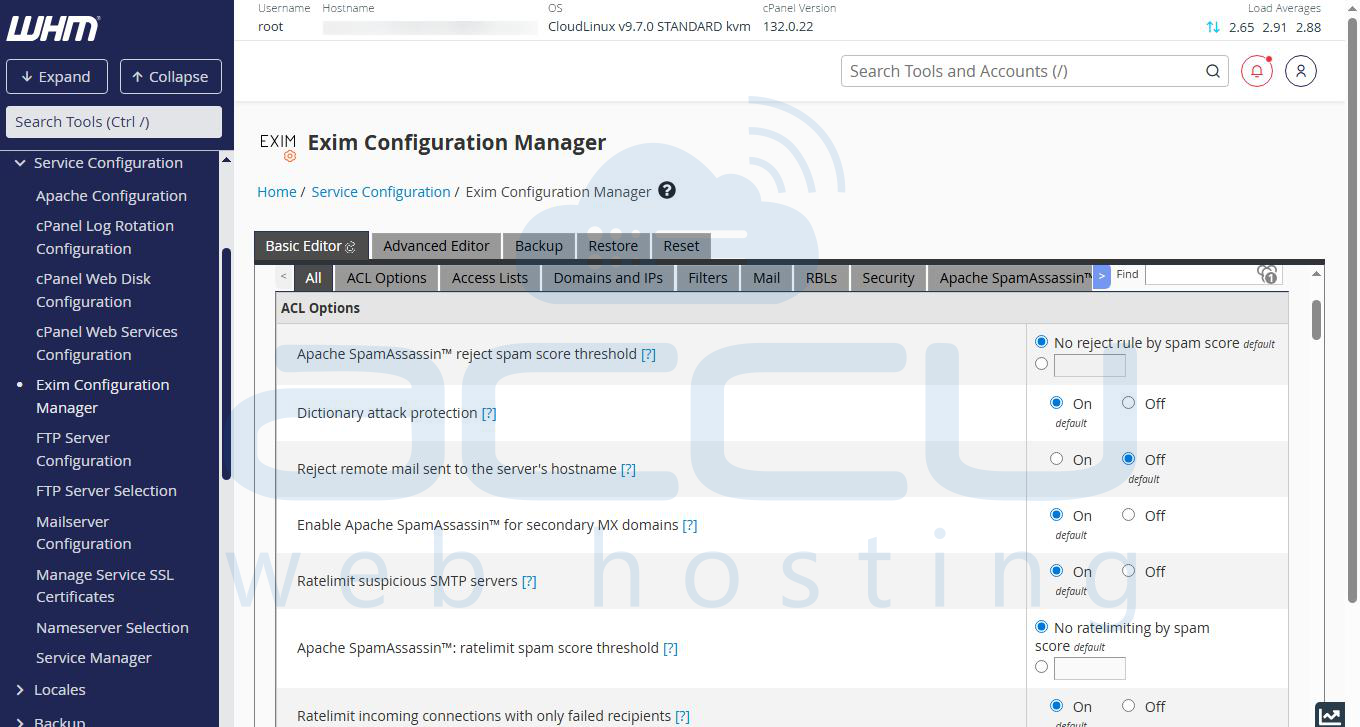
4. Verify Exim Relay Settings (cPanel Servers)
Exim allows relaying only for:
- Authenticated users
- Local domains
Check ACLs in WHM:
WHM → Exim Configuration Manager → Access Lists / ACLs
5. Ensure the Sending Domain Exists
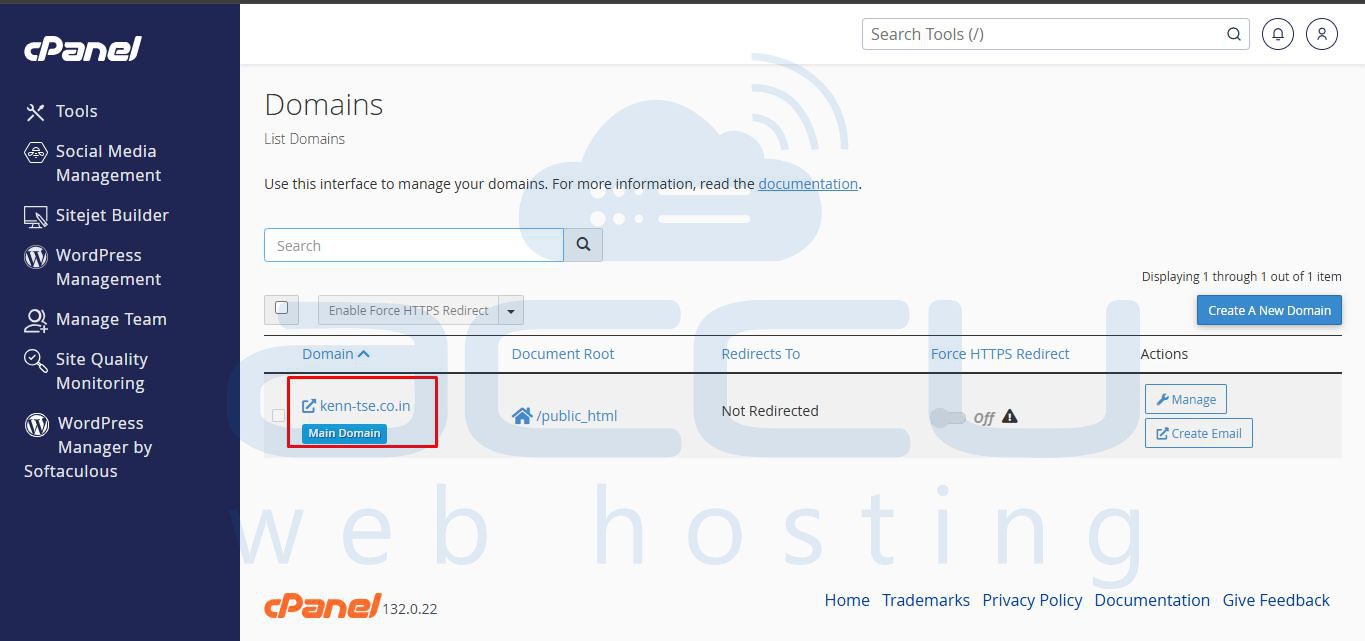
If sending without SMTP authentication, the From domain must exist:
- Domain added in cPanel/Plesk
- Valid mailbox exists
6. Fix PHP Mail / Application SMTP Settings
Web apps often cause this error if SMTP authentication is missing.
Recommended approach:
- Use SMTP instead of PHP mail()
- Use valid mailbox credentials
7. Check Mail Logs for Errors
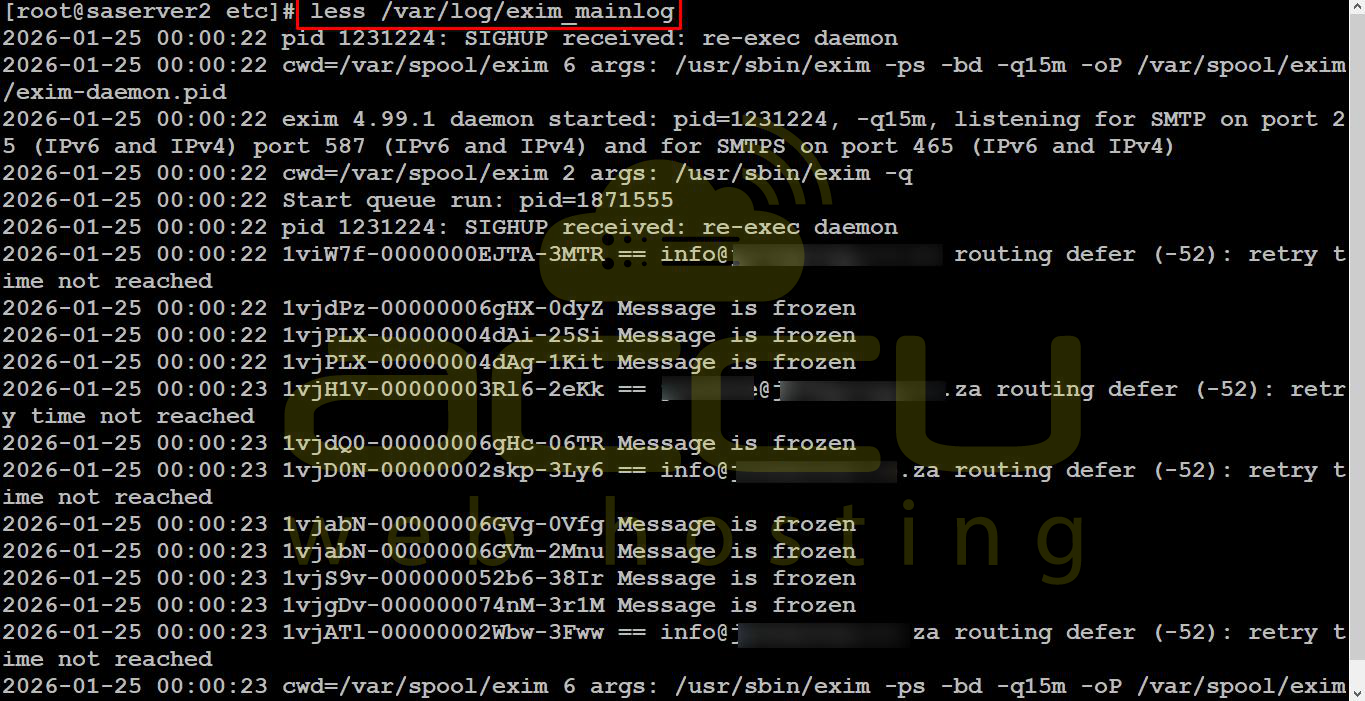
Logs provide the exact reason for rejection:
- Exim: /var/log/exim_mainlog
- Postfix: /var/log/maillog
Best Practices
- Always use SMTP authentication
- Avoid unauthenticated relaying
- Use secure ports and encryption
- Regularly review mail server logs
- Keep mail server configurations up to date
Conclusion
The “Relay access denied” error is not a server fault—it’s a protective measure.
On cPanel servers, the issue is almost always related to missing SMTP authentication or incorrect mail client configuration.
By following the steps above, configuring SMTP correctly, and checking logs, your emails should flow smoothly and securely.


