
Introduction
Checking whether a TCP or UDP port is open on your Linux VPS is an important step when troubleshooting server issues. It helps you determine if a service is running, if a port is listening, and whether it can be accessed locally or externally. This is especially useful when dealing with firewall settings, application problems, or network connectivity issues.
In this article, we will explain several simple methods to check open TCP and UDP ports on a Linux VPS using common command-line tools.
Method 1: Using ss (Recommended)
SS (Socket Statistics) is a modern and faster replacement for netstat. It is available by default on most Linux distributions.
Check All Listening TCP and UDP Ports:
ss -tuln
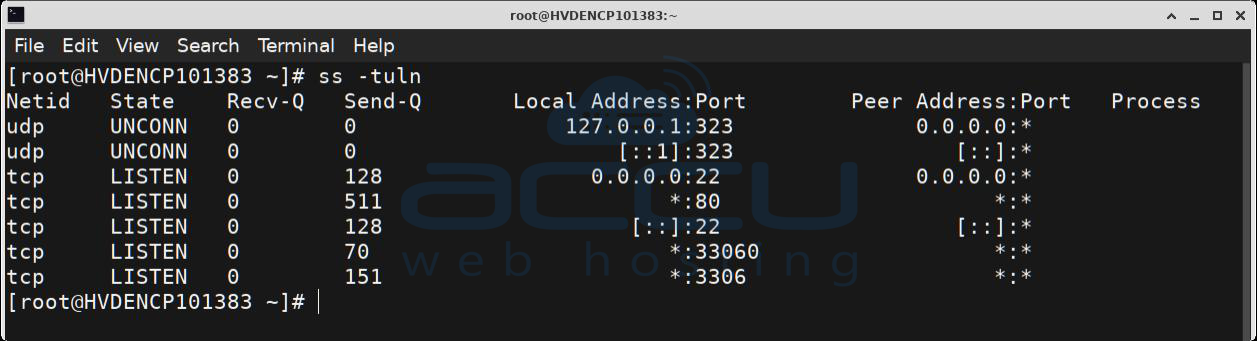
Explanation:
- -t → Shows TCP ports
- -u → Shows UDP ports
- -l → Shows listening ports
- -n → Displays port numbers instead of service names
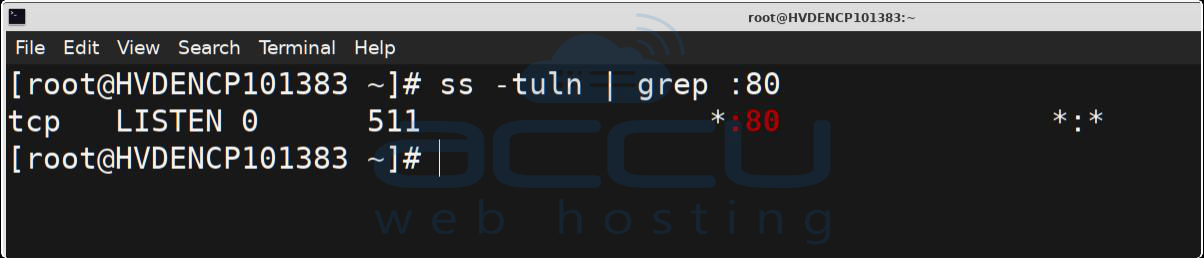
Check a Specific Port:
To check if a specific port is listening, use:
Syntax: ss -tuln | grep :<Port-Number>
Example: ss -tuln | grep :80
Method 2: Using netstat (Older Systems)
On older Linux systems, netstat is still commonly used.
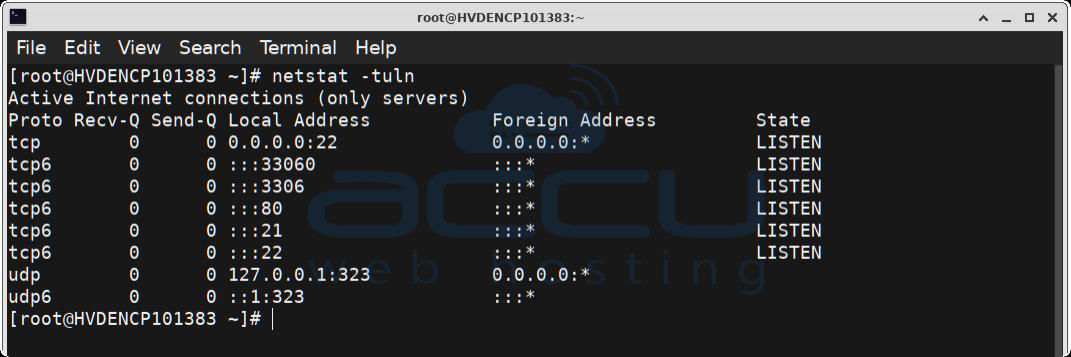
Check All Listening Ports:
netstat -tuln
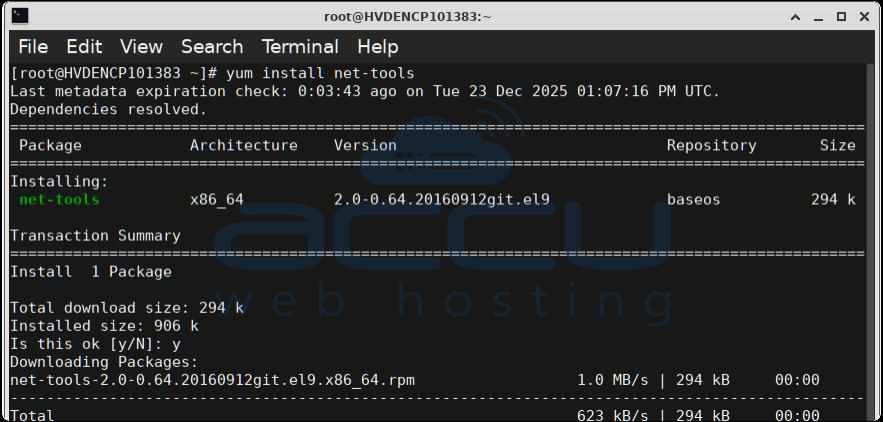
If netstat is not installed, you can install it with:
# Debian/Ubuntu
apt install net-tools
# CentOS/RHEL
yum install net-tools
Method 3: Using lsof:
lsof can help identify which process is using a specific port.
Check If a Port Is Open:
Syntax: lsof -i :<Port-Number>
Example: lsof -i :22
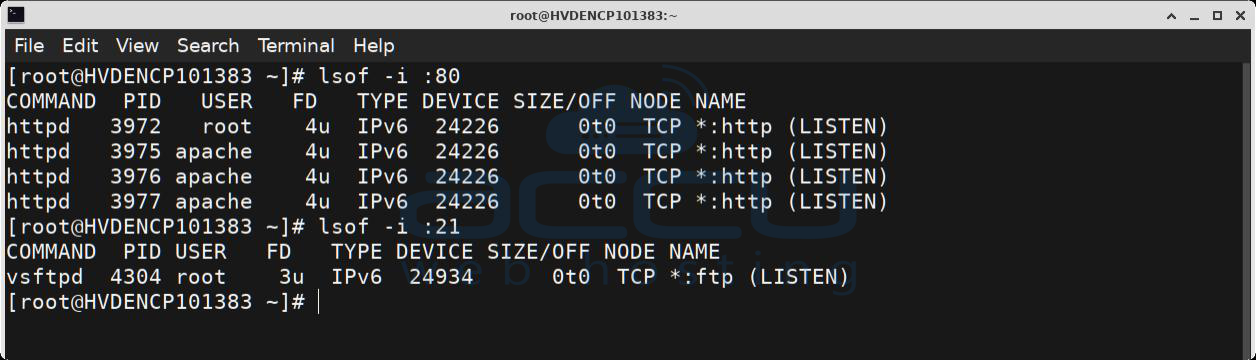
This command shows the process name and PID using port 22 (SSH).
Method 4: Using nc (Netcat):
nc is useful to test if a port is reachable.
Check a TCP Port:
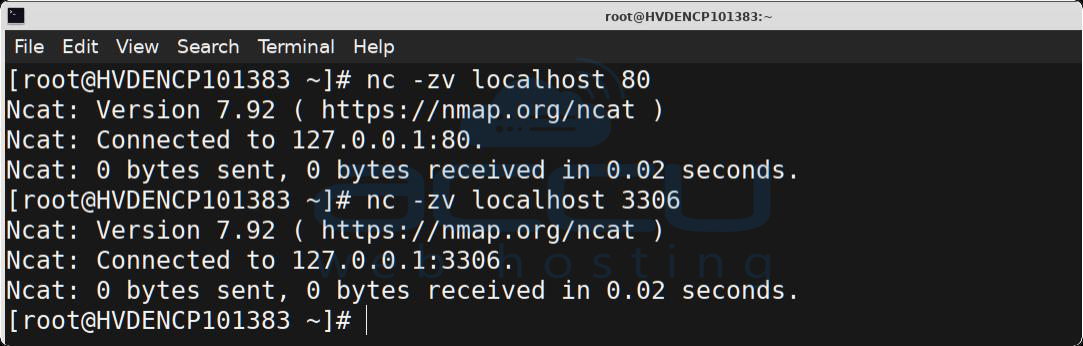
Syntax: nc -zv localhost <Port-Number>
Example: nc -zv localhost 80
Check a UDP Port:
nc -zvu localhost 53
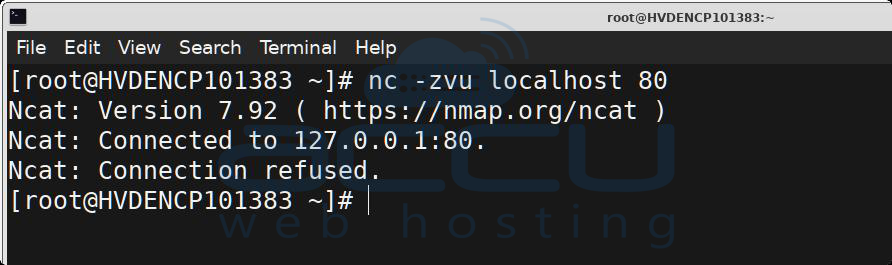
If the port is open, you will see a “succeeded” message.
Method 5: Using telnet (TCP Only):
Telnet can be used to test TCP ports.
Syntax: telnet localhost <Port-Number>
Example: telnet localhost 25
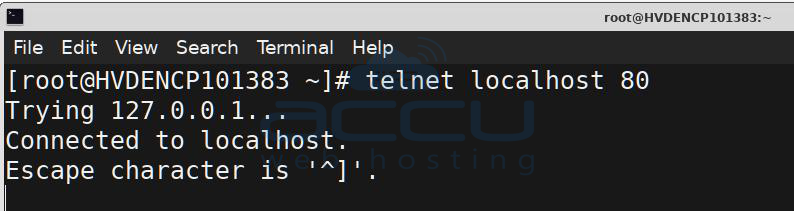
If the connection is successful, the port is open.
To exit, press Ctrl + ], then type quit.
Note: telnet does not work for UDP ports.
Conclusion:
Checking TCP and UDP ports on a Linux VPS is an essential part of troubleshooting server and network issues. Tools like ss, netstat, lsof, and nc make it easy to determine whether ports are open and services are running correctly. By using the methods outlined in this article, you can quickly identify and resolve port-related problems on your server.
If you need any help with checking open ports, you can contact us via chat or ticket. Our support team will assist you in finding it.


