
Securing your website with an SSL certificate is one of the most important steps to protect your users and improve SEO rankings. SSL encrypts the data transferred between your website and visitors, ensuring privacy and security. In this guide, we will assist you on how to Install a Free SSL Certificate from the DirectAdmin Panel.
Steps to Install a Free SSL Certificate from the DirectAdmin Panel
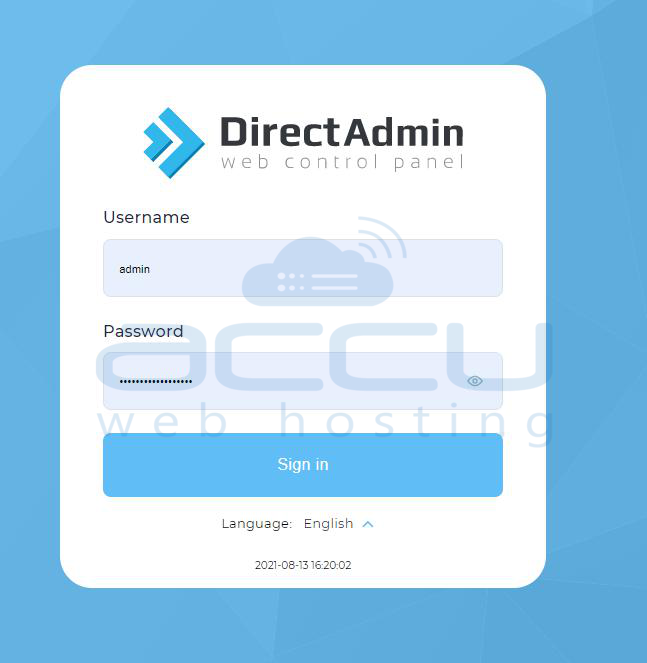
Step 1: Log in to Your DirectAdmin Account. Go to your DirectAdmin login URL, Enter your username and password provided by your hosting provider and click Login.
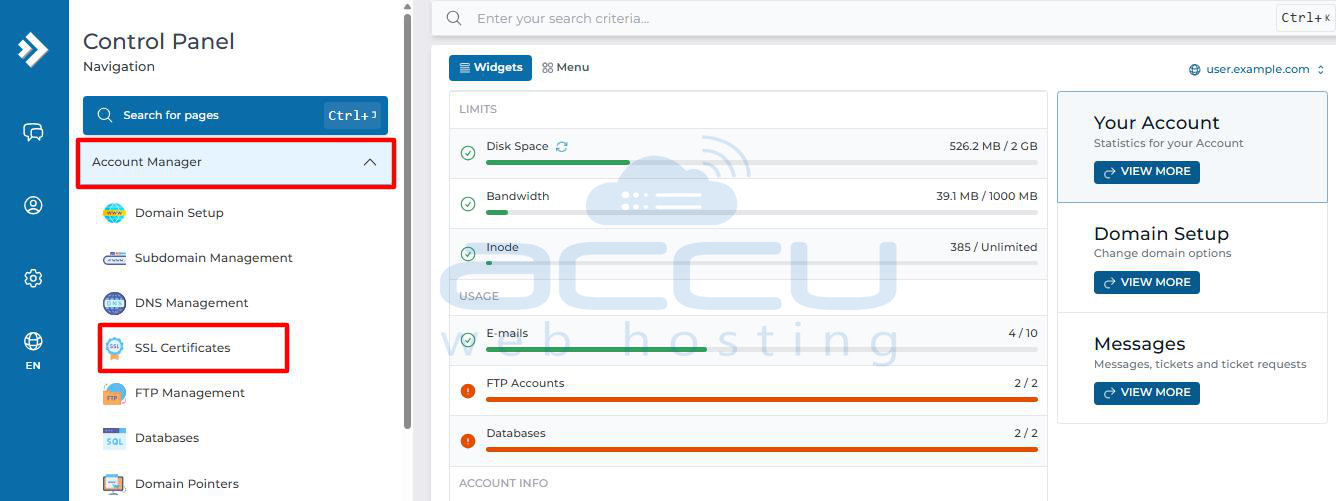
Step 2: Once inside the DirectAdmin dashboard, find the Account Manager section. Click on SSL Certificates.
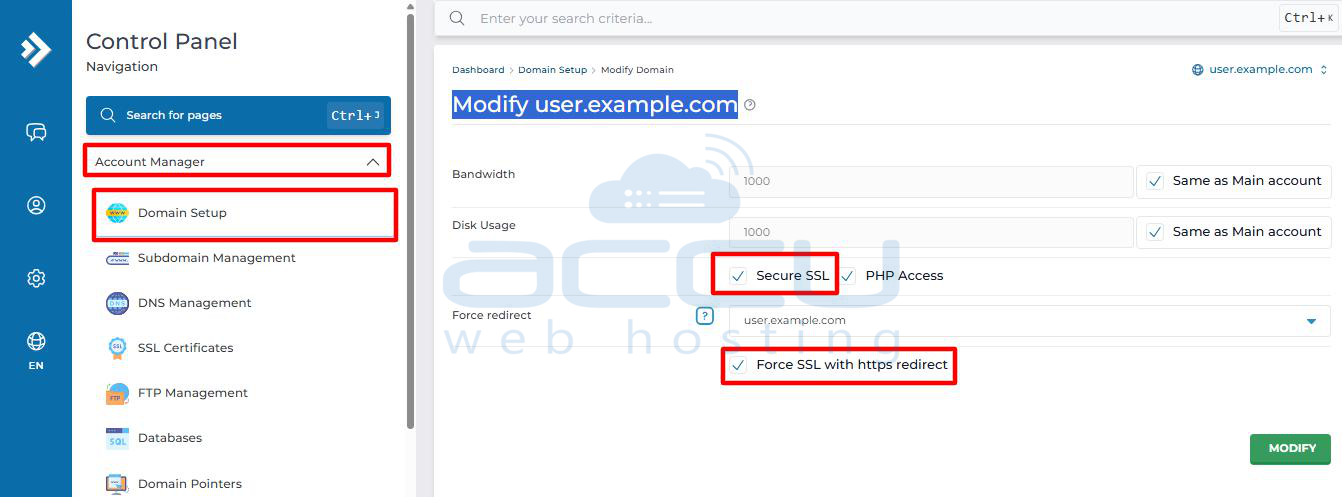
Step 3: Before installing, make sure SSL is enabled for your domain. Go to Account Manager → Domain Setup. Click on your domain name. Check the box for “Secure SSL” and save changes.
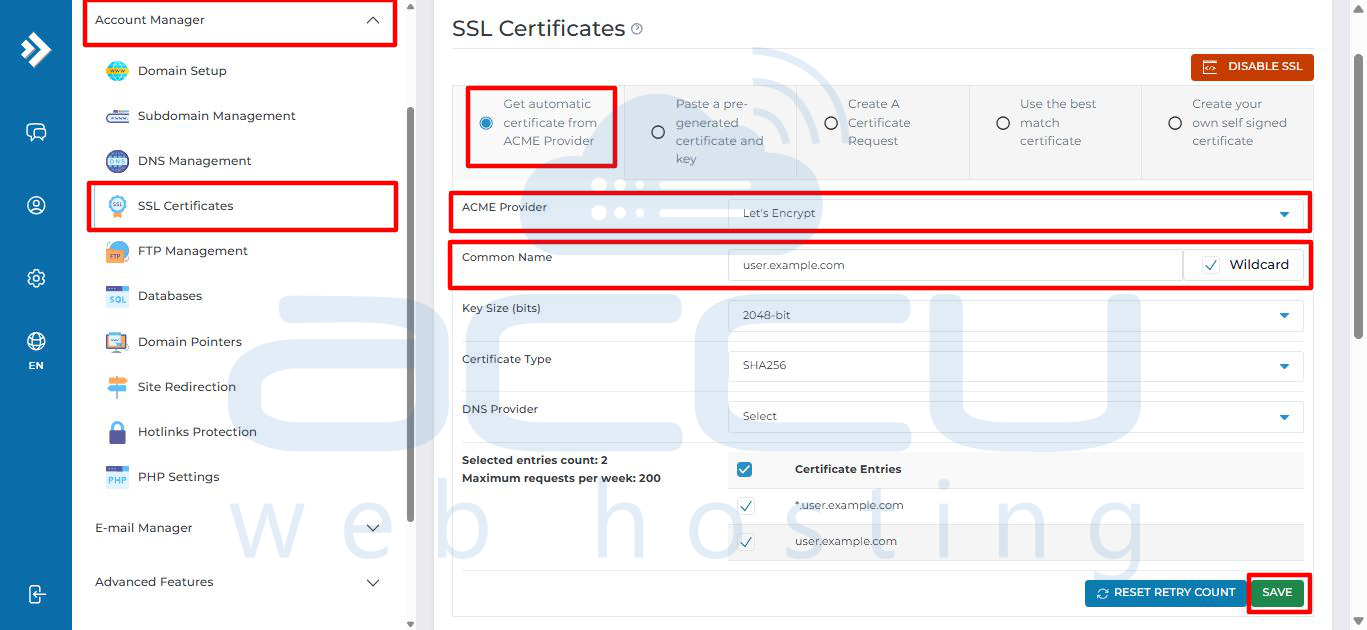
Step 4: Go back to Account Manager → SSL Certificates. Choose the option “Get automatic certificate from ACME Provider”. Select your domain, www.domain, and optionally mail.domain if you want SSL for email as well. Click Save..
Step 5: DirectAdmin will now, validate your domain and generate and install the Let’s Encrypt SSL certificate automatically.
This process usually takes less than a minute. Once completed, you’ll see a success message confirming installation.
Step 6: To ensure all traffic uses the secure version of your site: Go to Account Manager → Domain Setup. Select your domain name. Enable “Force SSL with HTTPS redirect”.
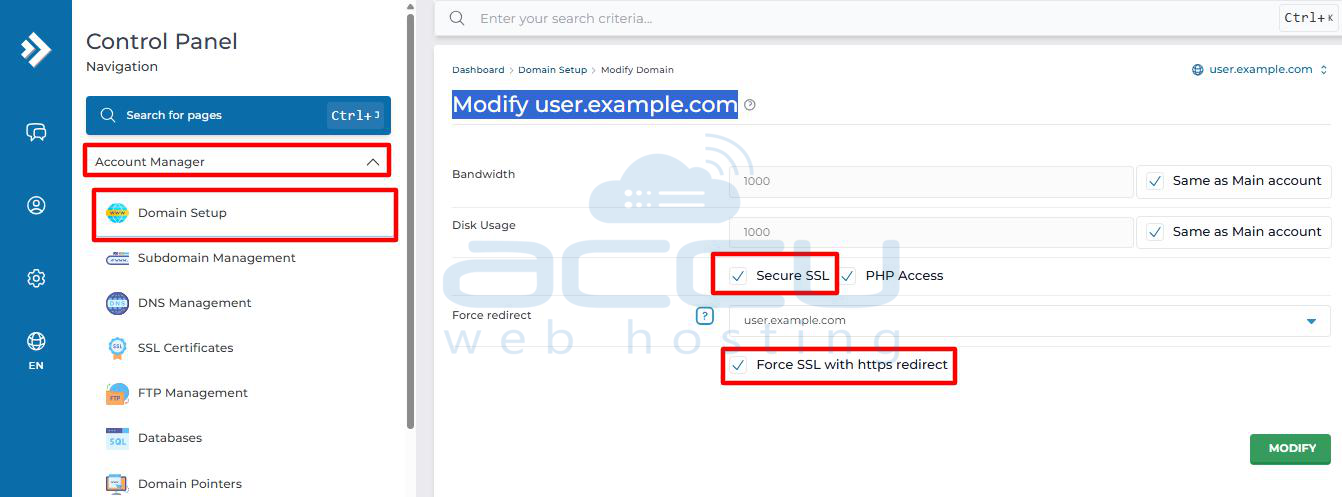
Now all visitors will automatically be redirected from http:// to https://.
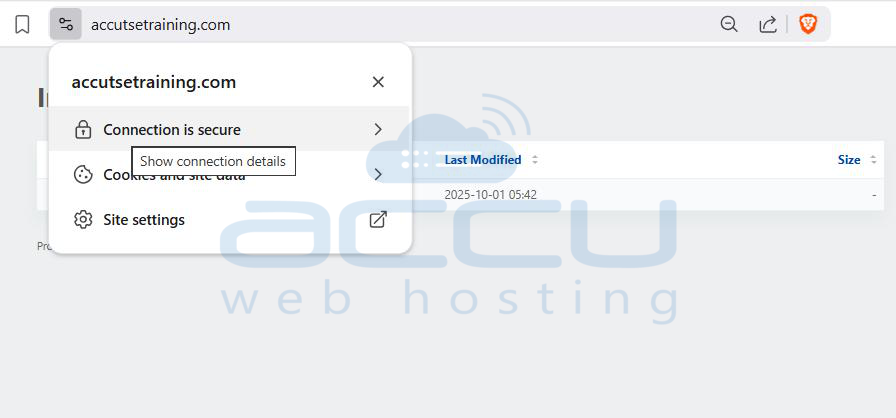
Step 7: You can verify your SSL by: Visiting your website with https://yourdomain.com. Looking for the padlock icon in the browser address bar. Or use an online tool to check your SSL configuration.
Renewal: Let’s Encrypt SSL certificates are valid for 90 days, but DirectAdmin automatically renews them before expiry. You don’t need to do anything manually. If there is any issue with renewal, Directadmin will send you an email.
Conclusion
Installing a free SSL certificate from the DirectAdmin panel is simple, fast, and secure. With Let’s Encrypt, you can protect your visitors’ data without paying extra for SSL. Once installed, always enable HTTPS redirection to make your site fully secure.


