
Odoo is a robust, open-source suite for business management that integrates a wide variety of applications into a single platform.
It covers essential areas such as ERP, CRM, e-commerce, inventory, accounting, and project management, helping organizations operate more efficiently. Acting as a comprehensive “operating system” for businesses, Odoo offers modular apps that can be installed as needed to streamline operations, improve customer relations, and automate workflows.
Odoo comes in two editions: the free Community edition, which is open-source, and the paid Enterprise edition, which provides additional features, services, and official support.
Key Features & Functionality
-
Integrated Business Apps: A collection of modular apps that work together seamlessly across different departments.
-
ERP (Enterprise Resource Planning): Tools for managing sales, purchasing, inventory, manufacturing, and financial processes.
-
CRM (Customer Relationship Management): Manage leads and track customer interactions from initial contact to sales conversion.
-
E-commerce: Built-in functionality for online stores, including order management and integration with back-office systems.
-
Project Management: Organize tasks, coordinate stakeholders, and monitor project progress with clear reports and dashboards.
-
Customization: Odoo Studio lets users design custom views, automate workflows, and create reports without extensive coding knowledge.
-
Data Ownership: Uses PostgreSQL and open data formats to ensure full transparency and control over business data.
Editions
-
Odoo Community: Free, open-source edition with core capabilities.
-
Odoo Enterprise: Paid version offering advanced features, professional support, and enhanced infrastructure.
Benefits for Businesses
-
Simplicity: User-friendly interface simplifies complex business processes.
-
Cost-Effectiveness: Modular pricing allows businesses to pay only for the apps they need, making it suitable for startups and SMEs.
-
Efficiency: Automates repetitive tasks and streamlines workflows to boost productivity.
-
Scalability: Easily grows with the business, enabling the addition of new modules and expanded functionality.
In this tutorial, we are going to install Odoo on Ubuntu 24.04.
Step 1: Update System
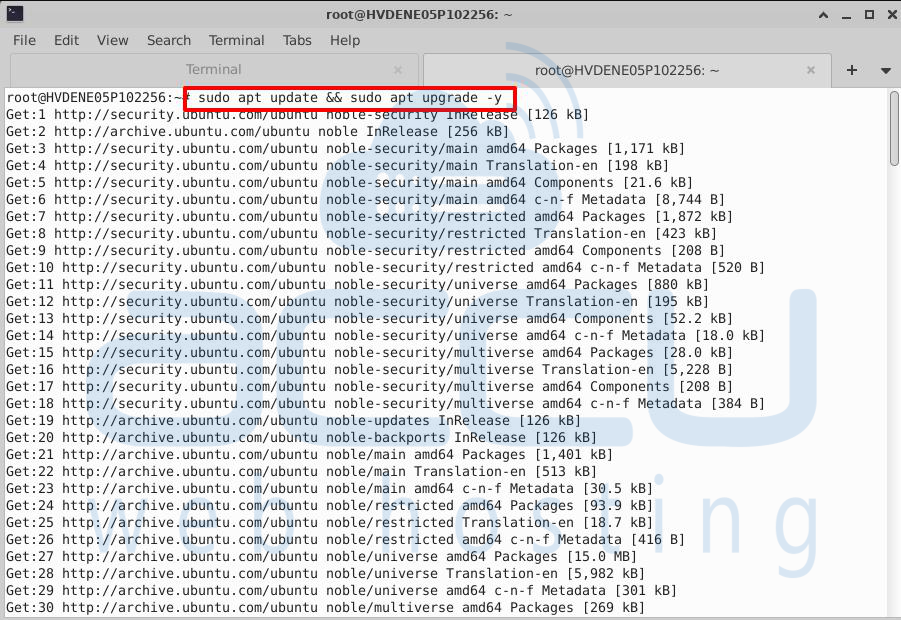
Ensure your system is current before installing software to receive the latest security updates and package versions.
# sudo apt update && sudo apt upgrade -y
Step 2: Install Dependencies
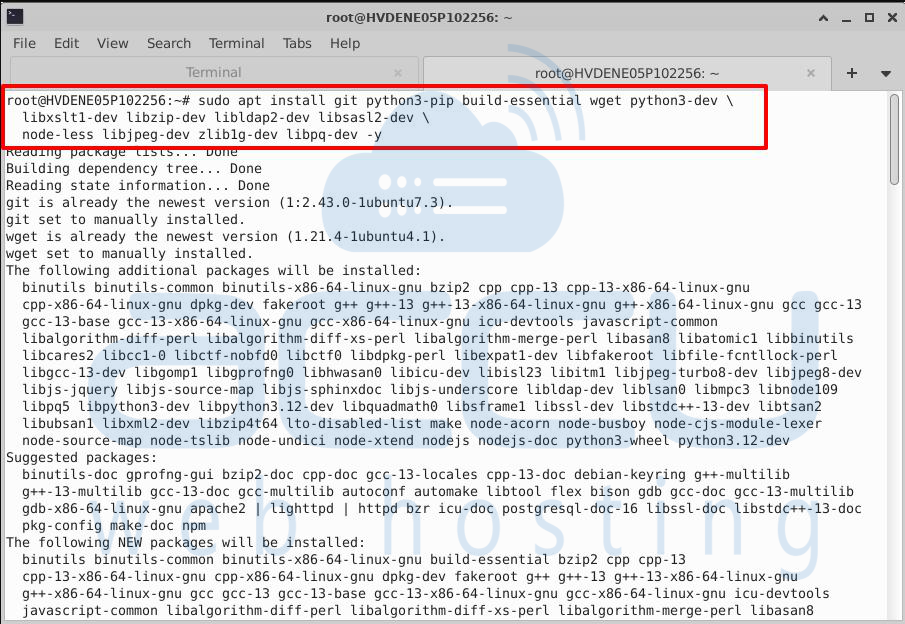
Odoo requires several Python libraries, development tools, and supporting packages. Install them to avoid errors.
# sudo apt install git python3-pip build-essential wget python3-dev \python3-venv libxslt-dev

libzip-dev libldap2-dev libsasl2-dev \python3-setuptools node-less libjpeg-dev zlib1g-dev libpq-dev -y
Step 3: Install PostgreSQL
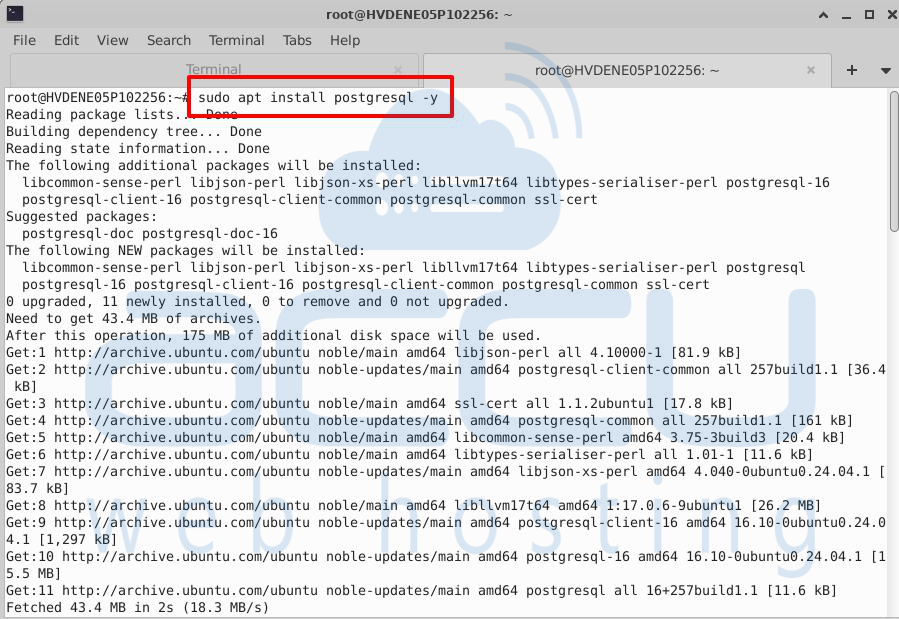
Odoo uses PostgreSQL as its database backend. Install it and create a PostgreSQL user for Odoo.
# sudo apt install postgresql -y
# sudo -u postgres createuser -s odoo14

Step 4: Create Odoo User
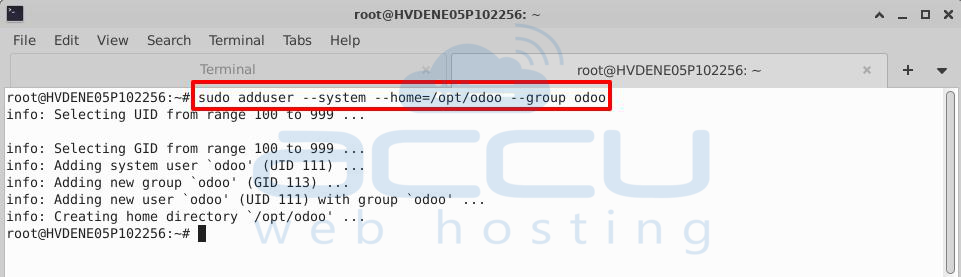
For security, Odoo runs under its own system user. Create a dedicated user with a home directory.
# sudo adduser --system --home=/opt/odoo --group odoo
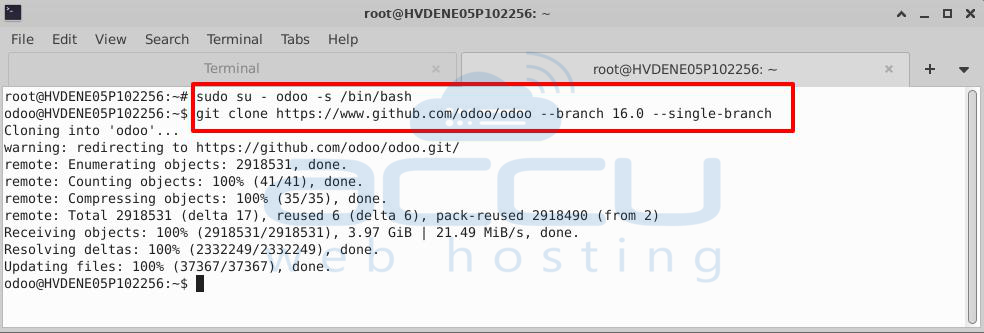
Step 5: Get Odoo Source
Download the Odoo source code from GitHub. Select the branch corresponding to your desired version.
# sudo su - odoo -s /bin/bash
# git clone https://www.github.com/odoo/odoo --branch 16.0 --single-branch .
# exit
Step 6: Python Virtual Env
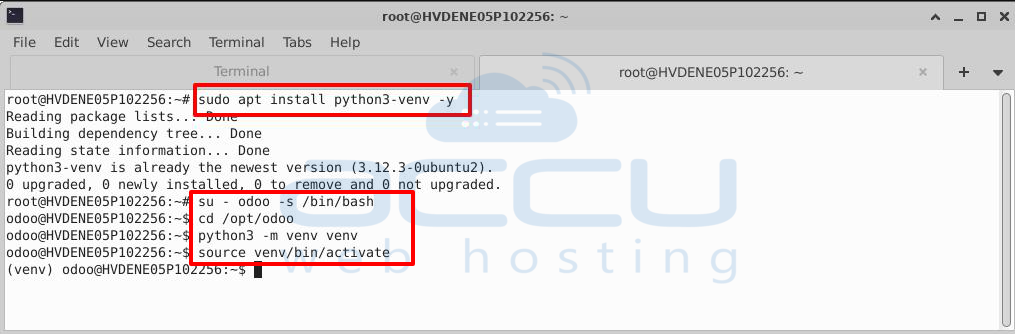
Set up a Python virtual environment to isolate Odoo dependencies.
# sudo apt install python3-venv -y
# su - odoo -s /bin/bash
# cd /opt/odoo
# python3 -m venv venv
# source venv/bin/activate
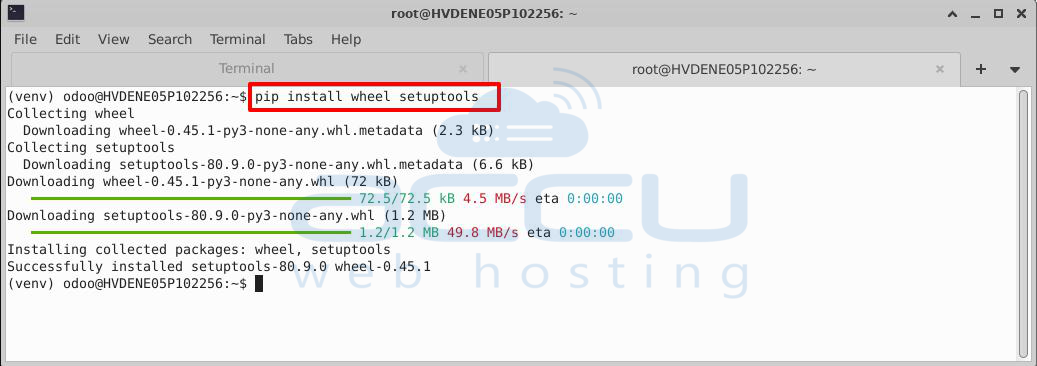
# pip install wheel setuptools
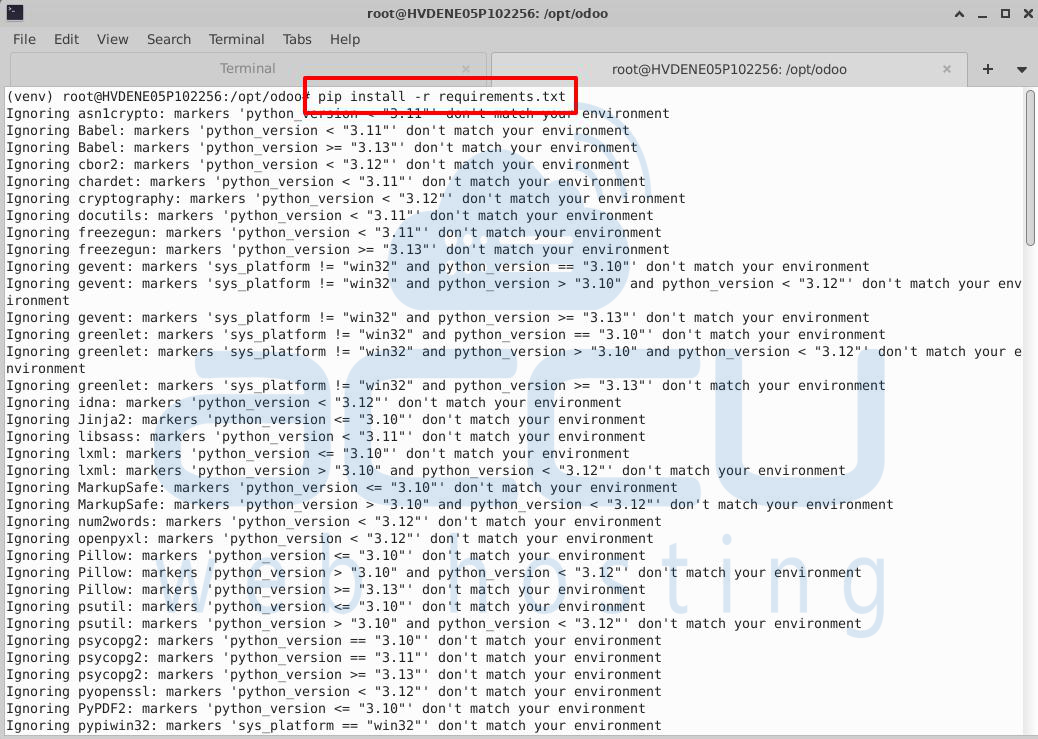
# pip install -r requirements.txt
# deactivate
Step 7: Config File
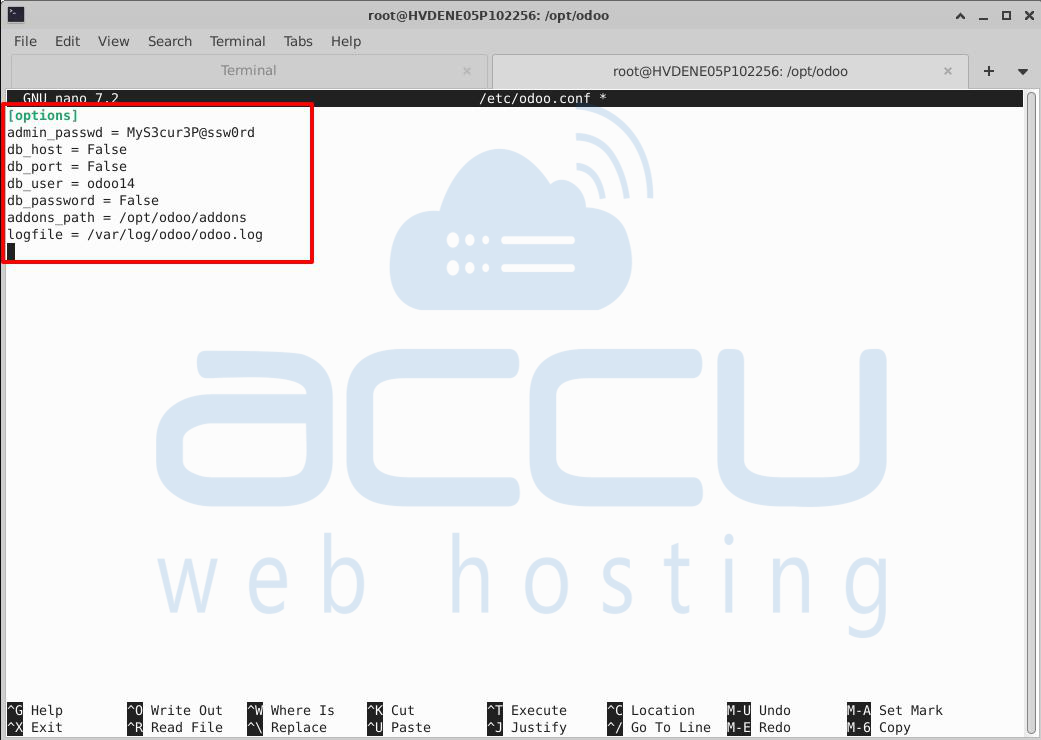
Create the main Odoo configuration file, which includes database settings, log paths, and other options.
# sudo nano /etc/odoo.conf
Example:
[options]
   admin_passwd = MyS3cur3P@ssw0rd
   db_host = False
   db_port = False
   db_user = odoo14
   db_password = False
   addons_path = /opt/odoo/addons
   logfile = /var/log/odoo/odoo.log
-
admin_passwd: Master password for database management; use a strong, secure password.
-
db_host: Set to False to connect to PostgreSQL on the same server; otherwise, provide the host IP.
-
db_port: Default PostgreSQL port (5432); change only if different.
-
db_user: PostgreSQL user created for Odoo.
-
db_password: Password for PostgreSQL user; leave False if none.
Step 8: Systemd Service
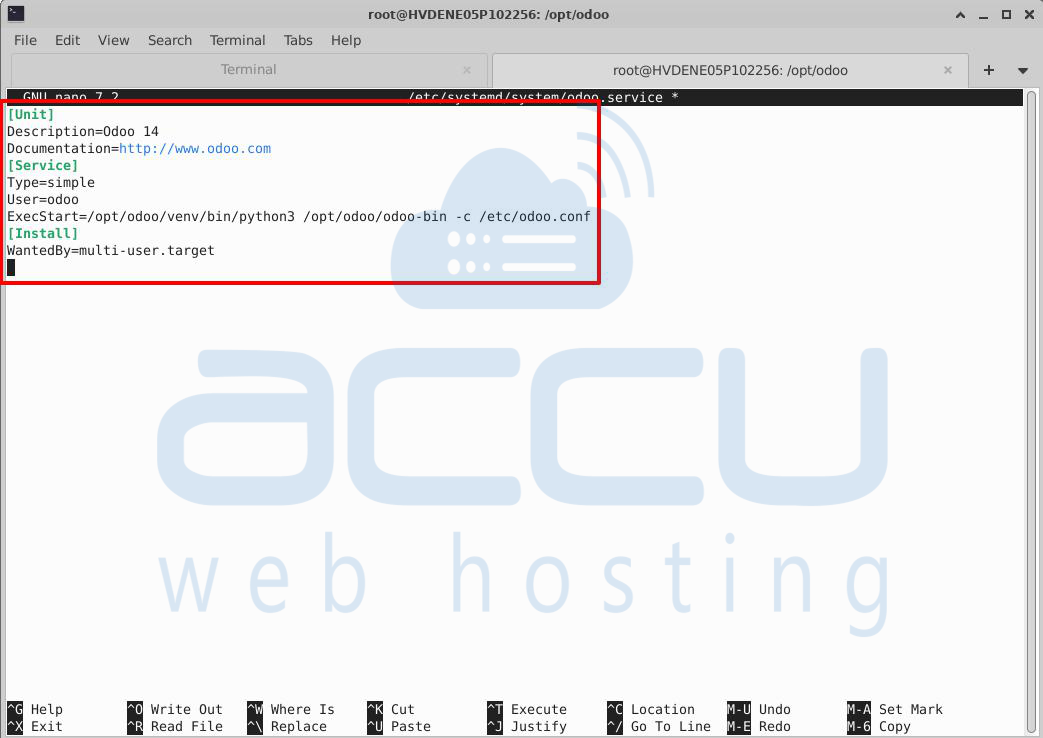
Configure Odoo as a systemd service for automatic startup and management.
# sudo nano /etc/systemd/system/odoo.service
Content:
[Unit]
Description=Odoo 14
Documentation=http://www.odoo.com
[Service]
Type=simple
User=odoo
ExecStart=/opt/odoo/venv/bin/python3 /opt/odoo/odoo-bin -c /etc/odoo.conf
[Install]
WantedBy=multi-user.target
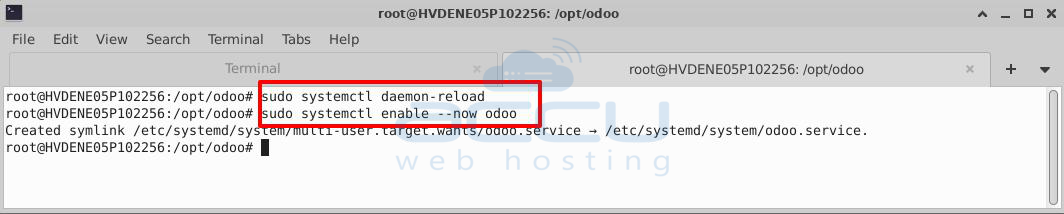
Reload and start the service:
# sudo systemctl daemon-reload
# sudo systemctl enable --now odoo
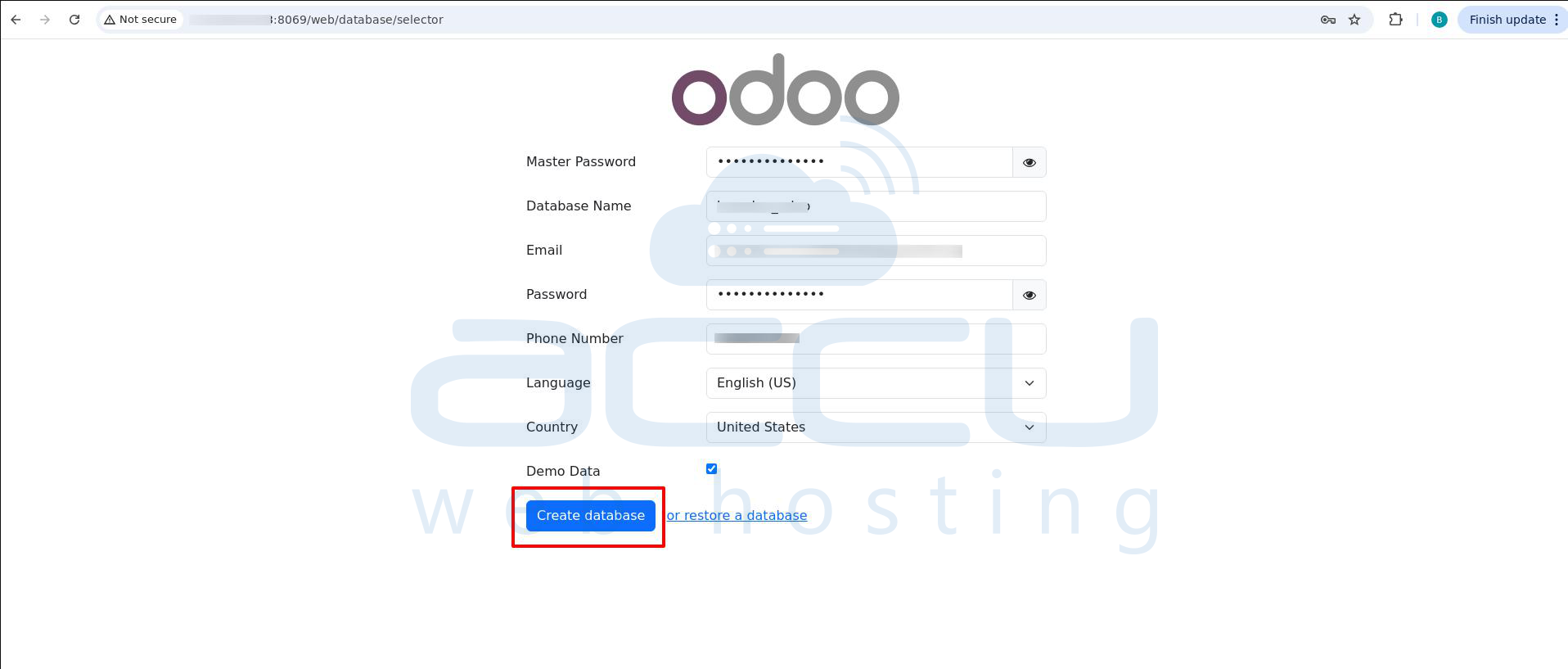
After installation, open http://<your-server-ip>:8069 in a web browser to complete setup. You’ll be directed to the Odoo database manager screen to create or restore a database.
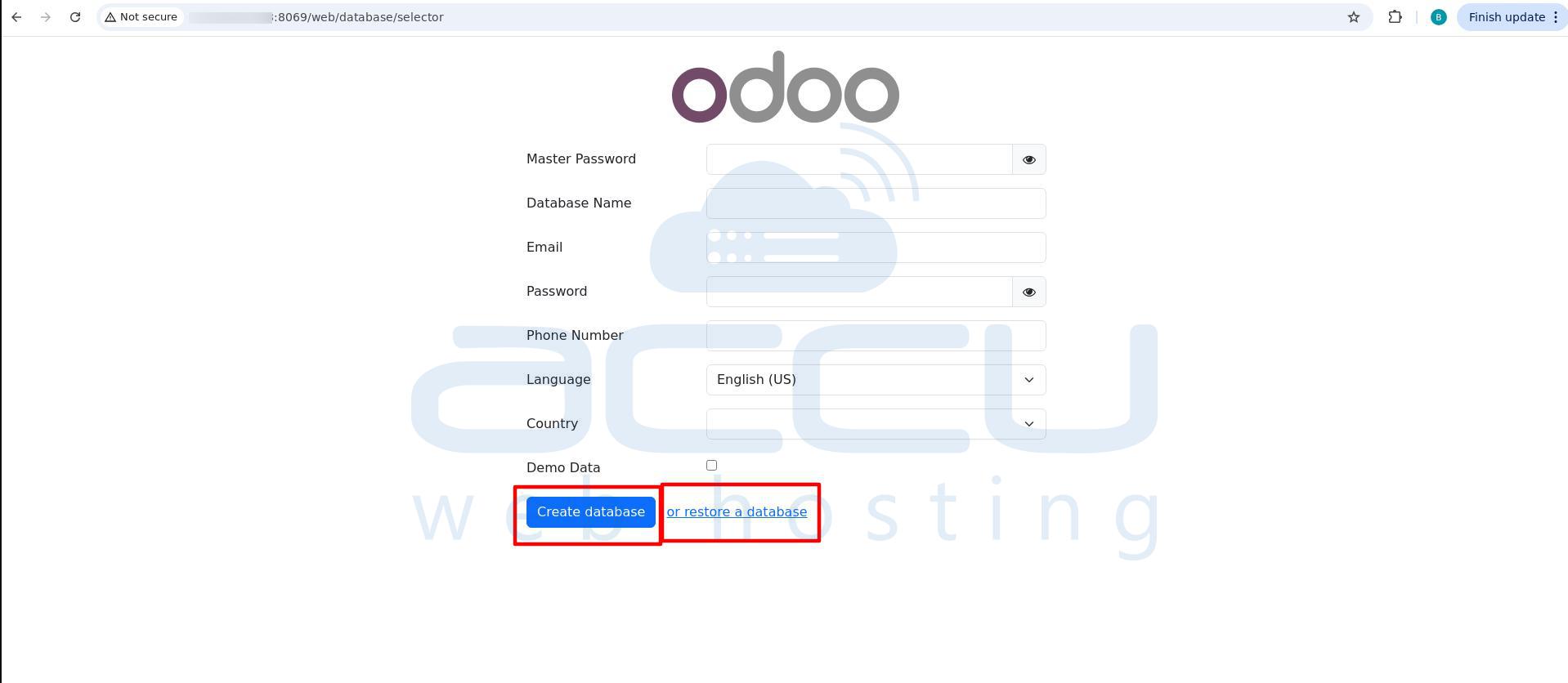
Option 1: Create a New Database
-
Master Password: Enter the master password set earlier.
-
Database Name: Name for your new database.
-
Email: Admin email for login and notifications.
-
Password: Password for the admin user.
-
Phone Number (Optional): Enter if required.
-
Language: Default language for the database.
-
Country: Default country.
-
Demo Data: Optional checkbox to load sample data.
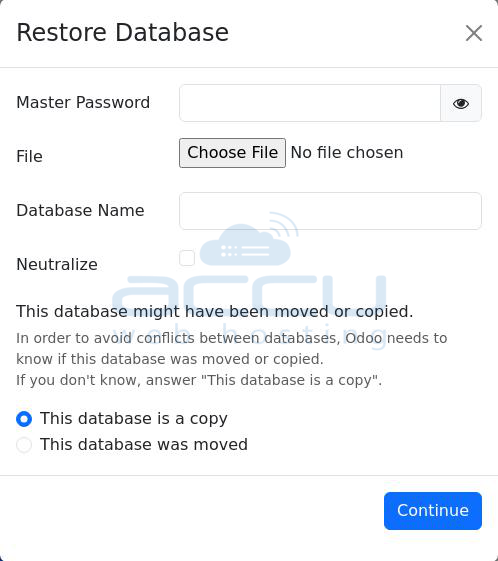
Option 2: Restore a Database
Upload a backup of an existing database and restore it using the interface.
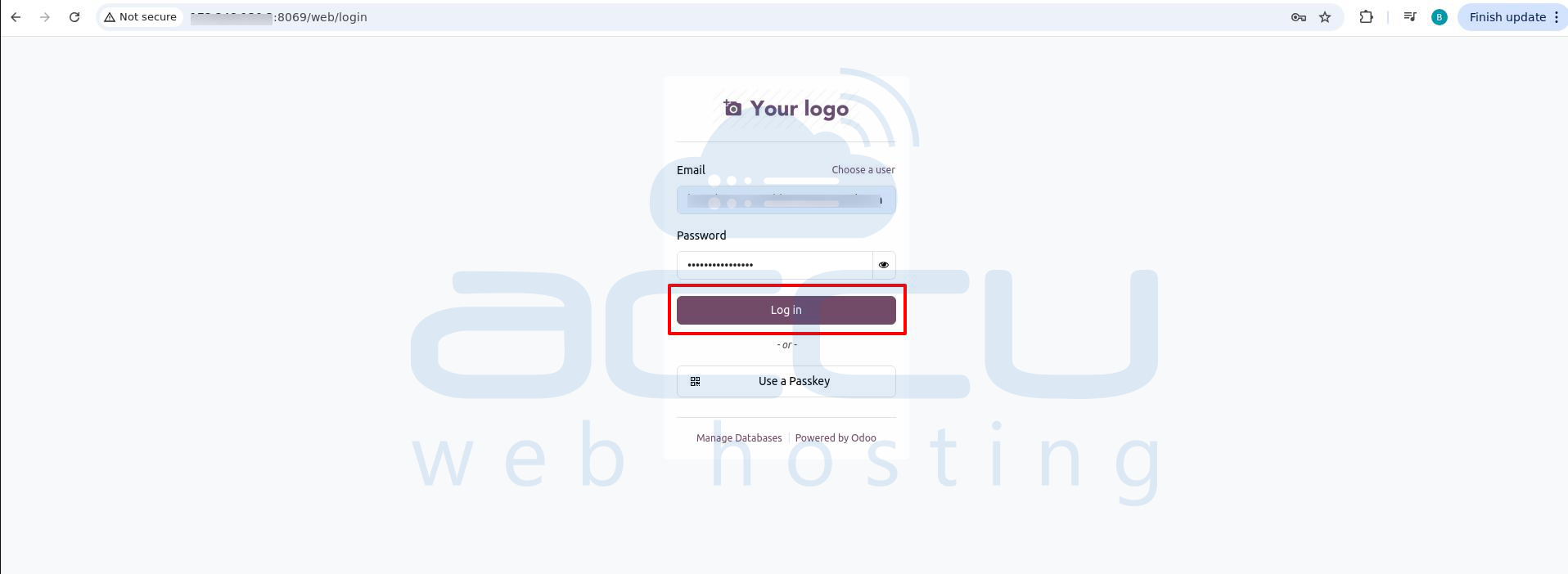
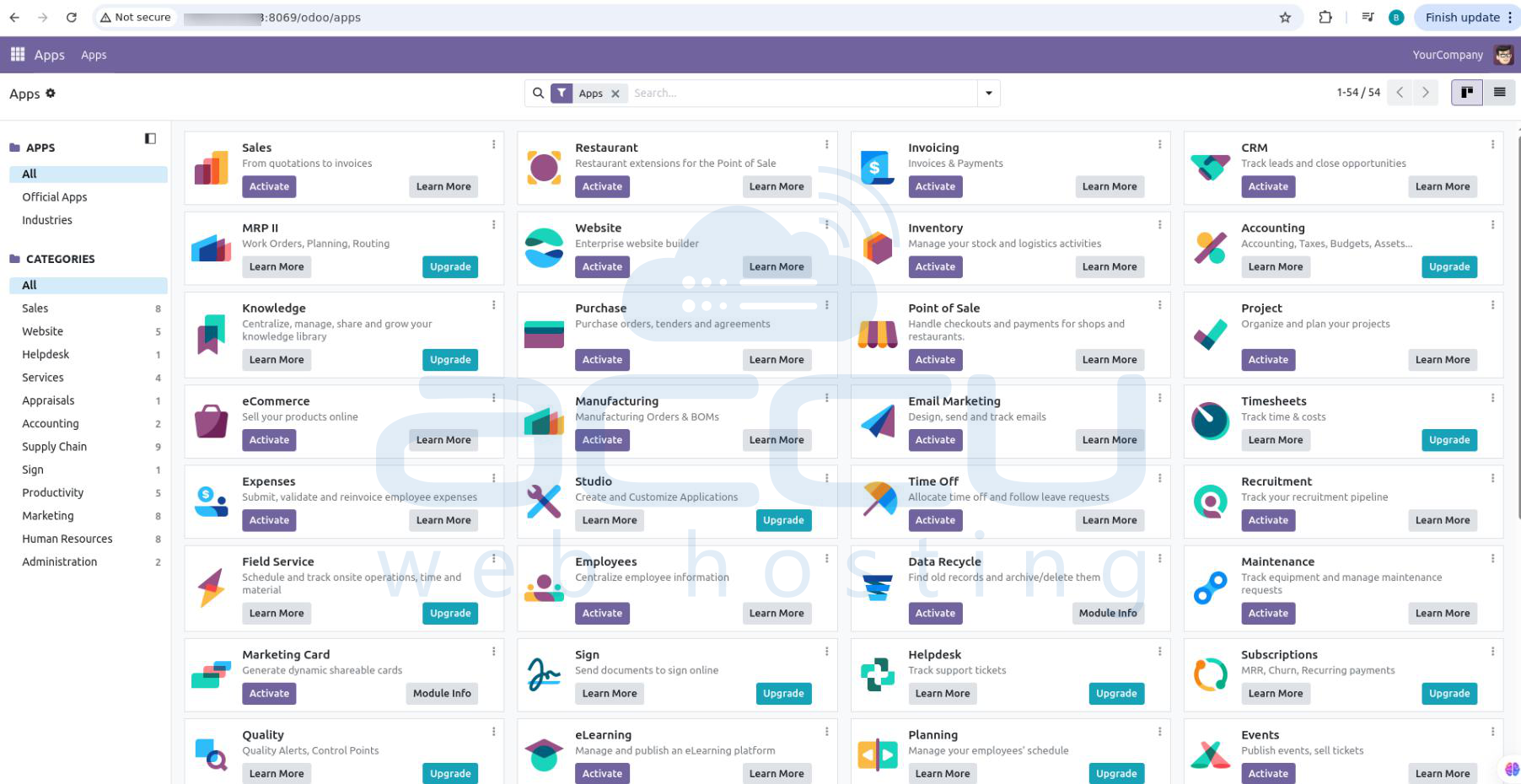
After creating or restoring the database, log in using your admin credentials to access Odoo Community Edition.
Conclusion:
Odoo is a versatile, modular platform that consolidates core business functions into one system. Installing Odoo on Ubuntu 20.04/22.04/24.04 provides access to a wide range of applications, including ERP, CRM, e-commerce, and project management—while maintaining control over data and customization.
By following the step-by-step installation, including system updates, dependencies, PostgreSQL setup, Odoo user creation, virtual environment configuration, and systemd service setup, you can quickly deploy a fully functional Odoo instance.
Once the database is created or restored, the intuitive interface enables streamlined workflows, enhanced productivity, and scalable operations. Both the Community and Enterprise editions provide the tools necessary for businesses to grow efficiently and optimize overall performance.


