
When browsing the web or managing a website, HTTP status codes act as quiet messengers between browsers and servers, helping diagnose issues when something goes wrong. While many are familiar with common codes like 404 or 500, others, though rare, can be just as important to understand.
One such example is the 421 status code, which can surface unexpectedly in specific server configurations, especially those involving HTTP/2 or reverse proxies.
What is a 421 Misdirected Request?
The 421 Misdirected Request is an HTTP status code that indicates the request was sent to a server that is not able to produce a response for the target hostname in the request. It indicates a temporary problem.
Common Causes
- Too many connections: When a device attempts to open numerous connections simultaneously, the server may block it to protect itself.
- Wrong connection reuse: With HTTP/2, your browser can reuse one connection for many sites. But if it sends a request to the wrong site over that connection, the server may reject it with a 421 error.
How to identify the 421 code?
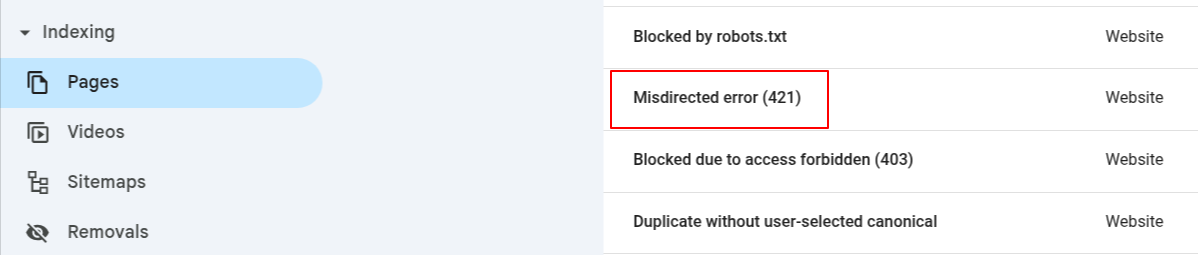
1. Google Search Console
It shows a report of all your indexed pages, including any with errors.
2. Chrome Network Tab
Open the Network tab in Chrome DevTools, reload the page, and you'll see each file loaded along with its status code.

3. Server Logs
Check your server logs to see what’s happening behind the scenes. Look for entries showing “421” errors; these logs show all requests to your site and their responses.
4. Website Crawlers
Use tools like Screaming Frog, DeepCrawl, or Botify to scan your site like a search engine would. They’ll show which pages return status codes like 421.
5. HTTP Status Code Checker
Use free online tools to check the status code of any page. Just enter the URL, and you’ll see if it returns a 421 or another code.
How to Fix the 421 Misdirected Request Error?
1. Check SSL/TLS Certificates
Check your SSL/TLS certificate setup. Make sure that each domain or subdomain has a valid SSL certificate installed. If you are using a wildcard certificate or SAN (Subject Alternative Name) certificate, confirm that it correctly covers all the domains you're hosting.
Mismatched or missing certificates can easily confuse the server, leading to a 421 error.
2. Inspect Web Server Configuration
In NGINX, ensure that each server block has a properly defined server_name and only includes listen 443 ssl where necessary.
In Apache, verify that each VirtualHost directive includes the correct ServerName and isn’t sharing SSL directives improperly between sites.
3. Load Balancer or CDN Configuration
If you're using a load balancer or a CDN, make sure it correctly passes the hostname (called SNI – Server Name Indication) during the secure connection (SSL handshake).
Think of SNI like a label that tells the server, "This request is meant for example.com." Without that label, the server might get confused and not know which website to show, especially if it's handling multiple websites on the same IP address.
This can lead to the 421 Misdirected Request error. So, double-check that your CDN or load balancer is sending the correct domain name when it talks to your server.
4. Disable HTTP/2 Connection Reuse
HTTP/2 is a newer, faster version of HTTP that lets browsers send multiple requests over a single connection. It’s great for speed, but if something is misconfigured on your server (like a shared IP or virtual host settings), it can accidentally send a request meant for one website to another site on the same server.
This mix-up often causes the 421 error. By turning off connection reuse in HTTP/2, you ensure each request uses a fresh, clean connection, which reduces errors and keeps things secure.
5. Clear Browser Cache
Sometimes, the issue is caused by browser or DNS caching. Your browser may have cached an incorrect route or certificate, so try clearing your browser cache and flushing your DNS cache.
On Windows, you can do this with ipconfig /flushdns in the command prompt. On macOS, run sudo dscacheutil -flushcache in the terminal.
6. Check Application or CMS Configuration
If you’re running a CMS like WordPress, Drupal, or Joomla, confirm that the site URL and home URL match the domain and protocol (HTTP or HTTPS) you’re serving the site on. Mismatches here can sometimes result in unexpected redirects or server confusion.
Also, examine your .htaccess or NGINX rewrite rules to ensure you’re not redirecting requests to a different domain or protocol, which may lead to a misdirected request.
Does the 421 Status Code Affect SEO?
|
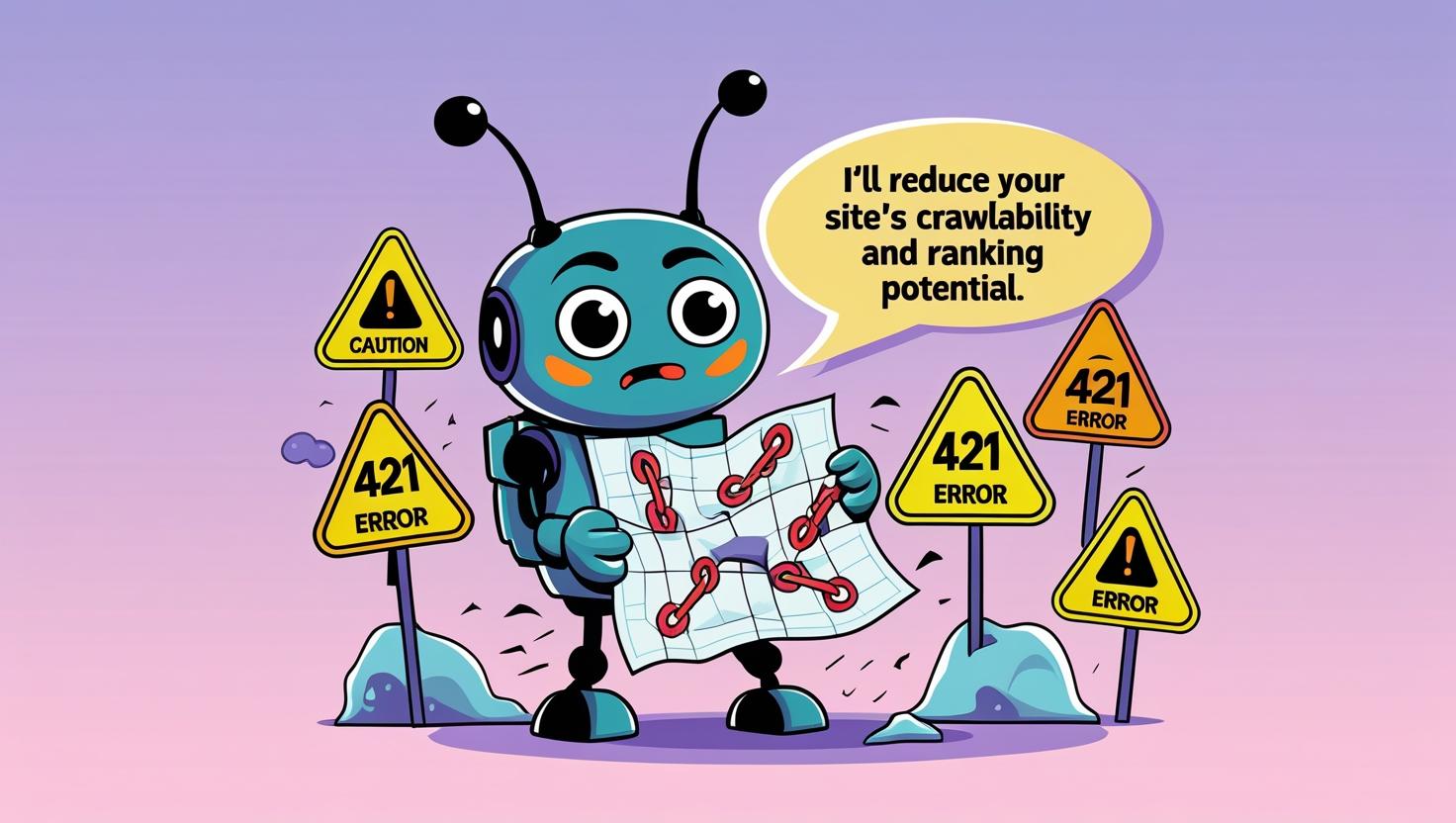
Yes, frequent occurrences of the 421 status code can negatively impact SEO. If search engine crawlers encounter this error regularly, they may view your website as unstable or poorly configured, which can reduce your site's crawlability and ranking potential. |
 |
 |
From a user perspective, repeated 421 errors can lead to frustration, causing visitors to leave your site and look elsewhere. This increases the bounce rate, which is another indirect signal to search engines that your site may not provide a good user experience. |
|
Additionally, if the 421 error occurs due to too many connections, it can slow down page load times. Since page speed is a known ranking factor, these delays can further harm your SEO performance. |
 |
Is the 421 Error Possible on LiteSpeed Web Server?
The 421 Misdirected Request error can happen with any web server, including LiteSpeed, but it's less common than on others like Apache or Nginx.
But it's rare in LiteSpeed because it handles HTTP/2 very efficiently, including connection reuse, with fewer bugs or misconfigurations.
It has built-in support for proper SNI (Server Name Indication) handling, which helps avoid sending requests to the wrong virtual host, a key cause of 421 errors.
LiteSpeed's smart connection management ensures that requests go to the correct domain even when multiple domains share the same IP.
Frequent 421 errors can harm your rankings and slow your site. Fix them quickly to protect your crawl budget and page speed.


