
What is SELinux, and in what ways does it improve the security of Linux systems?
SELinux (Security-Enhanced Linux) is a Linux kernel security module that provides a mechanism for enforcing mandatory access control (MAC) policies. SELinux adds a layer of security by controlling how processes and users interact with files and other system resources. SELinux is used in CentOS, Fedora, Red Hat Enterprise Linux (RHEL), and other RHEL-based distros. SELinux helps maintain strong and reliable Linux server security by preventing unauthorized access and limiting the impact of compromised services. In this article, we will provide its modes and how it enhances Linux Security.

SELinux modes:
SELinux (Security-Enhanced Linux) operates in three modes and dictates how SELinux policies are applied and enforced on a system:
1. Enforcing Mode: This mode is the default and most secure mode in a Linux server. SELinux controls access based on set rules. If something doesn't follow the rules, access is blocked, and the action is recorded. It's useful in production systems where strong security is needed.
2. Permissive Mode: SELinux policies are not enforced, but violations are still logged. This allows administrators to troubleshoot or test policies without blocking access. It’s useful in debugging, testing new policies, or gradually transitioning into enforcing mode.
3. Disabled Mode: SELinux is completely turned off. No policy checking or logging occurs. It’s useful in troubleshooting or on legacy systems.
How SELinux Enhances Linux Security?
1. Mandatory Access Control (MAC): Normally in Linux, file owners decide who can access their files. SELinux changes that. It uses rules set by the system administrator that everyone (users and programs) must follow, no matter who owns the files.
2. Fine-Grained Access Control: SELinux allows very specific rules about what each program can do, like which files it can read or write, so it's harder for attackers to misuse a program.
3. Isolation: If one program (like a web server) gets hacked, SELinux can stop it from accessing the rest of the system by keeping it contained.
4. Policy Enforcement: SELinux makes sure programs and users only get the minimum access they need—nothing more. This helps prevent mistakes or abuse.
5. Auditing: When SELinux blocks something, it records it. This helps system administrators see if something suspicious is happening and respond quickly.
Commands to Manage SELinux
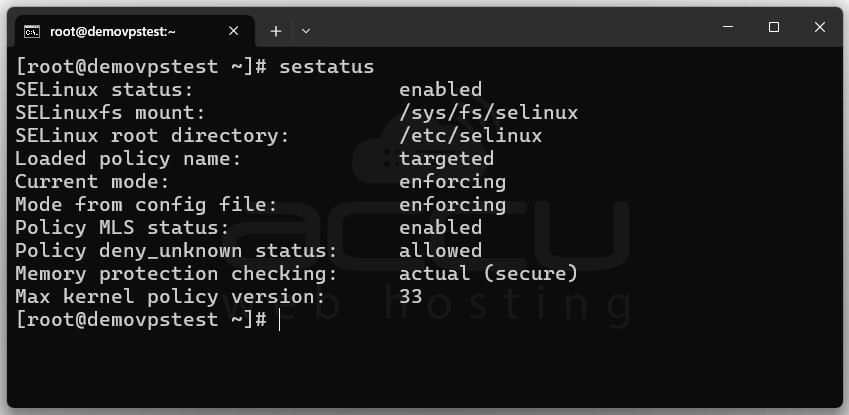
1. Check SELinux Status: sestatus
2. Get Current Mode: getenforce

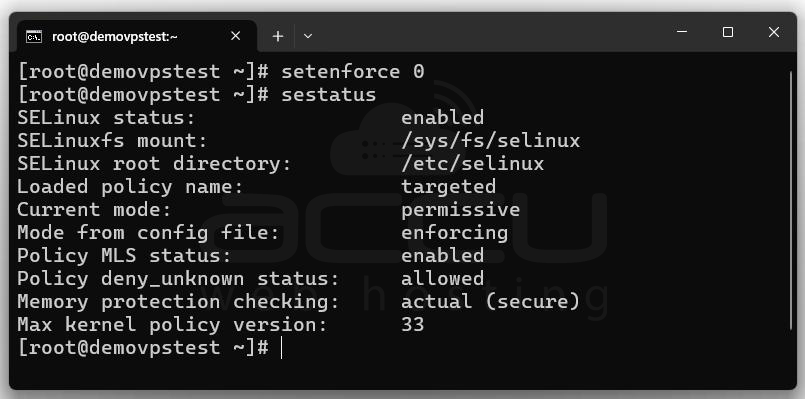
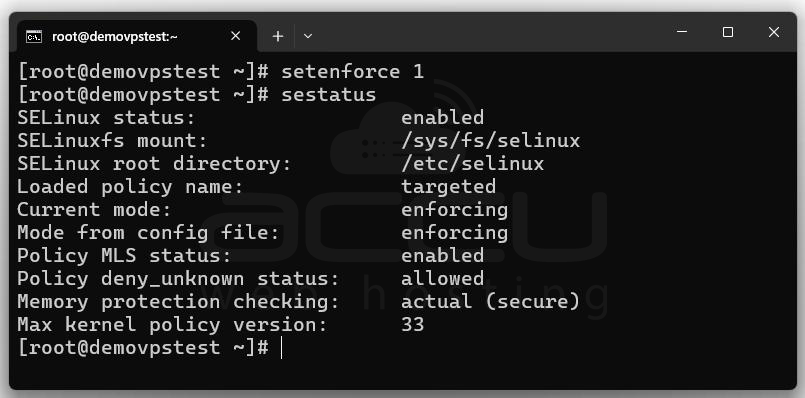
3. Set SELinux Mode Temporarily:
setenforce 0 # Permissive mode
setenforce 1 # Enforcing mode
4. Edit SELinux Configuration (for permanent change): sudo nano /etc/selinux/config
Options:
SELINUX=enforcing
SELINUX=permissive
SELINUX=disabled

5. List Available SELinux Booleans: getsebool -a

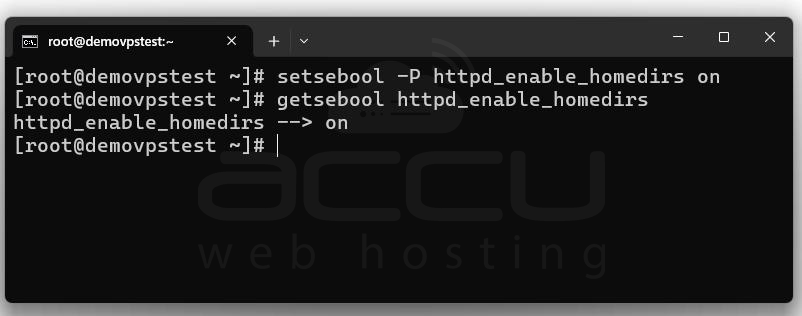
6. Enable or Disable a Boolean: setsebool -P httpd_enable_homedirs on
Conclusion:
SELinux is a powerful security feature built into many Linux systems. It helps protect your system by strictly controlling what users and programs can do, based on rules set by the system administrator. By using Mandatory Access Control, SELinux prevents unauthorized access, isolates compromised programs, enforces least privilege, and logs suspicious activity. With its different modes (Enforcing, Permissive, and Disabled), administrators can choose the right balance between security and flexibility. Overall, SELinux greatly strengthens Linux system security, especially in server environments.


