
If you’ve received the "550 5.7.1 [ESA] – Sender Blocked" error when trying to send an email, email abuse has been detected from your sending account. AccuWeb Hosting uses MailChannels as its outbound email delivery service in Linux Shared Hosting servers. In this article, we'll explain what this error means, why it occurs, and most importantly, how you can resolve it.
What Is the 550 5.7.1 [ESA] Sender Blocked Error?
The 550 5.7.1 [ESA] Sender Blocked error is a response generated by MailChannels, a popular email relay and filtering service. This error appears when your email account is flagged for sending spam, bulk email, or messages to a large number of invalid recipients.
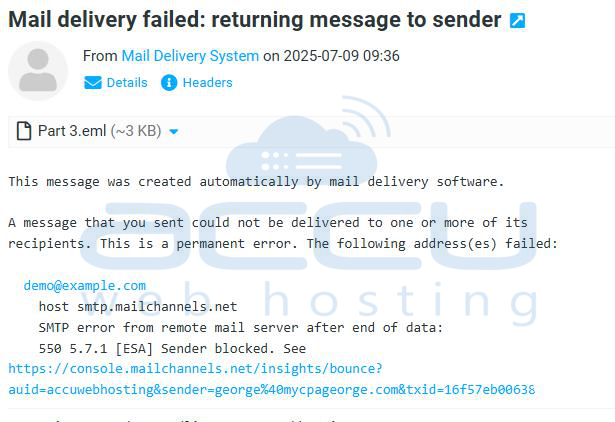
Sample Error Message:
550 5.7.1 [ESA] Sender blocked
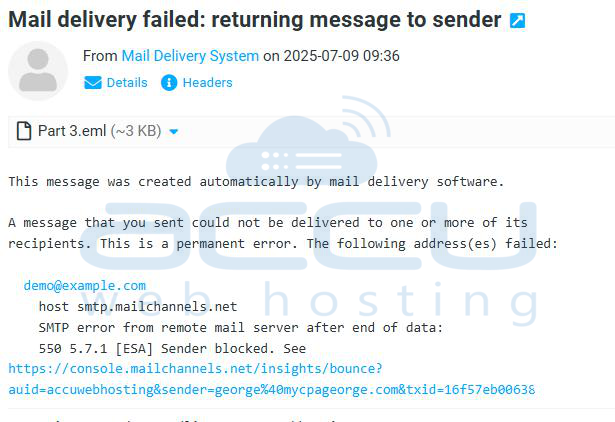
ESA stands for "Email Sending Abuse", and it indicates that MailChannels has detected abusive behavior from your email address or domain.
Common Causes of This Error
Several actions can trigger the 550 5.7.1 [ESA] error, including:
- Sending unsolicited bulk emails or newsletters without user consent
- A high volume of spam complaints from recipients
- Sending to a large number of invalid email addresses
- Compromised email accounts used by spammers
- Malware or viruses on your device sending email without your knowledge
How to Fix the 550 5.7.1 [ESA] Sender Blocked Error?
If you've received this error, here's how to troubleshoot and resolve it:
For End Users:
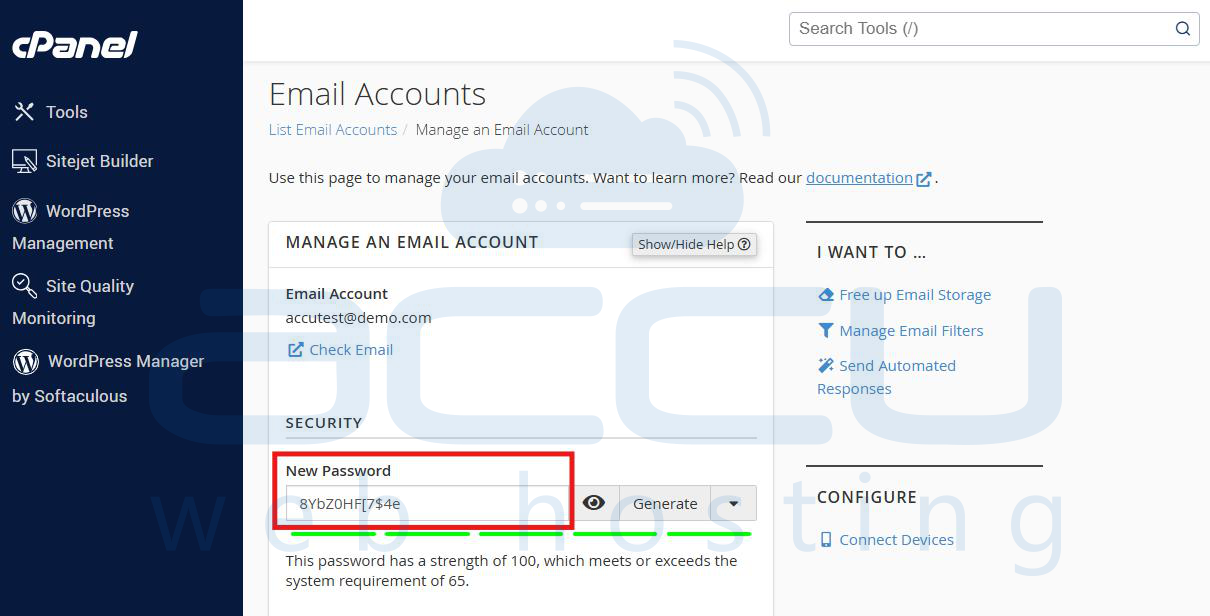
1. Change Your Email Account Password: Immediately update your email password. Use a strong password with at least 8 characters, including uppercase, lowercase, numbers, and special characters.
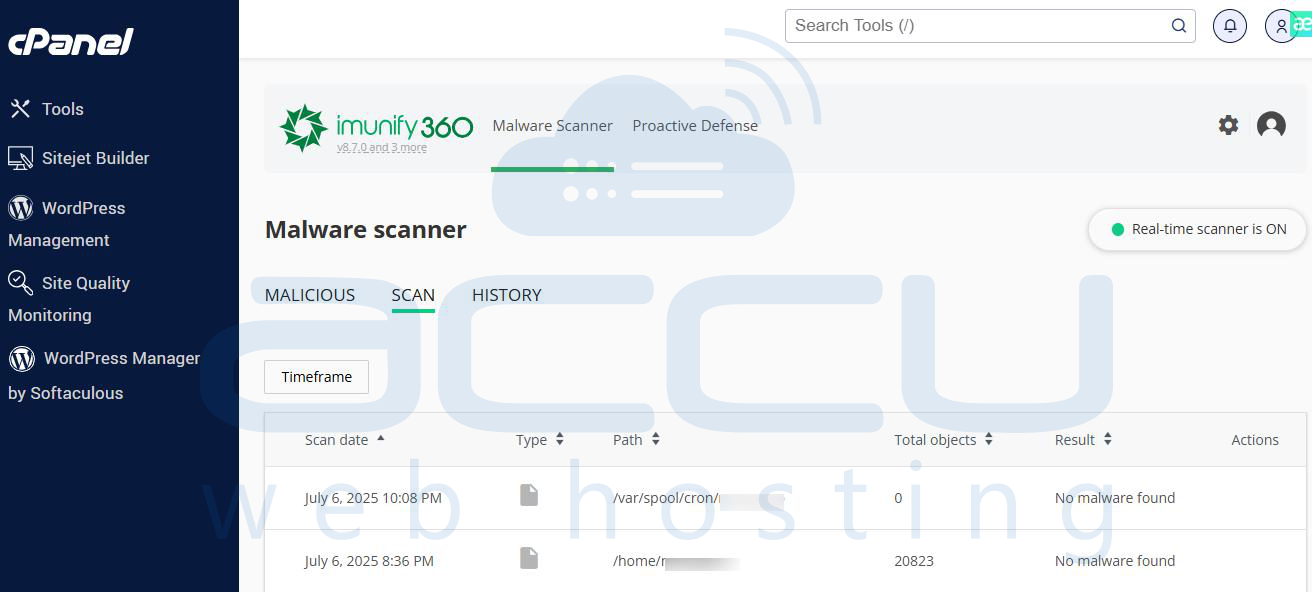
2. Run a Full Anti-Virus and Malware Scan: Malware can use your system to send spam. Clean your device using reliable antivirus software. In cPanel, you can use Imunify.
3. Check Your Email List: Ensure you're sending emails only to valid, opted-in recipients. Remove bounced or invalid addresses from your mailing lists. You can check invalid emails from cPanel Track delivery.
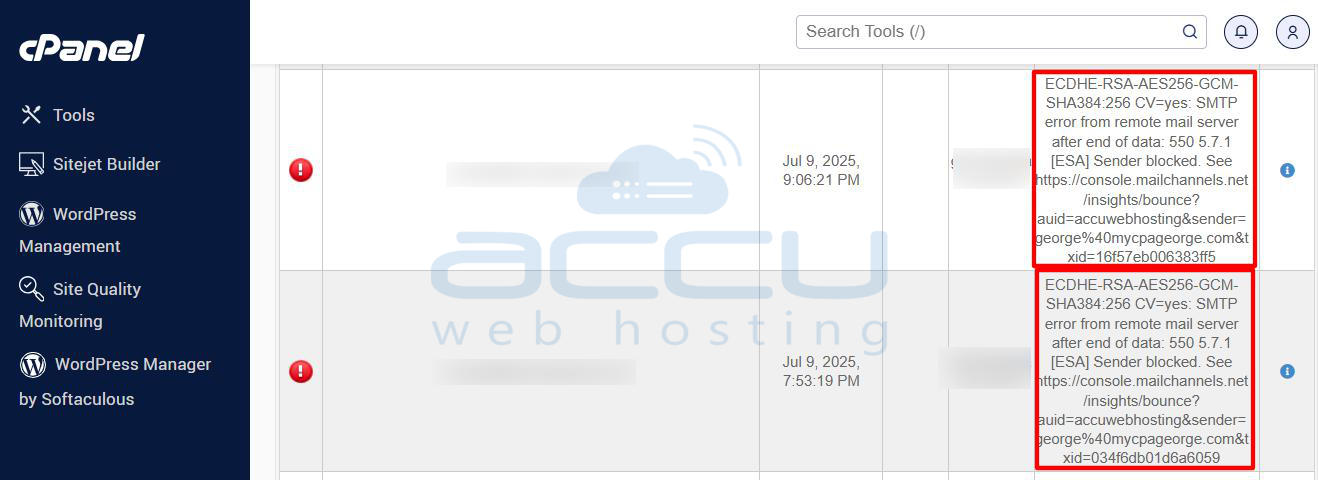
4. Review the Bounce Message: Some bounce messages from MailChannels include a link to request unblocking. Follow those instructions if provided.
Contact Your Web Hosting Provider
If you cannot resolve the issue on your own, file a support request. Your provider can help you lift the block and secure your account. You can contact us via chat or ticket if you have a Linux shared hosting service with us. https://www.accuwebhosting.com/contact
For Service Providers:
If you're a hosting provider or managing multiple email accounts, here’s how to unblock a user:
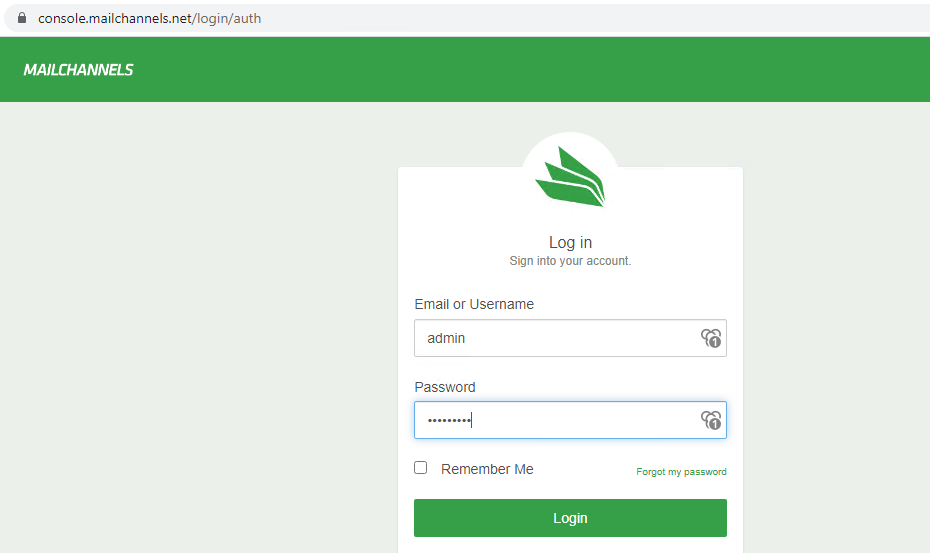
Step 1: Use the MailChannels Console.
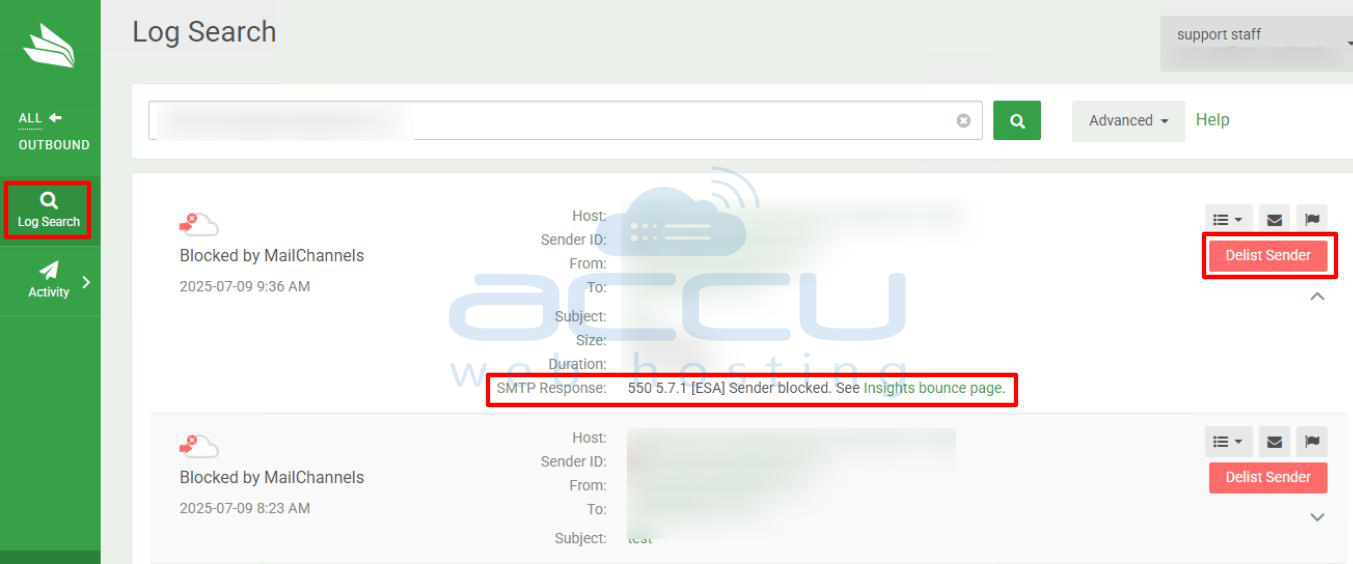
Step 2: Go to Outbound -> Log Search and search logs for email account.
Step 3: Click the "Delist Sender" icon. If the block is due to the 550 5.7.1 [ESA] error, the system will typically auto-unblock the account.
How to Prevent Future Blocks?
To avoid being blocked in the future:
- Avoid sending bulk email unless you have proper consent and list hygiene.
- Monitor outgoing traffic to detect unusual spikes or spam patterns.
- Educate users on safe email practices.
- Regularly audit your system for security vulnerabilities.
Conclusion
The 550 5.7.1 [ESA] Sender Blocked error is a protective measure to keep email platforms safe and spam-free. While it can be inconvenient, resolving it is typically straightforward with the right steps. Whether you're an end-user or a service provider, following security best practices and maintaining clean mailing lists will help prevent this error from recurring.


