
Important: Before we start setting up your order, email address & phone number verification are mandatory. Without email address & phone number verification, our team will not set up your order.
Phone Verification
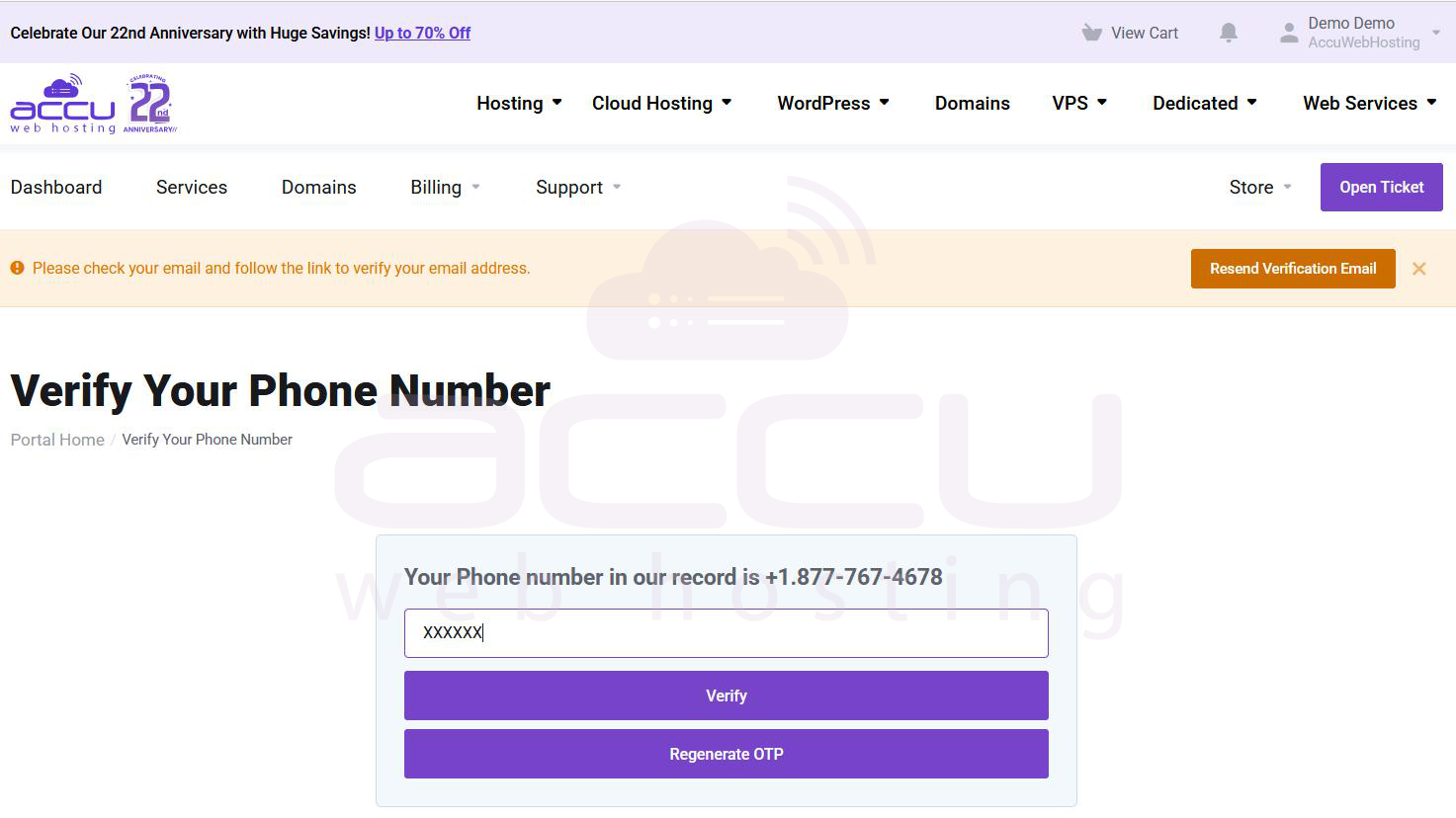
- A One time password (six digit code) will be sent to the registered phone number in your account via SMS.
- Please enter this OTP here to verify your phone number.
- If you do not receive SMS with OTP on your mobile number, please contact our support team via live chat or open a ticket. We will arrange an alternative method to verify your phone number.
- Hover your mouse over your name on Top-Left corner and click on "Phone Verification" as shown in the following image:
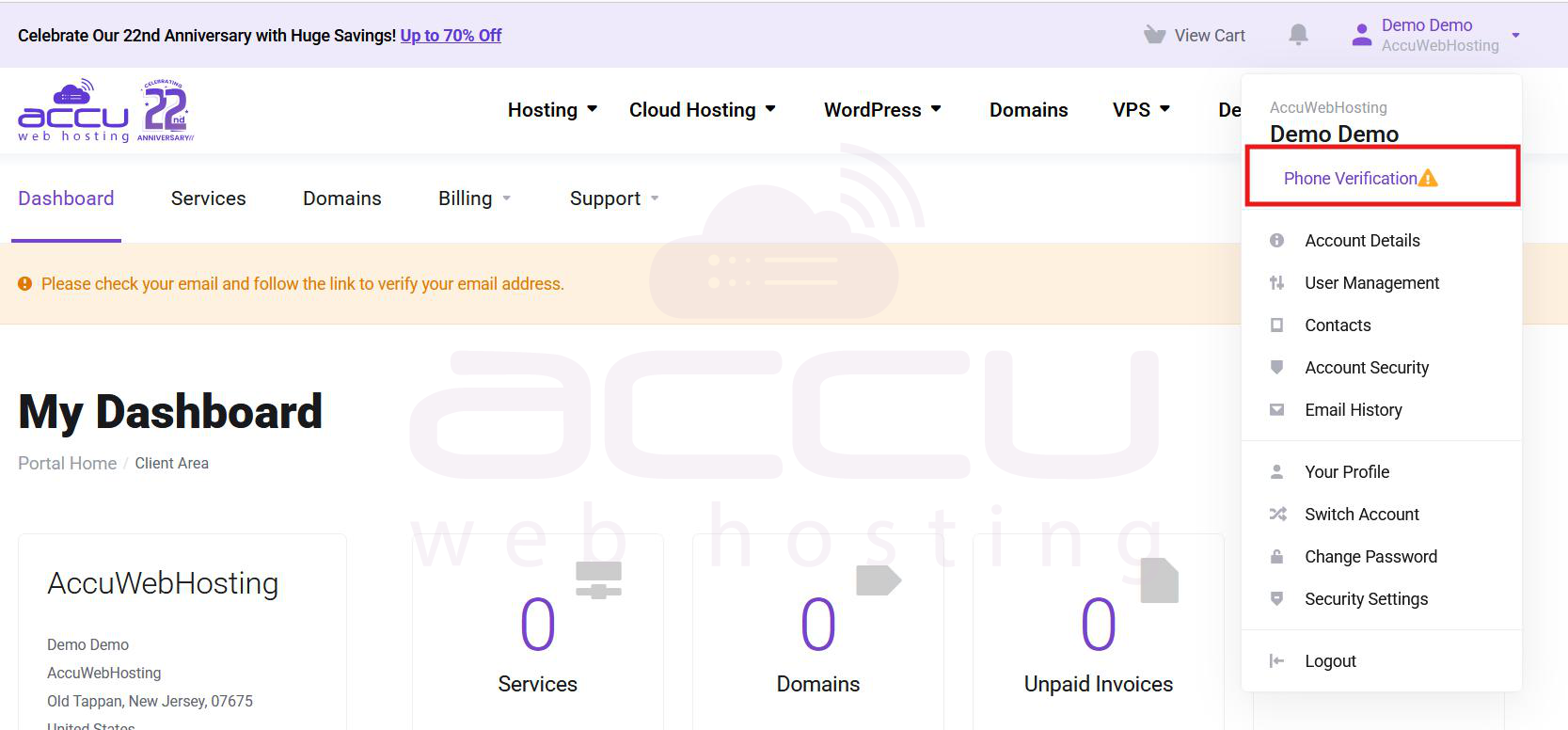
It will redirect you to the phone verification page. Verify your phone number and enter the OTP code. You can also regenerate the OTP code if the previous code is invalid or expired.
That's it !! It will complete the phone verification process.
That's it !! It will complete the phone verification process.
Email Address Verification
- Accu Web Hosting will send you a verification email on your registered billing email address.
- You need to click on the verification link given in that email to complete the email verification.
- If you are unable to see the verification email in your Inbox, we recommend you to check your Spam / Junk folder. You can also resend the verification email using "Resend Email" button as shown in the below image.
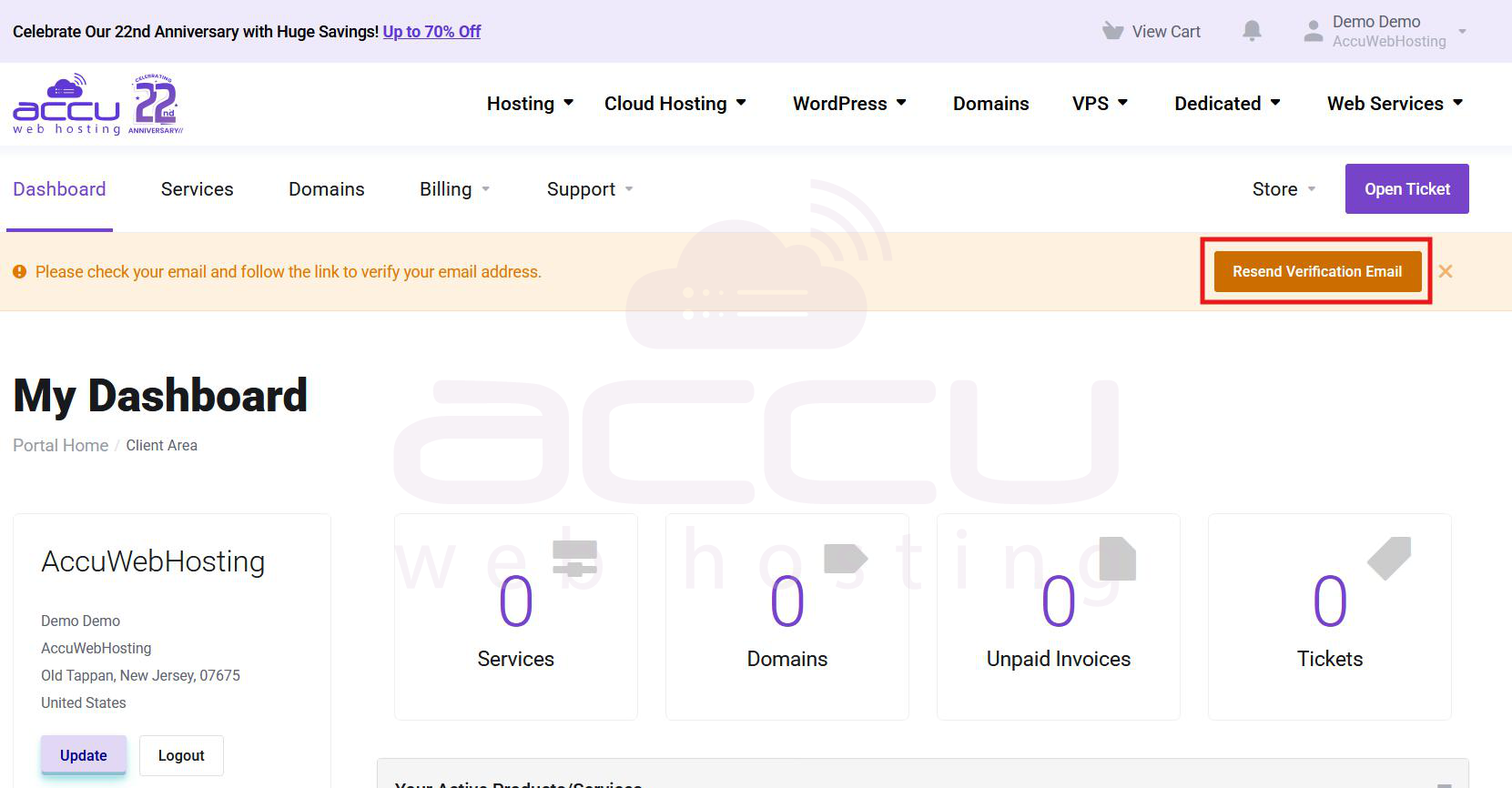
Once you resend, previous verification email will become invalid. We recommend you to wait for a verification email before attempting again to resend it.


