
SolidCP is a robust, open-source control panel designed for managing Windows server hosting environments with ease. If you're looking to activate PHP 8.3 on your Windows Server using SolidCP, simply follow this comprehensive guide.
Prerequisites
Before proceeding, ensure that you have:
A Windows Server with IIS installed.
SolidCP installed and configured.
Administrator or serveradmin access to SolidCP.
To activate PHP 8.3 on a Windows Server utilizing SolidCP, adhere to the following instructions:
Step 1: Download and Install PHP 8.3
1. Download the Non-Thread Safe (NTS) x64 version of PHP 8.3 from the official PHP website:
https://windows.php.net/download/
2. Extract the PHP 8.3 files to a folder, such as:
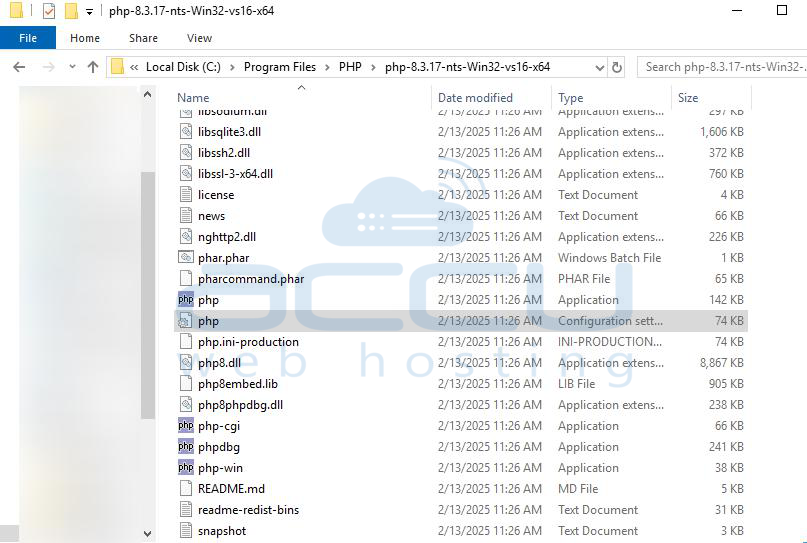
3. Rename php.ini-development to php.ini and configure it as needed.
Optional
Open php.ini in a text editor and configure the required settings.
Enable required extensions by uncommenting lines (remove ; before):
extension=curl
extension=mbstring
extension=mysqli
extension=pdo_mysql
extension=openssl
Step 2: Configure PHP in IIS
1. Open IIS Manager (inetmgr).
2. Click Handler Mappings and ensure FastCGI is installed.
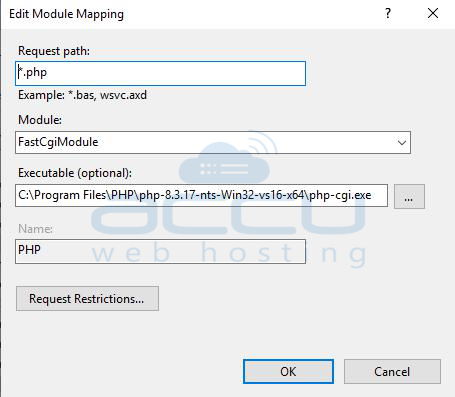
3. Add a new FastCGI application:
Step 3: Add PHP 8.3 in SolidCP
1. Log in to SolidCP as an admin.
2. Navigate to Configuration > Servers > Select your server [New server].
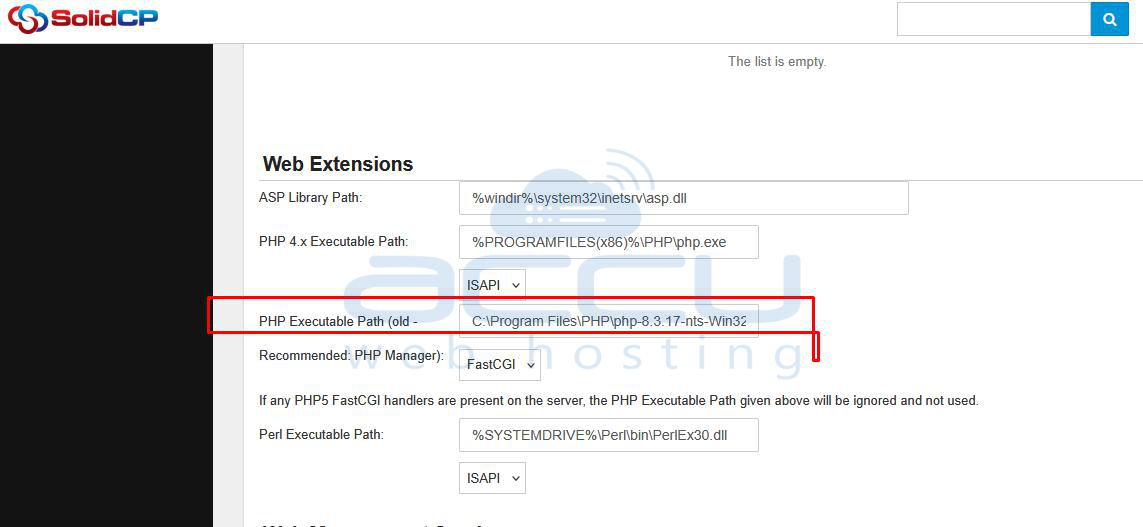
3. Click on Websites > Web Extensions.
4. Executable Path: C:\Program Files\PHP\php-8.3.17-nts-Win32-vs16-x64\php-cgi.exe
5. Click Save.
Step 4: Enable PHP 8.3 for a Website
1. In SolidCP, go to Web Sites.
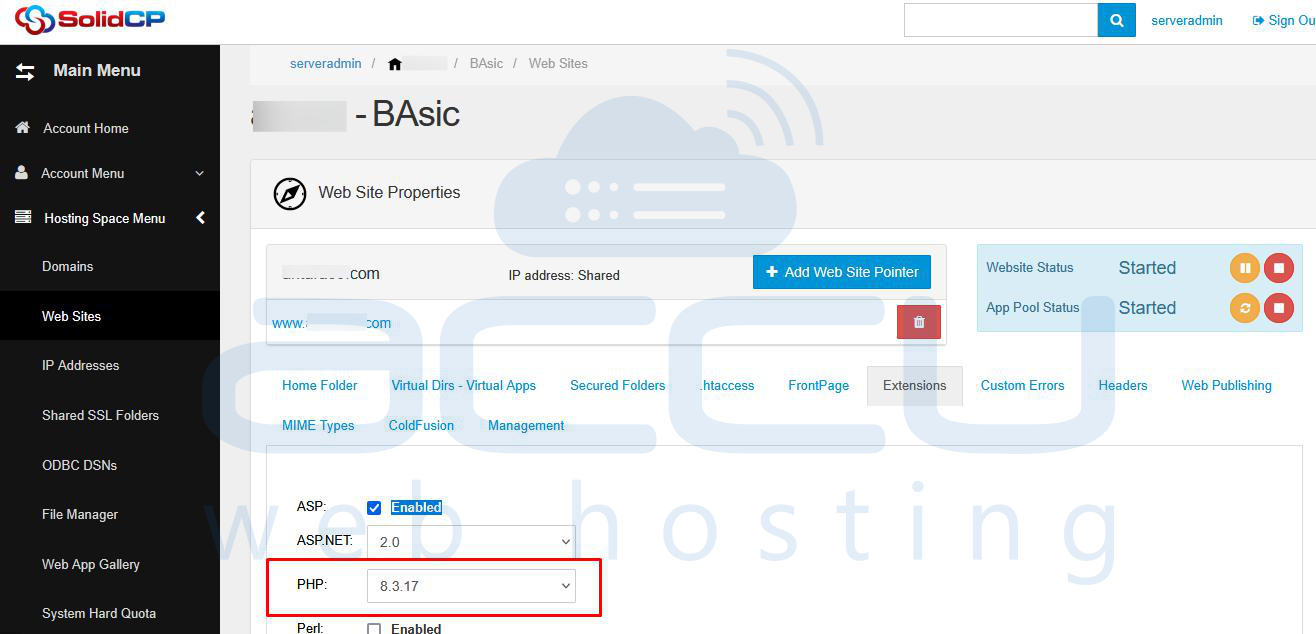
2. Select the website you want to modify.
3. Under Extensions, select PHP 8.3.
4. Click Update or Save.
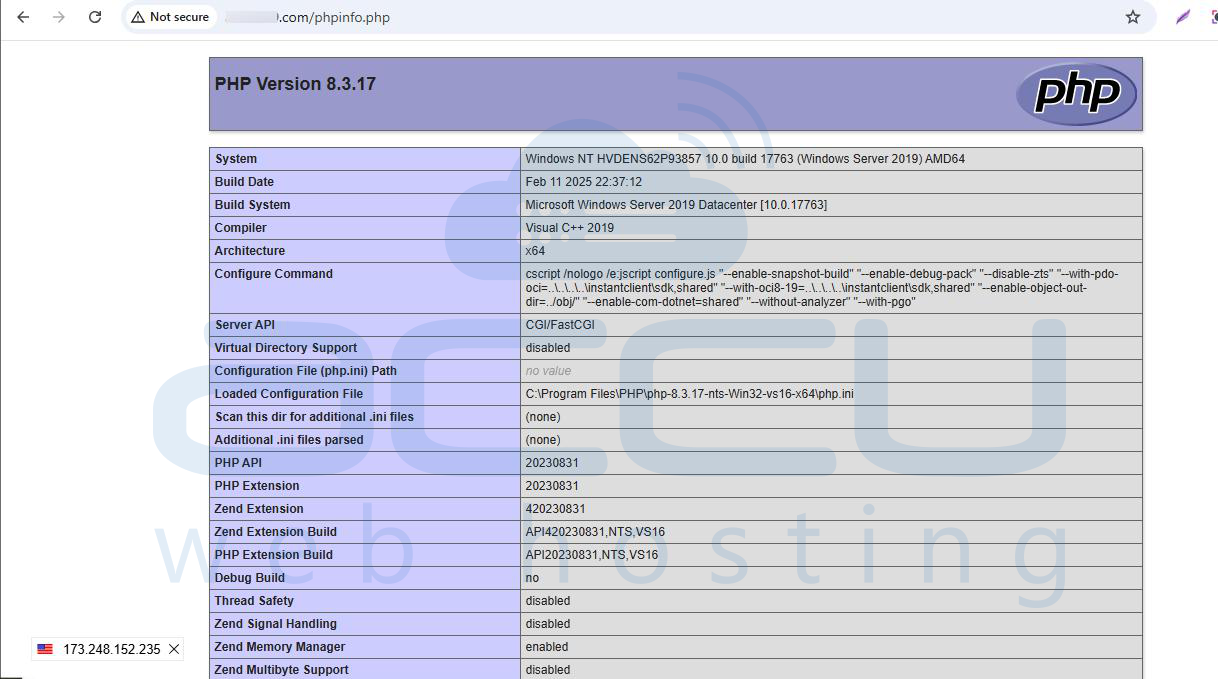
Step 5: Verify PHP Version
1. Create a phpinfo.php file in the site's root directory:
2. Access http://yourdomain.com/phpinfo.php in a browser.
3. Confirm PHP 8.3 is active.
Conclusion
By following these steps, you have successfully installed and enabled PHP 8.3 on your Windows Server using SolidCP. This setup ensures that your websites run smoothly with the latest PHP features and security updates. Having PHP 8.3 enabled allows better performance, improved security, and compatibility with the latest frameworks and applications. Regularly updating and configuring PHP properly is crucial for optimal performance and stability.


