
When it comes to troubleshooting domain resolution issues or exploring the inner workings of DNS, few tools are as essential as nslookup. Whether you're a network administrator, a website owner, or just a curious tech enthusiast, understanding how to use nslookup can provide valuable insights into your DNS records and help resolve potential problems. In this guide, we'll explain what nslookup is, how it assists in querying DNS records, and its most common uses.

What is nslookup?
nslookup (short for Name Server Lookup) is a command-line tool used for querying the Domain Name System (DNS). It allows users to look up various types of DNS records for a domain, such as IP addresses, mail servers, and other associated services.
How Does nslookup Assist in Querying DNS Records?
nslookup enables you to query DNS servers to fetch DNS records associated with a domain name. These records can provide a wealth of information, including:
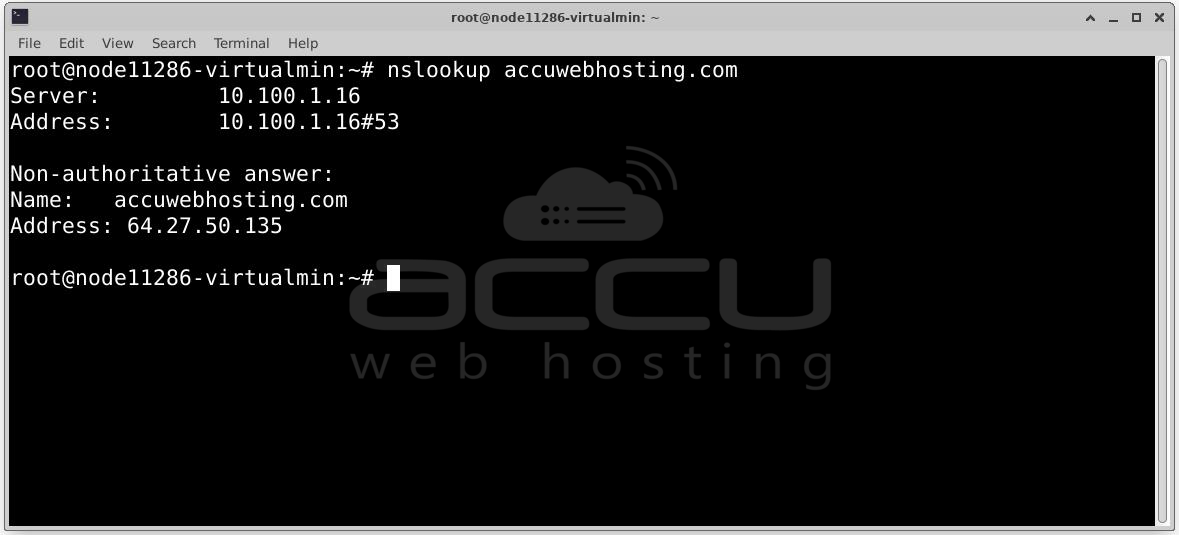
- IP Address Lookup (A or AAAA records): The most common use of nslookup is resolving a domain name to its associated IP address (A record for IPv4 or AAAA for IPv6). This is useful when you're troubleshooting website access or testing network configurations.
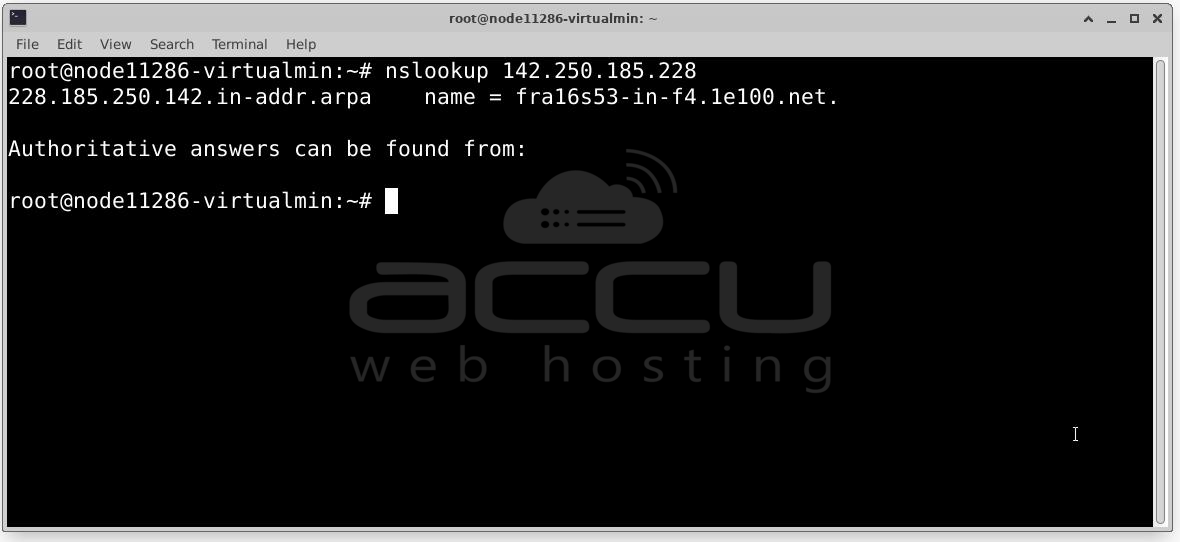
- Reverse DNS Lookup (PTR Records): nslookup can perform reverse lookups, where you provide an IP address, and it returns the domain name associated with it. This is useful for verifying the legitimacy of an IP address or identifying the owner of a particular address.
- MX (Mail Exchange) Records: Email-related issues often stem from misconfigured MX records, which specify the mail servers responsible for receiving email for a domain. nslookup allows you to query these records to ensure proper mail routing.
- Other DNS Record Types: You can also use nslookup to look up other DNS records, such as:
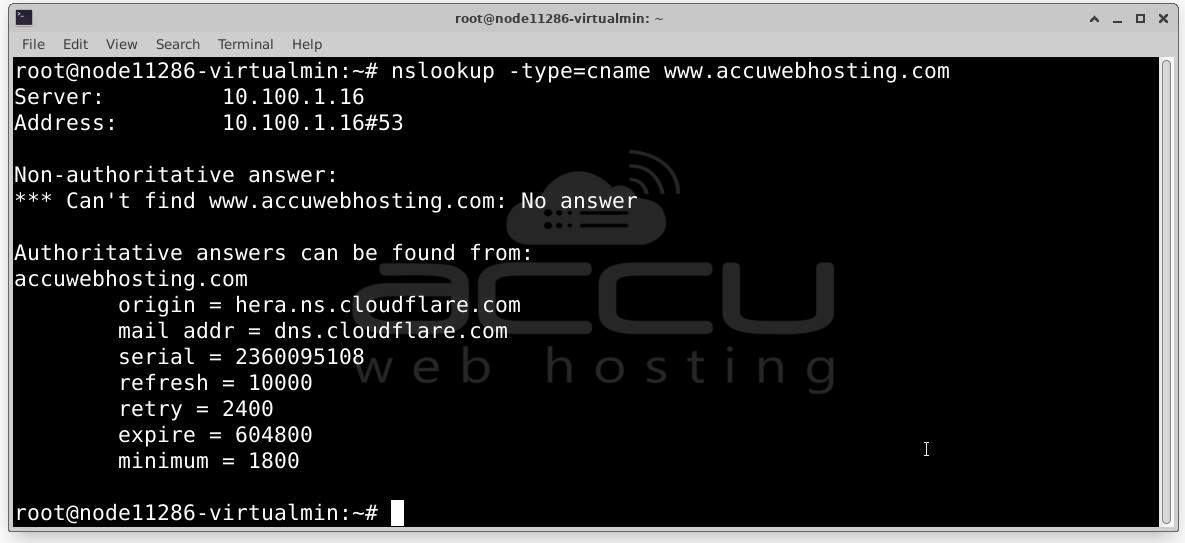
- CNAME: Canonical name records, that alias one domain to another.
- TXT: Text records, often used for verification or security purposes (like SPF or DKIM records).
- SOA: Start of Authority records, which contain metadata about the DNS zone and its primary nameserver.
Common Uses of nslookup
1. Checking Domain Resolution: If you’re experiencing issues with accessing a website, nslookup can help confirm whether the domain name resolves correctly to an IP address. For example, if you're unsure whether example.com points to the right server, you can run:
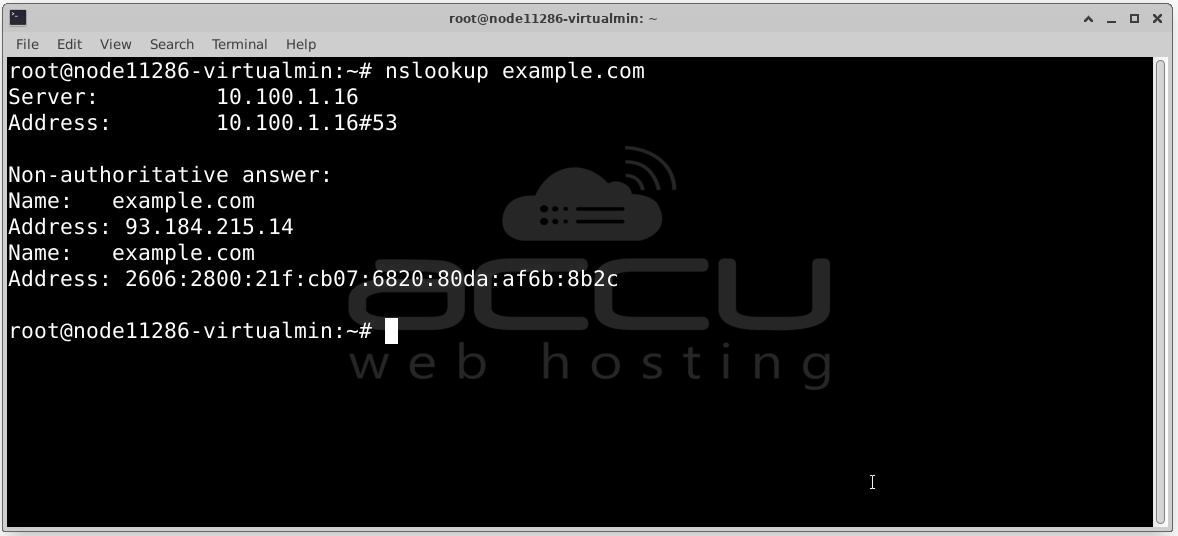
This command will return the IP address associated with example.com. If the IP address seems off, you might have a misconfigured DNS record or an issue with your DNS provider.
2. Troubleshooting DNS Issues: nslookup is invaluable for diagnosing DNS resolution problems. If you’re unable to access a website or send/receive emails, you can check the relevant DNS records to see if everything is set up correctly. For instance, if email is bouncing, you might want to check the domain’s MX records:
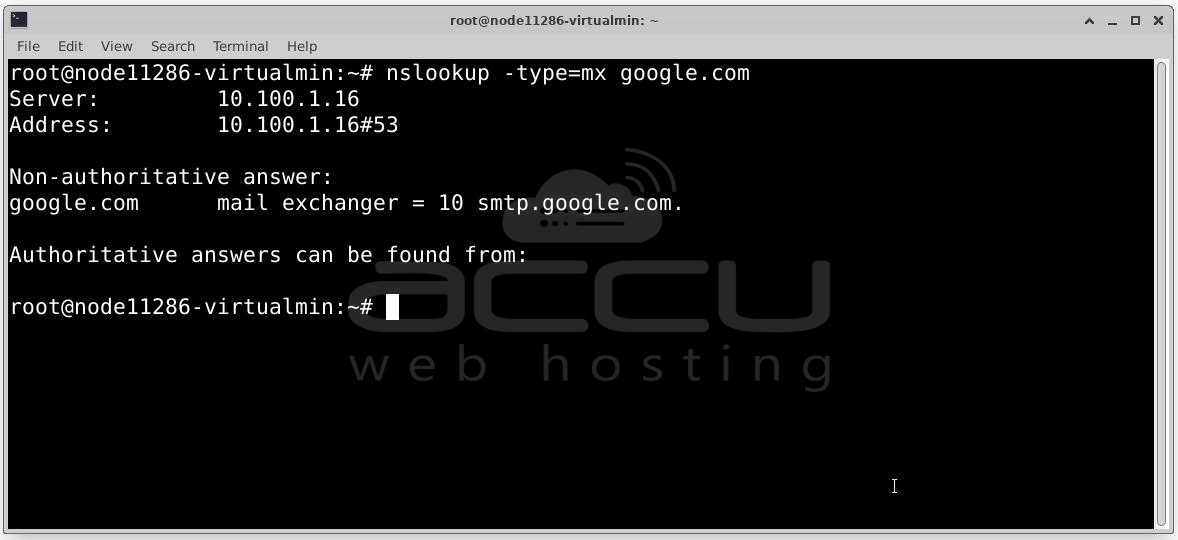
This will show you the mail servers responsible for handling emails for example.com.
3. Reverse DNS Lookup: Sometimes, you might need to identify the domain name associated with an IP address—especially in cases of network security or when dealing with spam and bot traffic. You can use nslookup for a reverse DNS lookup:
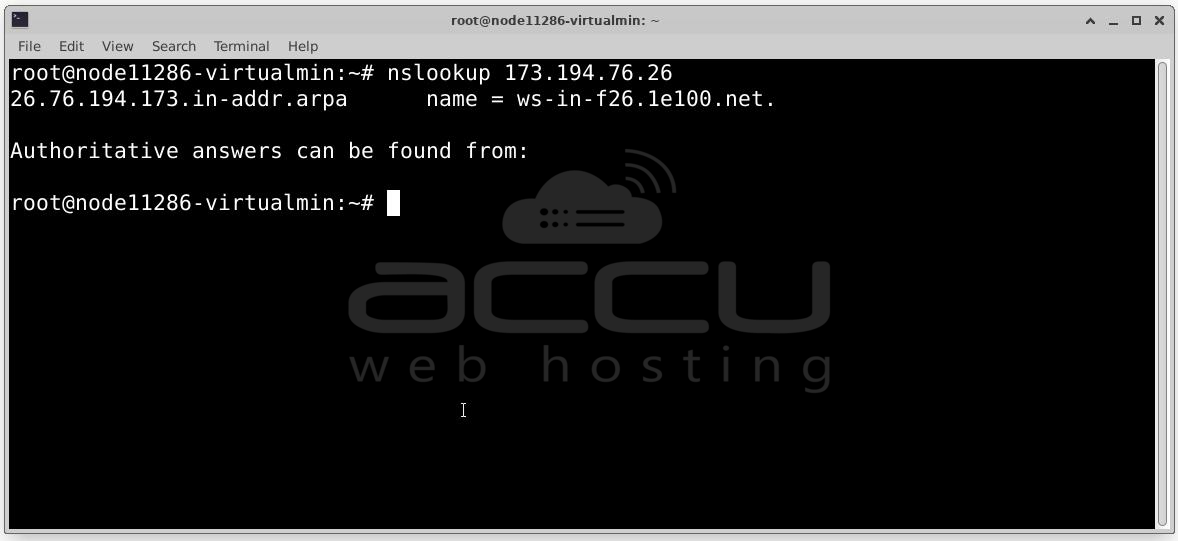
This query will return the domain name (if available) for the given IP address.
4. Verifying DNS Propagation: When you make DNS changes, like updating your domain's nameservers or changing an A record, it can take time for those changes to propagate across the internet. nslookup is a great way to verify whether the updates have been applied and are visible to the public. You can query different DNS servers to check whether the new records have propagated.
5. Testing DNS Servers: If you suspect your DNS server is not functioning properly, you can query a different DNS server (such as Google's public DNS 8.8.8.8 or Cloudflare’s 1.1.1.1) to compare the results. For instance, if you're having trouble with a specific domain, you can test it against Google's DNS server:
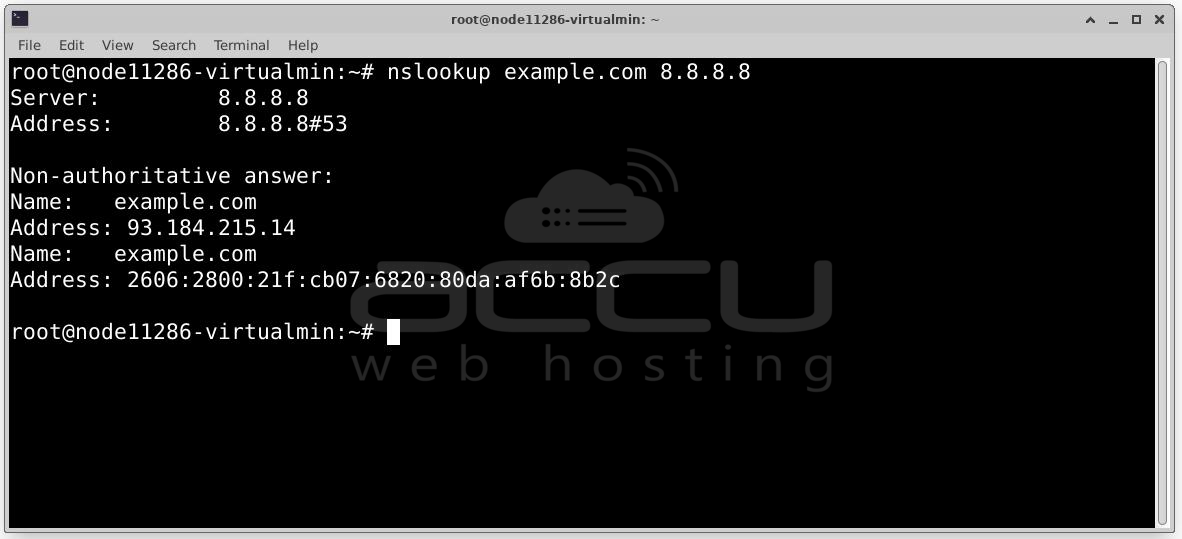
If the response differs from your local DNS server, it could point to a configuration issue with your current DNS provider.
6. Checking for DNS Configuration Errors: nslookup is an essential tool for network administrators who need to check and validate DNS configurations. You can use it to verify that all necessary records are in place, from the A record that points your domain to the correct web server, to the MX records that ensure your emails are routed properly.
Example nslookup Commands
Here are a few practical examples of nslookup commands you can use to get different types of DNS information:


Conclusion
nslookup is a powerful tool for anyone working with domains and DNS. Whether you're troubleshooting an issue, verifying DNS records, or performing network security assessments, nslookup provides you with the insights you need to understand how domain names are resolved on the internet. By using this simple and effective command-line tool, you can quickly diagnose problems, validate configurations, and gain deeper visibility into the health of your domain’s DNS records.
