
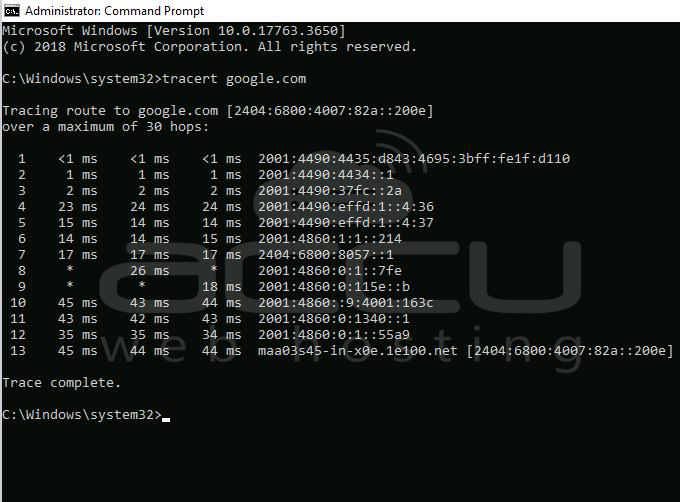
Traceroute (tracert) is a command line utility that shows you the time it takes for a packet of information to reach a destination IP address or domain from your local computer. The traceroute command lists the 'hops' data packets taken to reach the target IP or domain. It is often used for troubleshooting connectivity problems.
Here are the steps for running tracert on Windows 10.
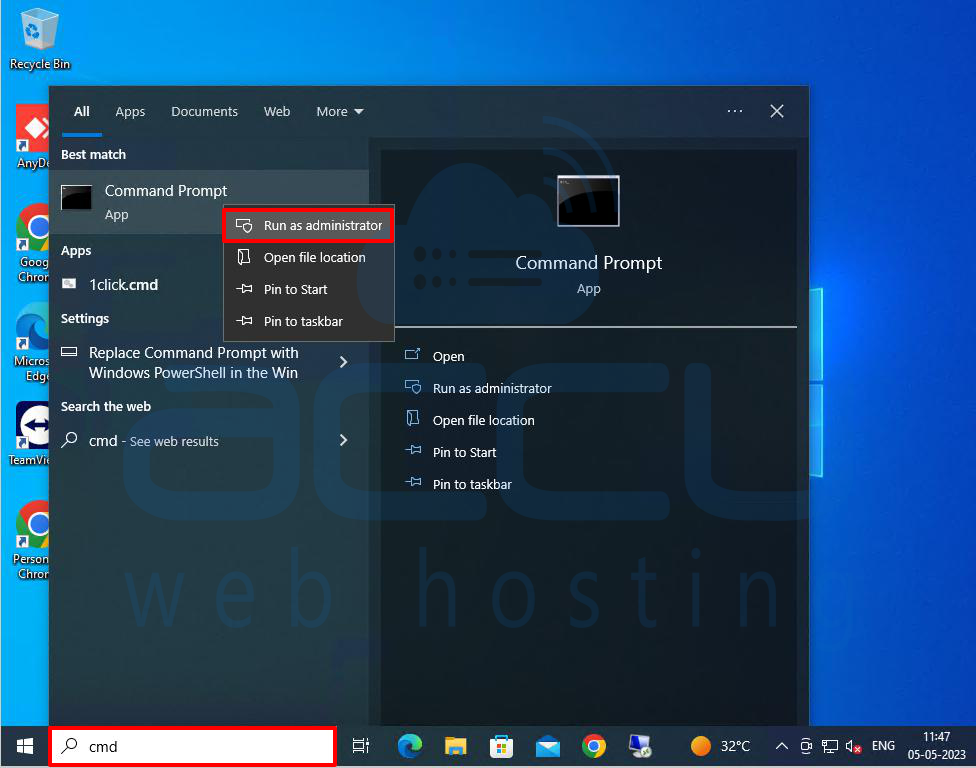
Step 1: Go to the Taskbar at the bottom of the screen and click the Search icon.
Step 2: In the search box, type cmd. Choose the best match and select the Run as administrator option.
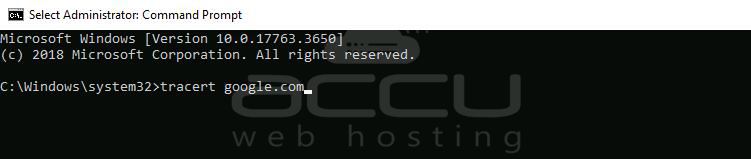
Step 3: In the Command Prompt window, type tracert followed by a space and domain name or IP address.
For example, tracert google.com
or tracert 8.8.8.8
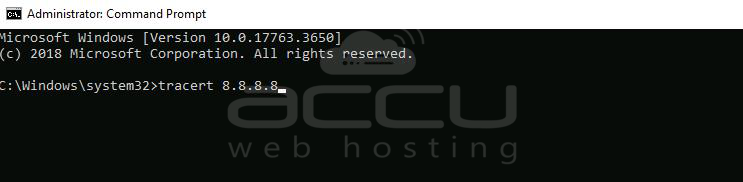
Note: You need to replace google.com with your domain name and IP address 8.8.8.8 with your Server IP address.
Step 4: After then, press enter to run the command.
When the process is complete, you will see the words Trace Complete. Also, you can stop the traceroute at any time by pressing the Ctrl + C keys simultaneously on your keyboard.
To copy the traceroute results, left click and drag to select the traceroute results. Then press Enter on your keyboard. Then open a document or text file and paste the traceroute results there.
That's all.


