
A spam score is a value or number provided by an anti-spam filtering system that determines whether an email is likely to reach the recipient's inbox or be classified as spam.
SmarterMail's anti-spam setup allows spam checking to take spam decisions in any way. Each spam check is assigned one or more weights. When anti-spam is run on email, all valid spam checks are performed. The total weight of all spam checks is the final spam weight of the email. The email is then assigned a spam probability level (low, medium, or high) using weights configured by the system administrator on the Filters tab of the Options tab. Finally, the appropriate spam filter action is taken based on the email's total spam weight/probability.
Smartermail has divided the Weight Score into three parts.
Spam:Low
Spam:Medium
Spam:High
Spam:Low - It indicates the low probability that the email is spam email.
Spam:Medium - It shows the medium chance that the email is spam email.
Spam:High - It indicates a higher probability that the email is spam email.
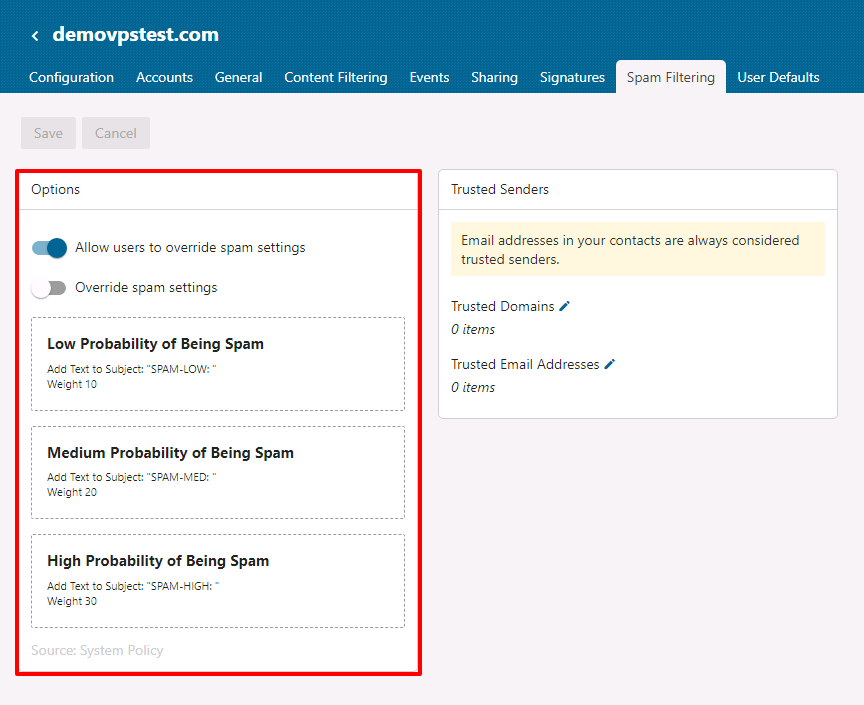
If you override SmarterMail's default spam settings, you can choose the action to take on incoming mail. You can also change the probability weights of the three spam regions:
Low Probability of Being Spam (Weight -10)
Medium Probability of Being Spam (Weight -20)
High Probability of Being Spam (Weight -30)
You can choose from the following actions for each spam level:
No action: Your message is unchanged and will be delivered normally
Delete message: Message deleted from the mailbox and not delivered
Move to Junk Email folder: The message will be moved to SmarterMail's Junk Email folder for later review.
Add text to subject: An automatic prefix is added to the message subject.
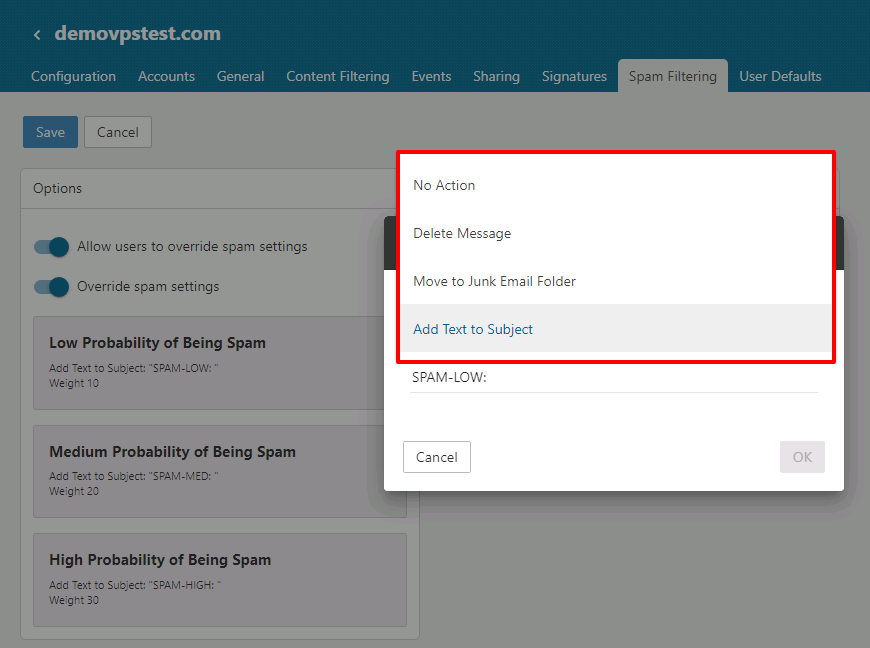
If append text to the subject is selected as the action, the following prefixes are added to the subject based on the message's score.
Spam score between 10 and 20: Prefix the message's subject with "SPAM-LOW".
Spam score between 20 and 30: Prefix the message's subject with "SPAM-MED".
Spam score of 30 or above: Prefix the message's subject with "SPAM-HIGH".
When the SmarterMail server receives an email, it evaluates the email by performing various checks on the message. For each validation that the message fails, its respective weight is added to the email message's total score. This mechanism is used to determine if a message is within a low, medium, or high probability range. If the spam "score" exceeds 40, the email will be blocked and bounced back to the sender.
Can it impact Spam Weight/Score on receiving emails
Yes. It will impact receiving emails. If the email has a 40 or more score that the email will be blocked and bounced back to the sender.
If the email has a 30 or more score, it will be moved to Spam or Junk folder. It depends on how you have set weight in Spam Filtering.


