
- chmod command is to change the mode.
- It is used to change the access permissions of files and folders.
- The chmod is a command which allows you to modify file permissions on Linux/Unix systems.
Syntax:
chmod [option] permission file/folder
Three basic file permissions:
1) Read (r)
2) Write (w)
3) Execute (x)
Three Classes:
1) User (u)
2) Group (g)
3) Other (o)
- The user is an account that owns the file. The group which owns the file may also have other accounts as members. The others are the rest of the accounts in the system.
- Basically, there are two ways to add permission to the file/folder.
1) With Symbol (Alphabets) : rwx rw r
2) With Number (Numeric) : 0-7
Here is the overview of the numbers associated with the permissions.
4 -> Read (r)
2 -> Write (w)
1 -> Execute (x)
0 -> No Permission
- You can use the following command in the terminal to list the permissions of files and directories.
#ls -l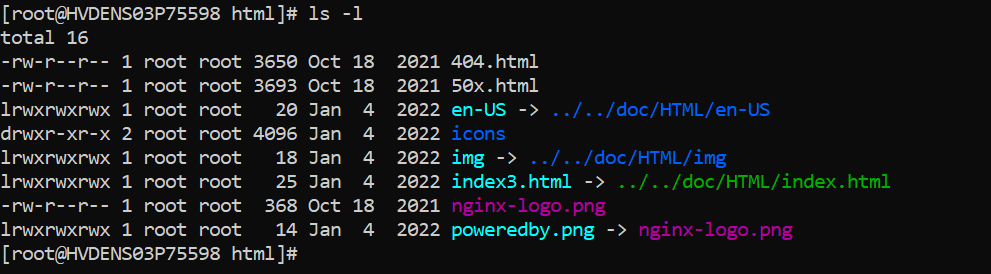
- The User (owner) can Read, Write & Execute the files/folders.
- The group members can Read & Execute the files/folders.
- Others can only Read the files/folders.
Example of assigning permission to the file jake.html by Symbolic way:
#chmod u=rwx, g=rx, o=r jake.html
Example of assigning permission to the file jake.html by Numeric way:
#chmod 754 jake.html
[7=4(read)+2(write)+1(execute)] [5=4(read)+1(execute)] [4=4(read)]


