
The chown command stands for change owner. It allows you to change user ownership of a file, directory, or link in the Linux system. It can also be used to change the group ownership of a file and directory. Every file is connected with an owner and a group.
Syntax:
chown [option] User : Group file_name
Important note: To execute the chown command, you must have root access or access to a user with sudo privileges.
How to check Ownership of a File in Linux
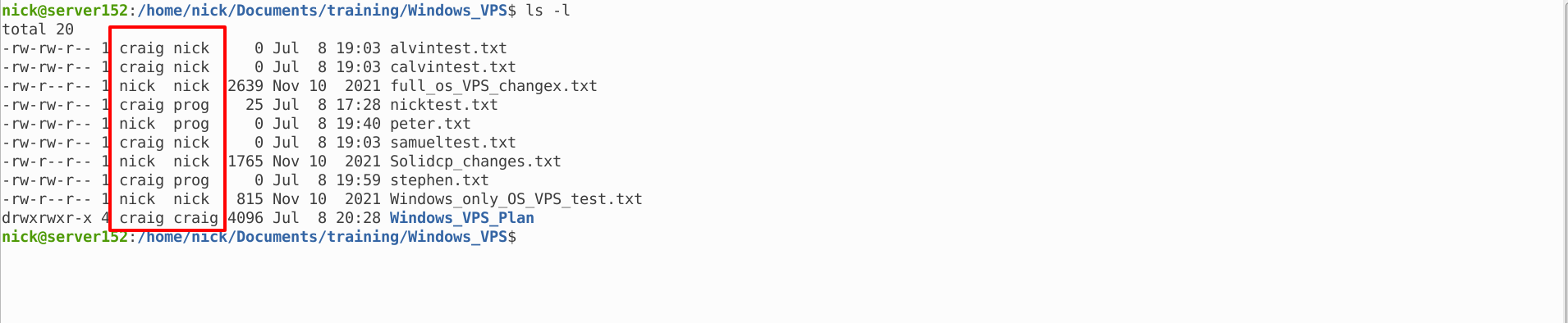
You can check the ownership or group of a file and directory by ls -l command.
How to change the owner of a file
Before changing the file owner, you should know the original file owner of the file. You can check the existing owner of the file by ls -l command.
To change the file owner, you need to use the command below.
chown newowner file_name
The below mentioned command will change the ownership of a file nicktest.com from nick to user craig.
$ sudo chown craig nicktest.txt

How to change the owner of a directory
You can use the same format to change the ownership of the directory.
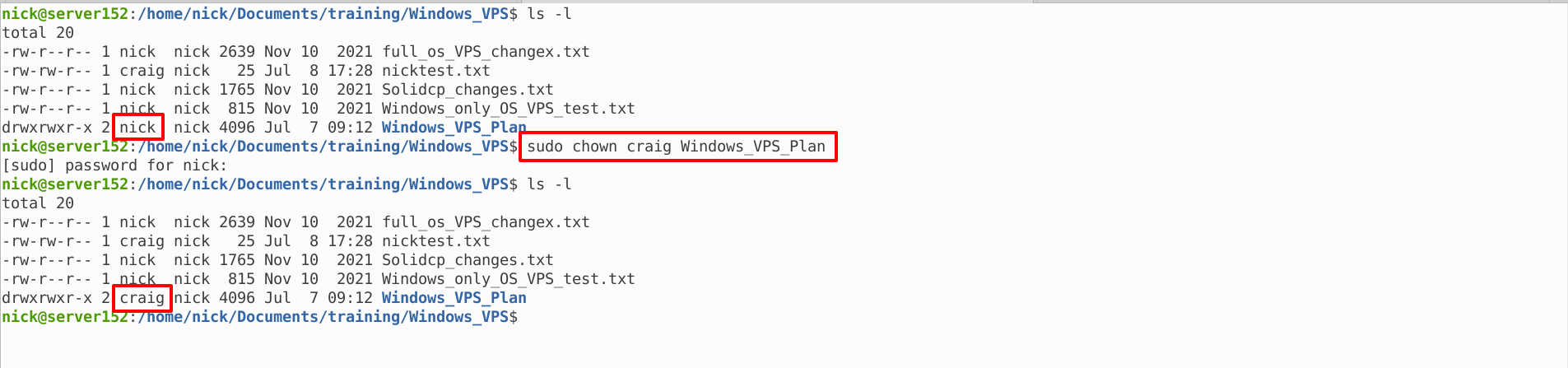
The following command will change the ownership of the directory Windows_VPS_Plan from nick to user craig.
$ sudo chown craig Windows_VPS_Plan
Change ownership of Multiple files
With chown command, you can change the ownership of multiple file. First, enter the file names you want to change the ownership after new_owner_name. You need to use a single space between the file_names.
Syntax
chown new_user filename1 filename2 filename3
The following command will change the ownership of files alvintest.txt, calvintest.txt and samueltest.txt from nick to user craig.
$ sudo chown craig calvintest.txt alvintest.txt samueltest.txt

How to change a group of a file
With chown, you can change a group of a file or directory without changing the owner (user).
Syntax:
chown :NewGroup File_name
The following command will change the group of the file peter.txt from nick to group name prog
$ sudo chown :prog peter.txt

Change Owner and Group of a file at the same time
If you want to give a new owner of a file and change its group at the same time, you need to use the following command.
chown NewUser:NewGroup File_Name
The below mentioned command will change the owner and group of the file stephen.txt from owner nick and group nick to user craig and group prog.
$ sudo chown craig:prog stephen.txt

How to Recursively Change File Ownership
The chown command is also used to change the ownership of all files and subdirectories present in a directory. To achieve this, you need to add -R option in the chown command.
Syntax:
chown -R NewUser:NewGroup Directory_name or Path_of_directory
The following command will change the ownership and group of the directory Windows_VPS_Plan from user nick and group nick to user craig and group craig.
$ sudo chown -R craig:craig Windows_VPS_Plan
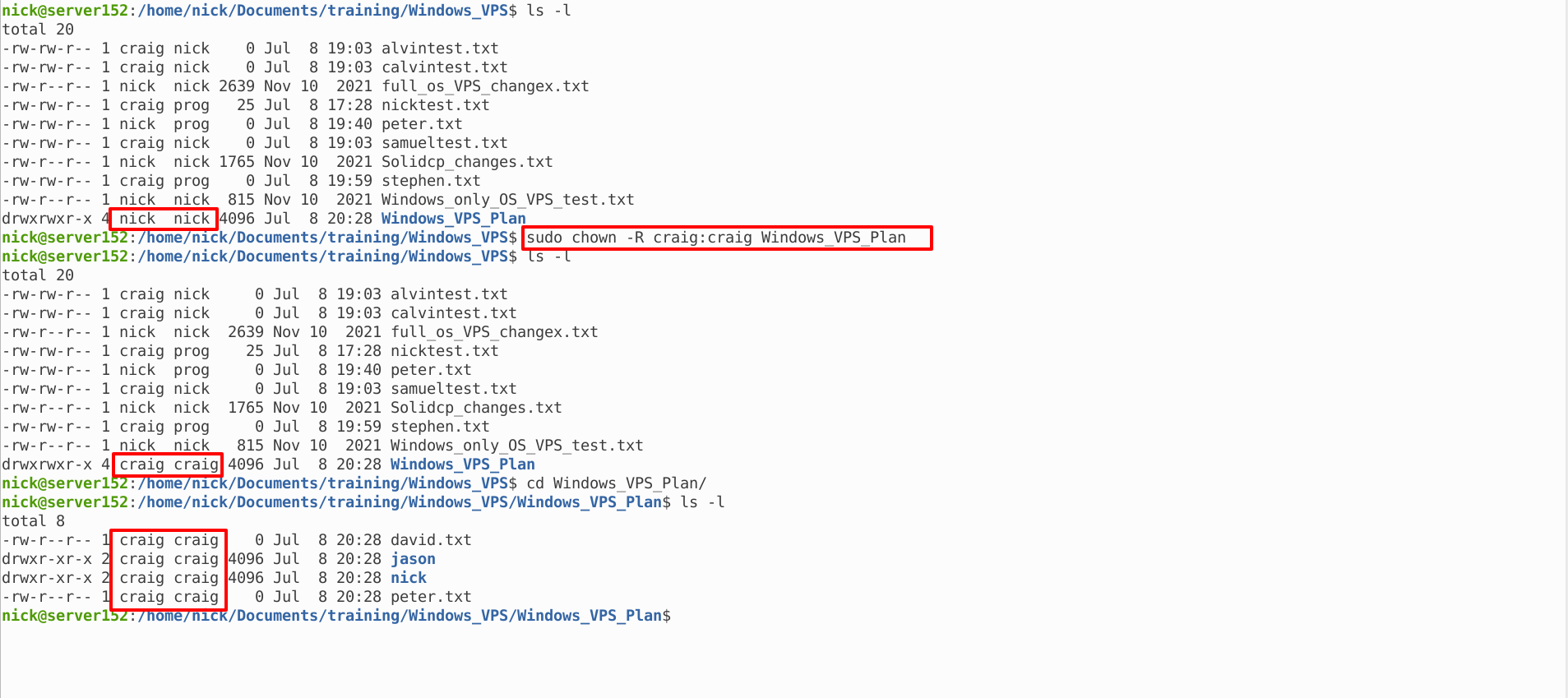
You can see that in the directory Windows_VPS_Plan, the ownership and group have been changed to user craig and group craig.


