
Please refer to the following steps to remove Swap Space from CentOS/AlmaLinux:
Step 1: First, use the command below to check whether your system is running with the Swap Space.
# swapon -s
It will list the Swap Space with its location

Step 2: As per the above location, Swap Space is located at /dev/vdb since it is a virtual server. We will disable the Swap Space by executing this command:
# swapoff -v /dev/vdb
Step 3: After that, you can check with the free command to verify that the Swap is disabled.
# free -m

Step 4:Remove the Swap entry from /etc/fstab. To do this, edit the fstab file and remove the Swap entry.
# cat fstab
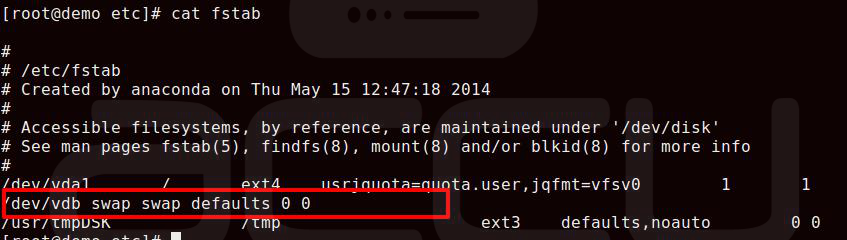
Step 5: Let’s regenerate Mount units to register the new configuration:
# systemctl daemon-reload
Step 6: Finally, remove the actual Swap file.
# rm -rf /dev/vdb
This is it.
We have successfully removed the Swap Space.
Looking to add a new Swap Space?
Please refer to Accuweb > Add Swap Space article for more details.


