
In Unix or Linux systems, you may occasionally need to identify all files owned by a specific user, particularly during security audits, user deactivation, or file ownership reviews. The find command makes it easy to search the entire filesystem based on file ownership.
Steps to Find Files Owned by a Specific User
Step 1: Use the find command with the -user flag.
# find / -user $USERNAME
Replace $USERNAME with the exact username whose files you want to locate.
Example: find / -user john
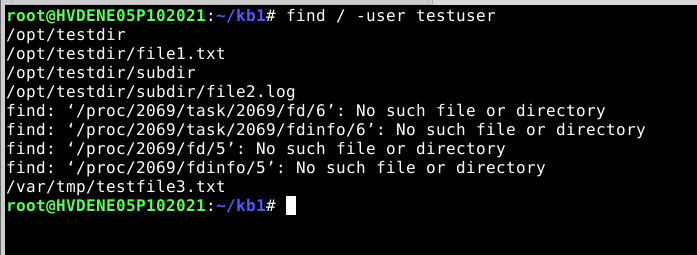
This command recursively searches the root directory (/) for all files owned by that user. Be aware that this may take some time, especially on large systems.
Step 2: (Optional) Save the output to a file.
To store the results in a text file for further analysis or record-keeping, use the following:
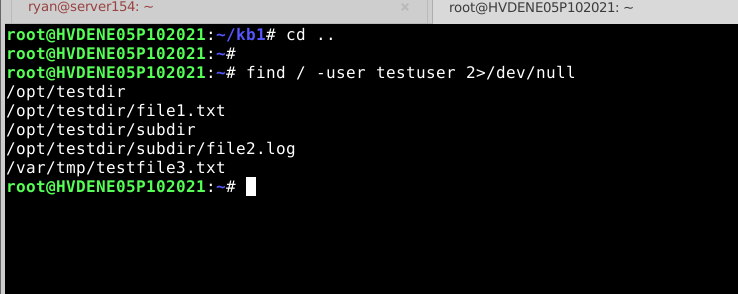
# sudo find / -user "$USERNAME" > users_files.txt 2>/dev/null
This creates a file named users_files.txt in your current directory containing the list of all files owned by the specified user.
Conclusion:
Using the find command with the -user option provides a simple yet powerful way to track file ownership across your Linux or Unix system. This is especially useful for managing user accounts, transferring ownership, or ensuring that no orphaned files remain after account deletion. For better performance on large systems, consider narrowing the search to specific directories.


