
There are multiple ways to delete/remove your WordPress website.
This article will show you how to delete a WordPress website from your cPanel.
Important Note:
Before making the changes shown below, we recommend you create a backup of your website content and database.
Step 1: Log in to your cPanel account.
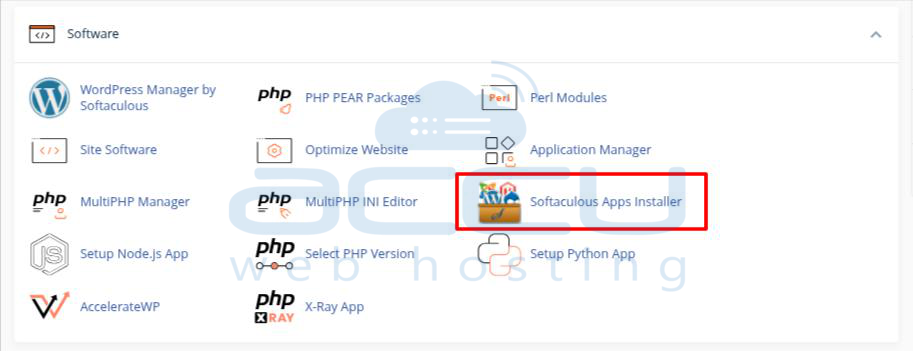
Step 2: Click on the Softaculous Apps installer under the software section.
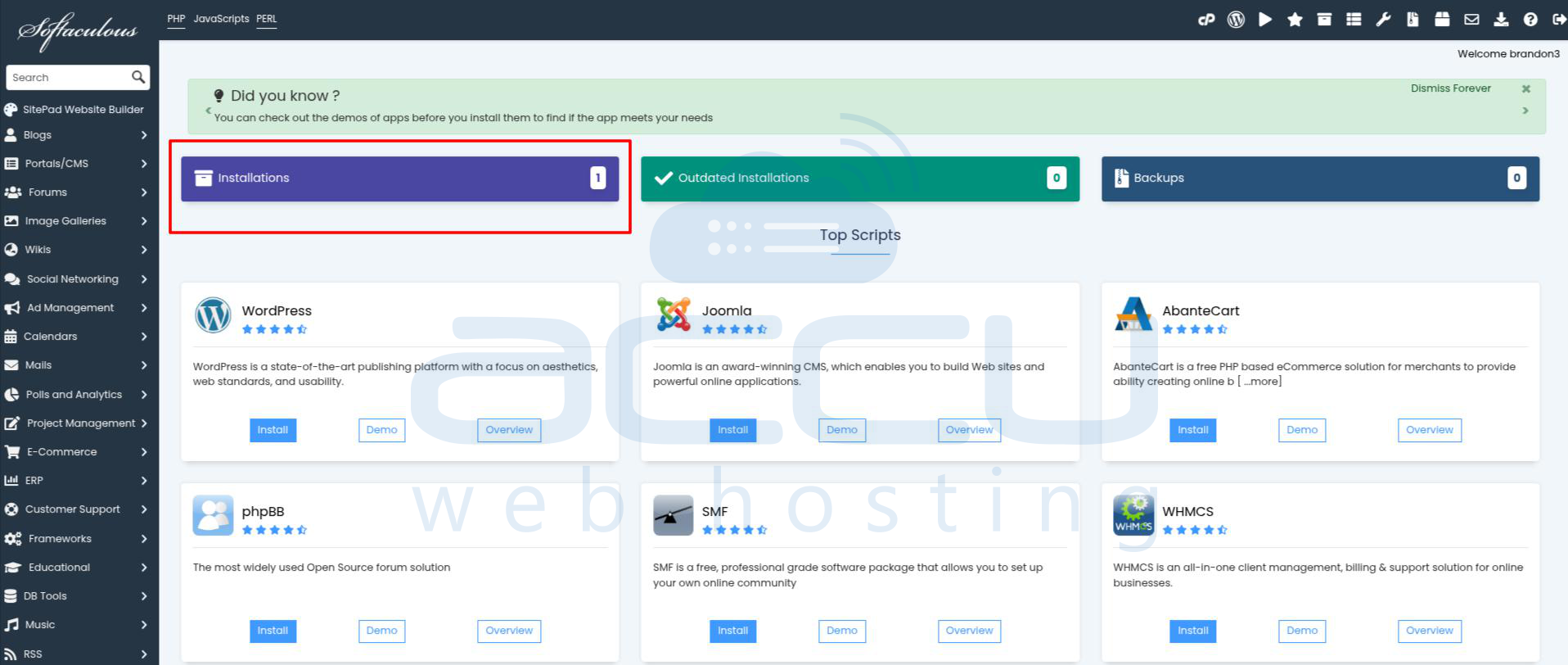
Step 3: Click on the Installations option.
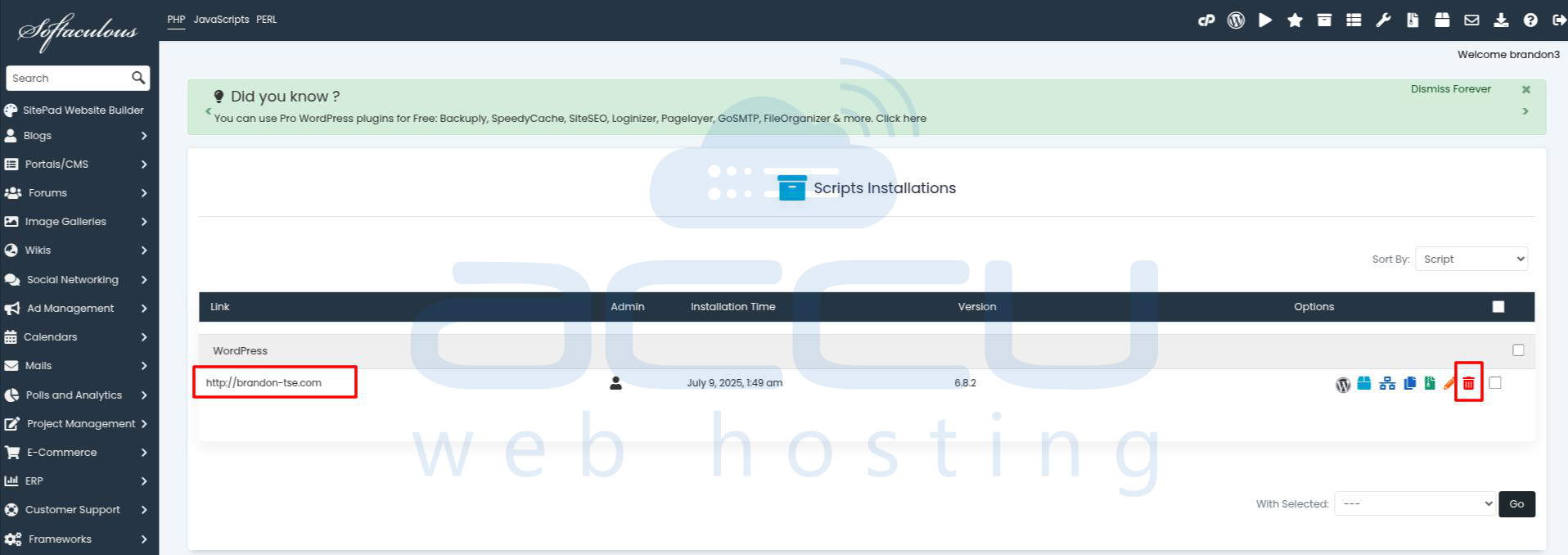
Step 4: Now, click on the Delete beside the website's name, which you want to remove.
Step 5: Click on the Remove Installation button on the next page.
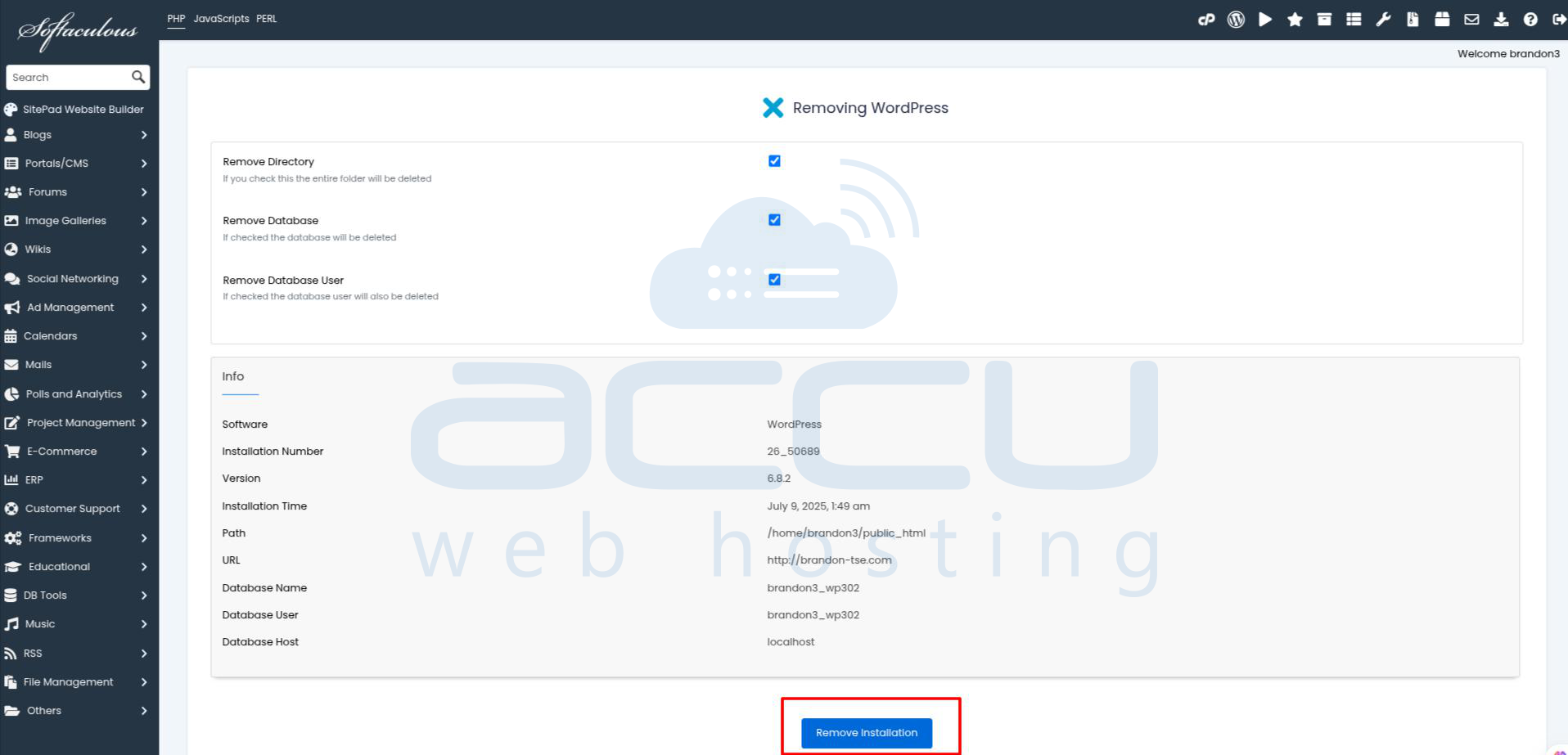
Implementing these steps will remove the WordPress installation for the selected website.
