
If you want to migrate your website to a different domain or add a temporary URL to test your website, then you would need to change the WordPress website URL from phpMyAdmin. Though a complex task, following the steps in this article, you can do it effortlessly.
To get started,
Step 1: Log in to your cPanel account.
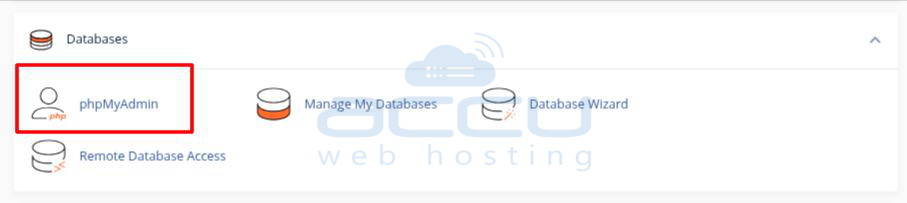
Step 2: Click on phpMyAdmin under the Databases section.
Step 3: On the left pane of phpMyAdmin, click on the WordPress database.

Step 4: Now, click on the wp_options table.

Step 5: Under the option_name, find the site URL and click on the Edit button.
Step 6: In the option_value box, replace the URL with the new URL and click on Go.

Step 7: Under the option_name, find the home and click on the Edit button.
Step 8: In the option_value box, replace the URL with the new URL and click on Go.

And that’s it!
You have easily changed your WordPress URL from phpMyAdmin.


