
In IIS, the Static Compression Ignore Hit Frequency setting determines whether IIS should bypass the default requirement for a file to be requested a certain number of times before it is compressed. Enabling this setting allows IIS to compress static content immediately, improving performance for low-traffic files.
This article explains how to configure the Static Compression Ignore Hit Frequency in Windows Server 2016 /Windows Server 2019.
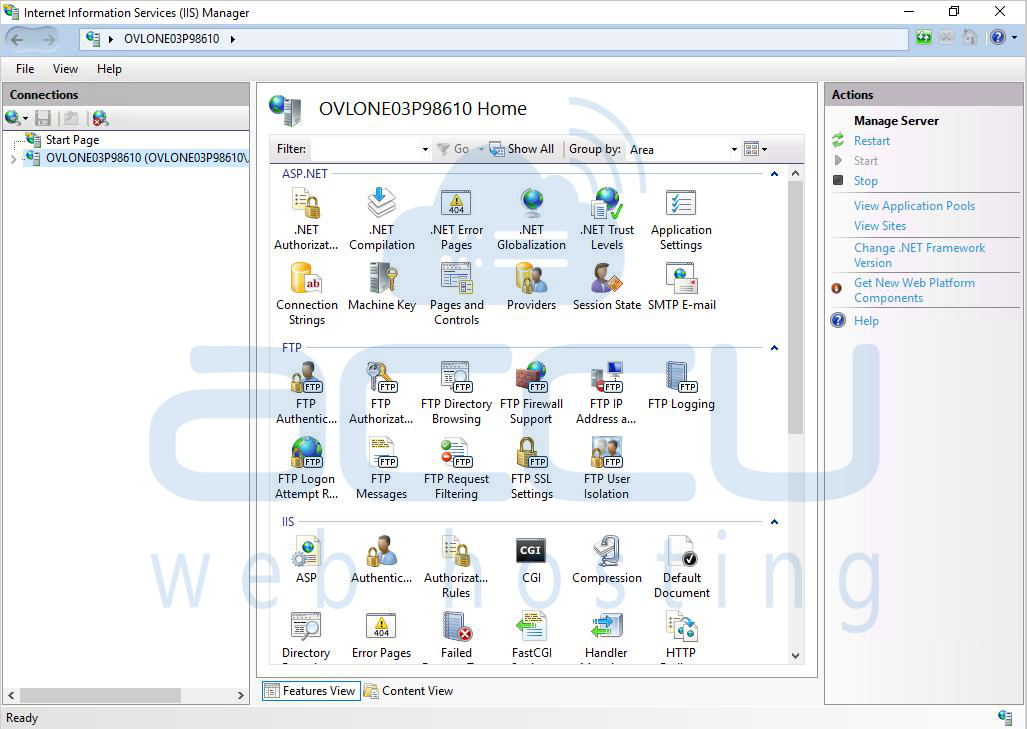
Step 1: Open Internet Information Services (IIS) Manager
Search Internet Information Services (IIS) Manager and open it.
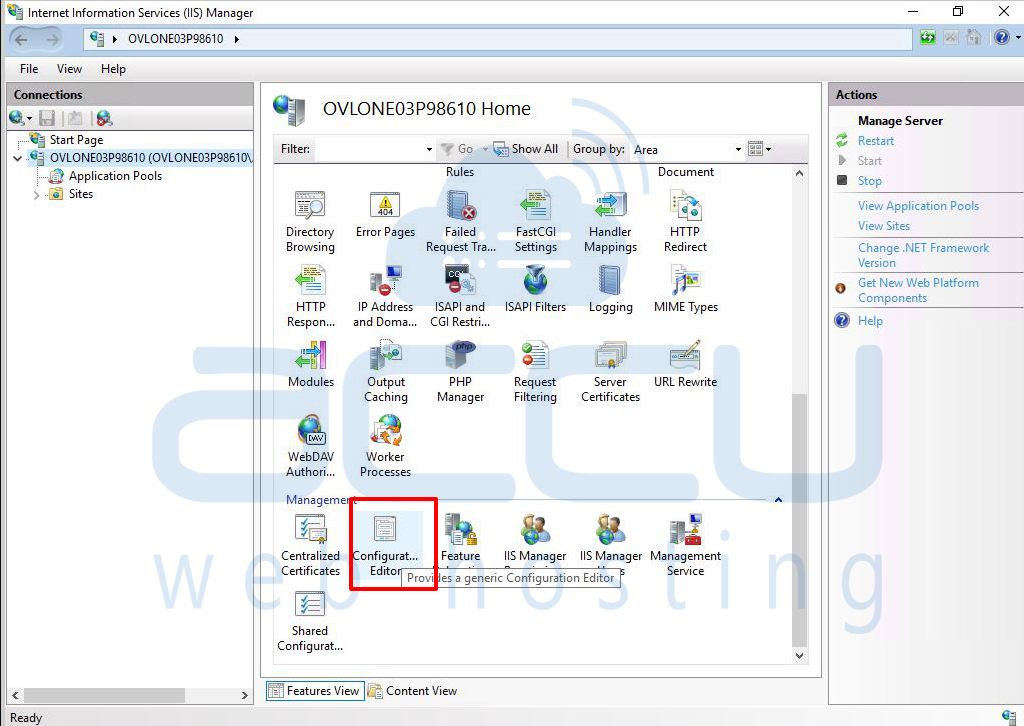
Step 2: Access the Configuration Editor
In the Connections pane, click on your server name. In the Management section, double-click Configuration Editor.
Step 3: Navigate to the HTTP Compression Settings
In the Section dropdown, expand system.webServer. Select httpCompression.
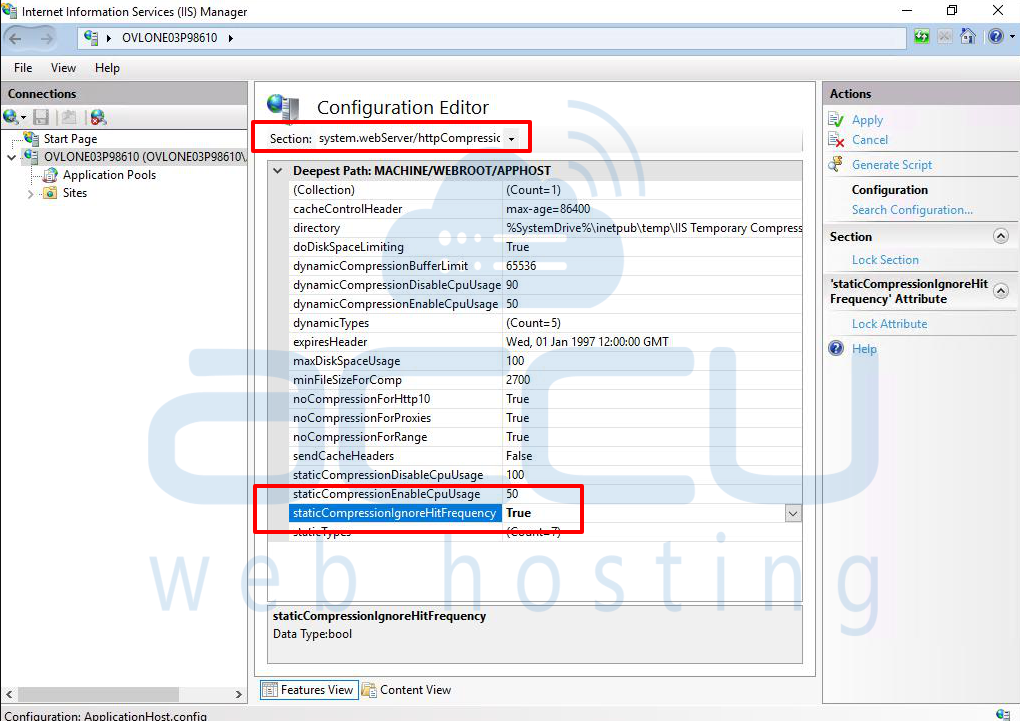
Step 4: Enable Static Compression Ignore Hit Frequency
Find staticCompressionIgnoreHitFrequency and set it to True.
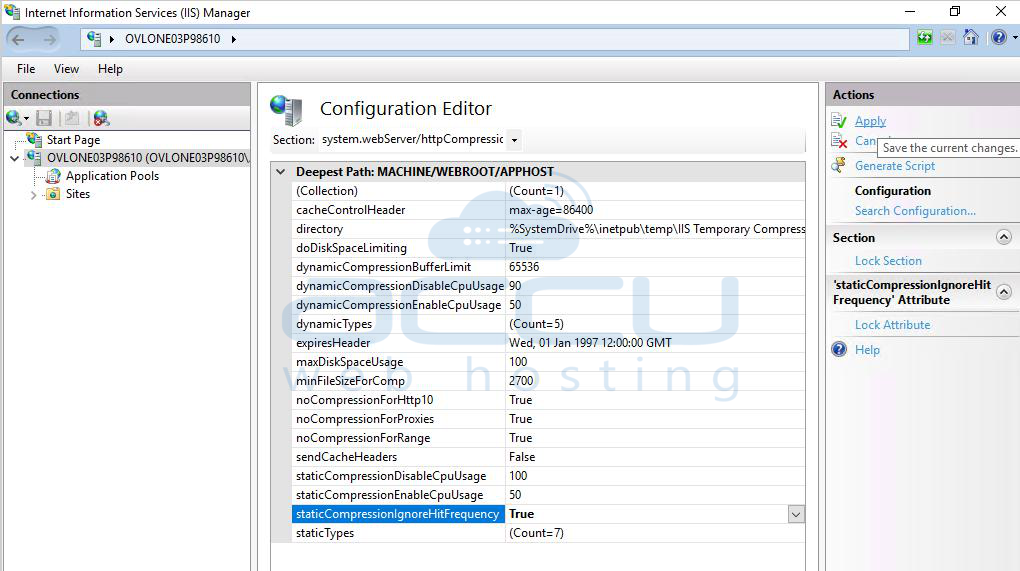
Step 5: Save the Changes
Click the Apply button in the Actions pane.
Conclusion:
You have now enabled the Static Compression Ignore Hit Frequency setting in IIS on Windows VPS. This ensures that static content will be compressed immediately without waiting for multiple hits, improving performance for infrequently accessed files


